Discover how apps are using the new design and Liquid Glass

In the latest edition of our new design gallery, find out how teams of all sizes are taking advantage of the new design and Liquid Glass to create natural, responsive experiences across Apple platforms.

Browse the original gallery
AllTrails
AllTrails, Inc.
View on the App Store

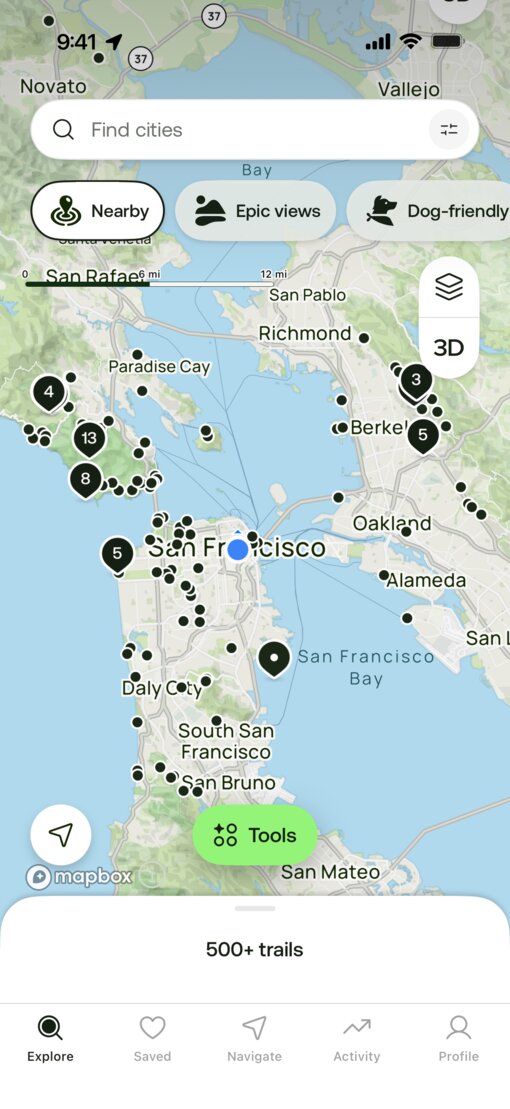
AllTrails gets meaningful enhancements to the tab bar, toolbar glass buttons, and zoom transitions in their iOS 26 redesign. Liquid Glass navigation buttons float over trail photography on detail pages, and the hero image collapses smoothly into a compact Liquid Glass navigation bar.

iOS 18

AllTrails app interface before redesign

iOS 26

CARROT Weather
Grailr LLC
View on the App Store

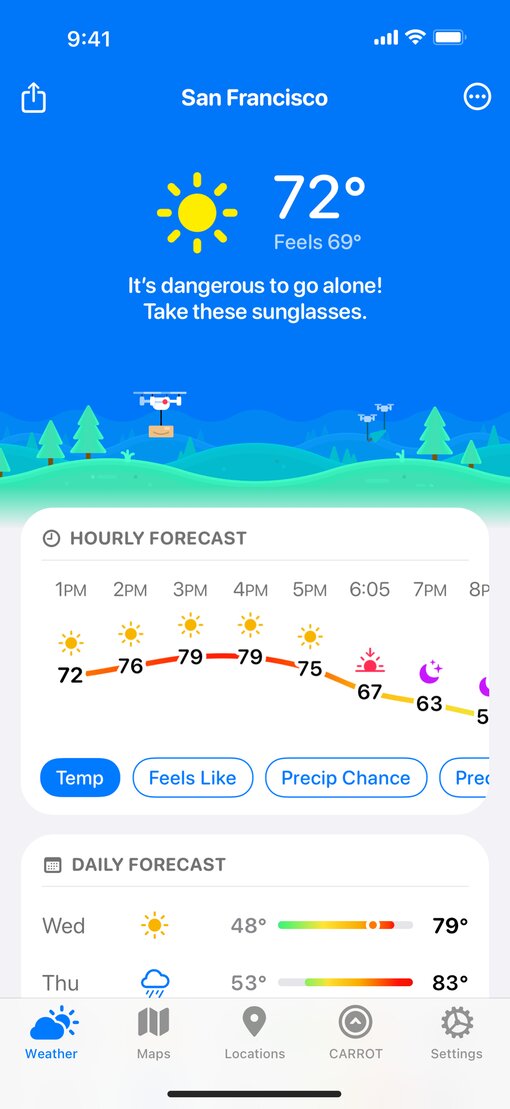
The sarcastic robot with dreams of world domination may be the same, but a fresh new look is evident throughout this one-of-a-kind weather app, especially when panning around the map on the Radar tab. The app is simpler too: Developer Brian Mueller reduced the number of tabs in the bottom toolbar for a cleaner experience. (He also introduced a full musical, which technically isn’t about design, but it’s still remarkable.)

iOS 18

CARROT Weather app interface before redesign

iOS 26

Fantastical
Flexibits Inc.
View on the App Store

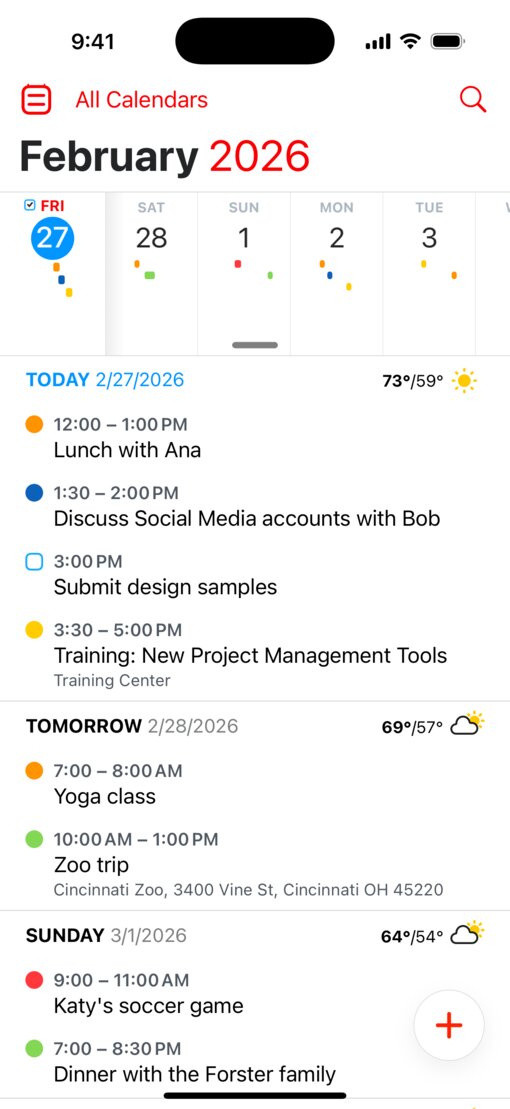
Fantastical moves its calendar and search controls from the top navigation bar into a Liquid Glass bottom toolbar, freeing up valuable vertical space for events. Elsewhere, the day ticker scrolls horizontally in sync with the vertical event list, and a Liquid Glass view-switcher popover makes it easy to jump between DayTicker, Calendar, Week, Month, and more.

iOS 18

Fantastical app interface before redesign

iOS 26

Denim
Feel Good Tech LLP
View on the App Store

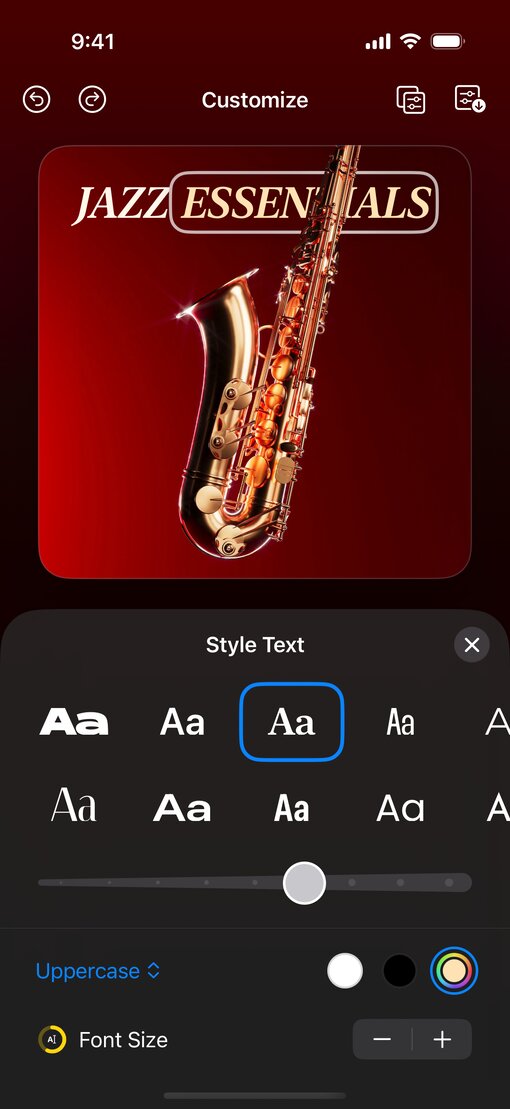
In this playlist cover design app, Liquid Glass toolbar controls blend nicely into the dark canvas. The app’s undo and redo buttons adopt the new design, and text labels on the cover art get a fresh appearance.

iOS 18

Denim app interface before redesign

iOS 26

Kroger
The Kroger Co.
View on the App Store

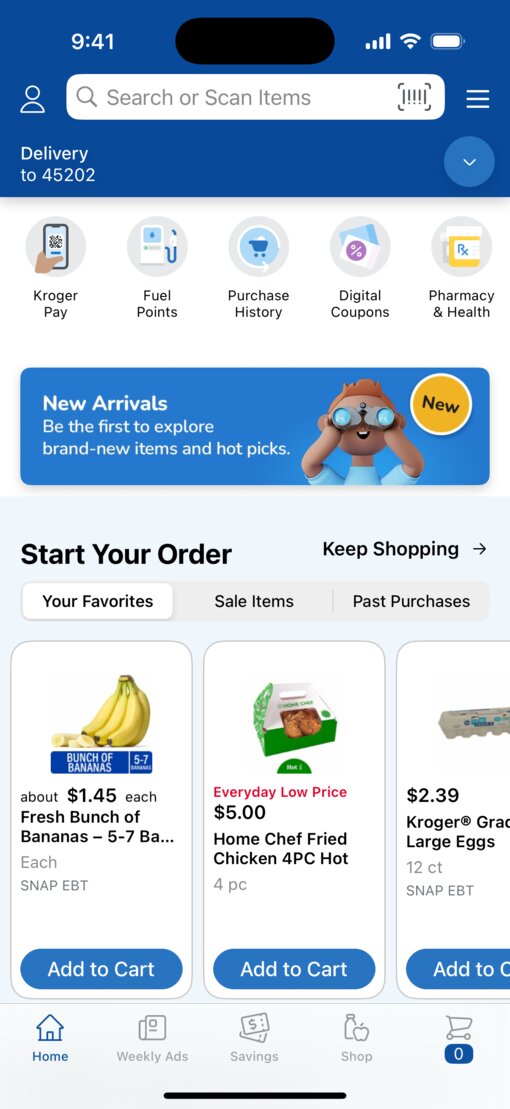
Kroger’s most comprehensive app redesign in 15 years transforms how people shop for groceries. The addition of Search as a separate tab makes search globally accessible, enabling effortless product discovery while creating more room for customers to find food inspiration. And the floating Liquid Glass “Delivery” (or “Pickup”) toolbar remains visible as people shop, keeping their choice just one tap away.

iOS 18

Kroger app interface before redesign

iOS 26


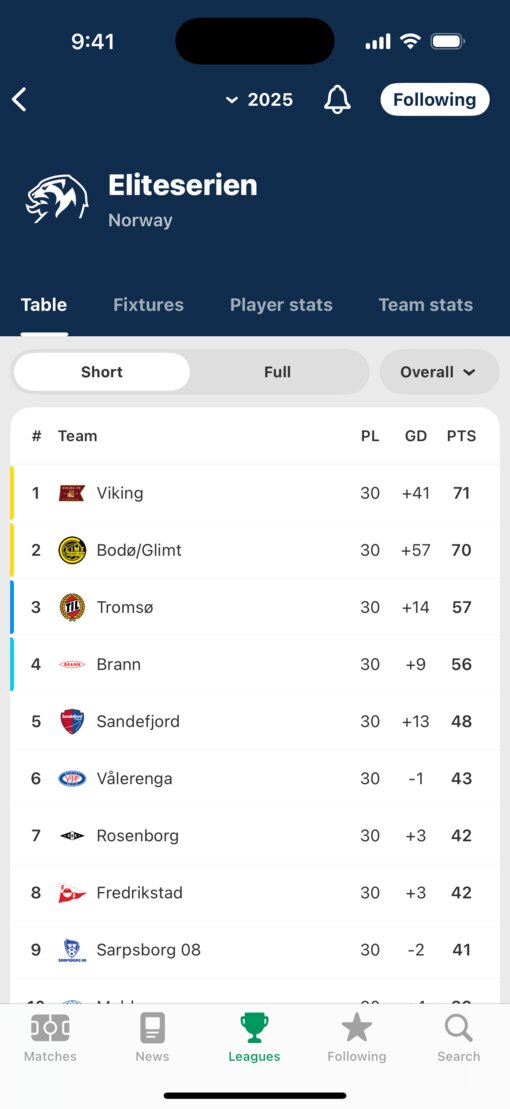
This soccer-scores app sees its navigation and tab bars refreshed with Liquid Glass. In the app’s new design, the season-picker menu opens with a large Liquid Glass overlay. And on team pages, the Liquid Glass toolbar buttons adapt their tint to complement each club’s color palette — a clever and natural touch.

iOS 18

FotMob app interface before redesign

iOS 26

Moises
Music.ai
View on the App Store

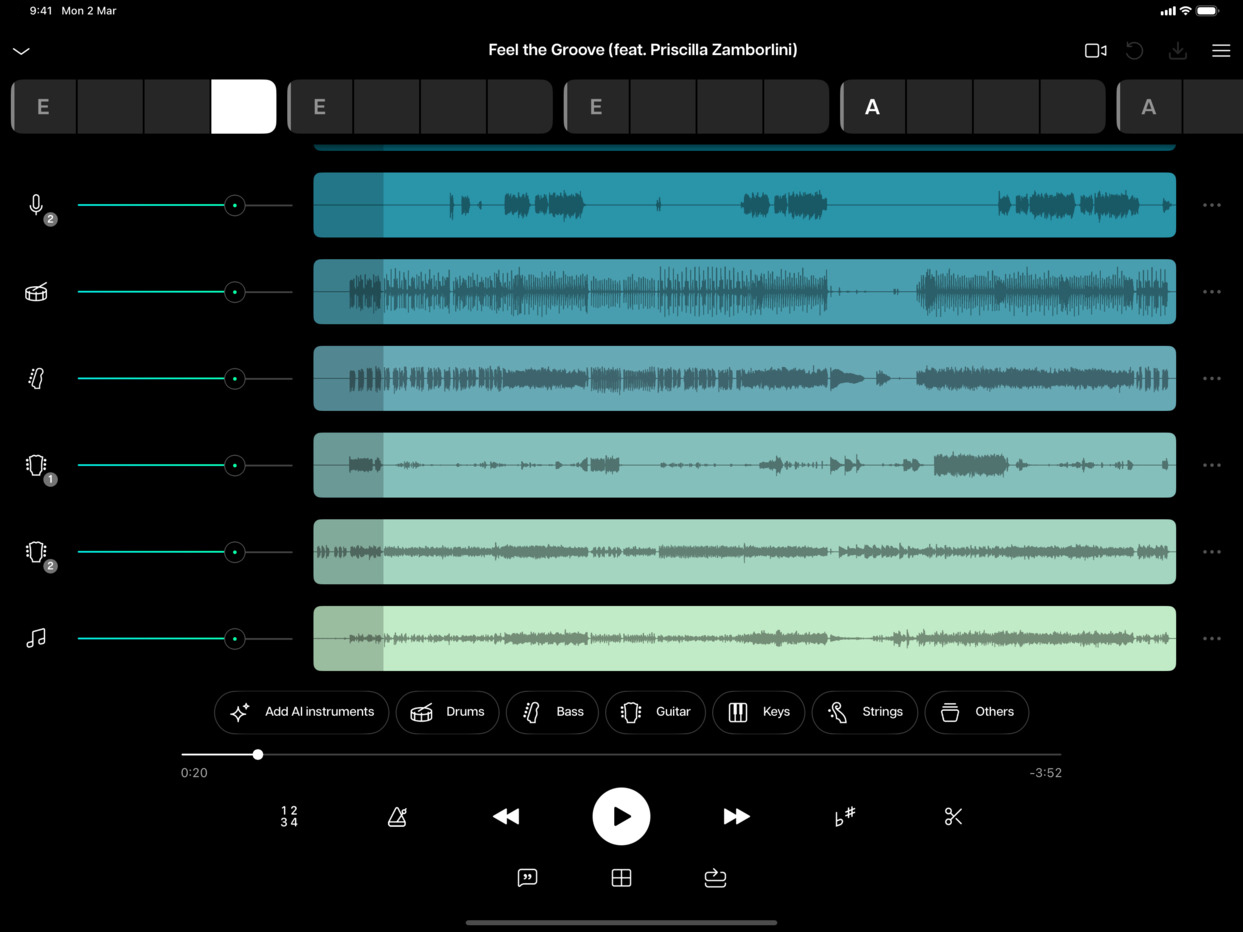
This AI-powered music app takes on a refined look with a consolidated toolbar and chord markers that scroll horizontally above the multitrack waveforms as audio plays. The instrument-separation tracks benefit from more canvas space, and playback controls — including real-time scrubbing through song sections like Intro, Verse, and Chorus — feel grounded and accessible at the bottom of the screen.

iPadOS 18

Moises app interface before redesign

iPadOS 26

KaraFun
Recisio
View on the App Store

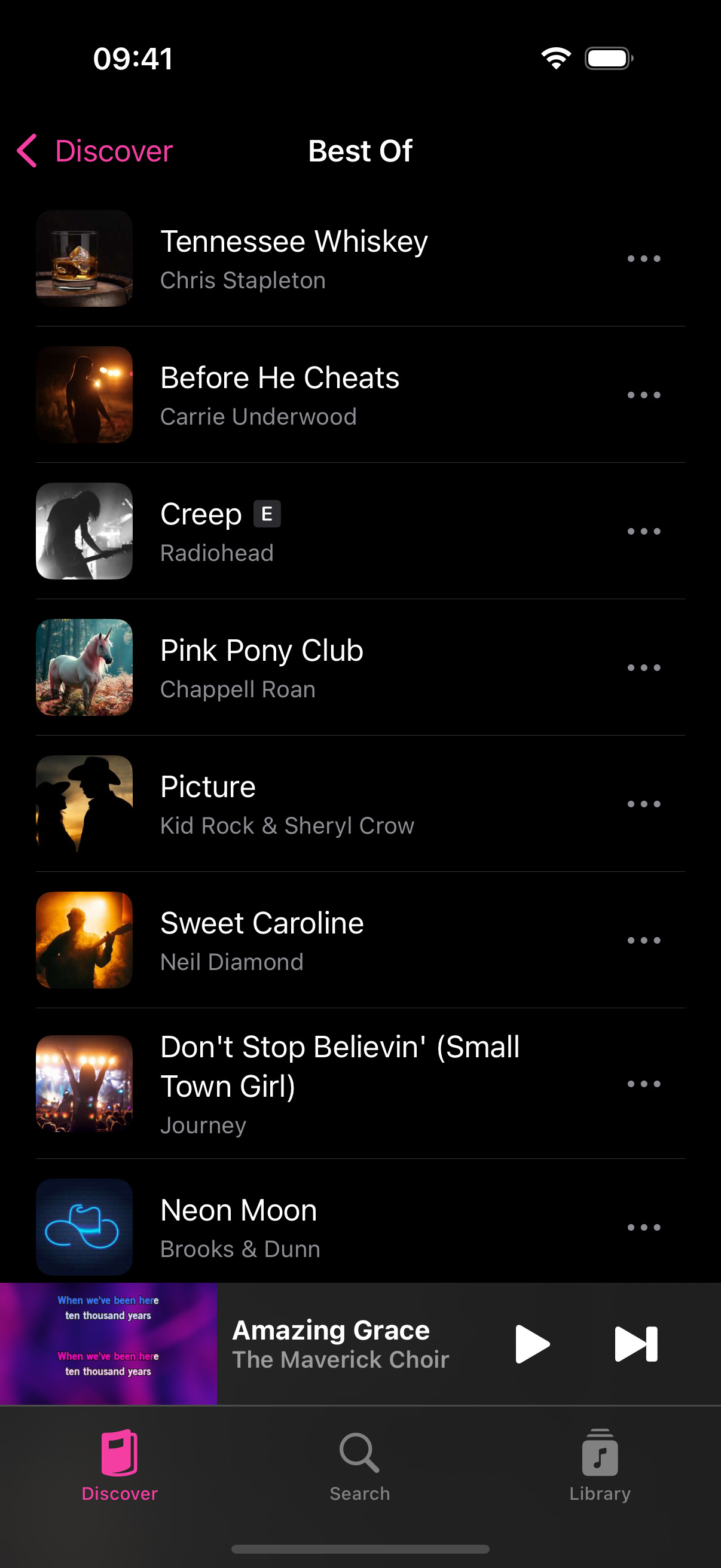
This karaoke app’s dark-themed song library gets a visual lift with the new design. A prominent playlist cover image now headlines the song list, and the Liquid Glass tab bar at the bottom features a warm translucent glow that plays off the app’s pink accent color. Large titles collapse smoothly into the compact navigation bar as people scroll through songs and browse the Discover page’s playlists, quizzes, and genre cards.

iOS 18

KaraFun app interface before redesign

iOS 26


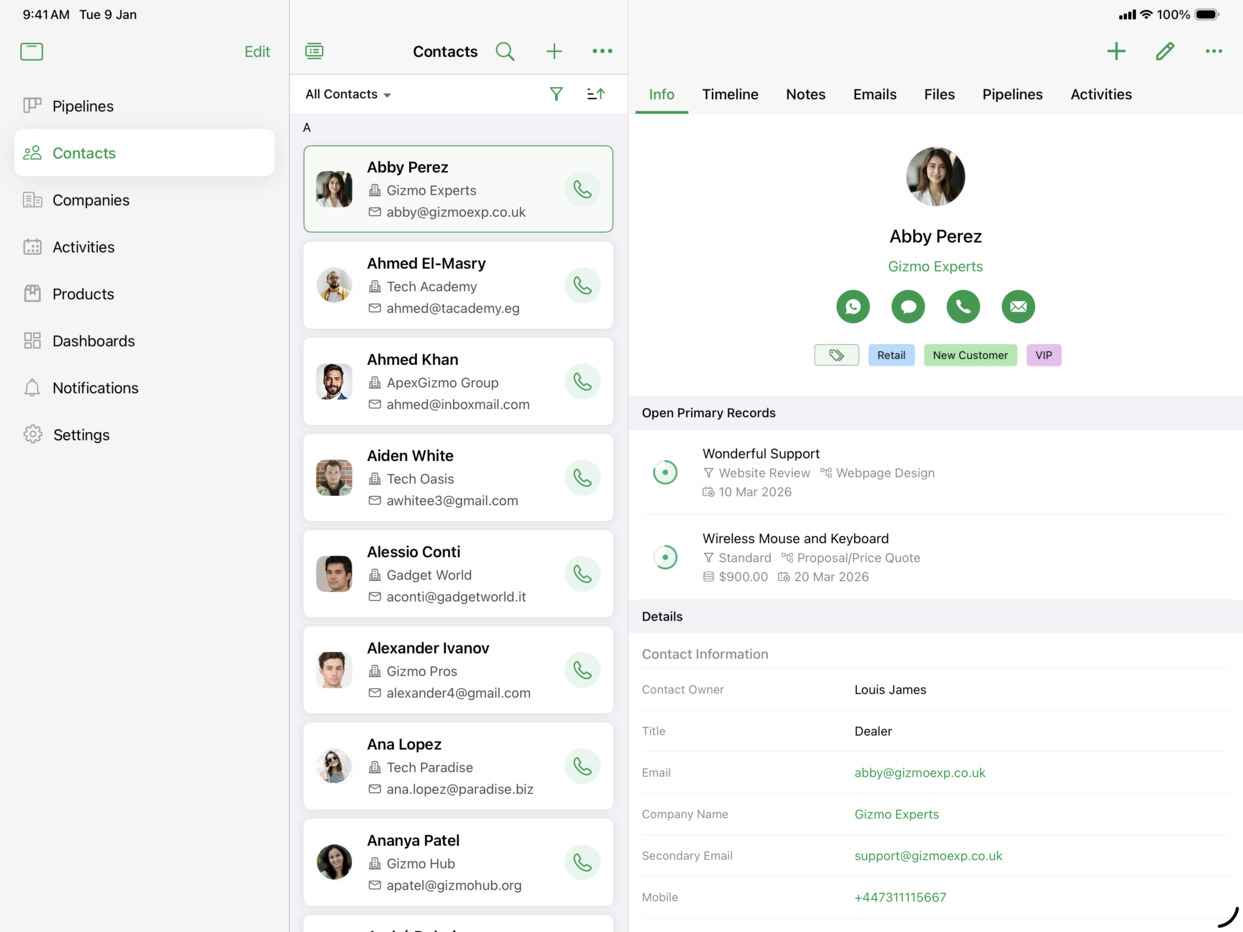
This CRM app moves its navigation from a top tab bar into a Liquid Glass bottom bar, putting Contacts, Companies, and Products within easy reach. On iPad, the app’s three-column layout shines. Tapping a contact’s phone button opens a Liquid Glass popover with multiple numbers, and the “+” button reveals nested popover menus for creating notes, tasks, events, and more.

iPadOS 18

Bigin CRM app interface before redesign

iPadOS 26

DROMI
Fenrir Inc.
View on the App Store

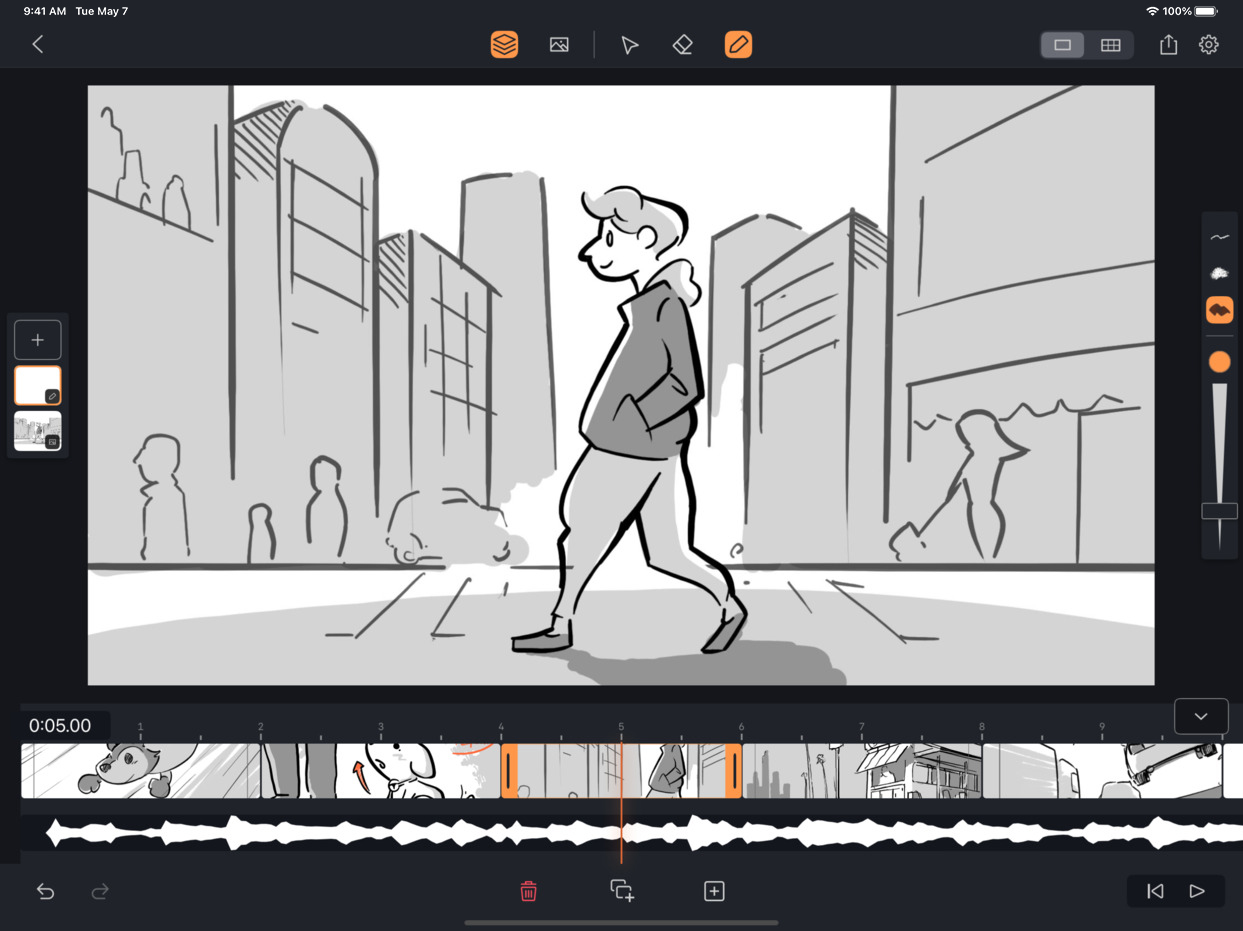
This storyboarding iPad app streamlines its top toolbar into clean control groups. When importing audio, a file-picker modal appears with a Liquid Glass background, while the storyboard canvas and annotations remain visible underneath. Elsewhere, the storyboard overview and per-frame annotation views also benefit from the consistent translucent toolbar.

iPadOS 18

DROMI storyboarding app interface before redesign

iPadOS 26

SketchPro
4Axis Technologies
View on the App Store

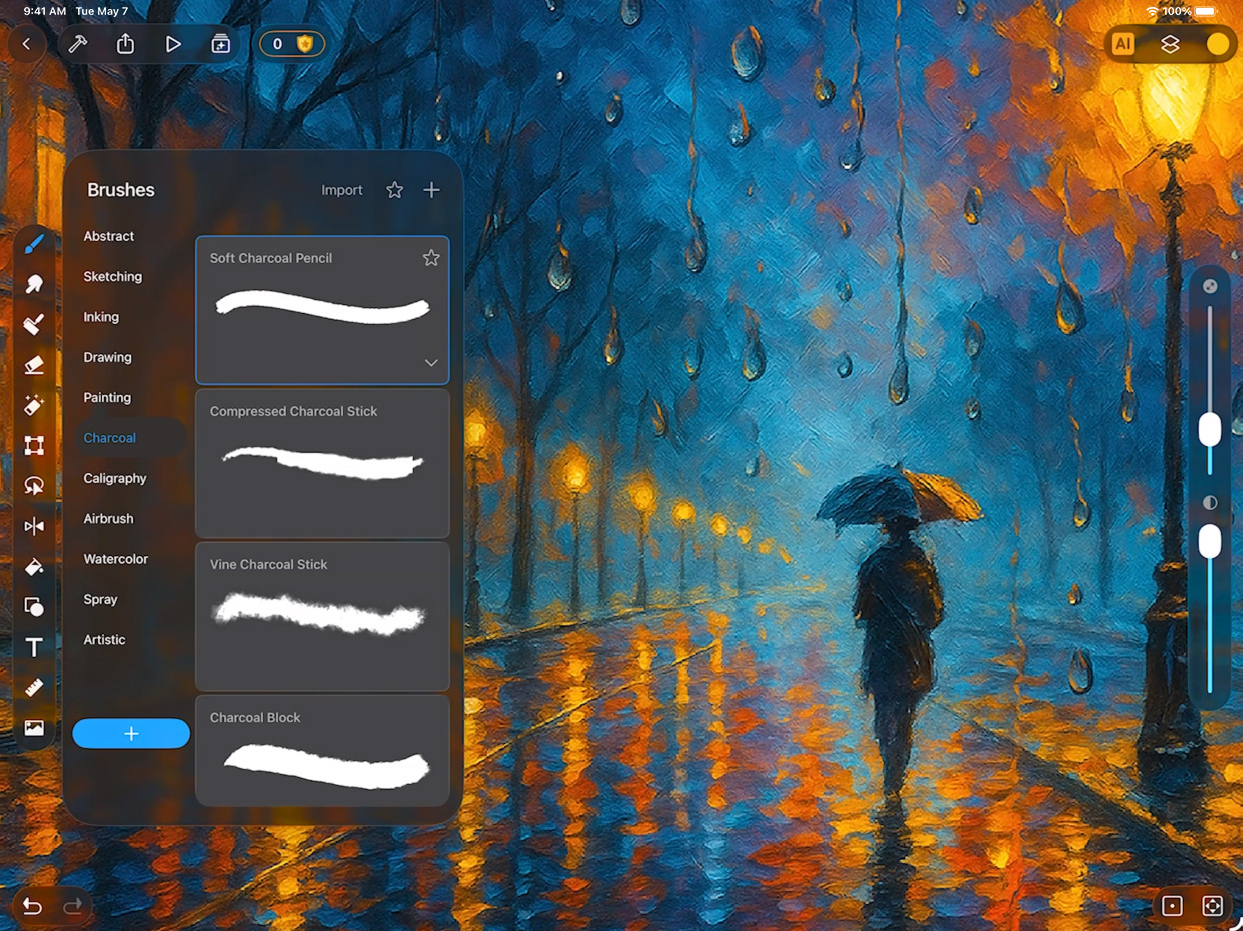
SketchPro’s painting canvas on iPad gains a more immersive feel as toolbar icons migrate into compact groupings at the top. The brush panel floats naturally over the artwork with a semitransparent background, and switching between charcoal brushes, selection tools, and symmetry painting modes keeps the canvas front and center.

iPadOS 18

SketchPro painting app interface before redesign

iPadOS 26

Trello
Trello, Inc.
View on the App Store

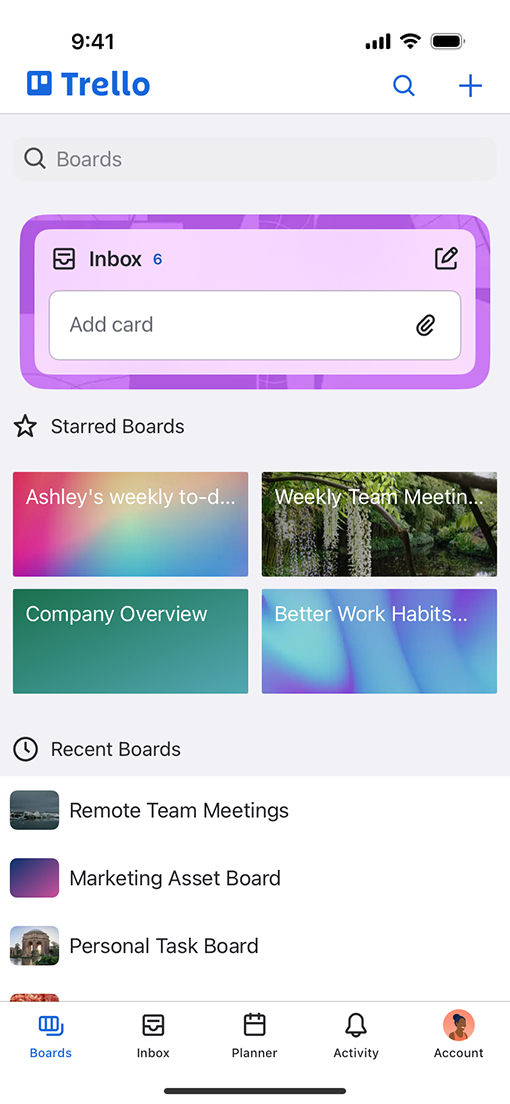
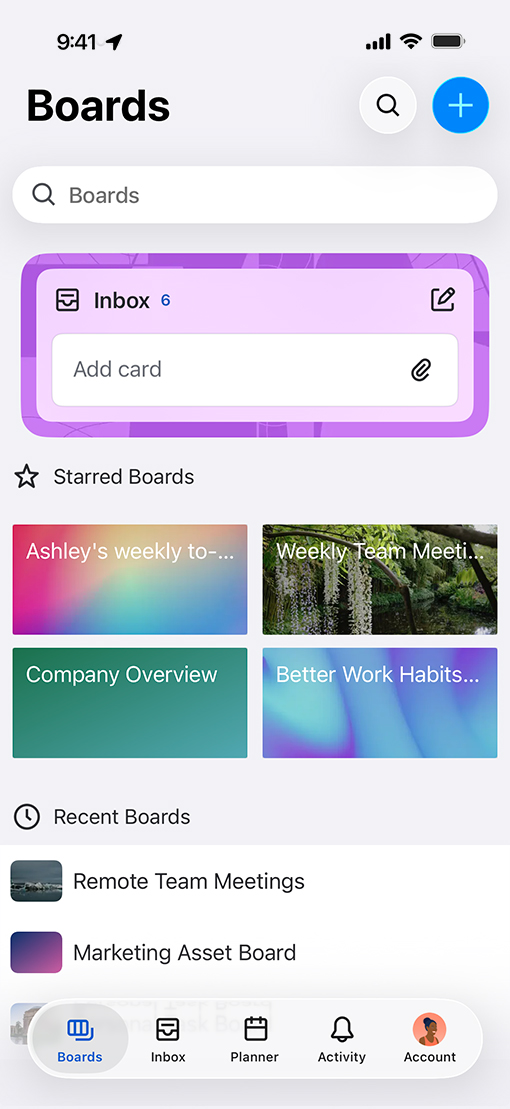
Trello’s board overview adopts the new design with a Liquid Glass tab bar that brings a softer, more modern feel to project management. The Inbox card gains a purple treatment, and the system keyboard itself adopts translucency — board card colors subtly bleed through the key caps as people search.

iOS 18

Trello app interface before redesign

iOS 26

Trello app with Liquid Glass tab bar
Mockup
Apprime Studio
View on the App Store

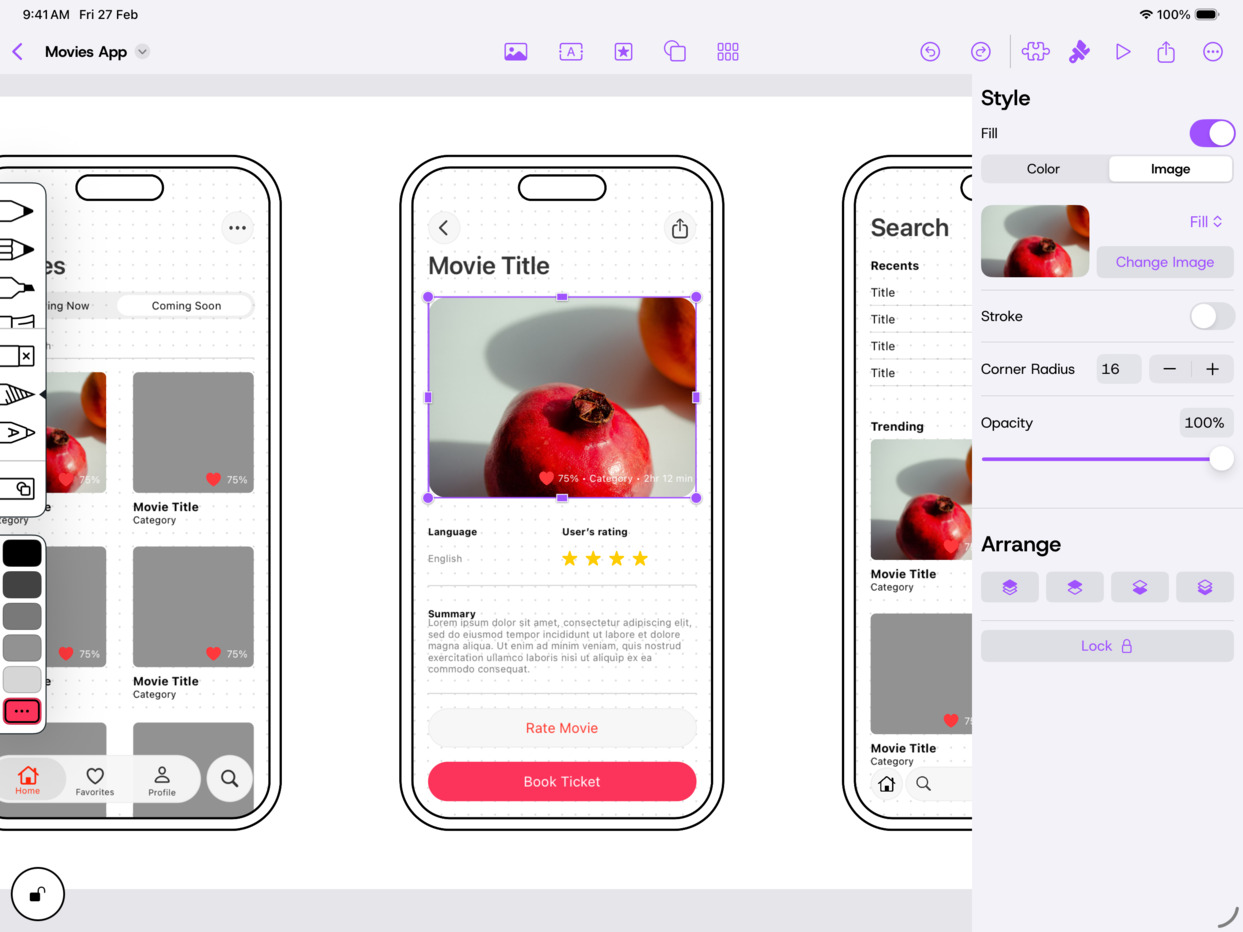
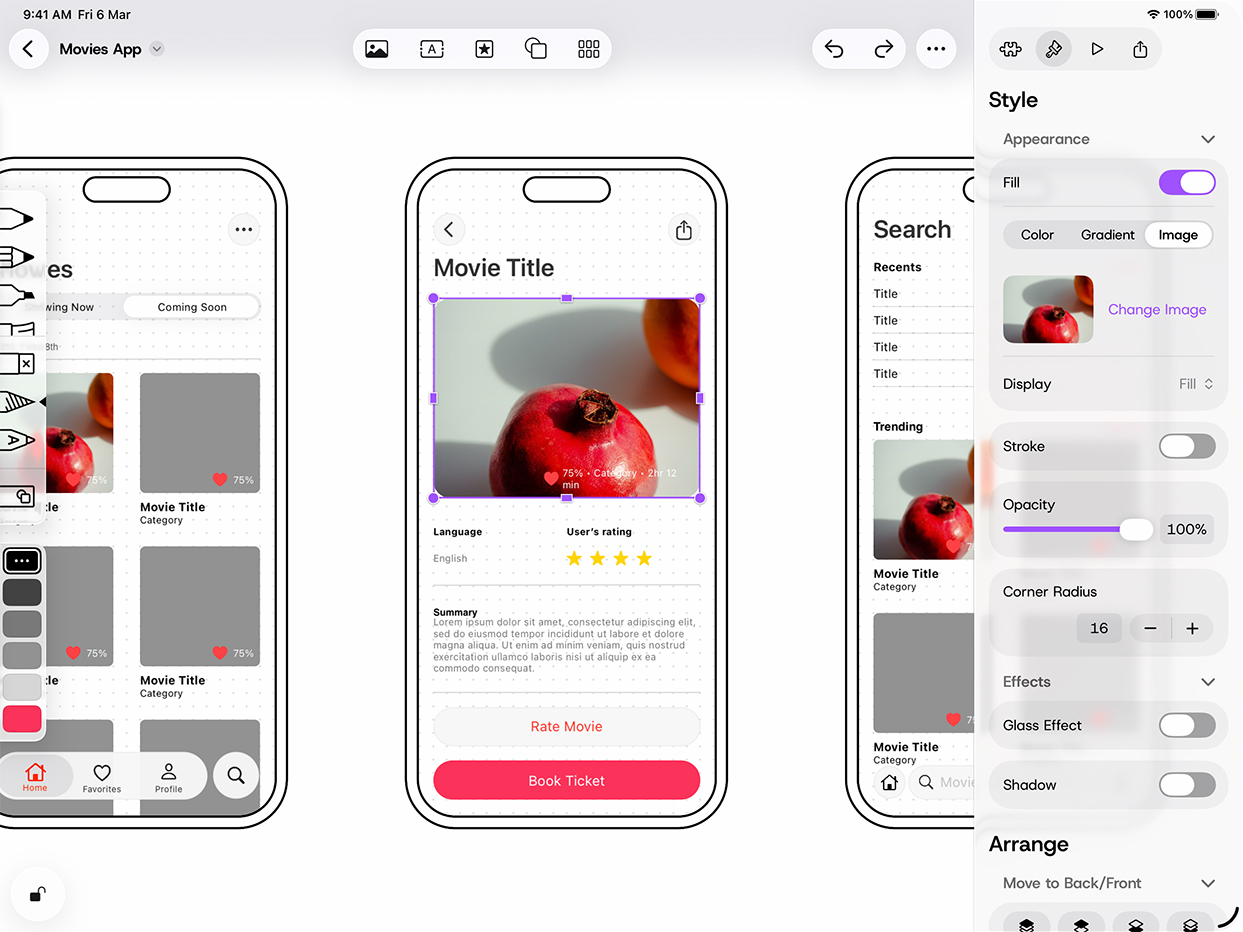
This iPad prototyping tool streamlines its top toolbar to group related design tools together. The right-side inspector panel gains a cleaner layout with new Appearance and Effects sections — including a Glass Effect toggle that lets designers apply Liquid Glass directly to their mockup elements.

iPadOS 18

Mockup prototyping app interface before redesign

iPadOS 26

Mockup prototyping app with Liquid Glass inspector panel
GoodLinks
Ngoc Luu
View on the App Store

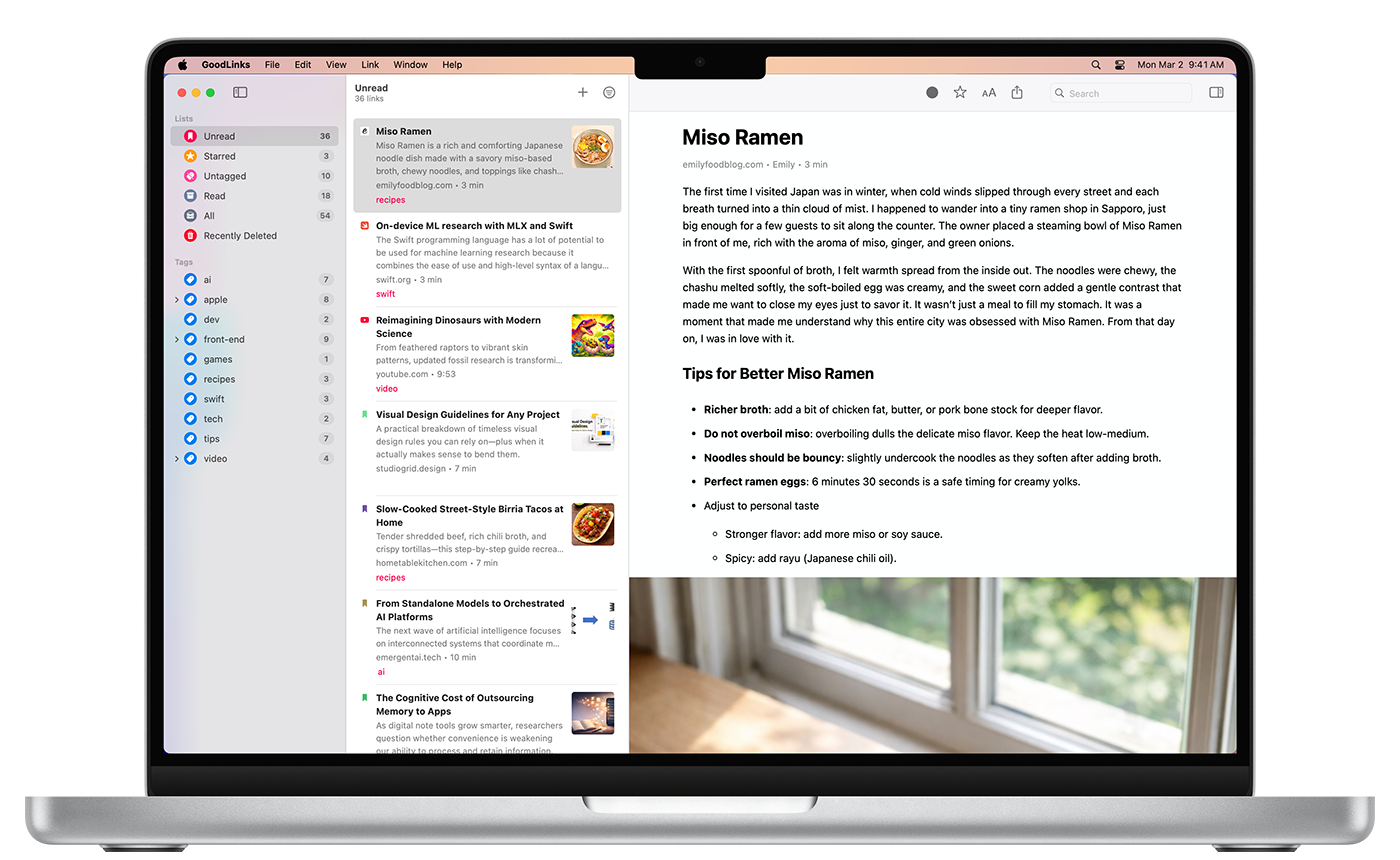
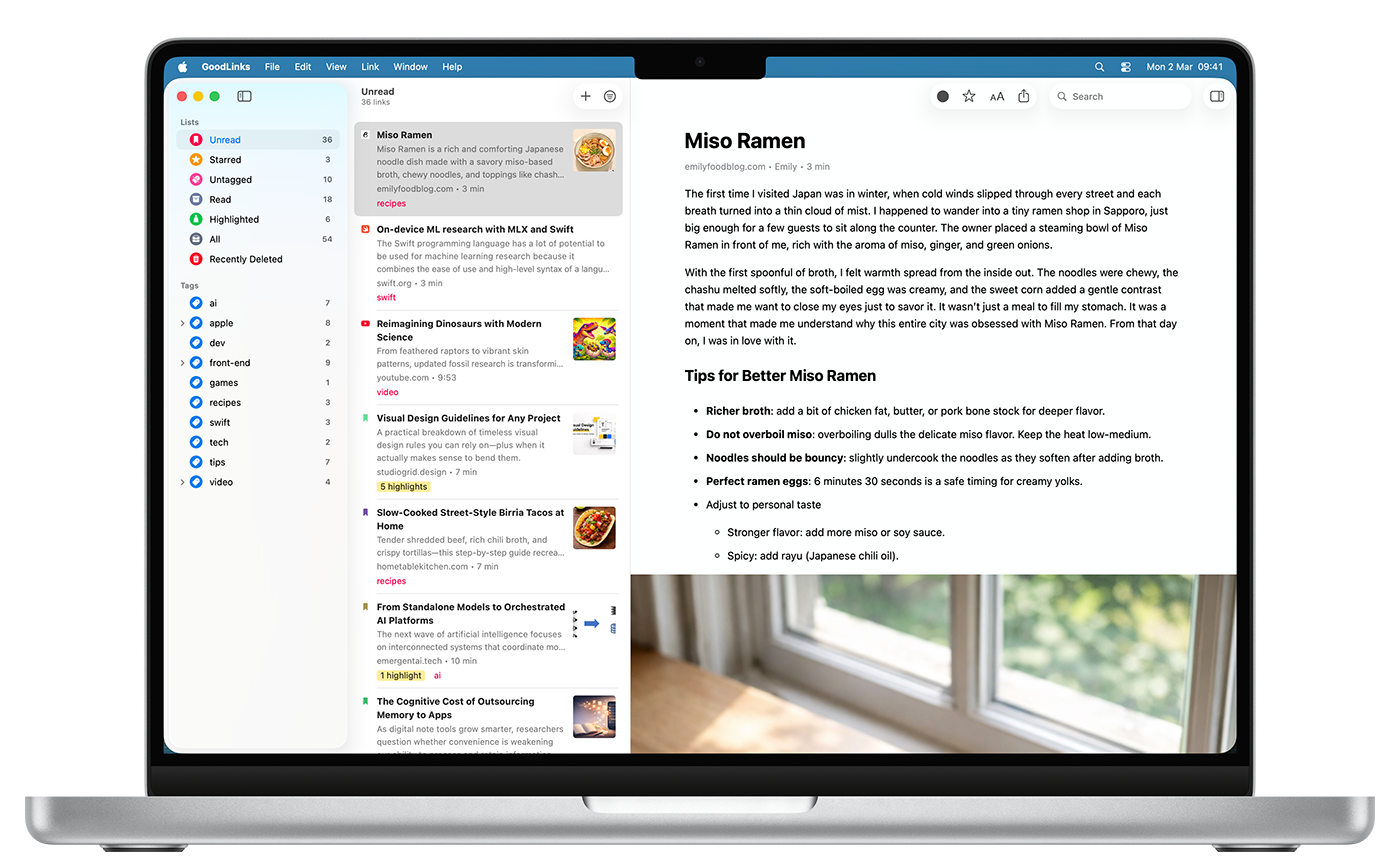
GoodLinks on Mac embraces macOS 26 Tahoe’s Liquid Glass toolbar, with the window controls, navigation, and action buttons sitting in a translucent bar that lets the app’s content peek through. Text highlighting and annotation flows naturally — right-click a highlight to access a Liquid Glass context menu with color options, notes, sharing, and search.

macOS 15

GoodLinks app on Mac before redesign

macOS 26

GoodLinks app on Mac with Liquid Glass toolbar
Tasks
Msquare Labs Technologies
View on the App Store

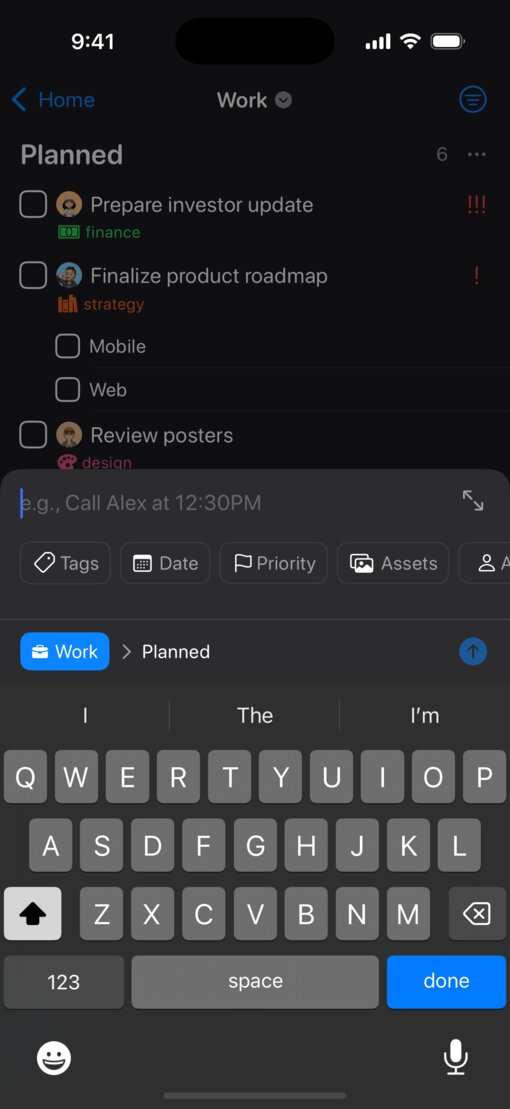
This task manager simplifies its iOS interface while adding rich organizational tools underneath. Smart lists, projects, and nested tags are easily browsable from the home screen, and tapping “+” opens a floating popover for creating tasks, projects, filters, and folders.

iOS 18

Tasks app interface before redesign

iOS 26

LazyFit
Next Vision Limited
View on the App Store

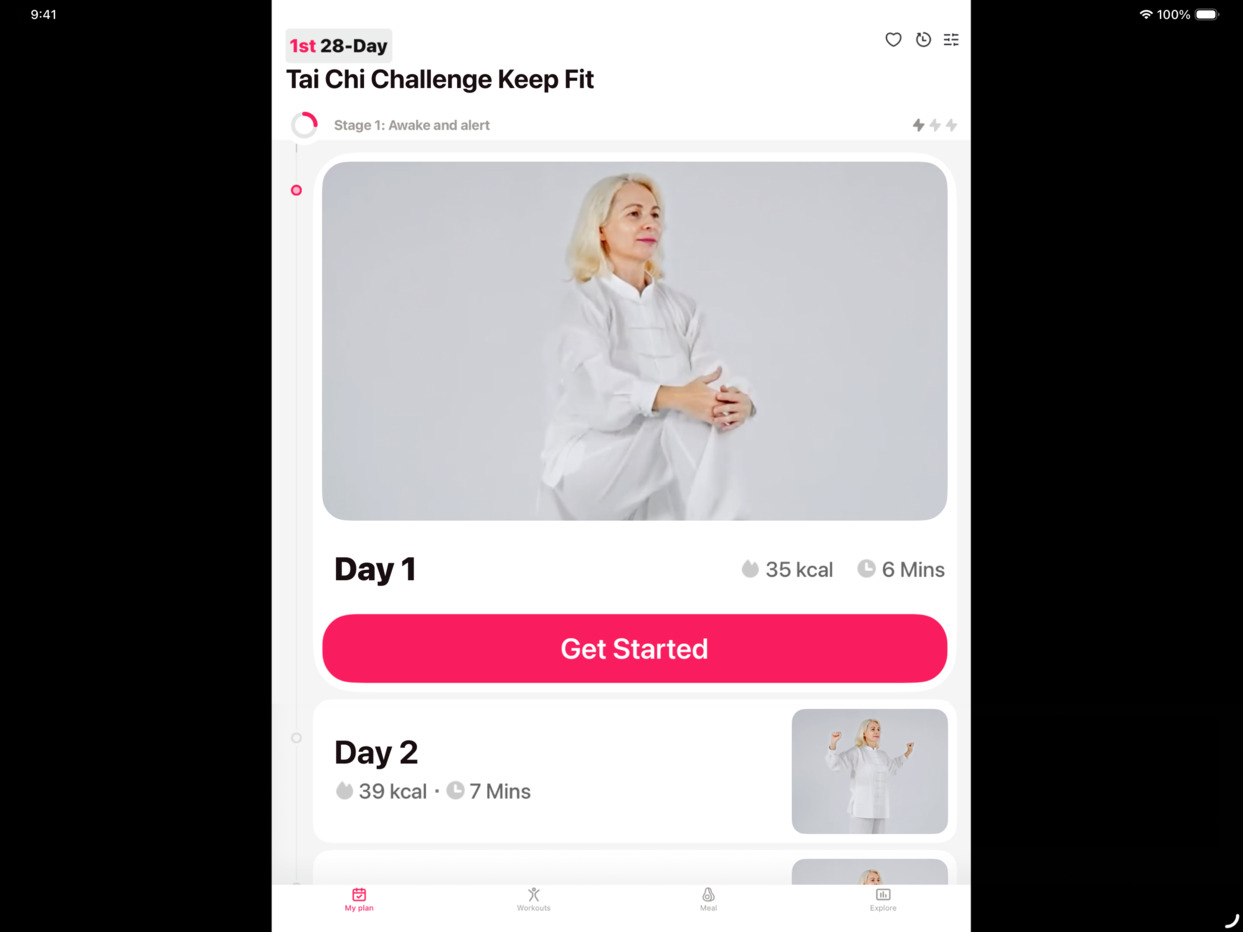
With the new design, LazyFit on iPad demonstrates an especially dramatic transition: Even workout video playback gets the treatment, with play, pause, and skip controls in the new design floating over the exercise footage.

iPadOS 18

LazyFit app on iPad before redesign

iPadOS 26

Monzo
Monzo Bank Ltd.
View on the App Store

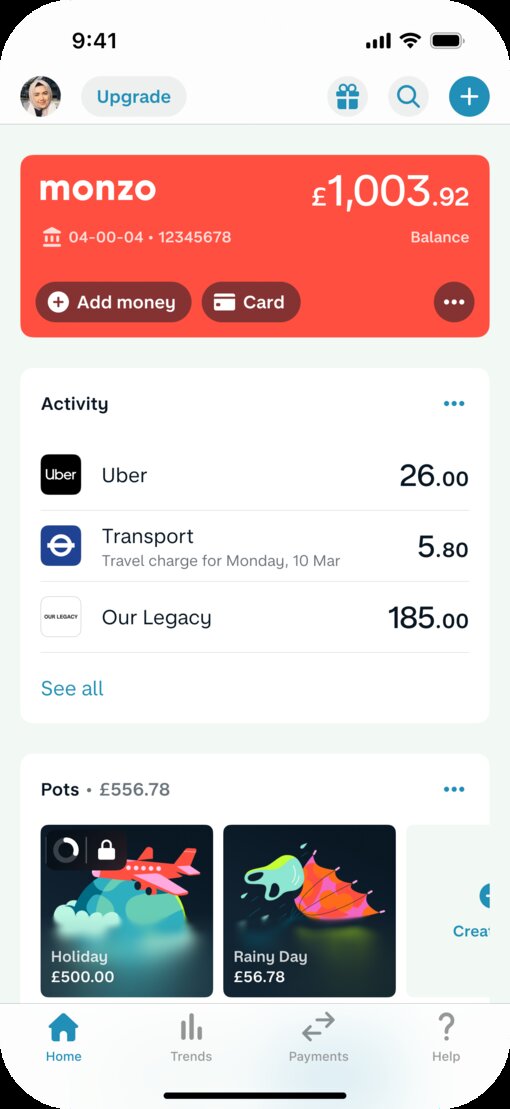
This UK-based digital banking app was among the first financial apps to adopt the new design. Monzo’s smart adoption of Liquid Glass includes a revamped tab bar, grouped toolbar icons, and beautiful native animation.

iOS 18

Monzo app interface before redesign

iOS 26

Le Monde
Societe Editrice du Monde
View on the App Store

This news app delivers a more immersive reading experience, thanks to fluid, translucent navigation bars and a floating tab bar that elegantly recedes with a scroll — and lets breaking news and in-depth reporting take center stage.

iOS 18

Le Monde app interface before redesign

iOS 26

Channel 4
Channel 4
View on the App Store

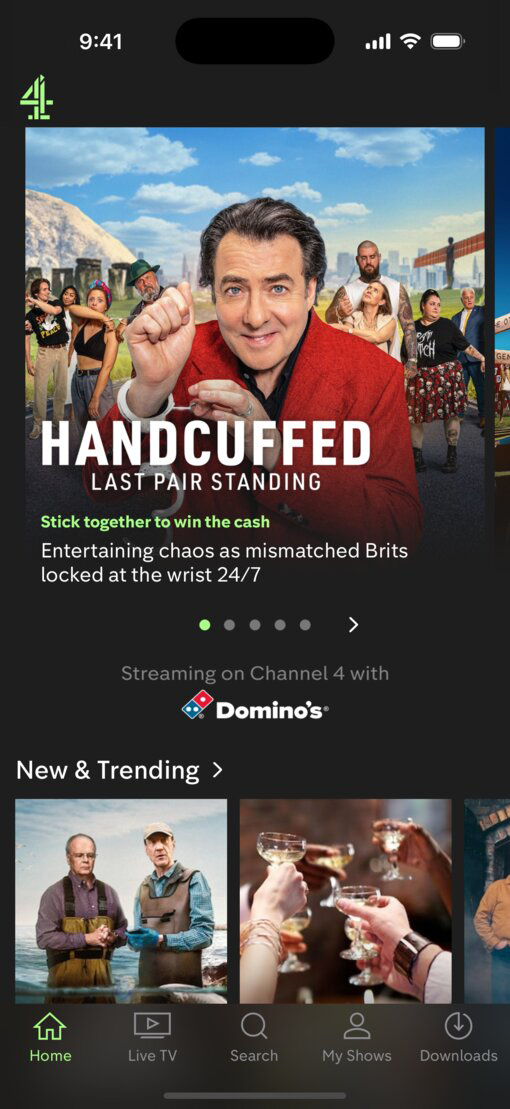
One of the UK’s leading streaming apps gets a new tab bar and native breakout search button, and integrates Liquid Glass throughout its play and navigation buttons.

iOS 18

Channel 4 app interface before redesign

iOS 26