

View in English

  • Apple Developer
    • Get Started

    Explore Get Started

    • Overview
    • Learn
    • Apple Developer Program

    Stay Updated

    • Latest News
    • Hello Developer
    • Platforms

    Explore Platforms

    • Apple Platforms
    • iOS
    • iPadOS
    • macOS
    • tvOS
    • visionOS
    • watchOS
    • App Store

    Featured

    • Design
    • Distribution
    • Games
    • Accessories
    • Web
    • Home
    • CarPlay
    • Technologies

    Explore Technologies

    • Overview
    • Xcode
    • Swift
    • SwiftUI

    Featured

    • Accessibility
    • App Intents
    • Apple Intelligence
    • Games
    • Machine Learning & AI
    • Security
    • Xcode Cloud
    • Community

    Explore Community

    • Overview
    • Meet with Apple events
    • Community-driven events
    • Developer Forums
    • Open Source

    Featured

    • WWDC
    • Swift Student Challenge
    • Developer Stories
    • App Store Awards
    • Apple Design Awards
    • Apple Developer Centers
    • Documentation

    Explore Documentation

    • Documentation Library
    • Technology Overviews
    • Sample Code
    • Human Interface Guidelines
    • Videos

    Release Notes

    • Featured Updates
    • iOS
    • iPadOS
    • macOS
    • watchOS
    • visionOS
    • tvOS
    • Xcode
    • Downloads

    Explore Downloads

    • All Downloads
    • Operating Systems
    • Applications
    • Design Resources

    Featured

    • Xcode
    • TestFlight
    • Fonts
    • SF Symbols
    • Icon Composer
    • Support

    Explore Support

    • Overview
    • Help Guides
    • Developer Forums
    • Feedback Assistant
    • Contact Us

    Featured

    • Account Help
    • App Review Guidelines
    • App Store Connect Help
    • Upcoming Requirements
    • Agreements and Guidelines
    • System Status
  • Quick Links

    • Events
    • News
    • Forums
    • Sample Code
    • Videos
 

Vidéos

Ouvrir le menu Fermer le menu
  • Collections
  • Toutes les vidéos
  • À propos

Plus de vidéos

  • À propos
  • Code
  • Get the most out of Sign in with Apple

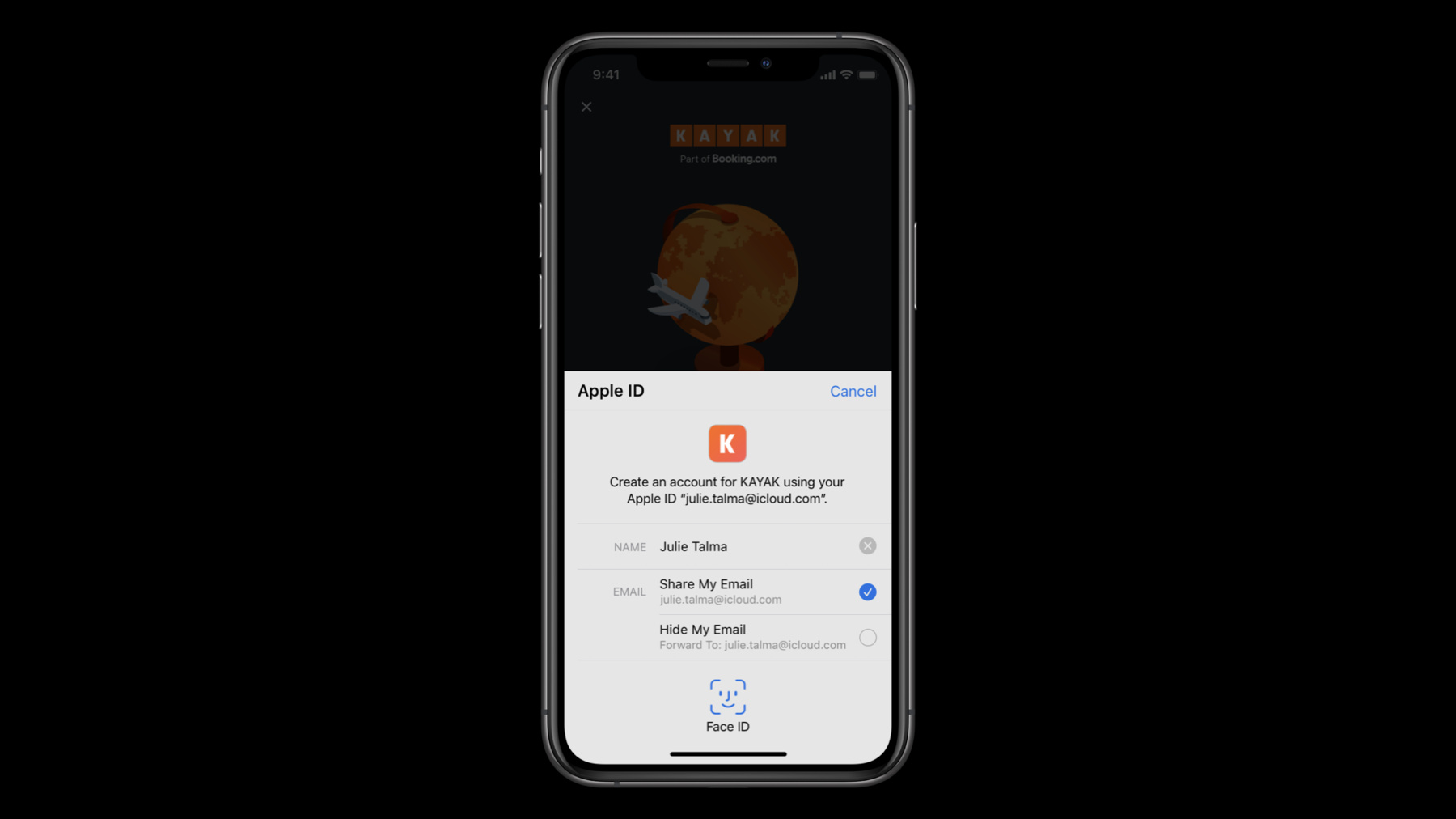
    Sign in with Apple makes it easy for people to sign in to your apps and websites with the Apple ID they already have. Fully integrate Sign in with Apple into your app using secure requests, and by handling state changes and server notifications. We'll also introduce new APIs that allow you to let existing users switch to Sign in with Apple quickly and easily.

    Ressources

    • Human Interface Guidelines: Sign in with Apple
    • Sign In with Apple
    • Implementing User Authentication with Sign in with Apple
      • Vidéo HD
      • Vidéo SD

    Vidéos connexes

    WWDC22

    • Discover Sign in with Apple at Work & School
    • Enhance your Sign in with Apple experience

    WWDC21

    • Safeguard your accounts, promotions, and content

    WWDC20

    • AutoFill everywhere
    • One-tap account security upgrades

    WWDC19

    • Introducing Sign In with Apple
  • Rechercher dans cette vidéo…
    • 2:02 - Create an Authorization Request

      // Configure request, setup delegates and perform authorization request
      
          @objc func handleAuthorizationButtonPress() {
              let request = ASAuthorizationAppleIDProvider().createRequest()
              request.requestedScopes = [.fullName, .email]
              
              request.nonce = myNonceString()
              request.state = myStateString()
                  
              let controller = ASAuthorizationController(authorizationRequests: [request])
                  
              controller.delegate = self
              controller.presentationContextProvider = self
                  
              controller.performRequests()
          }
    • 5:37 - Get a credential from an Authorization

      // ASAuthorizationControllerDelegate
      
      func authorizationController(controller: ASAuthorizationController, didCompleteWithAuthorization authorization: ASAuthorization) {
              if let credential = authorization.credential as? ASAuthorizationAppleIDCredential {
                  let userIdentifier = credential.user
                  let fullName = credential.fullName
                  let email = credential.email
                  let realUserStatus = credential.realUserStatus
                  
                  let state = credential.state
                  let identityToken = credential.identityToken
                  let authorizationCode = credential.authorizationCode
                  
                  // Securely store the userIdentifier locally
                  self.saveUserIdentifier(userIdentifier)
                  
                  // Create a session with your server and verify the information
                  self.createSession(identityToken: identityToken, authorizationCode: authorizationCode)
          }
      }
    • 8:51 - Verify the state of a credential

      // Getting a credential state
              
              let provider = ASAuthorizationAppleIDProvider()
              
              provider.getCredentialState(forUserID: getStoredUserIdentifier()) { 
                                                              (credentialState, error) in
                  switch(credentialState) {
                  case .authorized:
                      // Sign in with Apple credential Valid
                  case .revoked:
                      // Sign in with Apple credential Revoked, Sign out
                  case .notFound:
                      // Credential was not found, fallback to login screen
                  case .transferred:
                      // Application was recently transferred, refresh User Identifier
                  @unknown default:
                      break
                  }
              }
    • 11:00 - Migrate a user identifier

      // Migrating a user identifier
      
              let request = ASAuthorizationAppleIDProvider().createRequest()
              request.requestedScopes = [.fullName, .email]
                  
              request.user = getStoredUserIdentifier()
              
              request.nonce = myNonceString()
              request.state = myStateString()
                  
              let controller = ASAuthorizationController(authorizationRequests: [request])
                  
              controller.delegate = self
              controller.presentationContextProvider = self
                  
              controller.performRequests()
    • 13:54 - Create a Sign in with Apple button

      // SwiftUI example:
      
      SignInWithAppleButton(.signIn) {
          onRequest: { (request) in
              request.requestedScopes = [.fullName, .email]
              request.nonce = myNonceString()
              request.state = myStateString()
          }
          onCompletion: { (result) in
              switch result {
              case .success(let authorization):
                  // Handle Authorization
              case .failure(let error)
                  // Handle Failure
              }
          }
      }.signInWithAppleButtonStyle(.black)
    • 25:15 - convertAccountToSignInWithAppleWithoutUserInteraction

      enum VerificationResult : Int { case success; case failure; case twoFactorAuthRequired;
      
      override func convertAccountToSignInWithAppleWithoutUserInteraction(
          for serviceIdentifier: ASCredentialServiceIdentifier, 
          existingCredential: ASPasswordCredential
      ) {
          verifyCredential(existingCredential) { (result: VerificationResult) in
              switch result {
              case .failure:
                  self.extensionContext.cancelRequest(withError: 
                      ASExtensionError(.failed))
              case .success:
                self.extensionContext.getSignInWithAppleAuthorizationWithState(state: myStateString(),
                                                                               nonce: myNonceString(),      
                                                                               {…}        
              case .twoFactorAuthRequired:
                  self.extensionContext.cancelRequest(withError: 
                      ASExtensionError(.userInteractionRequired))
          }
      }

Developer Footer

  • Vidéos
  • WWDC20
  • Get the most out of Sign in with Apple
  • Open Menu Close Menu
    • iOS
    • iPadOS
    • macOS
    • tvOS
    • visionOS
    • watchOS
    • App Store
    Open Menu Close Menu
    • Swift
    • SwiftUI
    • Swift Playground
    • TestFlight
    • Xcode
    • Xcode Cloud
    • Icon Composer
    • SF Symbols
    Open Menu Close Menu
    • Accessibility
    • Accessories
    • Apple Intelligence
    • Audio & Video
    • Augmented Reality
    • Business
    • Design
    • Distribution
    • Education
    • Games
    • Health & Fitness
    • In-App Purchase
    • Localization
    • Maps & Location
    • Machine Learning & AI
    • Security
    • Safari & Web
    Open Menu Close Menu
    • Documentation
    • Downloads
    • Sample Code
    • Videos
    Open Menu Close Menu
    • Help Guides & Articles
    • Contact Us
    • Forums
    • Feedback & Bug Reporting
    • System Status
    Open Menu Close Menu
    • Apple Developer
    • App Store Connect
    • Certificates, IDs, & Profiles
    • Feedback Assistant
    Open Menu Close Menu
    • Apple Developer Program
    • Apple Developer Enterprise Program
    • App Store Small Business Program
    • MFi Program
    • Mini Apps Partner Program
    • News Partner Program
    • Video Partner Program
    • Security Bounty Program
    • Security Research Device Program
    Open Menu Close Menu
    • Meet with Apple
    • Apple Developer Centers
    • App Store Awards
    • Apple Design Awards
    • Apple Developer Academies
    • WWDC
    Read the latest news.
    Get the Apple Developer app.
    Copyright © 2026 Apple Inc. All rights reserved.
    Terms of Use Privacy Policy Agreements and Guidelines