

-
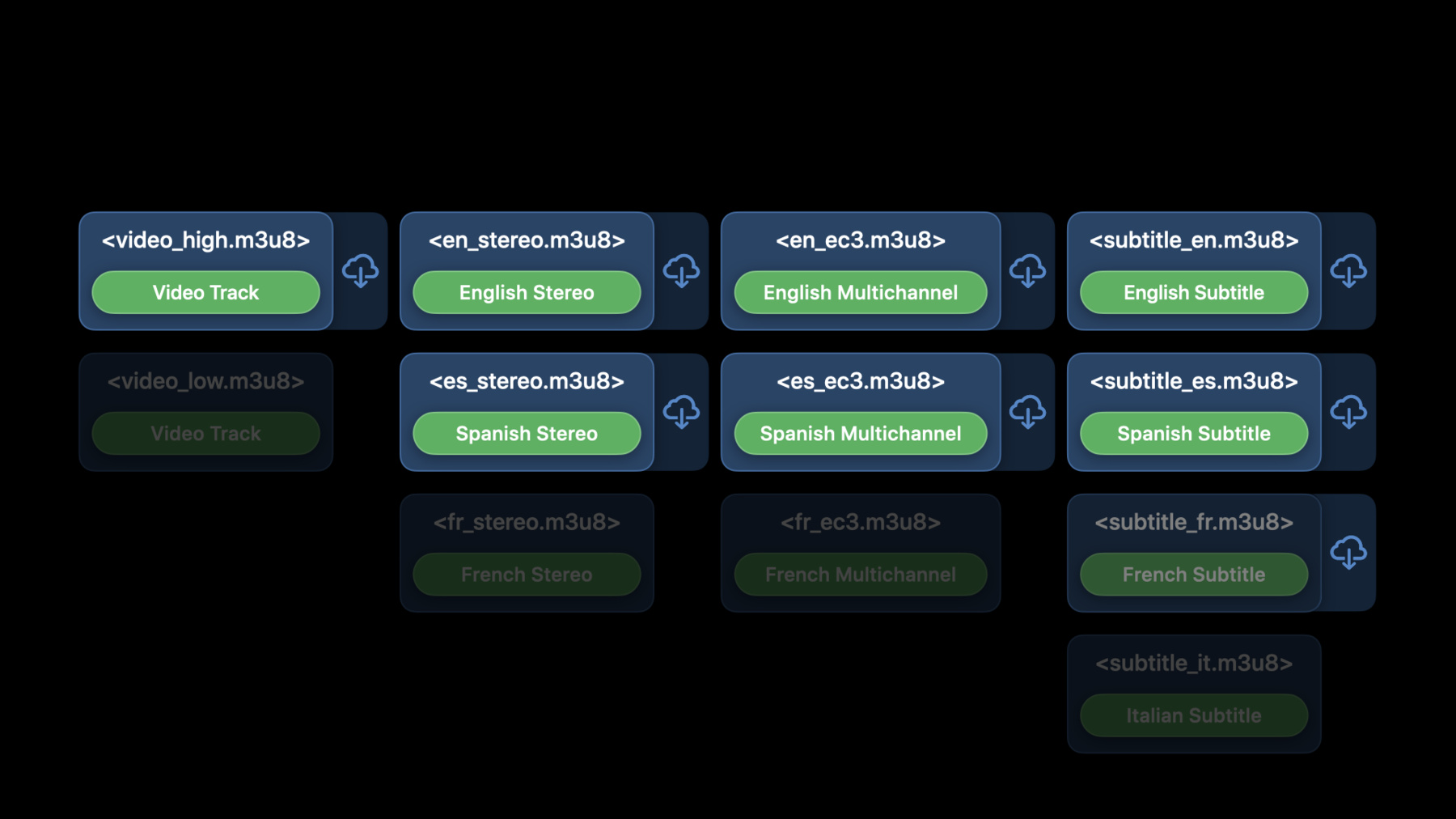
Discover how to download and play HLS offline
Discover how to play HLS audio or video without an internet connection in your app by downloading HLS content for offline consumption using AVFoundation. Explore best practices for working with your HLS content while offline, learn how to use FairPlay Streaming to protect your offline audio and video, and hear updates on our media download policies.
Ressources
Vidéos connexes
WWDC21
-
Rechercher dans cette vidéo…
-
-
2:52 - AVAssetDownloadTask
let hlsAsset = AVURLAsset(url: assetURL) let backgroundConfiguration = URLSessionConfiguration.background( withIdentifier: "assetDownloadConfigurationIdentifier") let assetURLSession = AVAssetDownloadURLSession(configuration: backgroundConfiguration, assetDownloadDelegate: self, delegateQueue: OperationQueue.main()) // Download a Movie at 2 mbps let assetDownloadTask = assetURLSession.makeAssetDownloadTask(asset: hlsAsset, assetTitle: "My Movie", assetArtworkData: myAssetArtwork, options: [AVAssetDownloadTaskMinimumRequiredMediaBitrateKey: 2000000])! assetDownloadTask.resume() // AVAssetDownloadTask uses automatic media selection -
3:41 - Monitor AVAssetDownloadTask
// Monitor AVAssetDownloadTask public protocol AVAssetDownloadDelegate: URLSessionTaskDelegate { // Use to monitor progress func urlSession(_ session: URLSession, assetDownloadTask: AVAssetDownloadTask, didLoad timeRange: CMTimeRange, totalTimeRangesLoaded loadedTimeRanges: [NSValue], timeRangeExpectedToLoad: CMTimeRange) // Listen for completion func urlSession(_ session: URLSession, task: URLSessionTask, didCompleteWithError error: Error?) } -
4:10 - Monitoring example
// Monitoring MyAssetDownloadDelegate: NSObject, AVAssetDownloadDelegate { func urlSession(_ session: URLSession, assetDownloadTask: AVAssetDownloadTask, didLoad timeRange: CMTimeRange, totalTimeRangesLoaded loadedTimeRanges: [NSValue], timeRangeExpectedToLoad: CMTimeRange) { // Convert loadedTimeRanges to CMTimeRanges var percentComplete = 0.0 for value in loadedTimeRanges { let loadedTimeRange: CMTimeRange = value.timeRangeValue percentComplete += CMTimeGetSeconds(loadedTimeRange.duration) / CMTimeGetSeconds(timeRangeExpectedToLoad.duration) } percentComplete *= 100 print("percent complete: \(percentComplete)") } } -
4:55 - Choose media-selections
let hlsAsset = AVURLAsset(url: assetURL) let myMediaSelections = [] // audio media-selections followed by subtitle media-selections guard hlsAsset.statusOfValue(forKey: "availableMediaCharacteristicsWithMediaSelectionOptions", error: nil) == AVKeyValueStatus.loaded else { return } let mediaCharacteristic = //AVMediaCharacteristic.audible or AVMediaCharacteristic.legible let mediaSelectionGroup = hlsAsset.mediaSelectionGroup(forMediaCharacteristic: mediaCharacteristic) if let options = mediaSelectionGroup?.options { for option in options { // chose your media selection option if /* this is my option */ { let mutableMediaSelection = hlsAsset.preferredMediaSelection.mutableCopy() mutableMediaSelection.select(option, in: mediaSelectionGroup) myMediaSelections.append(mutableMediaSelection) } } } -
5:11 - AVAggregateAssetDownloadTask
let hlsAsset = AVURLAsset(url: assetURL) let myMediaSelections = ... let backgroundConfiguration = URLSessionConfiguration.background( withIdentifier: "assetDownloadConfigurationIdentifier") let assetURLSession = AVAssetDownloadURLSession(configuration: backgroundConfiguration, assetDownloadDelegate: self, delegateQueue: OperationQueue.main()) // Download a Movie at 2 mbps let aggDownloadTask = assetURLSession.aggregateAssetDownloadTask(with: hlsAsset, mediaSelections: myMediaSelections, assetTitle: "My Movie", assetArtworkData: myAssetArtwork, options:[AVAssetDownloadTaskMinimumRequiredMediaBitrateKey: 2000000])! aggDownloadTask.resume() -
6:31 - Monitor AVAggregateAssetDownloadTask
// Monitor AVAggregateAssetDownloadTask public protocol AVAssetDownloadDelegate: URLSessionTaskDelegate { // Use to monitor progress func urlSession(_ session: URLSession, aggregateAssetDownloadTask: AVAggregateAssetDownloadTask, didLoad timeRange: CMTimeRange, totalTimeRangesLoaded loadedTimeRanges: [NSValue], timeRangeExpectedToLoad: CMTimeRange, for mediaSelection: AVMediaSelection ) // Listen for completion for each media selection func urlSession(_ session: URLSession, aggregateAssetDownloadTask: AVAggregateAssetDownloadTask, didCompleteFor mediaSelection: AVMediaSelection) // In case of audio rendition, expect calls once for stereo followed by once for multichannel rep. } -
7:04 - Restore Tasks on App Launch
// Restore Tasks on App Launch class MyAppDelegate: UIResponder, UIApplicationDelegate { func application(_ application: UIApplication, didFinishLaunchingWithOptions launchOptions: [UIApplication.LaunchOptionsKey: Any]?) -> Bool { let configuration = URLSessionConfiguration.background(withIdentifier: "assetDownloadConfigurationIdentifier") let session = URLSession(configuration: configuration) session.getAllTasks { tasks in for task in tasks { if let assetDownloadTask = task as? AVAssetDownloadTask { // restore progress indicators, state, etc... } } } } } -
7:44 - Store the download location
// Store the download location public protocol AVAssetDownloadDelegate: URLSessionTaskDelegate { // AVAssetDownloadTask func urlSession(_ session: URLSession, assetDownloadTask: AVAssetDownloadTask, didFinishDownloadingTo location: URL) // AVAggregateAssetDownloadTask func urlSession(_ session: URLSession, aggregateAssetDownloadTask: AVAggregateAssetDownloadTask, willDownloadTo location: URL) } -
8:05 - Instantiating Your AVAsset for Playback
// Instantiating Your AVAsset for Playback // 1) Create Asset for AVAssetDownloadTask let networkURL = URL(string: "http://example.com/master.m3u8")! let asset = AVURLAsset(url: networkURL) let task = assetDownloadSession.makeAssetDownloadTask(asset: asset, assetTitle: "My Movie", assetArtworkData: nil, options: nil) // 2) Re-use Asset for Playback, Even After Task Restoration at App Launch let playerItem = AVPlayerItem(asset: task.urlAsset) // Reusing asset, will allow AVFoundation to optimize resources between playback and download in cases where the playback happens before the download is complete. -
8:56 - Create using file URL
// Create using file URL let fileURL = URL(fileURLWithPath: self.savedAssetDownloadLocation) let asset = AVURLAsset(url: fileURL) let playerItem = AVPlayerItem(asset: task.urlAsset) -
9:16 - What can I play offline?
// What can I play offline? public class AVURLAsset { public var assetCache: AVAssetCache? { get } } public class AVAssetCache { public var isPlayableOffline: Bool { get } public func mediaSelectionOptions(in mediaSelectionGroup: AVMediaSelectionGroup) -> [AVMediaSelectionOption] } -
11:33 - Invalidate Offline Key
// Invalidate Offline Key public class AVContentKeySession { func invalidatePersistableContentKey(_ persistableContentKeyData: Data, options: [AVContentKeySessionServerPlaybackContextOption : Any]? = nil, completionHandler handler: @escaping (Data?, Error?) -> Void) func invalidateAllPersistableContentKeys(forApp appIdentifier: Data, options: [AVContentKeySessionServerPlaybackContextOption : Any]? = nil, completionHandler handler: @escaping (Data?, Error?) -> Void) } -
13:54 - Quality Selection
// Quality Selection public class AVAssetDownloadTask { public let AVAssetDownloadTaskMinimumRequiredMediaBitrateKey: String //Starting in iOS 14 public let AVAssetDownloadTaskMinimumRequiredPresentationSizeKey: String public let AVAssetDownloadTaskPrefersHDRKey: String } -
14:30 - Multichannel Audio Selection
// Multichannel Audio Selection public class AVAssetDownloadTask { public let AVAssetDownloadTaskPrefersMultichannelKey: String } -
15:51 - AVAssetDownloadStorageManager
// AVAssetDownloadStorageManager
// Get the singleton
let storageManager = AVAssetDownloadStorageManager.shared()

// Create the policy
let newPolicy = AVMutableAssetDownloadStorageManagementPolicy()

newPolicy.expirationDate = myExpiryDate

newPolicy.priority = .important

// Set the policy
storageManager.setStorageManagementPolicy(newPolicy, forURL: myDownloadStorageURL)
-