

-
Discover concurrency in SwiftUI
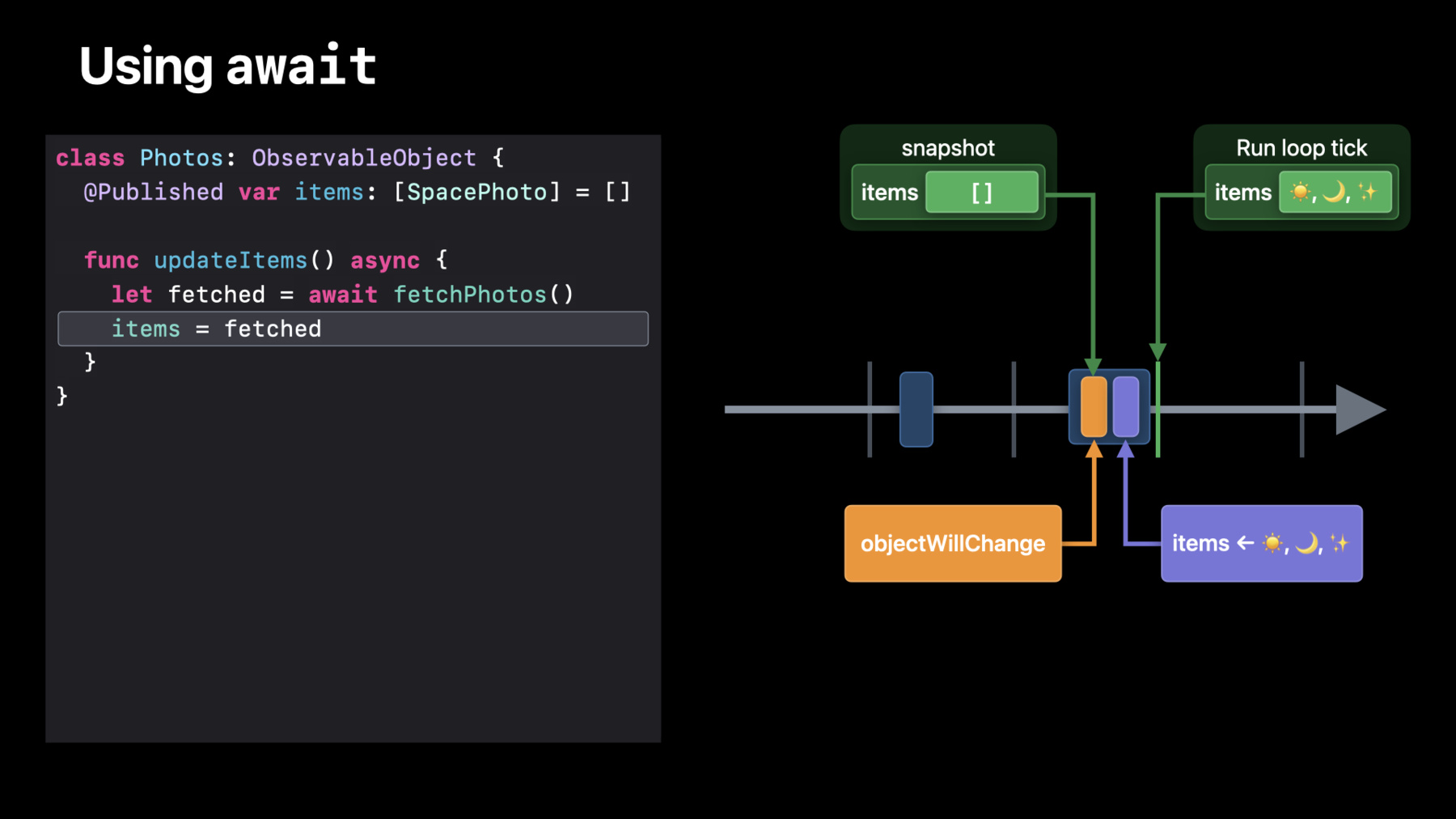
Discover how you can use Swift's concurrency features to build even better SwiftUI apps. We'll show you how concurrent workflows interact with your ObservableObjects, and explore how you can use them directly in your SwiftUI views and models. Find out how to use await to make your app run smoothly on the SwiftUI runloop, and learn how to fetch remote images quickly with the AsyncImage API. And we'll take you through the process of enabling additional asynchronous flows in your custom views.
Ressources
Vidéos connexes
WWDC22
WWDC21
- Demystify SwiftUI
- Explore structured concurrency in Swift
- Meet async/await in Swift
- Meet MusicKit for Swift
- Protect mutable state with Swift actors
- What's new in SwiftUI
WWDC20
-
Rechercher dans cette vidéo…
-
-
1:55 - SpacePhoto
/// A SpacePhoto contains information about a single day's photo record /// including its date, a title, description, etc. struct SpacePhoto { /// The title of the astronomical photo. var title: String /// A description of the astronomical photo. var description: String /// The date the given entry was added to the catalog. var date: Date /// A link to the image contained within the entry. var url: URL } extension SpacePhoto: Codable { enum CodingKeys: String, CodingKey { case title case description = "explanation" case date case url } init(data: Data) throws { let decoder = JSONDecoder() decoder.dateDecodingStrategy = .formatted(SpacePhoto.dateFormatter) self = try JSONDecoder() .decode(SpacePhoto.self, from: data) } } extension SpacePhoto: Identifiable { var id: Date { date } } extension SpacePhoto { static let urlTemplate = "https://example.com/photos" static let dateFormat = "yyyy-MM-dd" static var dateFormatter: DateFormatter { let formatter = DateFormatter() formatter.dateFormat = Self.dateFormat return formatter } static func requestFor(date: Date) -> URL { let dateString = SpacePhoto.dateFormatter.string(from: date) return URL(string: "\(SpacePhoto.urlTemplate)&date=\(dateString)")! } private static func parseDate( fromContainer container: KeyedDecodingContainer<CodingKeys> ) throws -> Date { let dateString = try container.decode(String.self, forKey: .date) guard let result = dateFormatter.date(from: dateString) else { throw DecodingError.dataCorruptedError( forKey: .date, in: container, debugDescription: "Invalid date format") } return result } private var dateString: String { Self.dateFormatter.string(from: date) } } extension SpacePhoto { init(from decoder: Decoder) throws { let container = try decoder.container(keyedBy: CodingKeys.self) title = try container.decode(String.self, forKey: .title) description = try container.decode(String.self, forKey: .description) date = try Self.parseDate(fromContainer: container) url = try container.decode(URL.self, forKey: .url) } func encode(to encoder: Encoder) throws { var container = encoder.container(keyedBy: CodingKeys.self) try container.encode(title, forKey: .title) try container.encode(description, forKey: .description) try container.encode(dateString, forKey: .date) } } -
2:39 - Photos
/// The current collection of space photos. class Photos: ObservableObject { @Published private(set) var items: [SpacePhoto] = [] /// Updates `items` to a new, random list of photos. func updateItems() async { let fetched = fetchPhotos() items = fetched } /// Fetches a new, random list of photos. func fetchPhotos() -> [SpacePhoto] { let downloaded: [SpacePhoto] = [] for _ in randomPhotoDates() { } return downloaded } } -
3:24 - CatalogView
struct CatalogView: View { @StateObject private var photos = Photos() var body: some View { NavigationView { List { ForEach(photos.items) { item in PhotoView(photo: item) .listRowSeparator(.hidden) } } .navigationTitle("Catalog") .listStyle(.plain) } } } -
10:09 - Make fetch happen
/// An observable object representing a random list of space photos. @MainActor class Photos: ObservableObject { @Published private(set) var items: [SpacePhoto] = [] /// Updates `items` to a new, random list of `SpacePhoto`. func updateItems() async { let fetched = await fetchPhotos() items = fetched } /// Fetches a new, random list of `SpacePhoto`. func fetchPhotos() async -> [SpacePhoto] { var downloaded: [SpacePhoto] = [] for date in randomPhotoDates() { let url = SpacePhoto.requestFor(date: date) if let photo = await fetchPhoto(from: url) { downloaded.append(photo) } } return downloaded } /// Fetches a `SpacePhoto` from the given `URL`. func fetchPhoto(from url: URL) async -> SpacePhoto? { do { let (data, _) = try await URLSession.shared.data(from: url) return try SpacePhoto(data: data) } catch { return nil } } } -
14:07 - CatalogView
struct CatalogView: View { @StateObject private var photos = Photos() var body: some View { NavigationView { List { ForEach(photos.items) { item in PhotoView(photo: item) .listRowSeparator(.hidden) } } .navigationTitle("Catalog") .listStyle(.plain) .refreshable { await photos.updateItems() } } .task { await photos.updateItems() } } } -
15:11 - PhotoView with image
struct PhotoView: View { var photo: SpacePhoto var body: some View { ZStack(alignment: .bottom) { AsyncImage(url: photo.url) { image in image .resizable() .aspectRatio(contentMode: .fill) } placeholder: { ProgressView() } .frame(minWidth: 0, minHeight: 400) HStack { Text(photo.title) Spacer() SavePhotoButton(photo: photo) } .padding() .background(.thinMaterial) } .background(.thickMaterial) .mask(RoundedRectangle(cornerRadius: 16)) .padding(.bottom, 8) } } -
18:06 - SavePhotoButton
struct SavePhotoButton: View { var photo: SpacePhoto @State private var isSaving = false var body: some View { Button { Task { isSaving = true await photo.save() isSaving = false } } label: { Text("Save") .opacity(isSaving ? 0 : 1) .overlay { if isSaving { ProgressView() } } } .disabled(isSaving) .buttonStyle(.bordered) } } -
20:28 - CatalogView
struct CatalogView: View {
    @StateObject private var photos = Photos()

    var body: some View {
        NavigationView {
            List {
                ForEach(photos.items) { item in
                    PhotoView(photo: item)
                        .listRowSeparator(.hidden)
                }
            }
            .navigationTitle("Catalog")
            .listStyle(.plain)
            .refreshable {
                await photos.updateItems()
            }
        }
        .task {
            await photos.updateItems()
        }
    }
}
-