

-
Optimize for variable refresh rate displays
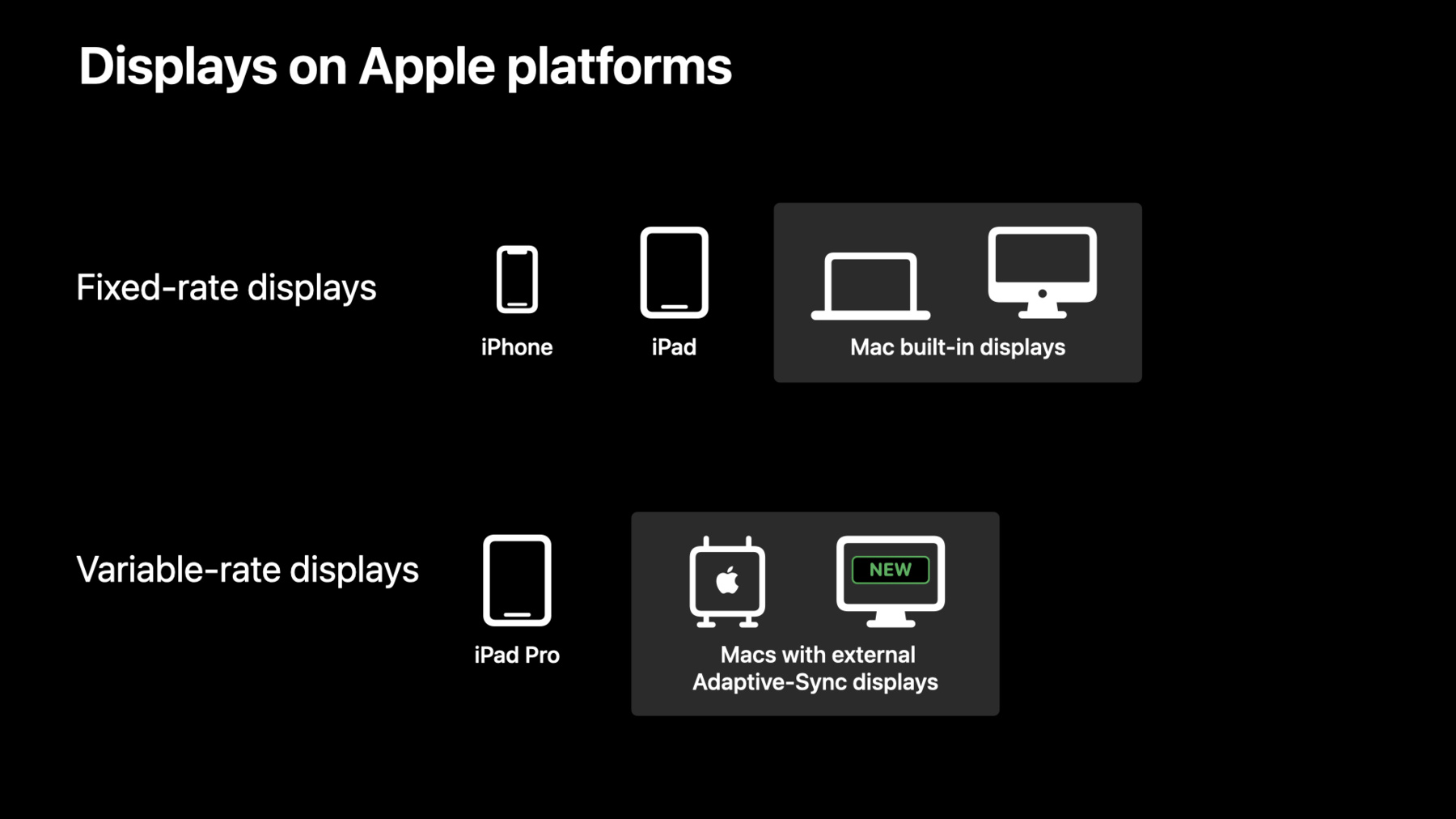
Discover how to achieve smooth screen updates on all Apple platforms that support dynamic display timing. Learn techniques for pacing full-screen game updates on Adaptive Sync displays in macOS, and find out how Low Power Mode and other system states affect frame rate availability on ProMotion displays. We'll also share best practices for driving custom drawing using display link APIs.
Ressources
Vidéos connexes
WWDC22
WWDC19
-
Rechercher dans cette vidéo…
-
-
5:51 - Is Adaptive-Sync scheduling enabled
// Detecting an Adaptive-Sync display - (BOOL) isAdaptiveSyncSupported:(NSScreen *)screen { NSTimeInterval minInterval = screen.minimumRefreshInterval; NSTimeInterval maxInterval = screen.maximumRefreshInterval; return minInterval != maxInterval; } // Detecting full-screen - (BOOL) isWindowFullscreen:(NSWindow *)window { return ([window styleMask] &= NSFullScreenWindowMask) == NSFullScreenWindowMask; } // Tying it all together - (BOOL) isAdaptiveSyncSchedulingEnabled:(NSScreen *)window { NSScreen* windowScreen = [window screen]; return [self isWindowFullscreen:window] && [self isAdaptiveSyncSupported:windowScreen]; } -
6:49 - Leverage Drawable present calls
// Drawable present APIs with frame-pacing [commandBuffer presentDrawable:drawable afterMinimumDuration:interval]; [commandBuffer presentDrawable:drawable atTime:t]; // Drawable present API without frame-pacing [commandBuffer presentDrawable:drawable]; -
7:11 - A simple example
id<CAMetalDrawable> currentDrawable = [metalLayer nextDrawable]; // Your encoder and command buffers here [commandBuffer presentDrawable:currentDrawable]; -
7:55 - Adaptive-Sync in your app 1
id<CAMetalDrawable> currentDrawable = [metalLayer nextDrawable]; NSTimeInterval userFramerateCap = 78.0; NSTimeInterval userInterval = 1.0 / userFramerateCap; // Your encoders and command buffers are still here [commandBuffer presentDrawable:currentDrawable afterMinimumDuration:userInterval]; -
8:43 - Adaptive-Sync in your app 2
id<CAMetalDrawable> currentDrawable = [metalLayer nextDrawable]; // Your encoders and command buffers are still available! NSTimeInterval averageGPUTime = screen.minimumRefreshInterval; [commandBuffer presentDrawable:currentDrawable afterMinimumDuration:averageGPUTime]; [commandBuffer addCompletedHandler:^(id<MTLCommandBuffer> buffer) { const NSTimeInterval GPUTime = buffer.GPUEndTime - buffer.GPUStartTime; // Use an exponential moving average const double alpha = .25; averageGPUTime = (GPUTime * alpha) + (averageGPUTime * (1.0 - alpha)); }]; -
15:36 - Query the display refresh rate at runtime
// Maximum frame rate from UIKit NSInteger maxRate = [[UIScreen mainScreen] maximumFramesPerSecond]; // Current maximum frame rate from CoreAnimation NSInteger currentMaxRate = round(1 / link.duration); -
17:06 - Use the actual frame rate of the CADisplayLink
CADisplayLink *link = [CADisplayLink displayLinkWithTarget:self selector:@selector(displayLinkCallback:)]; [link setPreferredFramesPerSecond:40]; [link addToRunLoop:[NSRunLoop currentRunLoop] forMode:NSDefaultRunLoopMode]; - (void)displayLinkCallback:(CADisplayLink *)link { CFTimeInterval interval = link.targetTimestamp - link.timestamp; //... } -
21:47 - Dynamically compute the time delta 1
- (void)displayLinkCallback:(CADisplayLink *)link { progress += link.targetTimestamp - link.timestamp; [self renderAnimationWithProgress:progress]; } -
21:57 - Dynamically compute the time delta 2
- (void)displayLinkCallback:(CADisplayLink *)link { progress += link.targetTimestamp - previousTargetTimestamp; previousTargetTimestamp = link.targetTimestamp; [self renderAnimationWithProgress:progress]; } -
22:08 - Dynamically compute the time delta 3
- (void)displayLinkCallback:(CADisplayLink *)link {
    progress += link.targetTimestamp - previousTargetTimestamp;
    previousTargetTimestamp = link.targetTimestamp;

    [self renderAnimationWithProgress:progress withDeadline:link.targetTimestamp];
}
-