

-
Load resources faster with Metal 3
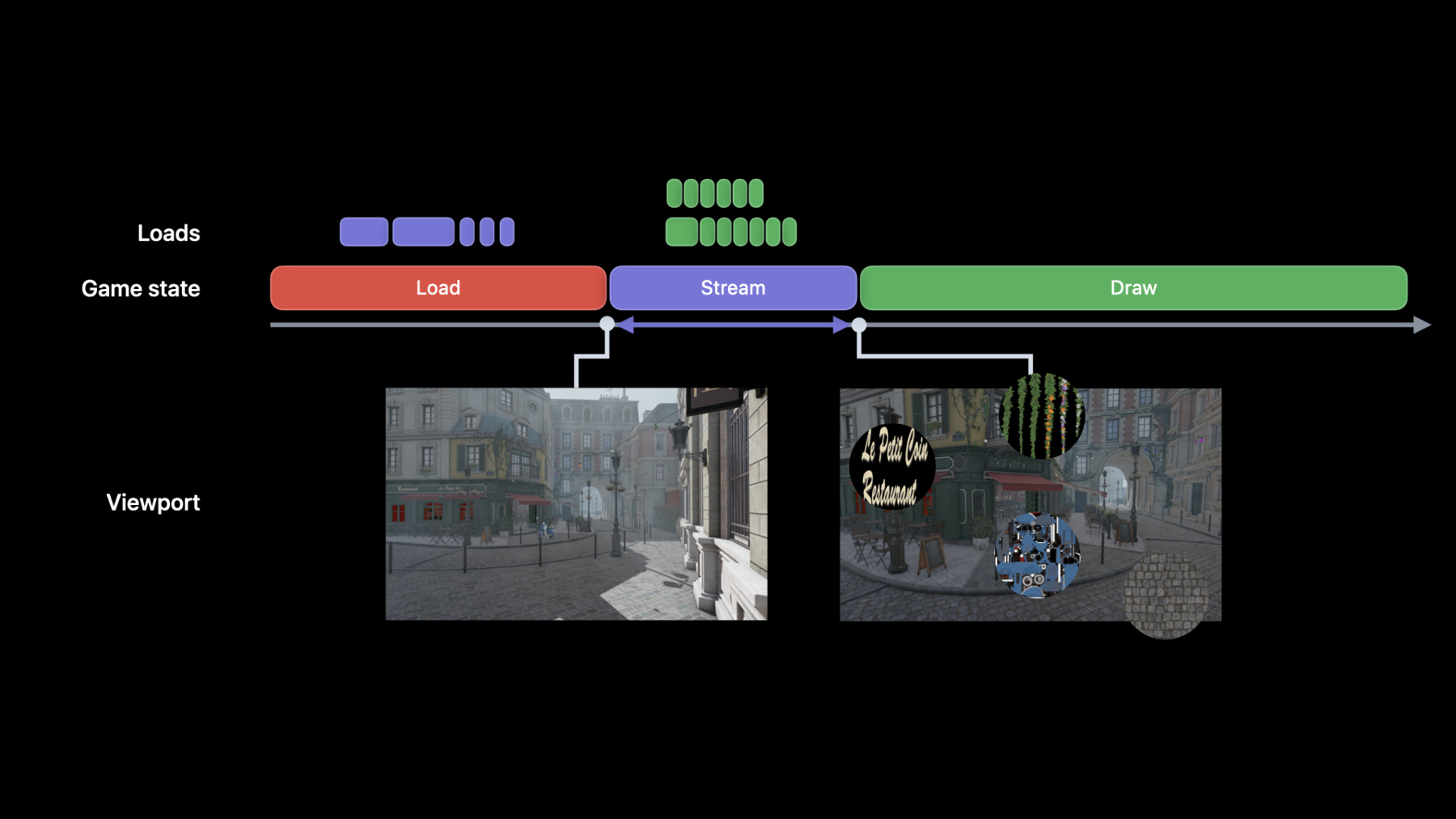
Discover how you can use fast resource streaming in Metal 3 to quickly load assets. We'll show you how to use an asynchronous set-it-and-forget-it workflow in your app to take advantage of the speed of SSD storage and the throughput of Apple silicon's unified memory architecture. We'll also explore how you can create separate queues that run parallel to — and synchronize with — your GPU render and compute work. Finally, we'll share how to designate assets like audio with high-priority queues to help you load data with lower latency.
Ressources
Vidéos connexes
WWDC22
-
Rechercher dans cette vidéo…
-
-
5:19 - Create a handle to an existing file
// Create an Metal File IO Handle // Create handle to an existing file var fileIOHandle: MTLIOFileHandle! do { try fileHandle = device.makeIOHandle(url: filePath) } catch { print(error) } -
6:49 - Create a Metal IO command queue
// Create a Metal IO command queue let commandQueueDescriptor = MTLIOCommandQueueDescriptor() commandQueueDescriptor.type = MTLIOCommandQueueType.concurrent // or serial var ioCommandQueue: MTLIOCommandQueue! do { try ioCommandQueue = device.makeIOCommandQueue(descriptor: commandQueueDescriptor) } catch { print(error) } -
7:17 - Create and submit a Metal IO command buffer
// Create Metal IO Command Buffer let ioCommandBuffer = ioCommandQueue.makeCommandBuffer() // Encode load commands // Encode load texture and load buffer commands ioCommandBuffer.load(texture, slice: 0, level: 0, size: size, sourceBytesPerRow:bytesPerRow, sourceBytesPerImage: bytesPerImage, destinationOrigin: destOrigin, sourceHandle: fileHandle, sourceHandleOffset: 0) ioCommandBuffer.load(buffer, offset: 0, size: size, sourceHandle: fileHandle, sourceHandleOffset: 0) // Commit command buffer for execution ioCommandBuffer.commit() -
8:51 - Synchronize loading and rendering with Metal shared events
var sharedEvent: MTLSharedEvent! sharedEvent = device.makeSharedEvent() // Create Metal IO command buffer let ioCommandBuffer = ioCommandQueue.makeCommandBuffer() ioCommandBuffer.waitForEvent(sharedEvent, value: waitVal) // Encode load commands ioCommandBuffer.signalEvent(sharedEvent, value: signalVal) ioCommandBuffer.commit() // Graphics work waits for the IO command buffer to signal -
10:29 - TryCancel Metal IO command buffer
// Player in the center region // Encode loads for the North-West region ioCommandBufferNW.commit() // Encode loads for the West region ioCommandBufferW.commit() // Encode loads for the South-West region ioCommandBufferSW.commit() // Player in the western region and heading south // tryCancel NW command buffer ioCommandBufferNW.tryCancel() // .. // .. func regionNWCancelled() -> Bool { return ioCommandBufferNW.status == MTLIOStatus.cancelled } -
12:28 - Create a High Priority Metal IO command queue
// Create a Metal IO command queue let commandQueueDescriptor = MTLIOCommandQueueDescriptor() commandQueueDescriptor.type = MTLIOCommandQueueType.concurrent // or serial // Set Metal IO command queue Priority commandQueueDescriptor.priority = MTLIOPriority.high // or normal or low var ioCommandQueue: MTLIOCommandQueue! do { try ioCommandQueue = device.makeIOCommandQueue(descriptor: commandQueueDescriptor) } catch { print(error) } -
14:04 - Create a compressed file
// Create a compressed file // Create compression context let chunkSize = 64 * 1024 let compressionMethod = MTLIOCompressionMethod.zlib let compressionContext = MTLIOCreateCompressionContext(compressedFilePath, compressionMethod, chunkSize) // Append uncompressed file data to the compression context // Get uncompressed file data MTLIOCompressionContextAppendData(compressionContext, filedata.bytes, filedata.length) // Write the compressed file MTLIOFlushAndDestroyCompressionContext(compressionContext) -
15:05 - Create a handle to a compressed file
// Create an Metal File IO Handle

// Create handle to a compressed file
var compressedFileIOHandle : MTLIOFileHandle!
do {
    try compressedFileHandle = device.makeIOHandle(url: compressedFilePath, compressionMethod: MTLIOCompressionMethod.zlib)
} catch {
    print(error)
}
-