

-
What’s new in SwiftUI
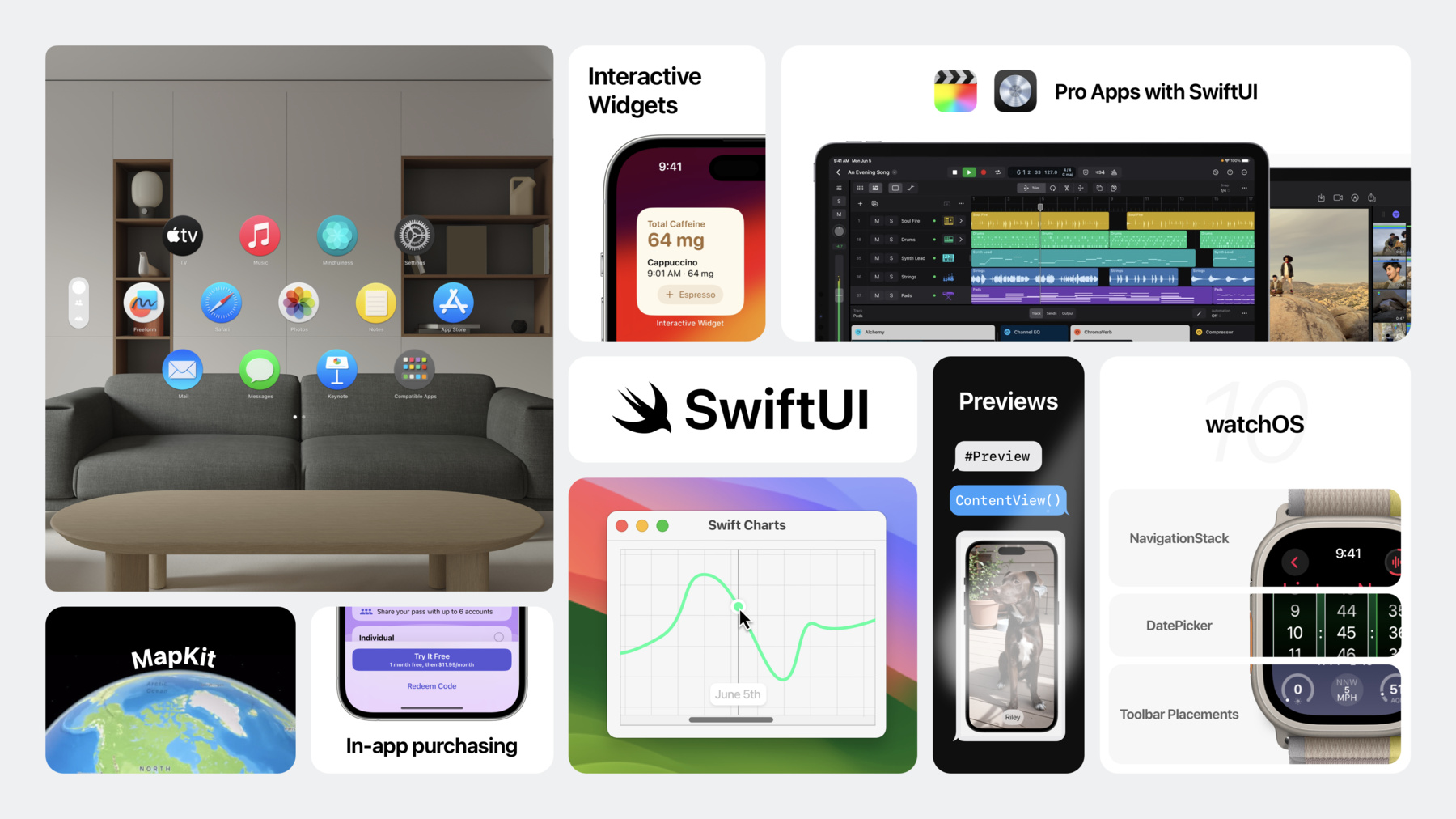
Learn how you can use SwiftUI to build great apps for all Apple platforms. Explore the latest updates to SwiftUI and discover new scene types for visionOS. Simplify your data models with the latest data flow options and learn about the Inspector view. We'll also take you through enhanced animation APIs, powerful ScrollView improvements, and a host of refinements to help you make tidier tables, improve focus and keyboard input, and so much more.
Chapitres
- 1:05 - SwiftUI in more places
- 10:21 - Simplified data flow
- 18:46 - Extraordinary animations
- 27:18 - Enhanced interactions
Ressources
Vidéos connexes
WWDC23
- Animate symbols in your app
- Animate with springs
- Beyond scroll views
- Build accessible apps with SwiftUI and UIKit
- Build an app with SwiftData
- Build programmatic UI with Xcode Previews
- Design and build apps for watchOS 10
- Discover Observation in SwiftUI
- Explore pie charts and interactivity in Swift Charts
- Explore SwiftUI animation
- Inspectors in SwiftUI: Discover the details
- Meet MapKit for SwiftUI
- Meet StoreKit for SwiftUI
- Meet SwiftData
- Meet SwiftUI for spatial computing
- Swift 的新功能
- The SwiftUI cookbook for focus
- Wind your way through advanced animations in SwiftUI
-
Rechercher dans cette vidéo…
-
-
4:49 - watchOS 10
import SwiftUI #if os(watchOS) struct ContainerBackground_Snippet: View { @State private var selection: Int? @State var date = Date() var body: some View { NavigationSplitView { List(selection: $selection) { NavigationLink("Dates", value: -1) NavigationLink("Zero", value: 0) NavigationLink("One", value: 1) NavigationLink("Two", value: 2) } .containerBackground( Color.green.gradient, for: .navigation) } detail: { switch selection { case -1: DatePicker( "Time", selection: $date, displayedComponents: .hourMinuteAndSecond) .containerBackground( Color.yellow.gradient, for: .navigation) case let value?: DetailView(value: value) .containerBackground( Color.blue.gradient, for: .navigation) default: Text("Choose a link") } } } struct DetailView: View { var value: Int var body: some View { Text("\(value)") .font(.largeTitle) } } } #Preview { ContainerBackground_Snippet() } #endif -
7:01 - Widget Previews
#Preview(as: .systemSmall) { CaffeineTrackerWidget() } timeline: { CaffeineLogEntry.log1 CaffeineLogEntry.log2 CaffeineLogEntry.log3 CaffeineLogEntry.log4 } -
7:28 - SwiftUI Preview
#Preview("good dog") { ZStack(alignment: .bottom) { Rectangle() .fill(Color.blue.gradient) Text("Riley") .font(.largeTitle) .padding() .background(.thinMaterial, in: .capsule) .padding() } .ignoresSafeArea() } -
7:33 - Mac Preview
import SwiftUI struct MacPreview_Snippet: View { @State private var drinks = Drink.sampleData @State private var selection: Drink? var body: some View { NavigationSplitView { List(drinks, selection: $selection) { drink in NavigationLink(drink.name, value: drink) } } detail: { if let selection { DrinkCard(drink: selection) } else { ContentUnavailableView( "Select a drink", systemImage: "cup.and.saucer.fill") } } } } struct DrinkCard: View { var drink: Drink var body: some View { ZStack(alignment: .top) { Rectangle() .fill(Color.blue.gradient) Text(drink.name) .padding([.leading, .trailing], 16) .padding([.top, .bottom], 4) .background(.thinMaterial, in: .capsule) .padding() } } } struct Drink: Identifiable, Hashable { let id = UUID() var name: String static let sampleData: [Drink] = [ Drink(name: "Cappuccino"), Drink(name: "Coffee"), Drink(name: "Espresso"), Drink(name: "Latte"), Drink(name: "Macchiato"), ] } #Preview { MacPreview_Snippet() } -
8:18 - MapKit
import SwiftUI import MapKit struct Maps_Snippet: View { private let location = CLLocationCoordinate2D( latitude: CLLocationDegrees(floatLiteral: 37.3353), longitude: CLLocationDegrees(floatLiteral: -122.0097)) var body: some View { Map { Marker("Pond", coordinate: location) UserAnnotation() } .mapControls { MapUserLocationButton() MapCompass() } } } #Preview { Maps_Snippet() } -
8:46 - Scrolling Charts
import SwiftUI import Charts struct ScrollingChart_Snippet: View { @State private var scrollPosition = SalesData.last365Days.first! @State private var selection: SalesData? var body: some View { VStack(alignment: .leading) { VStack(alignment: .leading) { Text(""" Scrolled to: \ \(scrollPosition.day, format: .dateTime.day().month().year()) """) Text(""" Selected: \ \(selection?.day ?? .now, format: .dateTime.day().month().year()) """) .opacity(selection != nil ? 1.0 : 0.0) } .padding([.leading, .trailing]) Chart { ForEach(SalesData.last365Days, id: \.day) { BarMark( x: .value("Day", $0.day, unit: .day), y: .value("Sales", $0.sales)) } .foregroundStyle(.blue) } .chartScrollableAxes(.horizontal) .chartXVisibleDomain(length: 3600 * 24 * 30) .chartScrollPosition(x: $scrollPosition) .chartXSelection(value: $selection) } } } struct SalesData: Plottable { var day: Date var sales: Int var primitivePlottable: Date { day } init?(primitivePlottable: Date) { self.day = primitivePlottable self.sales = 0 } init(day: Date, sales: Int) { self.day = day self.sales = sales } static let last365Days: [SalesData] = buildSalesData() private static func buildSalesData() -> [SalesData] { var result: [SalesData] = [] var date = Date.now for _ in 0..<365 { result.append(SalesData(day: date, sales: Int.random(in: 150...250))) date = Calendar.current.date( byAdding: .day, value: -1, to: date)! } return result.reversed() } } #Preview { ScrollingChart_Snippet() } -
9:00 - Donut and Pie Charts
import SwiftUI import Charts struct DonutChart_Snippet: View { var sales = Bagel.salesData var body: some View { NavigationStack { Chart(sales, id: \.name) { element in SectorMark( angle: .value("Sales", element.sales), innerRadius: .ratio(0.6), angularInset: 1.5) .cornerRadius(5) .foregroundStyle(by: .value("Name", element.name)) } .padding() .navigationTitle("Bagel Sales") .toolbarTitleDisplayMode(.inlineLarge) } } } struct Bagel { var name: String var sales: Int static var salesData: [Bagel] = buildSalesData() static func buildSalesData() -> [Bagel] { [ Bagel(name: "Blueberry", sales: 60), Bagel(name: "Everything", sales: 120), Bagel(name: "Choc. Chip", sales: 40), Bagel(name: "Cin. Raisin", sales: 100), Bagel(name: "Plain", sales: 140), Bagel(name: "Onion", sales: 70), Bagel(name: "Sesame Seed", sales: 110), ] } } #Preview { DonutChart_Snippet() } -
9:31 - StoreKit
import SwiftUI import StoreKit struct SubscriptionStore_Snippet { var body: some View { SubscriptionStoreView(groupID: passGroupID) { PassMarketingContent() .lightMarketingContentStyle() .containerBackground(for: .subscriptionStoreFullHeight) { SkyBackground() } } .backgroundStyle(.clear) .subscriptionStoreButtonLabel(.multiline) .subscriptionStorePickerItemBackground(.thinMaterial) .storeButton(.visible, for: .redeemCode) } } -
10:56 - Observable Model
import Foundation import SwiftUI @Observable class Dog: Identifiable { var id = UUID() var name = "" var age = 1 var breed = DogBreed.mutt var owner: Person? = nil } class Person: Identifiable { var id = UUID() var name = "" } enum DogBreed { case mutt } -
11:22 - Observable View Integration
import Foundation import SwiftUI struct DogCard: View { var dog: Dog var body: some View { DogImage(dog: dog) .overlay(alignment: .bottom) { HStack { Text(dog.name) Spacer() Image(systemName: "heart") .symbolVariant(dog.isFavorite ? .fill : .none) } .font(.headline) .padding(.horizontal, 22) .padding(.vertical, 12) .background(.thinMaterial) } .clipShape(.rect(cornerRadius: 16)) } struct DogImage: View { var dog: Dog var body: some View { Rectangle() .fill(Color.green) .frame(width: 400, height: 400) } } @Observable class Dog: Identifiable { var id = UUID() var name = "" var isFavorite = false } } -
12:22 - Observable State Integration
import Foundation import SwiftUI struct AddSightingView: View { @State private var model = DogDetails() var body: some View { Form { Section { TextField("Name", text: $model.dogName) DogBreedPicker(selection: $model.dogBreed) } Section { TextField("Location", text: $model.location) } } } struct DogBreedPicker: View { @Binding var selection: DogBreed var body: some View { Picker("Breed", selection: $selection) { ForEach(DogBreed.allCases) { Text($0.rawValue.capitalized) .tag($0.id) } } } } @Observable class DogDetails { var dogName = "" var dogBreed = DogBreed.mutt var location = "" } enum DogBreed: String, CaseIterable, Identifiable { case mutt case husky case beagle var id: Self { self } } } #Preview { AddSightingView() } -
12:33 - Observable Environment Integration
import SwiftUI @main private struct WhatsNew2023: App { @State private var currentUser: User? var body: some Scene { WindowGroup { ContentView() .environment(currentUser) } } struct ContentView: View { var body: some View { Color.clear } } struct ProfileView: View { @Environment(User.self) private var currentUser: User? var body: some View { if let currentUser { UserDetails(user: currentUser) } else { Button("Log In") { } } } } struct UserDetails: View { var user: User var body: some View { Text("Hello, \(user.name)") } } @Observable class User: Identifiable { var id = UUID() var name = "" } } -
13:59 - SwiftData Model Container
import Foundation import SwiftUI import SwiftData @main private struct WhatsNew2023: App { var body: some Scene { WindowGroup { ContentView() } .modelContainer(for: Dog.self) } struct ContentView: View { var body: some View { Color.clear } } @Model class Dog { var name = "" var age = 1 } } -
14:05 - SwiftData Query
import Foundation import SwiftUI import SwiftData struct RecentDogsView: View { @Query(sort: \.dateSpotted) private var dogs: [Dog] var body: some View { ScrollView(.vertical) { LazyVStack { ForEach(dogs) { dog in DogCard(dog: dog) } } } } struct DogCard: View { var dog: Dog var body: some View { DogImage(dog: dog) .overlay(alignment: .bottom) { HStack { Text(dog.name) Spacer() Image(systemName: "heart") .symbolVariant(dog.isFavorite ? .fill : .none) } .font(.headline) .padding(.horizontal, 22) .padding(.vertical, 12) .background(.thinMaterial) } .clipShape(.rect(cornerRadius: 16)) } } struct DogImage: View { var dog: Dog var body: some View { Rectangle() .fill(Color.green) .frame(width: 400, height: 400) } } @Model class Dog: Identifiable { var name = "" var isFavorite = false var dateSpotted = Date.now } } #Preview { RecentDogsView() } -
14:52 - SwiftData DocumentGroup
import SwiftUI import SwiftData import UniformTypeIdentifiers @main private struct WhatsNew2023: App { var body: some Scene { DocumentGroup(editing: DogTag.self, contentType: .dogTag) { ContentView() } } struct ContentView: View { var body: some View { Color.clear } } @Model class DogTag { var text = "" } } extension UTType { static var dogTag: UTType { UTType(exportedAs: "com.apple.SwiftUI.dogTag") } } -
15:33 - Inspector
import SwiftUI struct InspectorContentView: View { @State private var inspectorPresented = true var body: some View { DogTagEditor() .inspector(isPresented: $inspectorPresented) { DogTagInspector() } } struct DogTagEditor: View { var body: some View { Color.clear } } struct DogTagInspector: View { @State private var fontName = FontName.sfHello @State private var fontColor: Color = .white var body: some View { Form { Section("Text Formatting") { Picker("Font", selection: $fontName) { ForEach(FontName.allCases) { Text($0.name).tag($0) } } ColorPicker("Font Color", selection: $fontColor) } } } } enum FontName: Identifiable, CaseIterable { case sfHello case arial case helvetica var id: Self { self } var name: String { switch self { case .sfHello: return "SF Hello" case .arial: return "Arial" case .helvetica: return "Helvetica" } } } } #Preview { InspectorContentView() } -
16:10 - File Export Dialog Customization
import Foundation import SwiftUI import UniformTypeIdentifiers struct ExportDialogCustomization: View { @State private var isExporterPresented = true @State private var selectedItem = "" var body: some View { Color.clear .fileExporter( isPresented: $isExporterPresented, item: selectedItem, contentTypes: [.plainText], defaultFilename: "ExportedData.txt") { result in handleDataExport(result: result) } .fileExporterFilenameLabel("Export Data") .fileDialogConfirmationLabel("Export Data") } func handleDataExport(result: Result<URL, Error>) { } struct Data: Codable, Transferable { static var transferRepresentation: some TransferRepresentation { CodableRepresentation(contentType: .plainText) } var text = "Exported Data" } } -
16:19 - Confirmation Dialog Customization
import Foundation import SwiftUI import UniformTypeIdentifiers struct ConfirmationDialogCustomization: View { @State private var showDeleteDialog = false @AppStorage("dialogIsSuppressed") private var dialogIsSuppressed = false var body: some View { Button("Show Dialog") { if !dialogIsSuppressed { showDeleteDialog = true } } .confirmationDialog( "Are you sure you want to delete the selected dog tag?", isPresented: $showDeleteDialog) { Button("Delete dog tag", role: .destructive) { } HelpLink { } } .dialogSeverity(.critical) .dialogSuppressionToggle(isSuppressed: $dialogIsSuppressed) } } -
17:01 - Table Column Customization
import SwiftUI struct DogSightingsTable: View { private var dogSightings: [DogSighting] = (1..<50).map { .init( name: "Sighting \($0)", date: .now + Double((Int.random(in: -5..<5) * 86400))) } @SceneStorage("columnCustomization") private var columnCustomization: TableColumnCustomization<DogSighting> @State private var selectedSighting: DogSighting.ID? var body: some View { Table( dogSightings, selection: $selectedSighting, columnCustomization: $columnCustomization) { TableColumn("Dog Name", value: \.name) .customizationID("name") TableColumn("Date") { Text($0.date, style: .date) } .customizationID("date") } } struct DogSighting: Identifiable { var id = UUID() var name: String var date: Date } } -
17:22 - DisclosureTableRow
import SwiftUI struct DogGenealogyTable: View { private static let dogToys = ["🦴", "🧸", "👟", "🎾", "🥏"] private var dogs: [DogGenealogy] = (1..<10).map { .init( name: "Parent \($0)", age: Int.random(in: 8..<12) * 7, favoriteToy: dogToys[Int.random(in: 0..<5)], children: (1..<10).map { .init( name: "Child \($0)", age: Int.random(in: 1..<5) * 7, favoriteToy: dogToys[Int.random(in: 0..<5)]) } ) } var body: some View { Table(of: DogGenealogy.self) { TableColumn("Dog Name", value: \.name) TableColumn("Age (Dog Years)") { Text($0.age, format: .number) } TableColumn("Favorite Toy", value: \.favoriteToy) } rows: { ForEach(dogs) { dog in DisclosureTableRow(dog) { ForEach(dog.children) { child in TableRow(child) } } } } } struct DogGenealogy: Identifiable { var id = UUID() var name: String var age: Int var favoriteToy: String var children: [DogGenealogy] = [] } } -
17:45 - Programmatic Section Expansion
import SwiftUI struct ExpandableSectionsView: View { @State private var selection: Int? var body: some View { NavigationSplitView { Sidebar(selection: $selection) } detail: { Detail(selection: selection) } } struct Sidebar: View { @Binding var selection: Int? @State private var isSection1Expanded = true @State private var isSection2Expanded = false var body: some View { List(selection: $selection) { Section("First Section", isExpanded: $isSection1Expanded) { ForEach(1..<6, id: \.self) { Text("Item \($0)") } } Section("Second Section", isExpanded: $isSection2Expanded) { ForEach(6..<11, id: \.self) { Text("Item \($0)") } } } } } struct Detail: View { var selection: Int? var body: some View { Text(selection.map { "Selection: \($0)" } ?? "No Selection") } } } -
17:54 - Table Display Customization And Background Prominence
import SwiftUI struct TableDisplayCustomizationView: View { private var dogSightings: [DogSighting] = (1..<10).map { .init( name: "Dog Breed \($0)", sightings: Int.random(in: 1..<5), rating: Int.random(in: 1..<6)) } @State private var selection: DogSighting.ID? var body: some View { Table(dogSightings, selection: $selection) { TableColumn("Name", value: \.name) TableColumn("Sightings") { Text($0.sightings, format: .number) } TableColumn("Rating") { StarRating(rating: $0.rating) .foregroundStyle(.starRatingForeground) } } .alternatingRowBackgrounds(.disabled) .tableColumnHeaders(.hidden) } struct StarRating: View { var rating: Int var body: some View { HStack(spacing: 1) { ForEach(1...5, id: \.self) { n in Image(systemName: "star") .symbolVariant(n <= rating ? .fill : .none) } } .imageScale(.small) } } struct StarRatingForegroundStyle: ShapeStyle { func resolve(in environment: EnvironmentValues) -> some ShapeStyle { if environment.backgroundProminence == .increased { return AnyShapeStyle(.secondary) } else { return AnyShapeStyle(.yellow) } } } struct DogSighting: Identifiable { var id = UUID() var name: String var sightings: Int var rating: Int } } extension ShapeStyle where Self == TableDisplayCustomizationView.StarRatingForegroundStyle { static var starRatingForeground: TableDisplayCustomizationView.StarRatingForegroundStyle { .init() } } -
19:19 - Keyframe Animator
import SwiftUI struct KeyframeAnimator_Snippet: View { var body: some View { Logo(color: .blue) Text("Tap the shape") } } struct Logo: View { var color: Color @State private var runPlan = 0 var body: some View { VStack(spacing: 100) { KeyframeAnimator( initialValue: AnimationValues(), trigger: runPlan ) { values in LogoField(color: color) .scaleEffect(values.scale) .rotationEffect(values.rotation, anchor: .bottom) .offset(y: values.verticalTranslation) .frame(width: 240, height: 240) } keyframes: { _ in KeyframeTrack(\.verticalTranslation) { SpringKeyframe(30, duration: 0.25, spring: .smooth) CubicKeyframe(-120, duration: 0.3) CubicKeyframe(-120, duration: 0.5) CubicKeyframe(10, duration: 0.3) SpringKeyframe(0, spring: .bouncy) } KeyframeTrack(\.scale) { SpringKeyframe(0.98, duration: 0.25, spring: .smooth) SpringKeyframe(1.2, duration: 0.5, spring: .smooth) SpringKeyframe(1.0, spring: .bouncy) } KeyframeTrack(\.rotation) { LinearKeyframe(Angle(degrees:0), duration: 0.45) CubicKeyframe(Angle(degrees: 0), duration: 0.1) CubicKeyframe(Angle(degrees: -15), duration: 0.1) CubicKeyframe(Angle(degrees: 15), duration: 0.1) CubicKeyframe(Angle(degrees: -15), duration: 0.1) SpringKeyframe(Angle(degrees: 0), spring: .bouncy) } } .onTapGesture { runPlan += 1 } } } struct AnimationValues { var scale = 1.0 var verticalTranslation = 0.0 var rotation = Angle(degrees: 0.0) } struct LogoField: View { var color: Color var body: some View { ZStack(alignment: .bottom) { RoundedRectangle(cornerRadius: 48) .fill(.shadow(.drop(radius: 5))) .fill(color.gradient) } } } } #Preview { KeyframeAnimator_Snippet() } -
20:35 - Phase Animator
import SwiftUI struct PhaseAnimator_Snippet: View { @State private var sightingCount = 0 var body: some View { VStack { Spacer() HappyDog() .phaseAnimator( SightingPhases.allCases, trigger: sightingCount ) { content, phase in content .rotationEffect(phase.rotation) .scaleEffect(phase.scale) } animation: { phase in switch phase { case .shrink: .snappy(duration: 0.1) case .spin: .bouncy case .grow: .spring( duration: 0.2, bounce: 0.1, blendDuration: 0.1) case .reset: .linear(duration: 0.0) } } .sensoryFeedback(.increase, trigger: sightingCount) Spacer() Button("There’s One!", action: recordSighting) .zIndex(-1.0) } } func recordSighting() { sightingCount += 1 } enum SightingPhases: CaseIterable { case reset case shrink case spin case grow var rotation: Angle { switch self { case .spin, .grow: Angle(degrees: 360) default: Angle(degrees: 0) } } var scale: Double { switch self { case .reset: 1.0 case .shrink: 0.75 case .spin: 0.85 case .grow: 1.0 } } } } struct HappyDog: View { var body: some View { ZStack(alignment: .center) { Rectangle() .fill(.blue.gradient) Text("🐶") .font(.system(size: 58)) } .clipShape(.rect(cornerRadius: 12)) .frame(width: 96, height: 96) } } #Preview { PhaseAnimator_Snippet() } -
22:27 - Haptic Feedback
https://developer.apple.com/design/human-interface-guidelines/playing-haptics -
22:35 - Visual Effects
import SwiftUI struct VisualEffects_Snippet: View { @State private var dogs: [Dog] = manySampleDogs @StateObject private var simulation = Simulation() @State private var showFocalPoint = false var body: some View { ScrollView { LazyVGrid(columns: columns, spacing: itemSpacing) { ForEach(dogs) { dog in DogCircle(dog: dog, focalPoint: simulation.point) } } .opacity(showFocalPoint ? 0.3 : 1.0) .overlay(alignment: .topLeading) { DebugDot(focalPoint: simulation.point) .opacity(showFocalPoint ? 1.0 : 0.0) } .compositingGroup() } .coordinateSpace(.dogGrid) .onTapGesture { withAnimation { showFocalPoint.toggle() } } } var columns: [GridItem] { [GridItem( .adaptive( minimum: imageLength, maximum: imageLength ), spacing: itemSpacing )] } struct DebugDot: View { var focalPoint: CGPoint var body: some View { Circle() .fill(.red) .frame(width: 10, height: 10) .visualEffect { content, proxy in content.offset(position(in: proxy)) } } func position(in proxy: GeometryProxy) -> CGSize { guard let backgroundSize = proxy.bounds(of: .dogGrid)?.size else { return .zero } let frame = proxy.frame(in: .dogGrid) let center = CGPoint( x: (frame.minX + frame.maxX) / 2.0, y: (frame.minY + frame.maxY) / 2.0 ) let xOffset = focalPoint.x * backgroundSize.width - center.x let yOffset = focalPoint.y * backgroundSize.height - center.y return CGSize(width: xOffset, height: yOffset) } } /// A self-updating simulation of a point bouncing inside a unit square. @MainActor class Simulation: ObservableObject { @Published var point = CGPoint( x: Double.random(in: 0.001..<1.0), y: Double.random(in: 0.001..<1.0) ) private var velocity = CGVector(dx: 0.0048, dy: 0.0028) private var updateTask: Task<Void, Never>? private var isUpdating = true init() { updateTask = Task.detached { do { while true { try await Task.sleep(for: .milliseconds(16)) await self.updateLocation() } } catch { // fallthrough and exit } } } func toggle() { isUpdating.toggle() } private func updateLocation() { guard isUpdating else { return } point.x += velocity.dx point.y += velocity.dy if point.x < 0 || point.x >= 1.0 { velocity.dx *= -1 point.x += 2 * velocity.dx } if point.y < 0 || point.y >= 1.0 { velocity.dy *= -1 point.y += 2 * velocity.dy } } } } extension CoordinateSpaceProtocol where Self == NamedCoordinateSpace { fileprivate static var dogGrid: Self { .named("dogGrid") } } private func magnitude(dx: Double, dy: Double) -> Double { sqrt(dx * dx + dy * dy) } private struct DogCircle: View { var dog: Dog var focalPoint: CGPoint var body: some View { ZStack { DogImage(dog: dog) .visualEffect { content, geometry in content .scaleEffect(contentScale(in: geometry)) .saturation(contentSaturation(in: geometry)) .opacity(contentOpacity(in: geometry)) } } } } private struct DogImage: View { var dog: Dog var body: some View { Circle() .fill(.shadow(.drop( color: .black.opacity(0.4), radius: 4, x: 0, y: 2))) .fill(dog.color) .strokeBorder(.secondary, lineWidth: 3) .frame(width: imageLength, height: imageLength) } } extension DogCircle { func contentScale(in geometry: GeometryProxy) -> Double { guard let gridSize = geometry.bounds(of: .dogGrid)?.size else { return 0 } let frame = geometry.frame(in: .dogGrid) let center = CGPoint(x: (frame.minX + frame.maxX) / 2.0, y: (frame.minY + frame.maxY) / 2.0) let xOffset = focalPoint.x * gridSize.width - center.x let yOffset = focalPoint.y * gridSize.height - center.y let unitMagnitude = magnitude(dx: xOffset, dy: yOffset) / magnitude(dx: gridSize.width, dy: gridSize.height) if unitMagnitude < 0.2 { let d = 3 * (unitMagnitude - 0.2) return 1.0 + 1.2 * d * d * (1 + d) } else { return 1.0 } } func contentOpacity(in geometry: GeometryProxy) -> Double { opacity(for: displacement(in: geometry)) } func contentSaturation(in geometry: GeometryProxy) -> Double { opacity(for: displacement(in: geometry)) } func opacity(for displacement: Double) -> Double { if displacement < 0.3 { return 1.0 } else { return 1.0 - (displacement - 0.3) * 1.43 } } func displacement(in proxy: GeometryProxy) -> Double { guard let backgroundSize = proxy.bounds(of: .dogGrid)?.size else { return 0 } let frame = proxy.frame(in: .dogGrid) let center = CGPoint( x: (frame.minX + frame.maxX) / 2.0, y: (frame.minY + frame.maxY) / 2.0 ) let xOffset = focalPoint.x * backgroundSize.width - center.x let yOffset = focalPoint.y * backgroundSize.height - center.y return magnitude(dx: xOffset, dy: yOffset) / magnitude( dx: backgroundSize.width, dy: backgroundSize.height) } } private struct Dog: Identifiable { let id = UUID() var color: Color } private let imageLength = 100.0 private let itemSpacing = 20.0 private let possibleColors: [Color] = [.red, .orange, .yellow, .green, .blue, .indigo, .purple] private let manySampleDogs: [Dog] = (0..<100).map { Dog(color: possibleColors[$0 % possibleColors.count]) } #Preview { VisualEffects_Snippet() } -
23:39 - Metal Shader
import SwiftUI struct ShaderUse_Snippet: View { @State private var stripeSpacing: Float = 10.0 @State private var stripeAngle: Float = 0.0 var body: some View { VStack { Text( """ \( Text("Furdinand") .foregroundStyle(stripes) .fontWidth(.expanded) ) \ is a good dog! """ ) .font(.system(size: 56, weight: .heavy).width(.condensed)) .lineLimit(...4) .multilineTextAlignment(.center) Spacer() controls Spacer() } .padding() } var stripes: Shader { ShaderLibrary.angledFill( .float(stripeSpacing), .float(stripeAngle), .color(.blue) ) } @ViewBuilder var controls: some View { Grid(alignment: .trailing) { GridRow { spacingSlider ZStack(alignment: .trailing) { Text("50.0 PX").hidden() // maintains size Text(""" \(stripeSpacing, format: .number.precision(.fractionLength(1))) \ \(Text("PX").textScale(.secondary)) """) .foregroundStyle(.secondary) } } GridRow { angleSlider ZStack(alignment: .trailing) { Text("-0.09π RAD").hidden() // maintains size Text(""" \(stripeAngle / .pi, format: .number.precision(.fractionLength(2)))π \ \(Text("RAD").textScale(.secondary)) """) .foregroundStyle(.secondary) } } } .labelsHidden() } @ViewBuilder var spacingSlider: some View { Slider( value: $stripeSpacing, in: Float(10.0)...50.0) { Text("Spacing") } minimumValueLabel: { Image( systemName: "arrow.down.forward.and.arrow.up.backward") } maximumValueLabel: { Image( systemName: "arrow.up.backward.and.arrow.down.forward") } } @ViewBuilder var angleSlider: some View { Slider( value: $stripeAngle, in: (-.pi / 2)...(.pi / 2)) { Text("Angle") } minimumValueLabel: { Image( systemName: "arrow.clockwise") } maximumValueLabel: { Image( systemName: "arrow.counterclockwise") } } } // NOTE: create a .metal file in your project and add the following to it: /* #include <metal_stdlib> using namespace metal; [[ stitchable ]] half4 angledFill(float2 position, float width, float angle, half4 color) { float pMagnitude = sqrt(position.x * position.x + position.y * position.y); float pAngle = angle + (position.x == 0.0f ? (M_PI_F / 2.0f) : atan(position.y / position.x)); float rotatedX = pMagnitude * cos(pAngle); float rotatedY = pMagnitude * sin(pAngle); return (color + color * fmod(abs(rotatedX + rotatedY), width) / width) / 2; } */ #Preview { ShaderUse_Snippet() } -
25:01 - Symbol Effect
import SwiftUI struct SymbolEffect_Snippet: View { @State private var downloadCount = -2 @State private var isPaused = false var scaleUpActive: Bool { (downloadCount % 2) == 0 } var isHidden: Bool { scaleUpActive } var isShown: Bool { scaleUpActive } var isPlaying: Bool { scaleUpActive } var body: some View { ScrollView { VStack(spacing: 48) { Image(systemName: "rectangle.inset.filled.and.person.filled") .symbolEffect(.pulse) .frame(maxWidth: .infinity) Image(systemName: "arrow.down.circle") .symbolEffect(.bounce, value: downloadCount) Image(systemName: "wifi") .symbolEffect(.variableColor.iterative.reversing) Image(systemName: "bubble.left.and.bubble.right.fill") .symbolEffect(.scale.up, isActive: scaleUpActive) Image(systemName: "cloud.sun.rain.fill") .symbolEffect(.disappear, isActive: isHidden) Image(systemName: isPlaying ? "play.fill" : "pause.fill") .contentTransition(.symbolEffect(.replace.downUp)) } .padding() } .font(.system(size: 64)) .frame(maxWidth: .infinity) .symbolRenderingMode(.multicolor) .preferredColorScheme(.dark) .task { do { while true { try await Task.sleep(for: .milliseconds(1500)) if !isPaused { downloadCount += 1 } } } catch { print("exiting") } } } } #Preview { SymbolEffect_Snippet() } -
25:35 - Metal Shader (cont.)
import SwiftUI struct ShaderUse_Snippet: View { @State private var stripeSpacing: Float = 10.0 @State private var stripeAngle: Float = 0.0 var body: some View { VStack { Text( """ \( Text("Furdinand") .foregroundStyle(stripes) .fontWidth(.expanded) ) \ is a good dog! """ ) .font(.system(size: 56, weight: .heavy).width(.condensed)) .lineLimit(...4) .multilineTextAlignment(.center) Spacer() controls Spacer() } .padding() } var stripes: Shader { ShaderLibrary.angledFill( .float(stripeSpacing), .float(stripeAngle), .color(.blue) ) } @ViewBuilder var controls: some View { Grid(alignment: .trailing) { GridRow { spacingSlider ZStack(alignment: .trailing) { Text("50.0 PX").hidden() // maintains size Text(""" \(stripeSpacing, format: .number.precision(.fractionLength(1))) \ \(Text("PX").textScale(.secondary)) """) .foregroundStyle(.secondary) } } GridRow { angleSlider ZStack(alignment: .trailing) { Text("-0.09π RAD").hidden() // maintains size Text(""" \(stripeAngle / .pi, format: .number.precision(.fractionLength(2)))π \ \(Text("RAD").textScale(.secondary)) """) .foregroundStyle(.secondary) } } } .labelsHidden() } @ViewBuilder var spacingSlider: some View { Slider( value: $stripeSpacing, in: Float(10.0)...50.0) { Text("Spacing") } minimumValueLabel: { Image( systemName: "arrow.down.forward.and.arrow.up.backward") } maximumValueLabel: { Image( systemName: "arrow.up.backward.and.arrow.down.forward") } } @ViewBuilder var angleSlider: some View { Slider( value: $stripeAngle, in: (-.pi / 2)...(.pi / 2)) { Text("Angle") } minimumValueLabel: { Image( systemName: "arrow.clockwise") } maximumValueLabel: { Image( systemName: "arrow.counterclockwise") } } } // NOTE: create a .metal file in your project and add the following to it: /* #include <metal_stdlib> using namespace metal; [[ stitchable ]] half4 angledFill(float2 position, float width, float angle, half4 color) { float pMagnitude = sqrt(position.x * position.x + position.y * position.y); float pAngle = angle + (position.x == 0.0f ? (M_PI_F / 2.0f) : atan(position.y / position.x)); float rotatedX = pMagnitude * cos(pAngle); float rotatedY = pMagnitude * sin(pAngle); return (color + color * fmod(abs(rotatedX + rotatedY), width) / width) / 2; } */ #Preview { ShaderUse_Snippet() } -
26:11 - Typesetting Language
import SwiftUI struct TypesettingLanguage_Snippet: View { var dog = Dog( name: "ไมโล", language: .init(languageCode: .thai), imageName: "Puppy_Pitbull") func phrase(for name: Text) -> Text { Text( "Who's a good dog, \(name)?" ) } var body: some View { HStack(spacing: 54) { VStack { phrase(for: Text("Milo")) } VStack { phrase(for: Text(dog.name)) } VStack { phrase(for: dog.nameText) } } .font(.title) .lineLimit(...5) .multilineTextAlignment(.leading) .padding() } struct Dog { var name: String var language: Locale.Language var imageName: String var nameText: Text { Text(name).typesettingLanguage(language) } } } #Preview { TypesettingLanguage_Snippet() } -
27:46 - ScrollView Transitions And Behaviors
import SwiftUI struct ScrollingRecentDogsView: View { private static let colors: [Color] = [.red, .blue, .brown, .yellow, .purple] private var dogs: [Dog] = (1..<10).map { .init( name: "Dog \($0)", color: colors[Int.random(in: 0..<5)], isFavorite: false) } private var parks: [Park] = (1..<10).map { .init(name: "Park \($0)") } @State private var scrolledID: Dog.ID? var body: some View { ScrollView { LazyVStack { ForEach(dogs) { dog in DogCard(dog: dog, isTop: scrolledID == dog.id) .scrollTransition { content, phase in content .scaleEffect(phase.isIdentity ? 1 : 0.8) .opacity(phase.isIdentity ? 1 : 0) } } } } .scrollPosition(id: $scrolledID) .safeAreaInset(edge: .top) { ScrollView(.horizontal) { LazyHStack { ForEach(parks) { park in ParkCard(park: park) .aspectRatio(3.0 / 2.0, contentMode: .fill) .containerRelativeFrame( .horizontal, count: 5, span: 2, spacing: 8) } } .scrollTargetLayout() } .scrollTargetBehavior(.viewAligned) .padding(.vertical, 8) .fixedSize(horizontal: false, vertical: true) .background(.thinMaterial) } .safeAreaPadding(.horizontal, 16.0) } struct DogCard: View { var dog: Dog var isTop: Bool var body: some View { DogImage(dog: dog) .overlay(alignment: .bottom) { HStack { Text(dog.name) Spacer() if isTop { TopDog() } Spacer() Image(systemName: "heart") .symbolVariant(dog.isFavorite ? .fill : .none) } .font(.headline) .padding(.horizontal, 22) .padding(.vertical, 12) .background(.thinMaterial) } .clipShape(.rect(cornerRadius: 16)) } } struct DogImage: View { var dog: Dog var body: some View { Rectangle() .fill(dog.color.gradient) .frame(height: 400) } } struct TopDog: View { var body: some View { HStack { Image(systemName: "trophy.fill") Text("Top Dog") Image(systemName: "trophy.fill") } } } struct ParkCard: View { var park: Park var body: some View { RoundedRectangle(cornerRadius: 8) .fill(.green.gradient) .overlay { Text(park.name) .padding() } } } struct Dog: Identifiable { var id = UUID() var name: String var color: Color var isFavorite: Bool } struct Park: Identifiable { var id = UUID() var name: String } } -
31:12 - Menu Enhancements
import SwiftUI struct DogTagEditMenu: View { @State private var selectedColor = TagColor.blue var body: some View { Menu { ControlGroup { Button { } label: { Label("Cut", systemImage: "scissors") } Button { } label: { Label("Copy", systemImage: "doc.on.doc") } Button { } label: { Label("Paste", systemImage: "doc.on.clipboard.fill") } Button { } label: { Label("Duplicate", systemImage: "plus.square.on.square") } } .controlGroupStyle(.compactMenu) Picker("Tag Color", selection: $selectedColor) { ForEach(TagColor.allCases) { Label($0.rawValue.capitalized, systemImage: "tag") .tint($0.color) .tag($0) } } .paletteSelectionEffect(.symbolVariant(.fill)) .pickerStyle(.palette) } label: { Label("Edit", systemImage: "ellipsis.circle") } .menuStyle(.button) } enum TagColor: String, CaseIterable, Identifiable { case blue case brown case green case yellow var id: Self { self } var color: Color { switch self { case .blue: return .blue case .brown: return .brown case .green: return .green case .yellow: return .yellow } } } } -
32:30 - Highlight Hover Effect
import SwiftUI

struct DogGalleryCard: View {
    @FocusState private var isFocused: Bool

    var body: some View {
        Button {
        } label: {
            VStack {
                RoundedRectangle(cornerRadius: 8)
                    .fill(.blue)
                    .frame(width: 888, height: 500)
                    .hoverEffect(.highlight)

                Text("Name")
                    .opacity(isFocused ? 1 : 0)
            }
        }
        .buttonStyle(.borderless)
        .focused($isFocused)
    }
}
-