

-
Debug with structured logging
Discover the debug console in Xcode 15 and learn how you can improve your diagnostic experience through logging. Explore how you can navigate your logs easily and efficiently using advanced filtering and improved visualization. We'll also show you how to use the dwim-print command to evaluate expressions in your code while debugging.
Chapitres
- 0:44 - Tour of the Debug Console
- 3:28 - Live debugging
- 7:25 - LLDB improvements
- 9:04 - Tips for logging
- 12:04 - Get the most out of your logging
Ressources
Vidéos connexes
WWDC23
WWDC20
WWDC18
-
Rechercher dans cette vidéo…
-
-
5:17 - Calling setDisplayName from Edit Account page
.onSubmit { logger.info("Requesting to change displayName to \(displayName)") accountViewModel.setDisplayName(displayName) } -
5:34 - Account Data Setters (Before Fix)
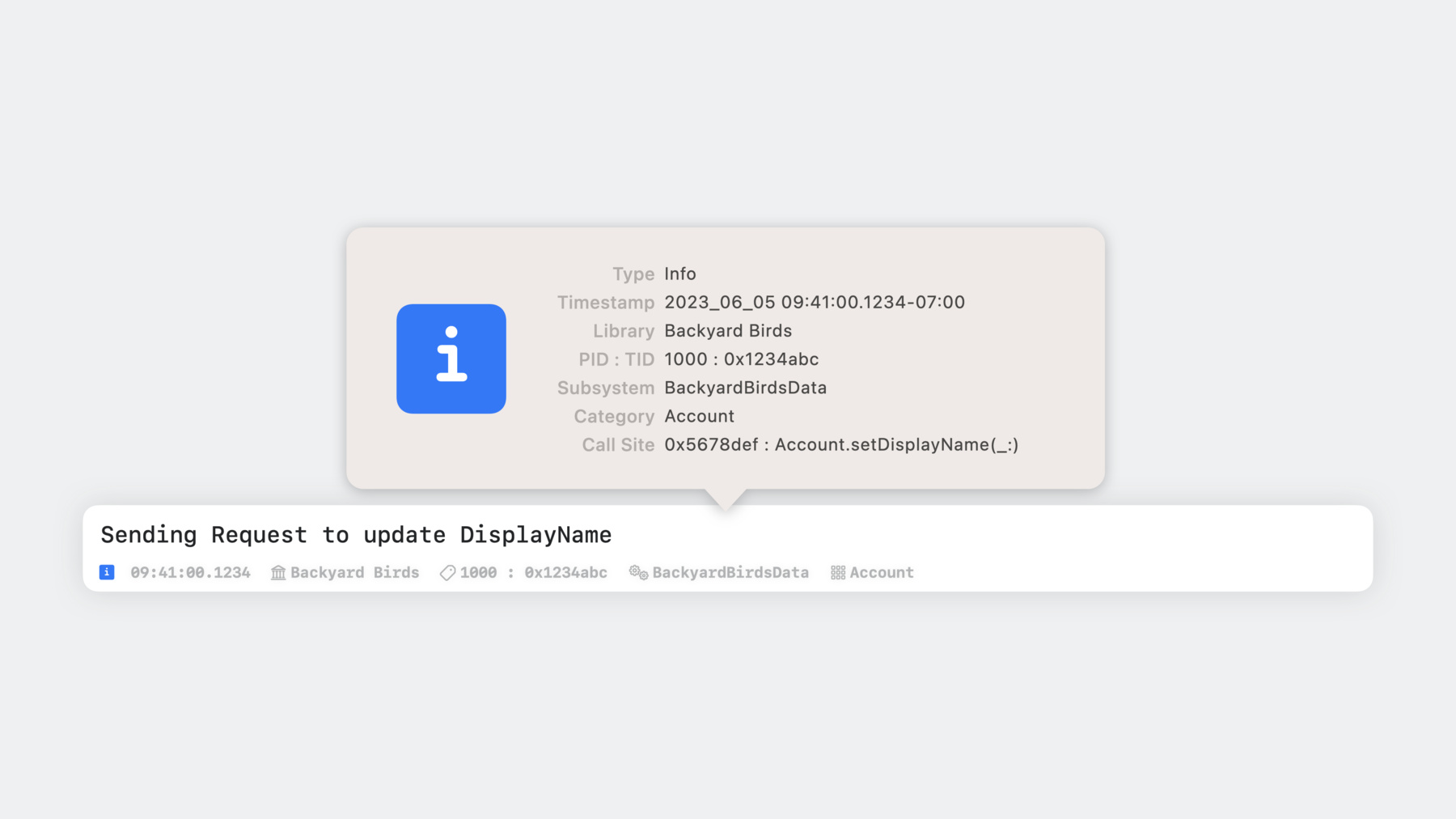
public func setDisplayName(_ newDisplayName: String) { logger.info("Sending Request to update DisplayName") Database.setValueForKey(Database.Key.displayName, value: newDisplayName, forAccount: account.id) logger.info("Updated DisplayName to '\(newDisplayName)'") } public func setEmailAddressName(_ newEmailAddress: String) { logger.info("Sending Request to update EmailAddress") Database.setValueForKey(Database.Key.emailAddress, value: newEmailAddress, forAccount: account.id) logger.info("Updated EmailAddress to '\(newEmailAddress)'") } -
6:04 - Account Data Setters (After Fix)
public func setDisplayName(_ newDisplayName: String) { logger.info("Sending Request to update DisplayName") Database.setValueForKey(Database.Key.displayName, value: newDisplayName, forAccount: account.id) account.displayName = newDisplayName logger.info("Updated DisplayName to '\(newDisplayName)'") } public func setEmailAddressName(_ newEmailAddress: String) { logger.info("Sending Request to update EmailAddress") Database.setValueForKey(Database.Key.emailAddress, value: newEmailAddress, forAccount: account.id) account.emailAddress = newEmailAddress logger.info("Updated EmailAddress to '\(newEmailAddress)'") } -
6:35 - po account
(lldb) po account -
6:39 - po account (with result)
(lldb) po account <Account: 0x60000223b2a0> -
7:00 - p account
(lldb) p account -
7:04 - po account (with result)
(lldb) p account (BackyardBirdsData.Account) =0x000060000223b2a0 { id = 3A9FC684-8DFC-4D7D-B645-E393AEBA14EE joinDate = 2023-06-05 16:41:00 UTC displayName = "Sample Account" emailAddress = "sample_account@icloud.com" isPremiumMember = true } -
7:18 - p account (after fix)
(lldb) p account (BackyardBirdsData.Account) =0x000060000223b2a0 { id = 3A9FC684-8DFC-4D7D-B645-E393AEBA14EE joinDate = 2023-06-05 16:41:00 UTC displayName = "Johnny Appleseed" emailAddress = "johnny_appleseed@icloud.com" isPremiumMember = true } -
9:43 - Login Method Skeleton
func login(password: String) -> Error? { var error: Error? = nil //... loggedIn = true return error } -
9:56 - Login Method with Print Statements
func login(password: String) -> Error? { var error: Error? = nil print("Logging in user '\(username)'...") … if let error { print("User '\(username)' failed to log in. Error: \(error)") } else { loggedIn = true print("User '\(username)' logged in successfully.") } return error } -
10:18 - Login Method with Extended Print Statements
func login(password: String) -> Error? { var error: Error? = nil print("🤖 Logging in user '\(username)'... (\(#file):\(#line))") //... if let error { print("🤖 User '\(username)' failed to log in. Error: \(error) (\(#file):\(#line))") } else { loggedIn = true print("🤖 User '\(username)' logged in successfully. (\(#file):\(#line))") } return error } -
10:40 - Login Method with Partial OSLog Transition
import OSLog let logger = Logger(subsystem: "BackyardBirdsData", category: "Account") func login(password: String) -> Error? { var error: Error? = nil print("🤖 Logging in user '\(username)'... (\(#file):\(#line))") //... if let error { print("🤖 User '\(username)' failed to log in. Error: \(error) (\(#file):\(#line))") } else { loggedIn = true print("🤖 User '\(username)' logged in successfully. (\(#file):\(#line))") } return error } -
11:00 - Login Method with OSLog Statements
import OSLog let logger = Logger(subsystem: "BackyardBirdsData", category: "Account") func login(password: String) -> Error? { var error: Error? = nil logger.info("Logging in user '\(username)'...") //... if let error { logger.error("User '\(username)' failed to log in. Error: \(error)") } else { loggedIn = true logger.notice("User '\(username)' logged in successfully.") } return error } -
11:16 - Example Logging Statements
let logger = Logger(subsystem: "BackyardBirdsData", category: "Account")
logger.error("User '\(username)' failed to log in. Error: \(error)")
logger.notice("User '\(username)' logged in successfully.")
-