

View in English

  • Apple Developer
    • Get Started

    Explore Get Started

    • Overview
    • Learn
    • Apple Developer Program

    Stay Updated

    • Latest News
    • Hello Developer
    • Platforms

    Explore Platforms

    • Apple Platforms
    • iOS
    • iPadOS
    • macOS
    • tvOS
    • visionOS
    • watchOS
    • App Store

    Featured

    • Design
    • Distribution
    • Games
    • Accessories
    • Web
    • Home
    • CarPlay
    • Technologies

    Explore Technologies

    • Overview
    • Xcode
    • Swift
    • SwiftUI

    Featured

    • Accessibility
    • App Intents
    • Apple Intelligence
    • Games
    • Machine Learning & AI
    • Security
    • Xcode Cloud
    • Community

    Explore Community

    • Overview
    • Meet with Apple events
    • Community-driven events
    • Developer Forums
    • Open Source

    Featured

    • WWDC
    • Swift Student Challenge
    • Developer Stories
    • App Store Awards
    • Apple Design Awards
    • Apple Developer Centers
    • Documentation

    Explore Documentation

    • Documentation Library
    • Technology Overviews
    • Sample Code
    • Human Interface Guidelines
    • Videos

    Release Notes

    • Featured Updates
    • iOS
    • iPadOS
    • macOS
    • watchOS
    • visionOS
    • tvOS
    • Xcode
    • Downloads

    Explore Downloads

    • All Downloads
    • Operating Systems
    • Applications
    • Design Resources

    Featured

    • Xcode
    • TestFlight
    • Fonts
    • SF Symbols
    • Icon Composer
    • Support

    Explore Support

    • Overview
    • Help Guides
    • Developer Forums
    • Feedback Assistant
    • Contact Us

    Featured

    • Account Help
    • App Review Guidelines
    • App Store Connect Help
    • Upcoming Requirements
    • Agreements and Guidelines
    • System Status
  • Quick Links

    • Events
    • News
    • Forums
    • Sample Code
    • Videos
 

Vidéos

Ouvrir le menu Fermer le menu
  • Collections
  • Toutes les vidéos
  • À propos

Plus de vidéos

  • À propos
  • Code
  • Streamline sign-in with passkey upgrades and credential managers

    Learn how to automatically upgrade existing, password-based accounts to use passkeys. We'll share why and how to improve account security and ease of sign-in, information about new features available for credential manager apps, and how to make your app information shine in the new Passwords app.

    Chapitres

    • 0:00 - Introduction
    • 0:38 - Automatic passkey
 upgrades
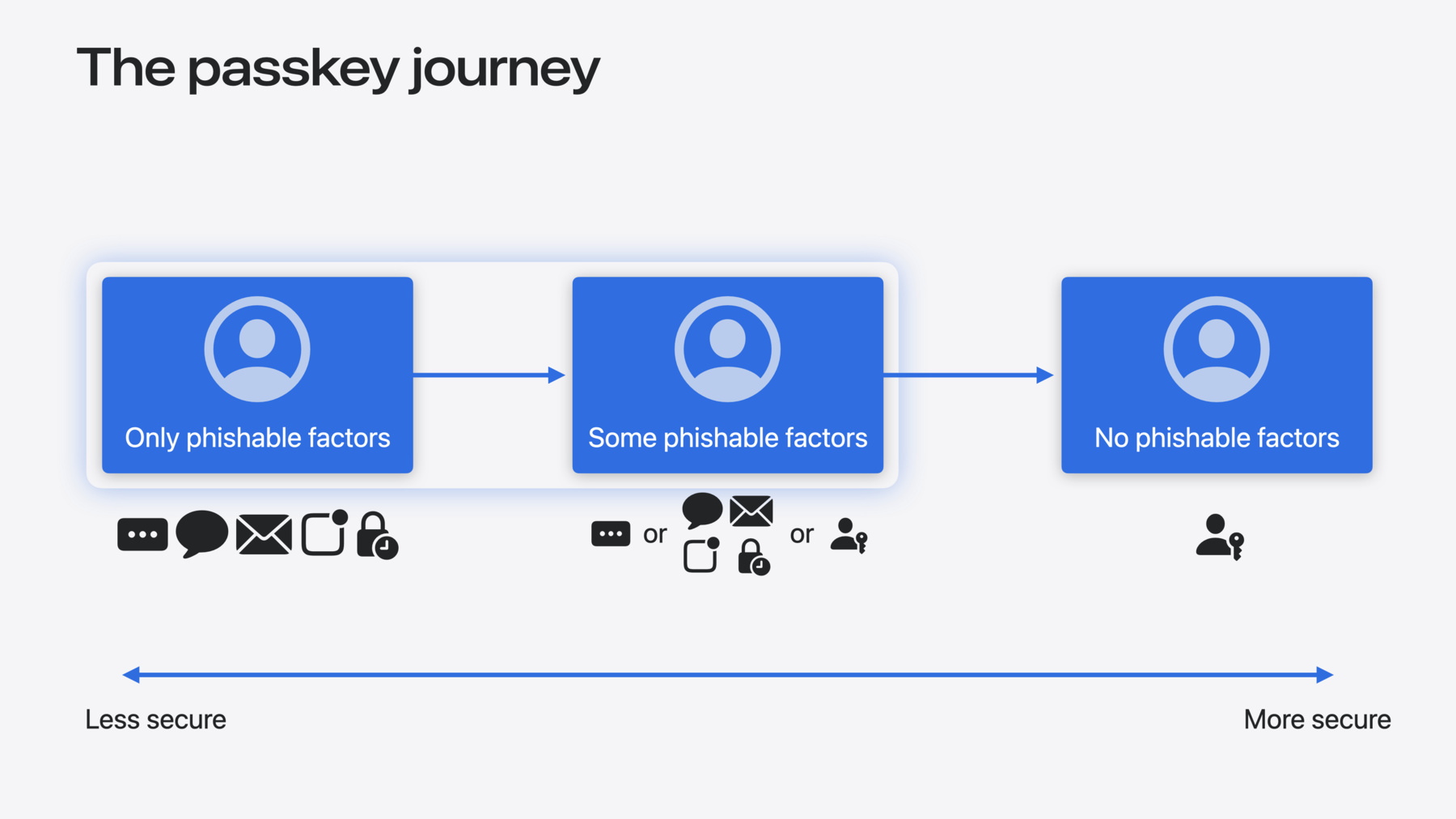
    • 2:37 - The passkey journey
    • 4:18 - Automatic passkey upgrade sequence
    • 7:46 - Shipping and deploying passkey support
    • 9:17 - Improvements for
 credential managers
    • 10:14 - The new Passwords app!
    • 11:30 - Updating appearance in the Passwords app
    • 12:31 - One-tap verification code setup

    Ressources

    • ASCredentialProviderExtensionCapabilities
    • Forum: Privacy & Security
    • Passkeys overview
    • About the security of passkeys
    • Connecting to a service with passkeys
    • Supporting passkeys
    • Public-Private Key Authentication
    • Authentication Services
      • Vidéo HD
      • Vidéo SD

    Vidéos connexes

    WWDC23

    • Deploy passkeys at work

    WWDC22

    • Meet passkeys

    WWDC21

    • Secure login with iCloud Keychain verification codes
  • Rechercher dans cette vidéo…
    • 0:01 - Offering a passkey upsell

      // Offering a passkey upsell
      
      func signIn() async throws {
          let userInfo = try await signInWithPassword()
          guard !userInfo.hasPasskey else { return }
          let provider = ASAuthorizationPlatformPublicKeyCredentialProvider(
              relyingPartyIdentifier: "example.com")
      
          guard try offerPasskeyUpsell() else { return }
          let request = provider.createCredentialRegistrationRequest(
              challenge: try await fetchChallenge(),
              name: userInfo.user,
              userID: userInfo.accountID)
      
          do {
              let passkey = try await authorizationController.performRequest(request)
              // Save new passkey to the backend
          } catch { … }
      }
    • 0:02 - Automatic passkey upgrade

      // Automatic passkey upgrade
      
      func signIn() async throws {
          let userInfo = try await signInWithPassword()
          guard !userInfo.hasPasskey else { return }
          let provider = ASAuthorizationPlatformPublicKeyCredentialProvider(
              relyingPartyIdentifier: "example.com")
      
          let request = provider.createCredentialRegistrationRequest(
              challenge: try await fetchChallenge(),
              name: userInfo.user,
              userID: userInfo.accountID,
              requestStyle: .conditional)
      
          do {
              let passkey = try await authorizationController.performRequest(request)
              // Save new passkey to the backend
          } catch { … }
      }
    • 0:03 - Modal passkey creation (web)

      // Modal passkey creation
      
      const options = {
          "publicKey": {
              "rp": { … },
              "user": {
                  "name": userInfo.user,
                  …
              },
              "challenge": …,
              "pubKeyCredParams": [ … ]
          },
      };
      
      await navigator.credentials.create(options);
    • 0:04 - Automatic passkey creation (web)

      // Automatic passkey creation
      
      let capabilities = await PublicKeyCredential.getClientCapabilities();
      if (!capabilities.conditionalCreate) { return; }
      
      const options = {
          "publicKey": {
              "rp": { … },
              "user": {
                  "name": userInfo.user,
                  …
              },
              "challenge": …,
              "pubKeyCredParams": [ … ]
          },
          "mediation": "conditional"
      };
      
      await navigator.credentials.create(options);
    • 0:05 - New Credential provider Info.plist keys

      <dict>
      	<key>NSExtensionAttributes</key>
      	<dict>
      		<key>ASCredentialProviderExtensionCapabilities</key>
      		<dict>
      			<key>ProvidesPasswords</key>
      			<true/>
      			<key>ProvidesPasskeys</key>
      			<true/>
      			<key>SupportsConditionalPasskeyRegistration</key>
      			<true/>
      			<key>ProvidesOneTimeCodes</key>
      			<true/>
      			<key>ProvidesTextToInsert</key>
      			<true/>
      		</dict>
      	</dict>
      </dict>

Developer Footer

  • Vidéos
  • WWDC24
  • Streamline sign-in with passkey upgrades and credential managers
  • Open Menu Close Menu
    • iOS
    • iPadOS
    • macOS
    • tvOS
    • visionOS
    • watchOS
    • App Store
    Open Menu Close Menu
    • Swift
    • SwiftUI
    • Swift Playground
    • TestFlight
    • Xcode
    • Xcode Cloud
    • Icon Composer
    • SF Symbols
    Open Menu Close Menu
    • Accessibility
    • Accessories
    • Apple Intelligence
    • Audio & Video
    • Augmented Reality
    • Business
    • Design
    • Distribution
    • Education
    • Games
    • Health & Fitness
    • In-App Purchase
    • Localization
    • Maps & Location
    • Machine Learning & AI
    • Security
    • Safari & Web
    Open Menu Close Menu
    • Documentation
    • Downloads
    • Sample Code
    • Videos
    Open Menu Close Menu
    • Help Guides & Articles
    • Contact Us
    • Forums
    • Feedback & Bug Reporting
    • System Status
    Open Menu Close Menu
    • Apple Developer
    • App Store Connect
    • Certificates, IDs, & Profiles
    • Feedback Assistant
    Open Menu Close Menu
    • Apple Developer Program
    • Apple Developer Enterprise Program
    • App Store Small Business Program
    • MFi Program
    • Mini Apps Partner Program
    • News Partner Program
    • Video Partner Program
    • Security Bounty Program
    • Security Research Device Program
    Open Menu Close Menu
    • Meet with Apple
    • Apple Developer Centers
    • App Store Awards
    • Apple Design Awards
    • Apple Developer Academies
    • WWDC
    Read the latest news.
    Get the Apple Developer app.
    Copyright © 2026 Apple Inc. All rights reserved.
    Terms of Use Privacy Policy Agreements and Guidelines