

-
Optimize the Core Image pipeline for your video app
Explore how you can harness the processing power of Core Image and optimize video performance within your app. We'll show you how to build your Core Image pipeline for applying effects to your video in your apps: Discover how to reduce your app's memory footprint when using CIContext, and learn best practices for using AVPlayView or MTKView view classes for video playback with Core Image filters. Additionally, find out why you should write your own custom kernels in the Metal Shading Language, and learn performance tips for optimal usage of Metal command queues in your Core Image pipeline.
Recursos
Videos relacionados
WWDC22
WWDC21
WWDC20
-
Buscar este video…
-
-
0:52 - Creating CIContext
let context = CIContext(options: [ .cacheIntermediates : false, .name : ”MyAppView” ]) -
1:26 - Creating CIContext 2
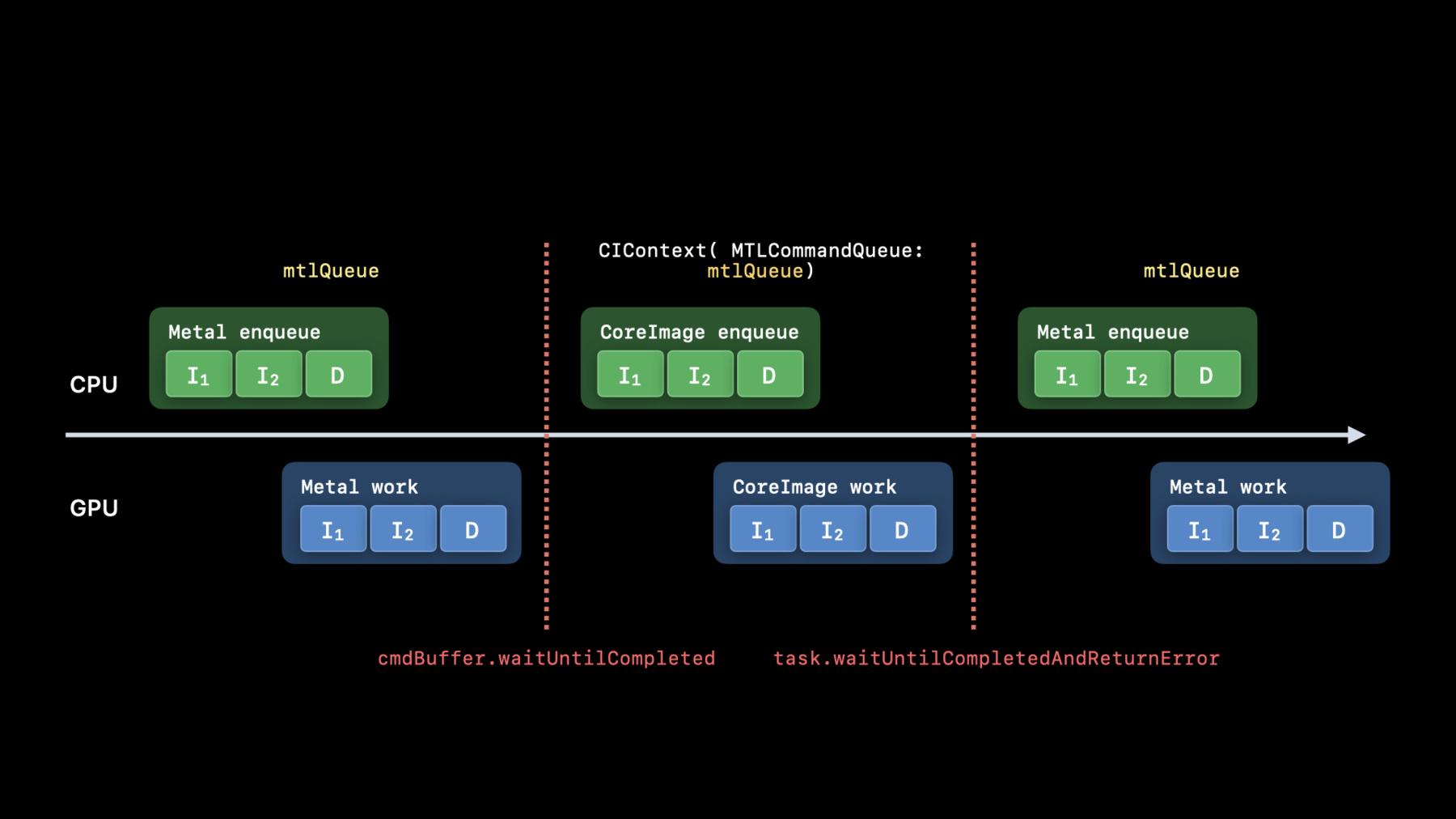
let context = CIContext(MTLCommandQueue : queue, options: […]) -
2:59 - Use builtins Whenever possible
import CoreImage.CIFilterBuiltins func motionBlur(inputImage: CIImage) -> CIImage? { let motionBlurFilter = CIFilter.motionBlur() motionBlurFilter.inputImage = inputImage motionBlurFilter.angle = 0 motionBlurFilter.radius = 20 return motionBlurFilter.outputImage } -
3:56 - Put your kernels in .ci.metal sources
// MyKernels.ci.metal #include <CoreImage/CoreImage.h> // includes CIKernelMetalLib.h using namespace metal; extern "C" float4 HDRZebra (coreimage::sample_t s, float time, coreimage::destination dest) { float diagLine = dest.coord().x + dest.coord().y; float zebra = fract(diagLine/20.0 + time*2.0); if ((zebra > 0.5) && (s.r > 1 || s.g > 1 || s.b > 1)) return float4(2.0, 0.0, 0.0, 1.0); return s; } -
5:50 - Using AVPlayer View
let videoComposition = AVMutableVideoComposition( asset: asset, applyingCIFiltersWithHandler: { (request: AVAsynchronousCIImageFilteringRequest) -> Void in let filter = HDRZebraFilter() filter.inputImage = request.sourceImage let output = filter.outputImage if (output != nil) { request.finish(with: output, context: myCtx) } else { request.finish(with: err) } } ) -
7:01 - Using MTKView
class MyView : MTKView { var context: CIContext var commandQueue : MTLCommandQueue override init(frame frameRect: CGRect, device: MTLDevice?) { let dev = device ?? MTLCreateSystemDefaultDevice()! context = CIContext(mtlDevice: dev, options: [.cacheIntermediates : false] ) commandQueue = dev.makeCommandQueue()! super.init(frame: frameRect, device: dev) framebufferOnly = false // allow Core Image to use Metal Compute colorPixelFormat = MTLPixelFormat.rgba16Float if let caml = layer as? CAMetalLayer { caml.wantsExtendedDynamicRangeContent = true } } -
7:29 - Using MTKView 2
func draw(in view: MTKView) {

        let size = self.convertToBacking(self.bounds.size)
        let rd = CIRenderDestination(width: Int(size.width),
                                     height: Int(size.height),
                                     pixelFormat: colorPixelFormat,
                                     commandBuffer: nil)
                  { () -> MTLTexture in return view.currentDrawable!.texture }

        context.startTask(toRender:image, from:rect, to:rd, at:point)

        // Present the current drawable
        let cmdBuf = commandQueue.makeCommandBuffer()!
        cmdBuf.present(view.currentDrawable!)
        cmdBuf.commit()
   }
-