

-
SwiftUI on iPad: Organize your interface
It's time to supercharge the interface of your iPad app with SwiftUI lists and tables. We'll show how you can add selection interactions and context menus and help people who use your app be more productive. We'll also give you best practices on structuring your navigation and explore how you can avoid modality using split views to ensure a top-notch desktop-class iPad experience.
This is the first session in a two-part series. To get the most out of this video, we recommend you have some basic familiarity with SwiftUI. After watching this session, check out "SwiftUI on iPad: Add toolbars, titles, and more" to learn how SwiftUI can help you make even better toolbars for your iPad app.Recursos
Videos relacionados
WWDC22
- Bring multiple windows to your SwiftUI app
- SwiftUI on iPad: Add toolbars, titles, and more
- The SwiftUI cookbook for navigation
- What's new in SwiftUI
- What’s new in iPad app design
- WWDC22 Day 4 recap
WWDC21
-
Buscar este video…
-
-
3:10 - Places List
struct PlacesList: View { @Binding var modelData: ModelData var body: some View { List(modelData.places) { place in PlaceCell(place) } } } -
3:18 - Places Table
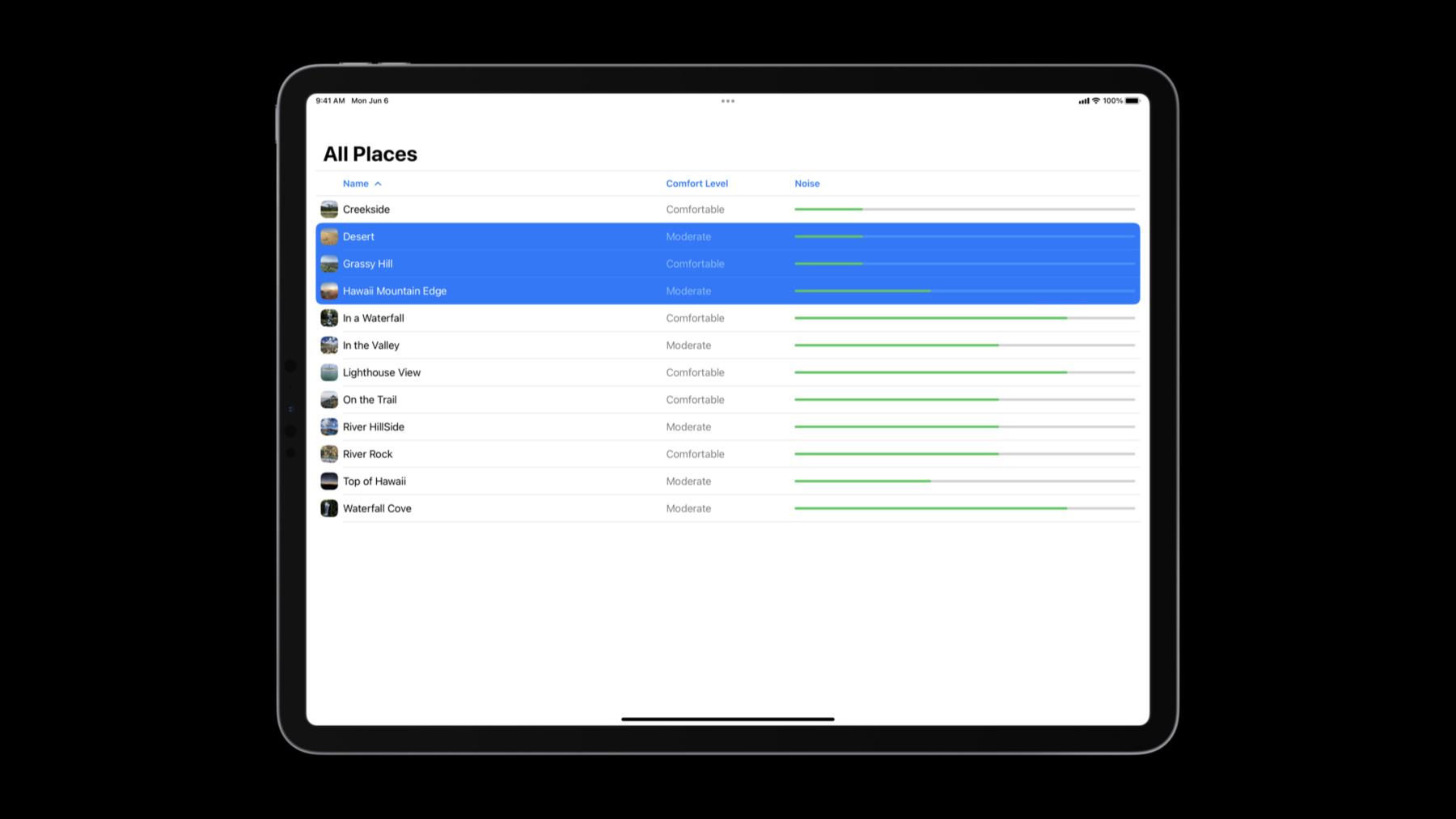
struct PlacesTable: View { @Binding var modelData: ModelData @State private var sortOrder = [KeyPathComparator(\Place.name)] var body: some View { Table(modelData.places, sortOrder: $sortOrder) { TableColumn("Name", value: \.name) { place in PlaceCell(place) } TableColumn("Comfort Level", value: \.comfortDescription).width(200) TableColumn("Noise", value: \.noiseLevel) { place in NoiseLevelView(level: place.noiseLevel) } } .onChange(of: sortOrder) { modelData.sort(using: $0) } } } -
10:25 - Places Table with selection
struct PlacesTable: View { @EnvironmentObject var modelData: ModelData @State private var sortOrder = [KeyPathComparator(\Place.name)] @State private var selection: Set<Place.ID> = [] var body: some View { Table(modelData.places, selection: $selection, sortOrder: $sortOrder) { // columns } } } -
10:26 - Places Table toolbar additions
Table(modelData.places, selection: $selection, sortOrder: $sortOrder) { ... } .toolbar { ToolbarItemGroup(placement: .navigationBarTrailing) { if !selection.isEmpty { AddToGuideButton(selection) } } ToolbarItemGroup(placement: .navigationBarLeading) { EditButton() } } -
12:34 - Item context menus
// Item context menus Table(modelData.places, selection: $selection, sortOrder: $sortOrder) { ... } .contextMenu(forSelectionType: Place.ID.self) { items in if items.isEmpty { // Empty area AddPlaceButton() } else { if items.count == 1 { // Single item FavoriteButton(isSet: $modelData.places[items.first!].isFavorite) } // Single and multiple items AddToGuideButton(items) } } -
16:55 - Navigation Split View example
// Navigation Split View example

struct ContentView: View {
    var body: some View {
        NavigationSplitView {
            SidebarView()
       } detail: {
            Text("Select a place")
        }
    }
}
-