

-
Explore EDR on iOS
EDR is Apple's High Dynamic Range representation and rendering pipeline. Explore how you can render HDR content using EDR in your app and unleash the dynamic range capabilities of HDR displays on iPhone and iPad. We'll show how you can take advantage of the native EDR APIs on iOS, provide best practices to help you decide when HDR is appropriate, and share tips for tone-mapping and HDR content rendering. We'll also introduce you to Reference Mode and highlight how it provides a reference response to enable color-critical workflows such as color grading, editing, and content review.
Recursos
Videos relacionados
WWDC23
Tech Talks
WWDC22
-
Buscar este video…
-
-
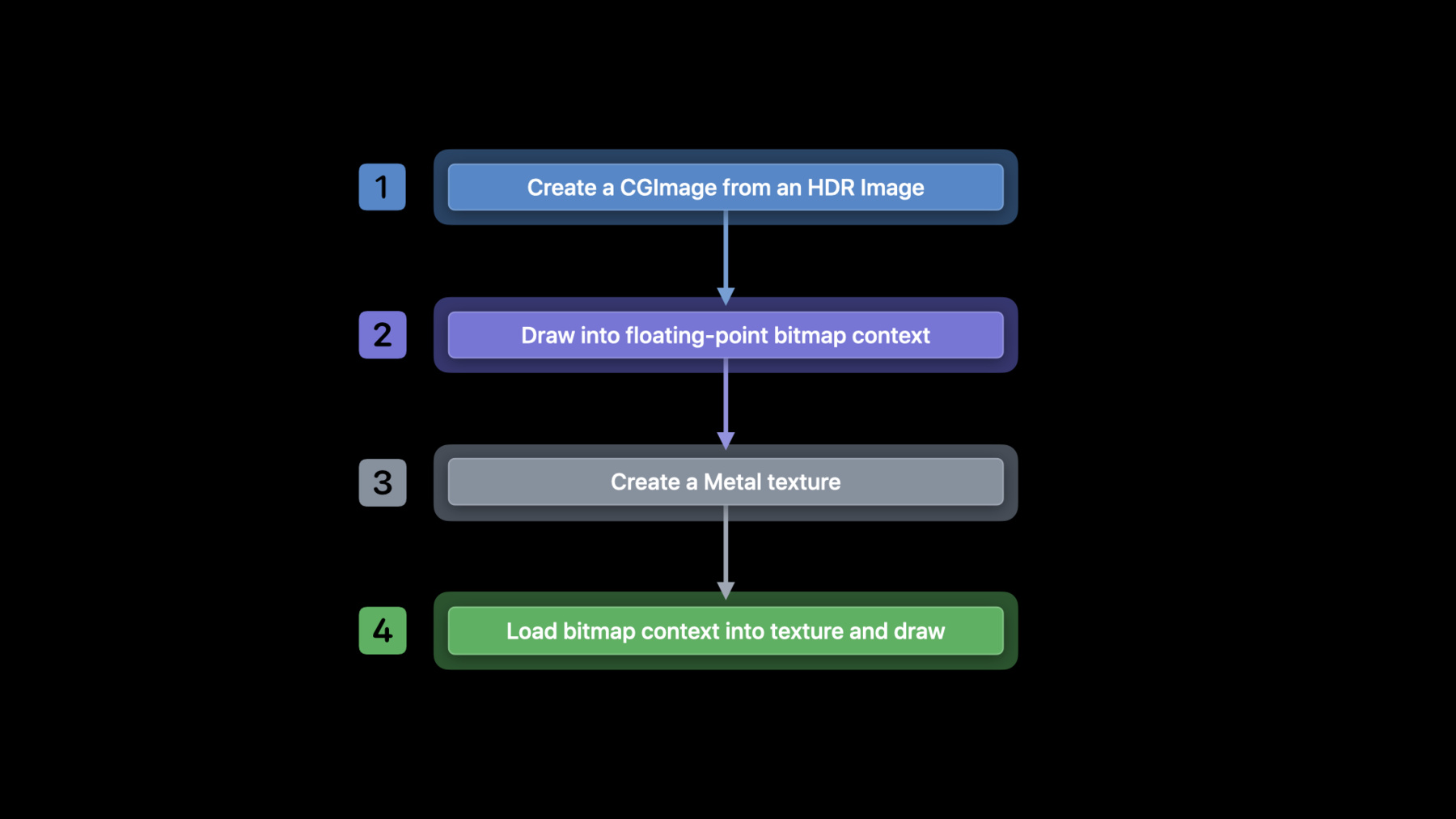
9:23 - Create CGImage and Draw
// Create CGImage from HDR Image let isr = CGImageSourceCreateWithURL(HDRImageURL, nil) let img = CGImageSourceCreateImageAtIndex(isr, 0, nil) // Draw into floating point bitmap context let width = img.width let height = img.height let info = CGBitmapInfo(rawValue: kCGBitmapByteOrder16Host |CGImageAlphaInfo.premultipliedLast.rawValue | CGBitmapInfo.floatComponents.rawValue) let ctx = CGContext(data: nil, width: width, height: height, bitsPerComponent: 16, bytesPerRow: 0, space: layer.colorspace, bitmapInfo: info.rawValue) ctx?.draw(in: img, image: CGRect(x: 0, y: 0, width: CGFloat(width), height: CGFloat(height))) -
10:30 - Create floating point texture and Load EDR bitmap
// Create floating point texture let desc = MTLTextureDescriptor() desc.pixelFormat = .rgba16Float desc.textureType = .type2D let texture = layer.device.makeTexture(descriptor: desc) // Load EDR bitmap into texture let data = ctx.data texture.replace(region: MTLRegionMake2D(0, 0, width, height), mipmapLevel: 0, withBytes: &data, bytesPerRow: ctx.bytesPerRow) -
11:55 - CAMetalLayer properties
// Opt into using EDR var layer = CAMetalLayer() layer?.wantsExtendedDynamicRangeContent = true // Use supported pixel format and color spaces layer.pixelFormat = MTLPixelFormatRGBA16Float layer.colorspace = CGColorSpace(name: kCGColorSpaceExtendedLinearDisplayP3) -
14:42 - UIScreen headroom
// Query potential headroom let screen = windowScene.screen let maxPotentialEDR = screen.potentialEDRHeadroom if (maxPotentialEDR < 1.5) { // SDR path } // Query current headroom func draw(_ rect: CGRect) { let maxEDR = screen.currentEDRHeadroom // Tone-map to maxEDR } // Register for Reference Mode notifications let notification = NotificationCenter.default notification.addObserver(self, selector: #selector(screenChangedEvent(_:)), name: UIScreen.referenceDisplayModeStatusDidChangeNotification, object: nil) // Query for latest status and headroom func screenChangedEvent(_ notification: Notification?) { let status = screen.referenceDisplayModeStatus let maxPotentialEDR = screen.potentialEDRHeadroom } -
16:54 - CAEDRMetadata and CAMetalLayer
// Check if EDR metadata is available let isAvailable = CAEDRMetadata.isAvailable // Instantiate EDR metadata // ... // Apply EDR metadata to layer let layer: CAMetalLayer? = nil layer?.edrMetadata = metadata -
17:22 - Instantiating CAEDRMetadata
// HLG
let edrMetadata = CAEDRMetadata.hlg

// HDR10 (Mastering Display luminance)
let edrMetaData = CAEDRMetadata.hdr10(minLuminance: minLuminance,
                                      maxLuminance: maxContentMasteringDisplayBrightness,
                                      opticalOutputScale: outputScale)

// HDR10 (Supplemental Enhancement Information)
let edrMetaData = CAEDRMetadata.hdr10(displayInfo: displayData,
                                      contentInfo: contentInfo,
                                      opticalOutputScale: outputScale)
-