

View in English

  • Apple Developer
    • Get Started

    Explore Get Started

    • Overview
    • Learn
    • Apple Developer Program

    Stay Updated

    • Latest News
    • Hello Developer
    • Platforms

    Explore Platforms

    • Apple Platforms
    • iOS
    • iPadOS
    • macOS
    • tvOS
    • visionOS
    • watchOS
    • App Store

    Featured

    • Design
    • Distribution
    • Games
    • Accessories
    • Web
    • Home
    • CarPlay
    • Technologies

    Explore Technologies

    • Overview
    • Xcode
    • Swift
    • SwiftUI

    Featured

    • Accessibility
    • App Intents
    • Apple Intelligence
    • Games
    • Machine Learning & AI
    • Security
    • Xcode Cloud
    • Community

    Explore Community

    • Overview
    • Meet with Apple events
    • Community-driven events
    • Developer Forums
    • Open Source

    Featured

    • WWDC
    • Swift Student Challenge
    • Developer Stories
    • App Store Awards
    • Apple Design Awards
    • Apple Developer Centers
    • Documentation

    Explore Documentation

    • Documentation Library
    • Technology Overviews
    • Sample Code
    • Human Interface Guidelines
    • Videos

    Release Notes

    • Featured Updates
    • iOS
    • iPadOS
    • macOS
    • watchOS
    • visionOS
    • tvOS
    • Xcode
    • Downloads

    Explore Downloads

    • All Downloads
    • Operating Systems
    • Applications
    • Design Resources

    Featured

    • Xcode
    • TestFlight
    • Fonts
    • SF Symbols
    • Icon Composer
    • Support

    Explore Support

    • Overview
    • Help Guides
    • Developer Forums
    • Feedback Assistant
    • Contact Us

    Featured

    • Account Help
    • App Review Guidelines
    • App Store Connect Help
    • Upcoming Requirements
    • Agreements and Guidelines
    • System Status
  • Quick Links

    • Events
    • News
    • Forums
    • Sample Code
    • Videos
 

Videos

Abrir menú Cerrar menú
  • Colecciones
  • Todos los videos
  • Información

Más videos

  • Información
  • Código
  • What's new in Screen Time API

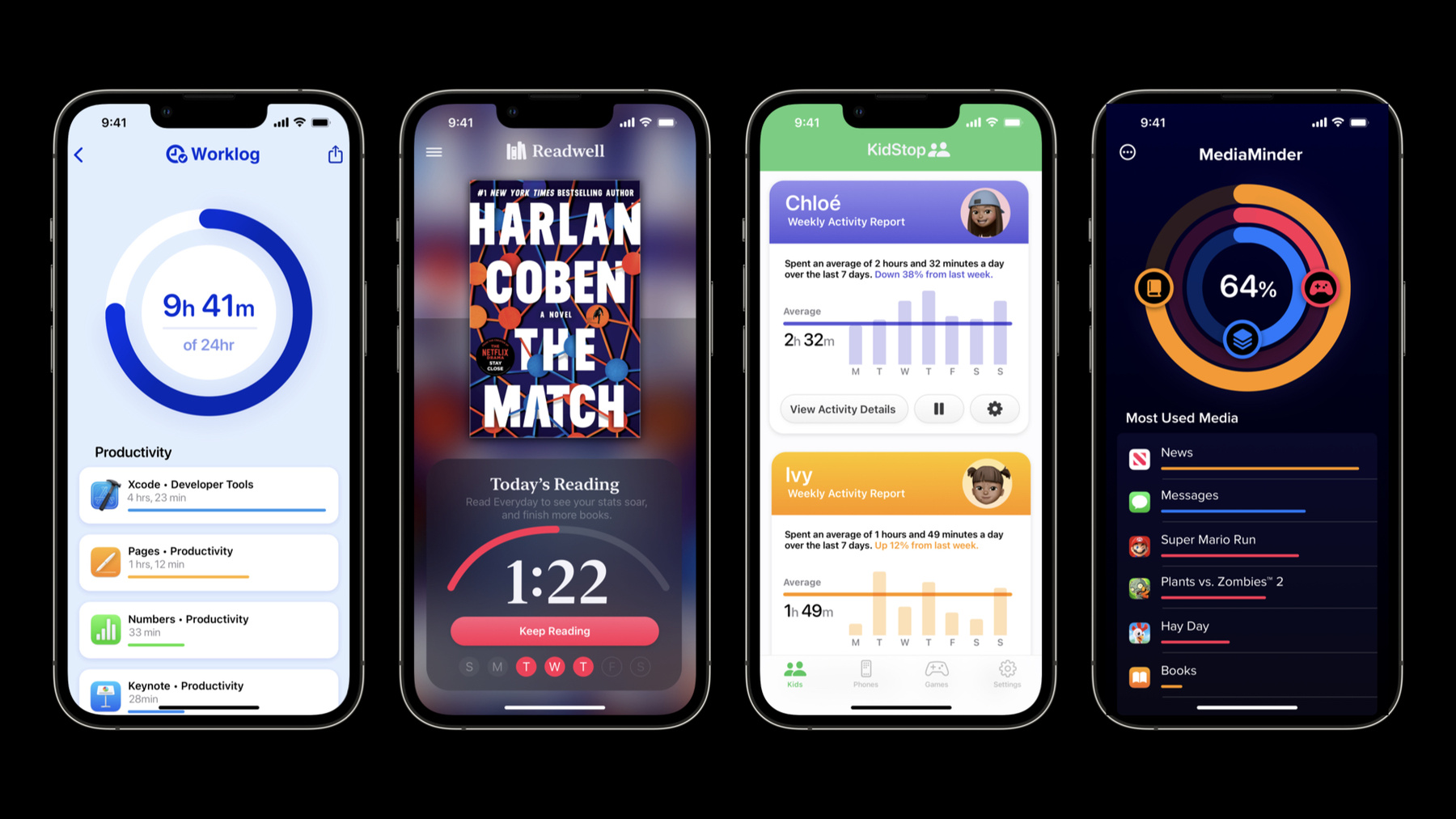
    Find out how you can build apps that help people manage their relationship with their device — all while putting privacy first. We'll take you through the Screen Time API and share how you can use features like core restrictions and device activity reports to create great experiences while providing measurable control for the device's owner, parents, and guardians.

    Recursos

    • Managed Settings
    • Family Controls
    • Device Activity
      • Video HD
      • Video SD
  • Buscar este video…
    • 3:12 - Request aAhuthorization

      // APP: Request Authorization
      
      import SwiftUI
      import FamilyControls
      
      @main
      struct Worklog: App {
          let center = AuthorizationCenter.shared
          var body: some Scene {
              WindowGroup {
                  VStack {…}
                      .onAppear {
                          Task {
                              do {
                                  try await center.requestAuthorization(for: .individual)
                              } catch {
                                  print("Failed to enroll Aniyah with error: \(error)")
                              }
                          }
                      }
              }
          }
    • 5:13 - Managed settings store

      // MONITOR EXTENSION: Handle Social category at start/end of interval
      
      import DeviceActivity
      import ManagedSettings
      
      class WorklogMonitor: DeviceActivityMonitor {
          let database = BarkDatabase()
          override func intervalDidStart(for activity: DeviceActivityName) {
              super.intervalDidStart(for: activity)
              let socialStore = ManagedSettingsStore(named: .social)
              socialStore.clearAllSettings()
          }
          
          override func intervalDidEnd(for activity: DeviceActivityName) {
              super.intervalDidEnd(for: activity)
              let socialStore = ManagedSettingsStore(named: .social)
              let socialCategory = database.socialCategoryToken
              socialStore.shield.applicationCategories = .specific([socialCategory])
              socialStore.shield.webDomainCategories = .specific([socialCategory])
          }
      }
    • 7:02 - Device activity report and filter

      // APP: Top-level view
      
      import SwiftUI
      import DeviceActivity
      
      extension DeviceActivityReport.Context {
          static let pieChart = Self(“Pie Chart")
      }
      
      @main
      struct Worklog: App {
          private let thisWeek = DateInterval(...)
          @State private var context: DeviceActivityReport.Context = .pieChart
          @State private var filter = DeviceActivityFilter(segment: .daily(during: thisWeek))
      
          var body: some Scene {
              WindowGroup {
                  GeometryReader { geometry in
                      VStack(alignment: .leading) {
                         DeviceActivityReport(context: context, filter: filter)
                              .frame(height: geometry.size.height * 0.75)
                          
             
          }
      }
    • 7:24 - Device activity report

      // REPORT EXTENSION: Configure Custom Device Activity Report
      
      import SwiftUI
      import DeviceActivity
      
      struct PieChartReport: DeviceActivityReportScene {
          let context: DeviceActivityReport.Context = .pieChart
          let content: (PieChartView.Configuration) -> PieChartView
          
          func makeConfiguration(representing data: [DeviceActivityData]) 
              -> PieChartView.Configuration {
              var totalUsageByCategory: [ActivityCategory:TimeInterval]
              totalUsageByCategory = data.map(…)
              
              return PieChartView.Configuration(totalUsageByCategory: totalUsageByCategory)
          }
      }
    • 7:55 - Configure Custom Device Activity Report

      // REPORT EXTENSION: Configure Custom Device Activity Report
      
      import SwiftUI
      import DeviceActivity
      
      struct PieChartView: View {
          struct Configuration {
              let totalUsageByCategory: [ActivityCategory:TimeInterval]
          }
          
          let configuration: Configuration
          
          var body: some View {
              // A complex view that renders a bar graph based on Aniyah’s usage per category.
              PieChart(usage: configuration.totalUsageByCategory)
          }
      }
    • 8:05 - Present custom report

      // REPORT EXTENSION: Draw Custom Device Activity Report
      
      import SwiftUI
      import DeviceActivity
      
      @main
      struct WorklogReportExtension: DeviceActivityReportExtension {
          var body: some DeviceActivityReportScene {
              PieChartReport { configuration in
                  PieChartView(configuration: configuration)
              }
          }
      }

Developer Footer

  • Videos
  • WWDC22
  • What's new in Screen Time API
  • Open Menu Close Menu
    • iOS
    • iPadOS
    • macOS
    • tvOS
    • visionOS
    • watchOS
    • App Store
    Open Menu Close Menu
    • Swift
    • SwiftUI
    • Swift Playground
    • TestFlight
    • Xcode
    • Xcode Cloud
    • Icon Composer
    • SF Symbols
    Open Menu Close Menu
    • Accessibility
    • Accessories
    • Apple Intelligence
    • Audio & Video
    • Augmented Reality
    • Business
    • Design
    • Distribution
    • Education
    • Games
    • Health & Fitness
    • In-App Purchase
    • Localization
    • Maps & Location
    • Machine Learning & AI
    • Security
    • Safari & Web
    Open Menu Close Menu
    • Documentation
    • Downloads
    • Sample Code
    • Videos
    Open Menu Close Menu
    • Help Guides & Articles
    • Contact Us
    • Forums
    • Feedback & Bug Reporting
    • System Status
    Open Menu Close Menu
    • Apple Developer
    • App Store Connect
    • Certificates, IDs, & Profiles
    • Feedback Assistant
    Open Menu Close Menu
    • Apple Developer Program
    • Apple Developer Enterprise Program
    • App Store Small Business Program
    • MFi Program
    • Mini Apps Partner Program
    • News Partner Program
    • Video Partner Program
    • Security Bounty Program
    • Security Research Device Program
    Open Menu Close Menu
    • Meet with Apple
    • Apple Developer Centers
    • App Store Awards
    • Apple Design Awards
    • Apple Developer Academies
    • WWDC
    Read the latest news.
    Get the Apple Developer app.
    Copyright © 2026 Apple Inc. All rights reserved.
    Terms of Use Privacy Policy Agreements and Guidelines