

-
Unlock the power of places with MapKit
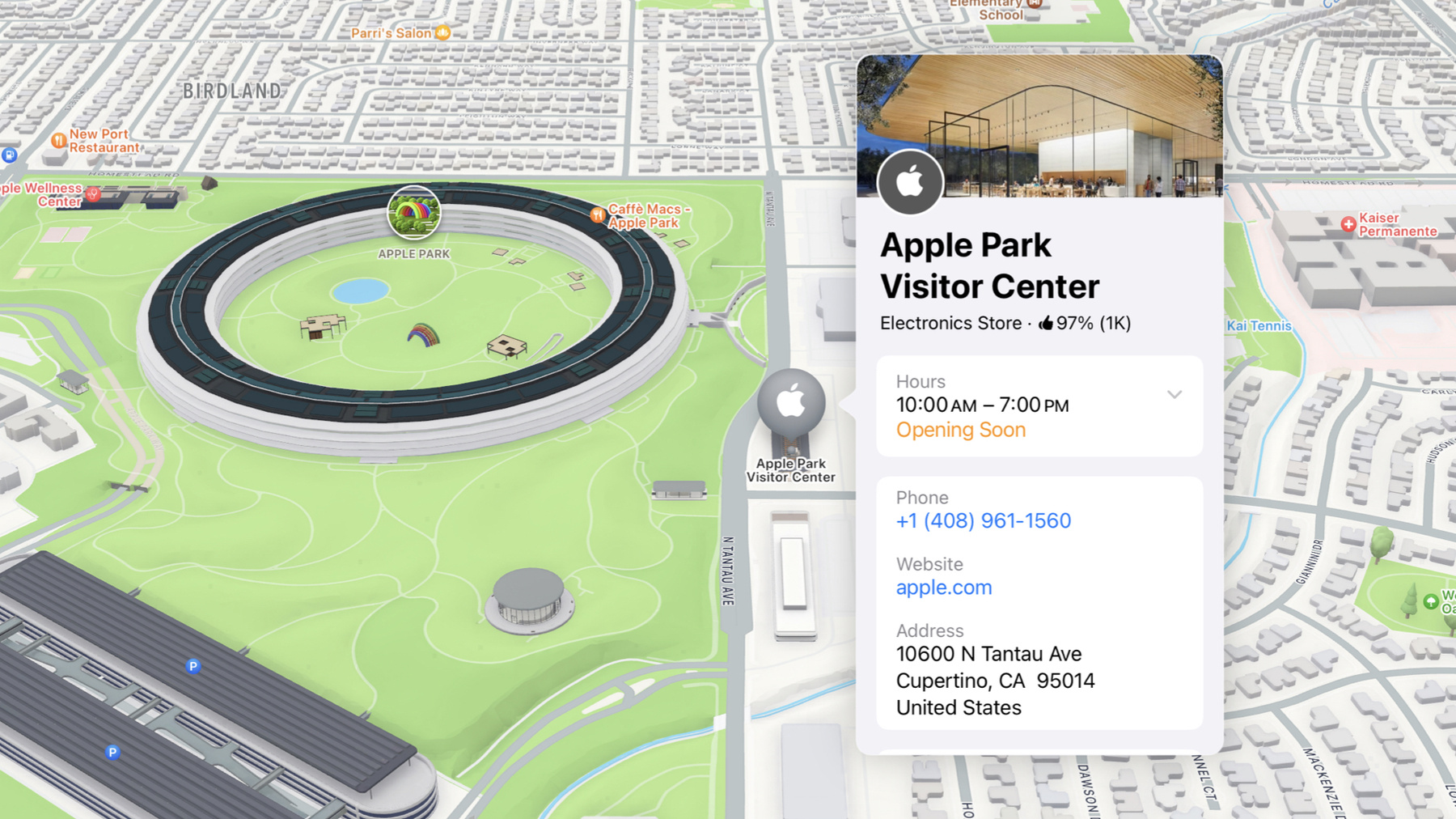
Discover powerful new ways to integrate maps into your apps and websites with MapKit and MapKit JS. Learn how to save and reference unique places using Place ID. Check out improvements to search that make it more efficient to find relevant places. Get introduced to the new Place Card API that lets you display rich information about places so customers can explore destinations right in your app. And, we'll show you quick ways to embed maps in your website with our simplified token provisioning and Web Embed API.
Capítulos
- 0:00 - Introduction
- 0:54 - Reference a place
- 6:12 - Display place details
- 12:05 - Find a place
Recursos
- Displaying place information using the Maps Embed API
- Identifying unique locations with Place IDs
- Resources - Apple Maps - Apple Developer
- Forum: Maps & Location
- Interacting with nearby points of interest
Videos relacionados
WWDC23
-
Buscar este video…
-
-
3:06 - Display a visitor center annotation
// Display a visitor center annotation struct PlaceMapView: View { var placeID: String // "I63802885C8189B2B" @State private var item: MKMapItem? var body: some View { Map { if let item { Marker(item: item) } } .task { guard let identifier = MKMapItem.Identifier( rawValue: placeID ) else { return } let request = MKMapItemRequest( mapItemIdentifier: identifier ) item = try? await request.mapItem } } } -
3:44 - Display an annotation for the center
<!DOCTYPE html> <html> <head> <meta name="viewport" content="width=device-width, initial-scale=1" /> <style> #map { margin: 0 auto; } </style> </head> <body> <script crossorigin async src="https://cdn.apple-mapkit.com/mk/5.x.x/mapkit.js" data-callback="entryPoint" data-token="TODO: Add your token here" ></script> <script> window.entryPoint = () => { const id = "I63802885C8189B2B"; const lookup = new mapkit.PlaceLookup(); lookup.getPlace(id, annotatePlace); }; const annotatePlace = (error, place) => { const center = place.coordinate; const span = new mapkit.CoordinateSpan(0.01, 0.01); const region = new mapkit.CoordinateRegion(center, span); const map = new mapkit.Map("map", { region }); const annotation = new mapkit.PlaceAnnotation(place); map.addAnnotation(annotation); }; </script> <div id="map" style="width: 100dvw; height: 100dvh;"></div> </body> </html> -
7:32 - Display my favorite apple stores
// Display my favorite apple stores struct VisitedStoresView: View { var visitedStores: [MKMapItem] @State private var selection: MKMapItem? var body: some View { Map(selection: $selection) { ForEach(visitedStores, id: \.self) { store in Marker(item: store) } .mapItemDetailSelectionAccessory() } } } -
7:50 - Display a selectable annotation
<!DOCTYPE html> <html> <head> <meta name="viewport" content="width=device-width, initial-scale=1" /> <style> #map { margin: 0 auto; } </style> </head> <body> <script crossorigin async src="https://cdn.apple-mapkit.com/mk/5.x.x/mapkit.js" data-callback="entryPoint" data-token="TODO: Add your token here" ></script> <script> window.entryPoint = () => { const id = "I63802885C8189B2B"; const lookup = new mapkit.PlaceLookup(); lookup.getPlace(id, annotatePlace); }; const annotatePlace = (error, place) => { const center = place.coordinate; const span = new mapkit.CoordinateSpan(0.01, 0.01); const region = new mapkit.CoordinateRegion(center, span); const map = new mapkit.Map("map", { region }); const annotation = new mapkit.PlaceAnnotation(place); map.addAnnotation(annotation); const accessory = new mapkit.PlaceSelectionAccessory(); annotation.selectionAccessory = accessory; }; </script> <div id="map" style="width: 100dvw; height: 100dvh;"></div> </body> </html> -
9:15 - List stores and show details when selected
// List stores and show details when selected struct StoreList: View { var stores: [MKMapItem] @State private var selectedStore: MKMapItem? var body: some View { List( stores, id: \.self, selection: $selectedStore ) { Text($0.name ?? "Apple Store") } .mapItemDetailSheet(item: $selectedStore) } } -
9:37 - Show visitor center details
<!DOCTYPE html> <html> <head> <meta name="viewport" content="width=device-width, initial-scale=1" /> <style> #map { margin: 0 auto; } </style> </head> <body> <script crossorigin async src="https://cdn.apple-mapkit.com/mk/5.x.x/mapkit.js" data-callback="entryPoint" data-token="TODO: Add your token here" ></script> <script> window.entryPoint = () => { const id = "I63802885C8189B2B"; const lookup = new mapkit.PlaceLookup(); lookup.getPlace(id, annotatePlace); }; const annotatePlace = (error, place) => { const el = document.getElementById("place"); const detail = new mapkit.PlaceDetail(el, place, { colorScheme: mapkit.PlaceDetail.ColorSchemes.Adaptive }); }; </script> <div id="place"></div> </body> </html> -
11:17 - Display a place card for the selected map feature, too
// Display a place card for the selected map feature, too struct VisitedStoresView: View { var visitedStores: [MKMapItem] @State private var selection: MapSelection<MKMapItem>? var body: some View { Map(selection: $selection) { ForEach(visitedStores, id: \.self) { store in Marker(item: store) .tag(MapSelection(store)) } .mapItemDetailSelectionAccessory(.callout) } .mapFeatureSelectionAccessory(.callout) } } -
13:09 - Find Cupertino, then find coffee
<!DOCTYPE html> <html> <head> <meta name="viewport" content="width=device-width, initial-scale=1" /> <style> #map { margin: 0 auto; } </style> </head> <body> <script crossorigin async src="https://cdn.apple-mapkit.com/mk/5.x.x/mapkit.js" data-callback="entryPoint" data-token="TODO: Add your token here" ></script> <script> window.entryPoint = () => { const addressFilter = mapkit.AddressFilter.including([ mapkit.AddressCategory.Locality ]); const citySearch = new mapkit.Search({ addressFilter }); citySearch.search("Cupertino", showMap); }; const showMap = (error, cities) => { const center = cities.places[0].coordinate; const span = new mapkit.CoordinateSpan(0.01, 0.01); const region = new mapkit.CoordinateRegion(center, span); const map = new mapkit.Map("map", { region }); const coffeeSearch = new mapkit.Search({ region, regionPriority: mapkit.Search.RegionPriority.Required, pointOfInterestFilter: mapkit.PointOfInterestFilter.including([ mapkit.PointOfInterestCategory.Cafe ]) }); coffeeSearch.search("coffee", (error, results) => { for (const place of results.places) { const marker = new mapkit.PlaceAnnotation(place); map.addAnnotation(marker); } }); }; </script> <div id="map" style="width: 100dvw; height: 100dvh;"></div> </body> </html> -
14:41 - Finding coffee in Cupertino
// Finding coffee in Cupertino

struct CoffeeMap: View {
    @State private var position: MapCameraPosition = .automatic
    @State private var coffeeShops: [MKMapItem] = []

    var body: some View {
        Map(position: $position) {
            ForEach(coffeeShops, id: \.self) { café in
                Marker(item: cafe)
            }
        }
        .task {
            guard let cupertino = await findCity() else {
                return
            }
            coffeeShops = await findCoffee(in: cupertino)
        }
    }

    private func findCity() async -> MKMapItem? {
        let request = MKLocalSearch.Request()
        request.naturalLanguageQuery = "cupertino"

        request.addressFilter = MKAddressFilter(
            including: .locality
        )

        let search = MKLocalSearch(request: request)
        let response = try? await search.start()
        return response?.mapItems.first
    }

    private func findCoffee(in city: MKMapItem ) async -> [MKMapItem] {
        let request = MKLocalSearch.Request()
        request.naturalLanguageQuery = "coffee"
        let downtown = MKCoordinateRegion(
            center: city.placemark.coordinate,
            span: .init(
                latitudeDelta: 0.01,
                longitudeDelta: 0.01
            )
        )
        request.region = downtown
        request.regionPriority = .required
        let search = MKLocalSearch(request: request)
        let response = try? await search.start()
        return response?.mapItems ?? []
    }
}
-