

View in English

  • Apple Developer
    • Get Started

    Explore Get Started

    • Overview
    • Learn
    • Apple Developer Program

    Stay Updated

    • Latest News
    • Hello Developer
    • Platforms

    Explore Platforms

    • Apple Platforms
    • iOS
    • iPadOS
    • macOS
    • tvOS
    • visionOS
    • watchOS
    • App Store

    Featured

    • Design
    • Distribution
    • Games
    • Accessories
    • Web
    • Home
    • CarPlay
    • Technologies

    Explore Technologies

    • Overview
    • Xcode
    • Swift
    • SwiftUI

    Featured

    • Accessibility
    • App Intents
    • Apple Intelligence
    • Games
    • Machine Learning & AI
    • Security
    • Xcode Cloud
    • Community

    Explore Community

    • Overview
    • Meet with Apple events
    • Community-driven events
    • Developer Forums
    • Open Source

    Featured

    • WWDC
    • Swift Student Challenge
    • Developer Stories
    • App Store Awards
    • Apple Design Awards
    • Apple Developer Centers
    • Documentation

    Explore Documentation

    • Documentation Library
    • Technology Overviews
    • Sample Code
    • Human Interface Guidelines
    • Videos

    Release Notes

    • Featured Updates
    • iOS
    • iPadOS
    • macOS
    • watchOS
    • visionOS
    • tvOS
    • Xcode
    • Downloads

    Explore Downloads

    • All Downloads
    • Operating Systems
    • Applications
    • Design Resources

    Featured

    • Xcode
    • TestFlight
    • Fonts
    • SF Symbols
    • Icon Composer
    • Support

    Explore Support

    • Overview
    • Help Guides
    • Developer Forums
    • Feedback Assistant
    • Contact Us

    Featured

    • Account Help
    • App Review Guidelines
    • App Store Connect Help
    • Upcoming Requirements
    • Agreements and Guidelines
    • System Status
  • Quick Links

    • Events
    • News
    • Forums
    • Sample Code
    • Videos
 

Videos

Abrir menú Cerrar menú
  • Colecciones
  • Todos los videos
  • Información

Más videos

  • Información
  • Código
  • Explore object tracking for visionOS

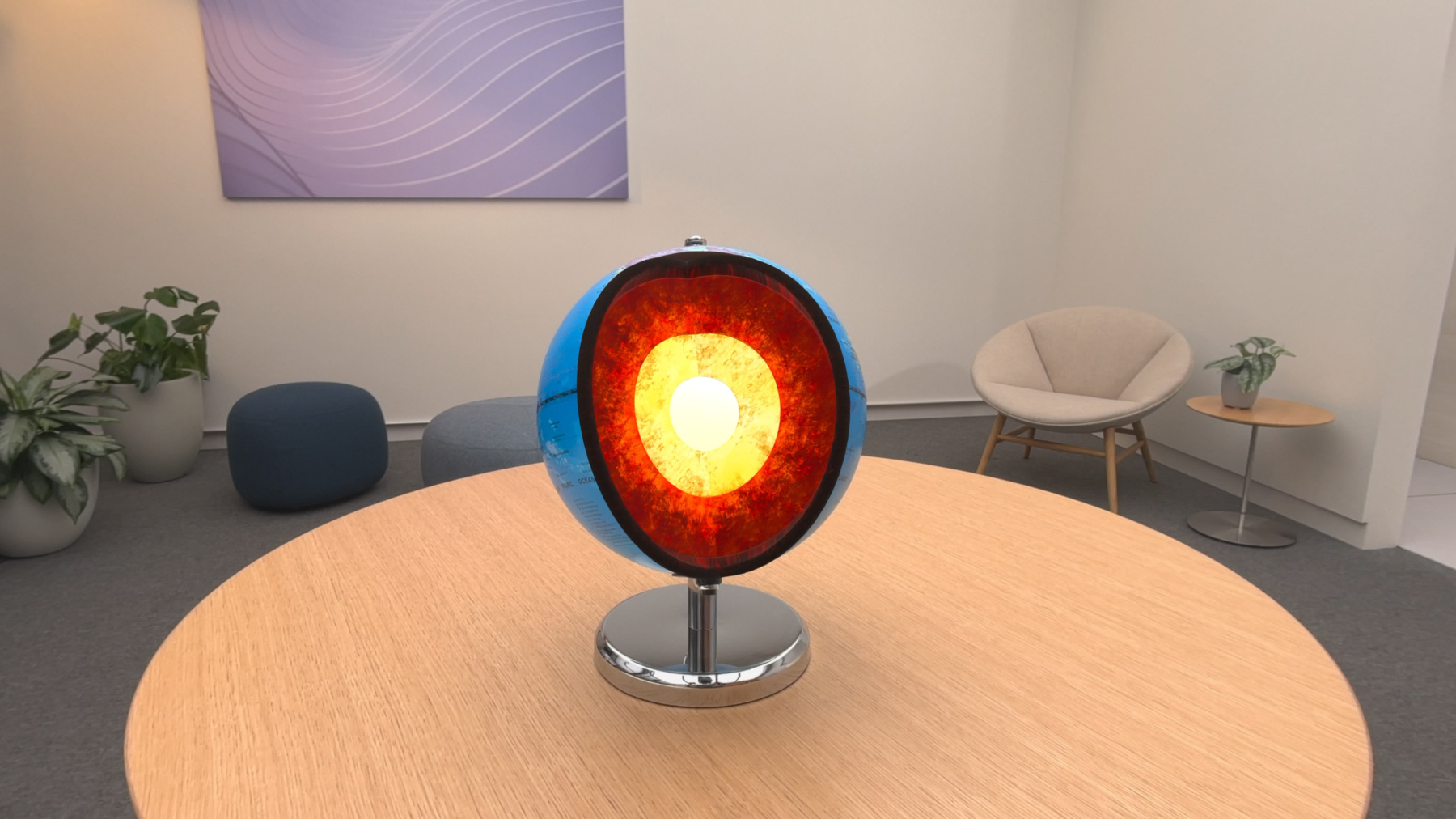
    Find out how you can use object tracking to turn real-world objects into virtual anchors in your visionOS app. Learn how you can build spatial experiences with object tracking from start to finish. Find out how to create a reference object using machine learning in Create ML and attach content relative to your target object in Reality Composer Pro, RealityKit or ARKit APIs.

    Capítulos

    • 0:00 - Introduction
    • 5:07 - Create reference object
    • 9:28 - Anchor virtual content

    Recursos

    • Implementing object tracking in your visionOS app
    • Exploring object tracking with ARKit
    • Forum: Spatial Computing
      • Video HD
      • Video SD

    Videos relacionados

    WWDC24

    • Build a spatial drawing app with RealityKit
    • Compose interactive 3D content in Reality Composer Pro
    • Create enhanced spatial computing experiences with ARKit
    • What’s new in Create ML

    WWDC23

    • Meet Object Capture for iOS
  • Buscar este video…
    • 13:55 - Coaching UI - display object USDZ preview

      // Display object USDZ
      struct ImmersiveView: View {
         @State var globeAnchor: Entity? = nil
          var body: some View {
              RealityView { content in
                  // Load the reference object with ARKit API
                  let refObjURL = 
                  Bundle.main.url(forResource: "globe", withExtension: ".referenceobject")
                  let refObject = try? await ReferenceObject(from: refObjURL!)
      
                  // Load the model entity with USDZ path extracted from reference object
                  let globePreviewEntity = 
                  try? await Entity.init(contentsOf: (refObject?.usdzFile)!)
      
                  // Set opacity to 0.5 and add to scene
                  globePreviewEntity!.components.set(OpacityComponent(opacity: 0.5))
                  content.add(globePreviewEntity!)
              }
          }
      }
    • 14:13 - Coaching UI - check anchor state

      // Check anchor state
      struct ImmersiveView: View {
         @State var globeAnchor: Entity? = nil
          var body: some View {
              RealityView { content in
                  if let scene = try? await Entity(named: "Immersive", in: realityKitContentBundle) {
                      globeAnchor = scene.findEntity(named: "GlobeAnchor")
                      content.add(scene)
                  }
                  let updateSub = content.subscribe(to: SceneEvents.AnchoredStateChanged.self) { event in
                      if let anchor = globeAnchor, event.anchor == anchor {
                          if event.isAnchored {
                              // Object anchor found, trigger transition animation
                          } else {
                              // Object anchor not found, display coaching UI
                          }
                      }
                  }
              }
          }
      }
    • 14:31 - Coaching UI - Transform space with SpatialSession

      // Transform space
      struct ImmersiveView: View {
         @State var globeAnchor: Entity? = nil
          var body: some View {
              RealityView { content in
                  // Setup anchor transform space for object and world anchor
                  let trackingSession = SpatialTrackingSession()
                  let config = SpatialTrackingSession.Configuration(tracking: [.object, .world])
                  if let result = await trackingSession.run(config) {
                      if result.anchor.contains(.object) {
                          // Tracking not authorized, adjust experience accordingly
                      }
                  }
                 // Get tracked object's world transform, identity if tracking not authorized
                  let objectTransform = globeAnchor?.transformMatrix(relativeTo: nil)
                  // Implement animation
                  ...
              }
          }
      }

Developer Footer

  • Videos
  • WWDC24
  • Explore object tracking for visionOS
  • Open Menu Close Menu
    • iOS
    • iPadOS
    • macOS
    • tvOS
    • visionOS
    • watchOS
    • App Store
    Open Menu Close Menu
    • Swift
    • SwiftUI
    • Swift Playground
    • TestFlight
    • Xcode
    • Xcode Cloud
    • Icon Composer
    • SF Symbols
    Open Menu Close Menu
    • Accessibility
    • Accessories
    • Apple Intelligence
    • Audio & Video
    • Augmented Reality
    • Business
    • Design
    • Distribution
    • Education
    • Games
    • Health & Fitness
    • In-App Purchase
    • Localization
    • Maps & Location
    • Machine Learning & AI
    • Security
    • Safari & Web
    Open Menu Close Menu
    • Documentation
    • Downloads
    • Sample Code
    • Videos
    Open Menu Close Menu
    • Help Guides & Articles
    • Contact Us
    • Forums
    • Feedback & Bug Reporting
    • System Status
    Open Menu Close Menu
    • Apple Developer
    • App Store Connect
    • Certificates, IDs, & Profiles
    • Feedback Assistant
    Open Menu Close Menu
    • Apple Developer Program
    • Apple Developer Enterprise Program
    • App Store Small Business Program
    • MFi Program
    • Mini Apps Partner Program
    • News Partner Program
    • Video Partner Program
    • Security Bounty Program
    • Security Research Device Program
    Open Menu Close Menu
    • Meet with Apple
    • Apple Developer Centers
    • App Store Awards
    • Apple Design Awards
    • Apple Developer Academies
    • WWDC
    Read the latest news.
    Get the Apple Developer app.
    Copyright © 2026 Apple Inc. All rights reserved.
    Terms of Use Privacy Policy Agreements and Guidelines