

-
Novedades de watchOS 26
Descubre las nuevas funcionalidades de watchOS 26 y aprende a integrarlas en tus apps de watchOS e iOS. Explora la arquitectura ARM64 y sumérgete en el nuevo sistema de diseño. También compartiremos actualizaciones de widgets e información sobre cómo incorporar controles al Apple Watch.
Capítulos
- 0:00 - Introducción
- 0:56 - Actualización para watchOS 26
- 3:48 - Lleva las apps a nuevos lugares
- 9:44 - Mantente relevante y actualizado
Recursos
- Workouts and activity rings
- Creating controls to perform actions across the system
- Migrating ClockKit complications to WidgetKit
- Increasing the visibility of widgets in Smart Stacks
- Making a configurable widget
- MapKit
Videos relacionados
WWDC25
WWDC24
WWDC23
WWDC22
-
Buscar este video…
-
-
6:53 - Make a widget configurable
// In the AppIntentTimelineProvider func recommendations() -> [AppIntentRecommendation<BeachConfigurationIntent>] { return [] } -
7:06 - Support earlier versions of watchOS with a configurable widget
// In the AppIntentTimelineProvider func recommendations() -> [AppIntentRecommendation<BeachConfigurationIntent>] { if #available(watchOS 26, *) { // Return an empty array to allow configuration of the widget in watchOS 12+ return [] } else { // Return array of recommendations for preconfigured widgets before watchOS 12 return recommendedBeaches } } -
7:46 - Use AppIntentControlConfiguration to make a control configurable
struct ConfigurableMeditationControl: ControlWidget { var body: some ControlWidgetConfiguration { AppIntentControlConfiguration( kind: WidgetKinds.configurableMeditationControl, provider: Provider() ) { value in // Provide the control's content } .displayName("Ocean Meditation") .description("Meditation with optional ocean sounds.") .promptsForUserConfiguration() } } -
7:56 - Use AppIntentControlValueProvider for a configurable control
extension ConfigurableMeditationControl { struct Provider: AppIntentControlValueProvider { func previewValue(configuration: TimerConfiguration) -> Value { // Return the value to show in the add sheet } func currentValue(configuration: TimerConfiguration) async throws -> Value { // Return the control's value } } } -
10:53 - Relevance for a point-of-interest category
func relevance() async -> WidgetRelevance<Void> { guard let context = RelevantContext.location(category: .beach) else { return WidgetRelevance<Void>([]) } return WidgetRelevance([WidgetRelevanceAttribute(context: context)]) } -
14:37 - Implement the relevance method in the RelevanceEntriesProvider
struct BeachEventRelevanceProvider: RelevanceEntriesProvider { let store: BeachEventStore func relevance() async -> WidgetRelevance<BeachEventConfigurationIntent> { // Associate configuration intents with RelevantContexts let attributes = events.map { event in WidgetRelevanceAttribute( configuration: BeachEventConfigurationIntent(event: event), context: .date(interval: event.date, kind: .default) ) } return WidgetRelevance(attributes) } } -
15:09 - Create a RelevanceEntry when the widget is relevant
struct BeachEventRelevanceProvider: RelevanceEntriesProvider { func relevance() async -> WidgetRelevance<BeachEventConfigurationIntent> { // Return relevance information for the widget } func entry( configuration: BeachEventConfigurationIntent, context: Context ) async throws -> BeachEventRelevanceEntry { if context.isPreview { return .previewEntry } return BeachEventRelevanceEntry( event: configuration.event ) } } -
15:55 - Create a placeholder entry to display when the widget is loading
struct BeachEventRelevanceProvider: RelevanceEntriesProvider { func relevance() async -> WidgetRelevance<BeachEventConfigurationIntent> { // Return relevance information for the widget } func entry( configuration: BeachEventConfigurationIntent, context: Context ) async throws -> BeachEventRelevanceEntry { // Return the entry for the configuration } func placeholder(context: Context) -> BeachEventRelevanceEntry { BeachEventRelevanceEntry.placeholderEntry } } -
16:27 - Use a RelevanceConfiguration to create a relevant widget
struct BeachEventWidget: Widget { private let model = BeachEventStore.shared var body: some WidgetConfiguration { RelevanceConfiguration kind: "BeachWidget provider: BeachEventRelevanceProvider(store: model) ) { entry in BeachWidgetView(entry: entry) } .configurationDisplayName("Beach Events") .description("Events at the beach") } } -
17:31 - Use associatedKind to relate the relevant widget to the timeline widget
struct BeachEventWidget: Widget { private let model = BeachEventStore.shared var body: some WidgetConfiguration { RelevanceConfiguration kind: "BeachWidget provider: BeachEventRelevanceProvider(store: model) ) { entry in BeachWidgetView(entry: entry) } .configurationDisplayName("Beach Events") .description("Events at the beach") .associatedKind(WidgetKinds.beachEventsTimeline) } } -
18:06 - Create a Preview with relevanceEntries
#Preview("Entries") { BeachEventWidget() } relevanceEntries: { BeachEventRelevanceEntry.previewShorebirds BeachEventRelevanceEntry.previewMeditation } -
18:26 - Create a Preview with relevance
#Preview("Provider and Relevance") { BeachEventWidget() } relevanceProvider: { BeachEventRelevanceProvider(store: .preview) } relevance: { let configurations: [BeachEventConfigurationIntent] = [ .previewSurfing, .previewMeditation, .previewWalk ] let attributes = configurations.map { WidgetRelevanceAttribute( configuration: $0, context: .date($0.event.startDate, kind: .default) ) } return WidgetRelevance(attributes) } -
18:47 - Create a Preview with a relevanceProvider
#Preview("Provider") {
  BeachEventWidget()
} relevanceProvider: {
  BeachEventRelevanceProvider(store: .preview)
}
-
-
- 0:00 - Introducción
watchOS 26 trae nuevas funciones y consideraciones de plataforma.
- 0:56 - Actualización para watchOS 26
Explora el nuevo sistema de diseño en watchOS con actualizaciones de controles, íconos de apps y espacios del sistema. Obtén consejos para admitir la arquitectura arm64 en watchOS 26.
- 3:48 - Lleva las apps a nuevos lugares
Amplía la presencia de tu app en watchOS. Los controles ayudan a las personas a realizar acciones rápidas y pueden agregarse al Centro de control, la Pila Inteligente y el Botón de Acción de Apple Watch Ultra. Los controles están disponibles automáticamente a través de las apps de iOS o se pueden crear directamente en watchOS. Las apps que registran entrenamientos con HealthKit se pueden sugerir automáticamente en la Pila Inteligente según la rutina de las personas. Las API de MapKit de iOS también están disponibles en watchOS 26, por ejemplo, para encontrar las instrucciones sobre cómo llegar de un lugar a otro o para mostrar las rutas como superposiciones.
- 9:44 - Mantente relevante y actualizado
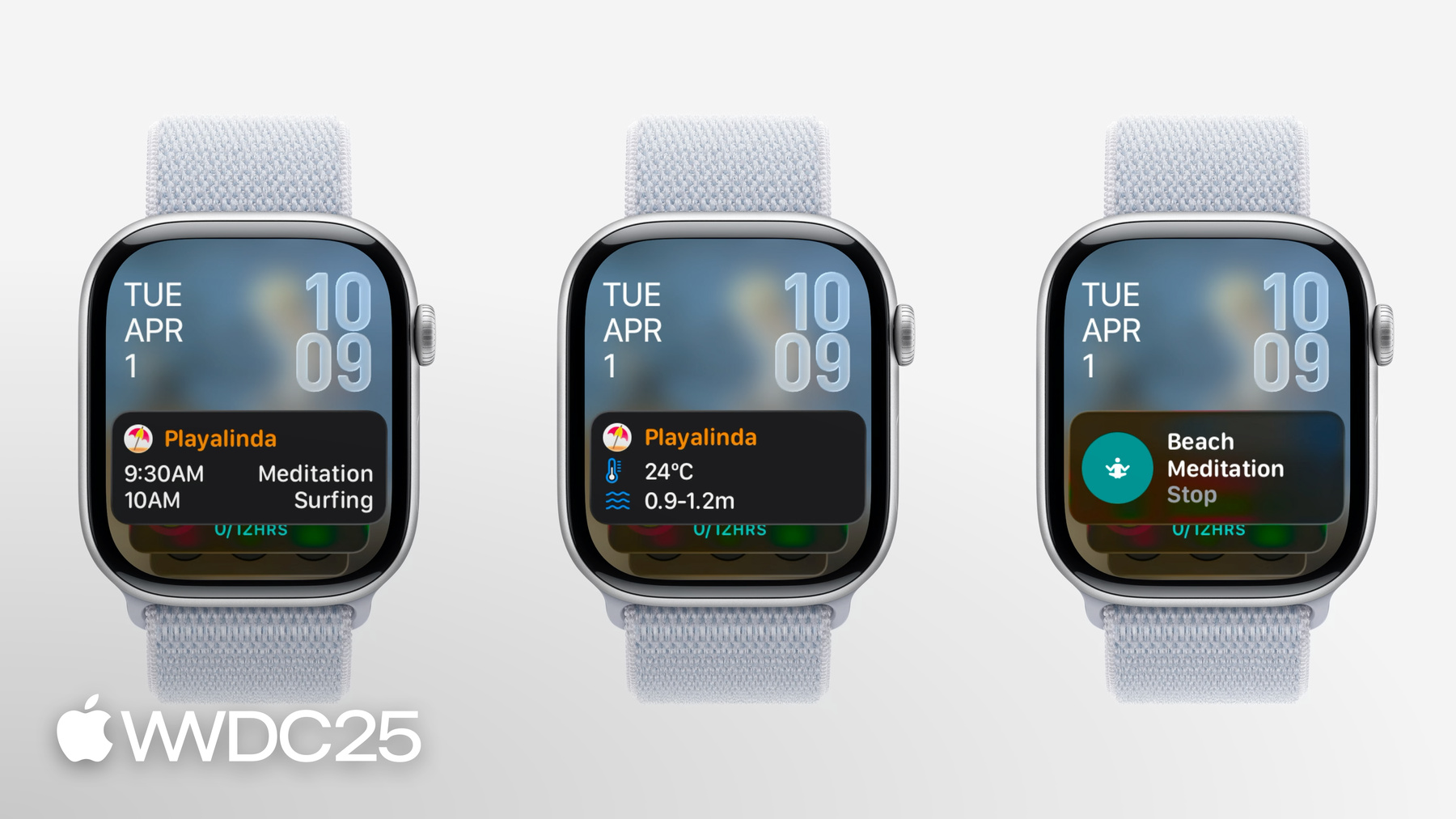
RelevanceKit ofrece una nueva forma de mostrar los widgets más relevantes en la Pila Inteligente, en función de criterios como la fecha, el horario de sueño o la ubicación. La creación de un widget relevante implica pasos similares a los de la creación de un widget basado en una línea de tiempo. Obtén consejos para crear y probar tu widget relevante con vistas previas.