

-
Explore Computer Vision APIs
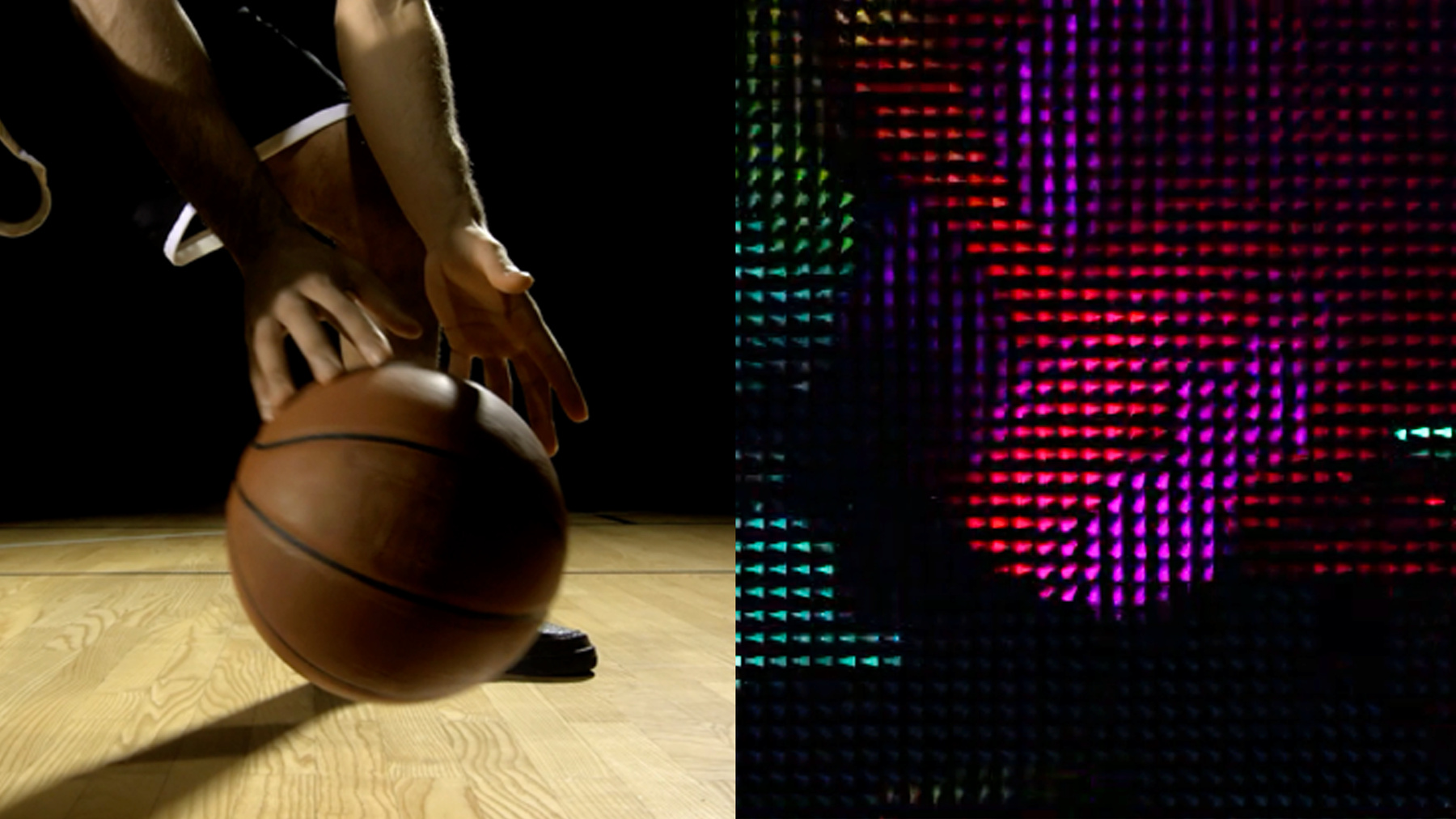
Learn how to bring Computer Vision intelligence to your app when you combine the power of Core Image, Vision, and Core ML. Go beyond machine learning alone and gain a deeper understanding of images and video. Discover new APIs in Core Image and Vision to bring Computer Vision to your application like new thresholding filters as well as Contour Detection and Optical Flow. And consider ways to use Core Image for preprocessing and visualization of these results.
To learn more about the underlying frameworks see "Vision Framework: Building on Core ML" and "Core Image: Performance, Prototyping, and Python." And to further explore Computer Vision APIs, be sure to check out the "Detect Body and Hand Pose with Vision" and "Explore the Action & Vision app" sessions.Recursos
Vídeos relacionados
WWDC21
WWDC20
WWDC19
-
Buscar neste vídeo...
-
-
19:24 - Reading punchcards playgrounds
import UIKit import CoreImage import CoreImage.CIFilterBuiltins import Vision public func drawContours(contoursObservation: VNContoursObservation, sourceImage: CGImage) -> UIImage { let size = CGSize(width: sourceImage.width, height: sourceImage.height) let renderer = UIGraphicsImageRenderer(size: size) let renderedImage = renderer.image { (context) in let renderingContext = context.cgContext // flip the context let flipVertical = CGAffineTransform(a: 1, b: 0, c: 0, d: -1, tx: 0, ty: size.height) renderingContext.concatenate(flipVertical) // draw the original image renderingContext.draw(sourceImage, in: CGRect(x: 0, y: 0, width: size.width, height: size.height)) renderingContext.scaleBy(x: size.width, y: size.height) renderingContext.setLineWidth(3.0 / CGFloat(size.width)) let redUIColor = UIColor.red renderingContext.setStrokeColor(redUIColor.cgColor) renderingContext.addPath(contoursObservation.normalizedPath) renderingContext.strokePath() } return renderedImage; } let context = CIContext() if let sourceImage = UIImage.init(named: "punchCard.jpg") { var inputImage = CIImage.init(cgImage: sourceImage.cgImage!) let contourRequest = VNDetectContoursRequest.init() // Uncomment the follwing section to preprocess the image // do { // let noiseReductionFilter = CIFilter.gaussianBlur() // noiseReductionFilter.radius = 1.5 // noiseReductionFilter.inputImage = inputImage // // let monochromeFilter = CIFilter.colorControls() // monochromeFilter.inputImage = noiseReductionFilter.outputImage! // monochromeFilter.contrast = 20.0 // monochromeFilter.brightness = 8 // monochromeFilter.saturation = 50 // // let filteredImage = monochromeFilter.outputImage! // // inputImage = filteredImage // } let requestHandler = VNImageRequestHandler.init(ciImage: inputImage, options: [:]) try requestHandler.perform([contourRequest]) let contoursObservation = contourRequest.results?.first as! VNContoursObservation print(contoursObservation.contourCount) _ = drawContours(contoursObservation: contoursObservation, sourceImage: sourceImage.cgImage!) } else { print("could not load image") } -
23:05 - Optical Flow Visualizer (CI kernel)
// // OpticalFlowVisualizer.cikernel // SampleVideoCompositionWithCIFilter // kernel vec4 flowView2(sampler image, float minLen, float maxLen, float size, float tipAngle) { /// Determine the color by calculating the angle from the .xy vector /// vec4 s = sample(image, samplerCoord(image)); vec2 vector = s.rg - 0.5; float len = length(vector); float H = atan(vector.y,vector.x); // convert hue to a RGB color H *= 3.0/3.1415926; // now range [3,3) float i = floor(H); float f = H-i; float a = f; float d = 1.0 - a; vec4 c; if (H<-3.0) c = vec4(0, 1, 1, 1); else if (H<-2.0) c = vec4(0, d, 1, 1); else if (H<-1.0) c = vec4(a, 0, 1, 1); else if (H<0.0) c = vec4(1, 0, d, 1); else if (H<1.0) c = vec4(1, a, 0, 1); else if (H<2.0) c = vec4(d, 1, 0, 1); else if (H<3.0) c = vec4(0, 1, a, 1); else c = vec4(0, 1, 1, 1); // make the color darker if the .xy vector is shorter c.rgb *= clamp((len-minLen)/(maxLen-minLen), 0.0,1.0); /// Add arrow shapes based on the angle from the .xy vector /// float tipAngleRadians = tipAngle * 3.1415/180.0; vec2 dc = destCoord(); // current coordinate vec2 dcm = floor((dc/size)+0.5)*size; // cell center coordinate vec2 delta = dcm - dc; // coordinate relative to center of cell // sample the .xy vector from the center of each cell vec4 sm = sample(image, samplerTransform(image, dcm)); vector = sm.rg - 0.5; len = length(vector); H = atan(vector.y,vector.x); float rotx, k, sideOffset, sideAngle; // these are the three sides of the arrow rotx = delta.x*cos(H) - delta.y*sin(H); sideOffset = size*0.5*cos(tipAngleRadians); k = 1.0 - clamp(rotx-sideOffset, 0.0, 1.0); c.rgb *= k; sideAngle = (3.14159 - tipAngleRadians)/2.0; sideOffset = 0.5 * sin(tipAngleRadians / 2.0); rotx = delta.x*cos(H-sideAngle) - delta.y*sin(H-sideAngle); k = clamp(rotx+size*sideOffset, 0.0, 1.0); c.rgb *= k; rotx = delta.x*cos(H+sideAngle) - delta.y*sin(H+sideAngle); k = clamp(rotx+ size*sideOffset, 0.0, 1.0); c.rgb *= k; /// return the color premultiplied c *= s.a; return c; } -
23:26 - Optical Flow Visualizer (CIFilter code)
class OpticalFlowVisualizerFilter: CIFilter { var inputImage: CIImage? let callback: CIKernelROICallback = { (index, rect) in return rect } static var kernel: CIKernel = { () -> CIKernel in let url = Bundle.main.url(forResource: "OpticalFlowVisualizer", withExtension: "ci.metallib")! let data = try! Data(contentsOf: url) return try! CIKernel(functionName: "flowView2", fromMetalLibraryData: data) }() override var outputImage : CIImage? { get { guard let input = inputImage else {return nil} return OpticalFlowVisualizerFilter.kernel.apply(extent: input.extent, roiCallback: callback, arguments: [input, 0.0, 100.0, 10.0, 30.0]) } } } -
23:42 - Optical Flow Visualizer (Vision code)
var requestHandler = VNSequenceRequestHandler()
            var previousImage:CIImage?
			if (self.previousImage == nil)
			{
				self.previousImage = request.sourceImage
			}
			let visionRequest = VNGenerateOpticalFlowRequest(targetedCIImage: source, options: [:])

			do {
				try self.requestHandler.perform([visionRequest], on: self.previousImage!)
				if let pixelBufferObservation = visionRequest.results?.first as? VNPixelBufferObservation
				{
					source = CIImage(cvImageBuffer: pixelBufferObservation.pixelBuffer)
				}
			} catch {
				print(error)
			}
			// store the previous image
			self.previousImage = request.sourceImage

			let ciFilter = OpticalFlowVisualizerFilter()
			ciFilter.inputImage = source
			let output = ciFilter.outputImage
-