

-
Accelerate machine learning with Metal
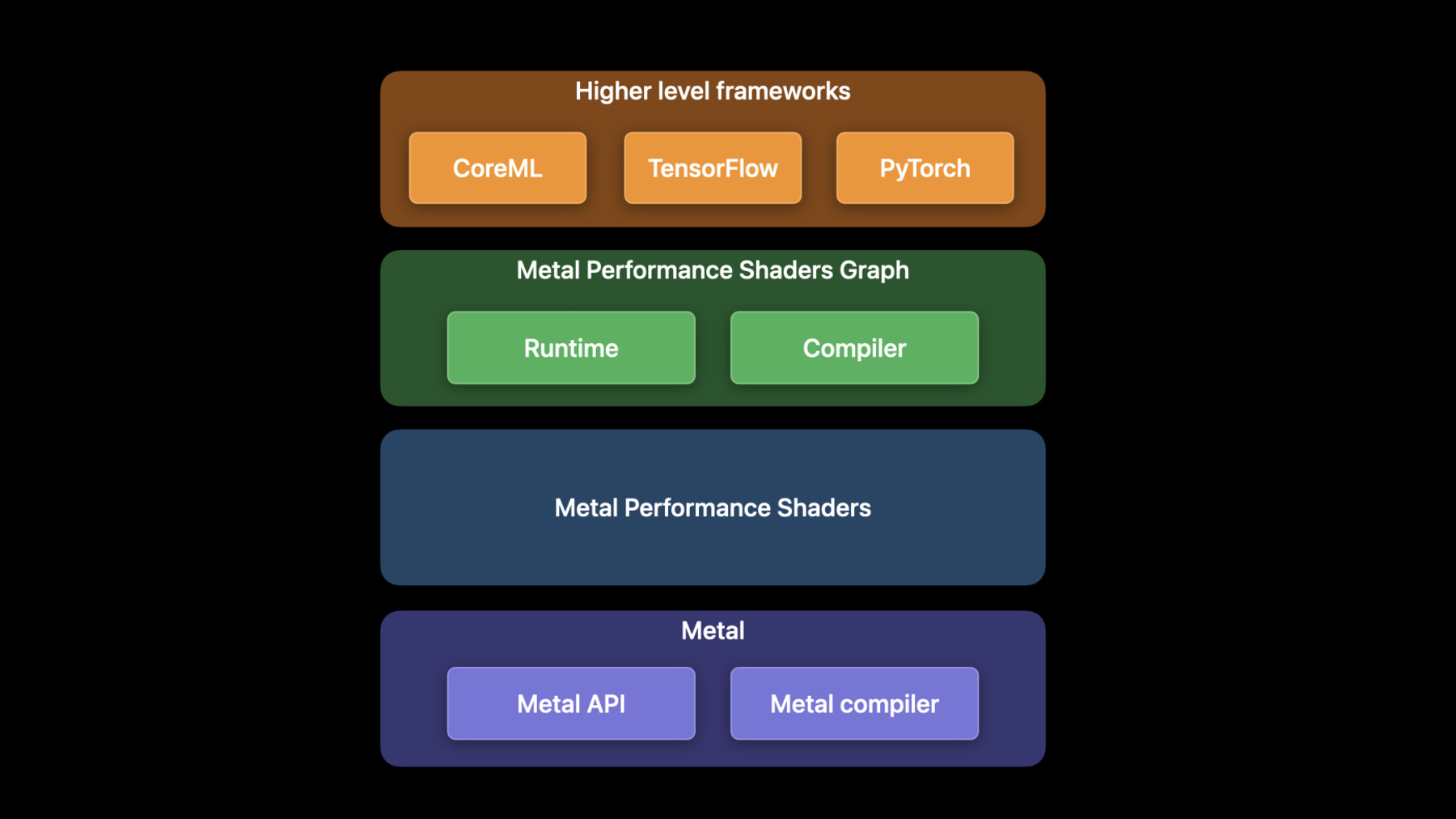
Discover how you can use Metal to accelerate your PyTorch model training on macOS. We'll take you through updates to TensorFlow training support, explore the latest features and operations of MPS Graph, and share best practices to help you achieve great performance for all your machine learning needs.
For more on using Metal with machine learning, watch "Accelerate machine learning with Metal Performance Shaders Graph" from WWDC21.Recursos
Vídeos relacionados
WWDC23
WWDC22
- Discover Metal 3
- Explore the machine learning development experience
- Meet the Presenter: Accelerate machine learning with Metal
- Meet the Presenter: Explore the machine learning developer experience
WWDC21
-
Buscar neste vídeo...
-
-
3:44 - Install PyTorch using pip
python -m pip install torch -
3:59 - Create the MPS device
import torch mpsDevice = torch.device("mps" if torch.backends.mps.is_available() else “cpu”) -
4:15 - Convert the model to use the MPS device
import torchvision model = torchvision.models.resnet50() model_mps = model.to(device=mpsDevice) -
4:46 - Run the model
sample_input = torch.randn((32, 3, 254, 254), device=mpsDevice) prediction = model_mps(sample_input) -
9:27 - TensorFlow MetalStream protocol
@protocol TF_MetalStream - (id <MTLCommandBuffer>)currentCommandBuffer; - (dispatch_queue_t)queue; - (void)commit; - (void)commitAndWait; @end -
10:25 - Register a custom operation
// Register the operation REGISTER_OP("ZeroOut") .Input("to_zero: int32") .Output("zeroed: int32") .SetShapeFn([](::tensorflow::shape_inference::InferenceContext* c) { c —> set_output(0, c —> input(0)); return Status::OK(); }); -
10:41 - Implement a custom operation
// Define Compute function void MetalZeroOut::Compute(TF_OpKernelContext *ctx) { // Get input and allocate outputs TF_Tensor* input = nullptr; TF_GetInput(ctx, 0, &input, status); TF_Tensor* output; OP_REQUIRES_OK(ctx, ctx->allocate_output(0, input.shape(), &output)); // Use TF_MetalStream to encode the custom op id<TF_MetalStream> metalStream = (id<TF_MetalStream>)(TF_GetStream(ctx, status)); dispatch_sync(metalStream.queue, ^() { id<MTLCommandBuffer> commandBuffer = metalStream.currentCommandBuffer; // Create encoder and encode GPU kernel [metalStream commit]; } // Delete the TF_Tensors TF_DeleteTensor(input); TF_DeleteTensor(output); } -
11:30 - Import a custom operation
# Import operation in python script for training import tensorflow as tf zero_out_module = tf.load_op_library('./zero_out.so') print(zero_out_module.zero_out([[1, 2], [3, 4]]).numpy()) -
19:29 - Using shared events
// Using shared events let executionDescriptor = MPSGraphExecutionDescriptor() let event = MTLCreateSystemDefaultDevice()!.makeSharedEvent()! executionDescriptor.signal(event, atExecutionEvent: .completed, value: 1) let fetch = computeGraph.runAsync(with: commandQueue1, feeds: [input0Tensor: input0), input1Tensor: input1], targetTensors: [finalTensor], targetOperations: nil, executionDescriptor: executionDescriptor) let executionDescriptor2 = MPSGraphExecutionDescriptor() executionDescriptor2.wait(for: event, value: 1) let fetch2 = postProcessGraph.runAsync(with: commandQueue2, feeds: [input0Tensor: fetch[finalTensor]!, input1Tensor: input1], targetTensors: [finalTensor], targetOperations: nil, executionDescriptor: executionDescriptor2) -
22:03 - Adding an LSTM unit to the graph
let descriptor = MPSGraphLSTMDescriptor() descriptor.inputGateActivation = .sigmoid descriptor.forgetGateActivation = .sigmoid descriptor.cellGateActivation = .tanh descriptor.outputGateActivation = .sigmoid descriptor.activation = .tanh descriptor.bidirectional = false descriptor.training = true let lstm = graph.LSTM(inputTensor, recurrentWeight: recurrentWeightsTensor, inputWeight: weightsTensor, bias: nil, initState: nil, initCell: nil, descriptor: descriptor, name: nil) -
23:35 - Using MaxPooling with return indices API
// Forward pass let descriptor = MPSGraphPooling4DOpDescriptor(kernelSizes: @[1,1,3,3], paddingStyle: .TF_SAME) descriptor.returnIndicesMode = .globalFlatten4D let [poolingTensor, indicesTensor] = graph.maxPooling4DReturnIndices(sourceTensor, descriptor: descriptor, name: nil) // Backward pass let outputShape = graph.shapeOf(destination, name: nil) let gradientTensor = graph.maxPooling4DGradient(gradient: gradientTensor, indices: indicesTensor, outputShape: outputShape, descriptor: descriptor, name: nil) -
24:42 - Use Random Operation
// Declare Philox state tensor let stateTensor = graph.randomPhiloxStateTensor(seed: 2022, name: nil) // Declare RandomOp descriptor let descriptor = MPSGraphRandomOpDescriptor(distribution: .truncatedNormal, dataType: .float32) descriptor.mean = -1.0f descriptor.standardDeviation = 2.5f descriptor.min = descriptor.mean - 2 * descriptor.standardDeviation descriptor.max = descriptor.mean + 2 * descriptor.standardDeviation let [randomTensor, stateTensor] = graph.randomTensor(shapeTensor: shapeTensor descriptor: descriptor, stateTensor: stateTensor, name: nil) -
25:59 - Use the Hamming Distance API
// Code example remember 2D input tensor let primaryTensor = graph.placeholder(shape: @[3,4], dataType: .uint32, name: nil) let secondaryTensor = graph.placeholder(shape: @[1,4], dataType: .uint32, name: nil) // The hamming distance shape will be 3x1 let distance = graph.HammingDistance(primary: primaryTensor, secondary: secondaryTensor, resultDataType: .uint16 name: nil) -
26:21 - Use the expandDims API
// Expand the input tensor dimensions, 4x2 -> 4x1x2 let expandedTensor = graph.expandDims(inputTensor, axis: 1, name: nil) -
26:30 - Use the squeeze API
// Squeeze the input tensor dimensions, 4x1x2 -> 4x2 let squeezedTensor = graph.squeeze(expandedTensor, axis: 1, name: nil) -
26:35 - Use the Split API
// Split the tensor in two, 4x2 -> (4x1, 4x1) let [split1, split2] = graph.split(squeezedTensor, numSplits: 2, axis: 0, name: nil) -
26:39 - Use the Stack API
// Stack the tensor back together, (4x1, 4x1) -> 2x4x1 let stackedTensor = graph.stack([split1, split2], axis: 0, name: nil) -
26:46 - Use the CoordinateAlongAxis API
// Get coordinates along 0-axis, 2x4 let coord = graph.coordinateAlongAxis(axis: 0, shape: @[2, 4], name: nil) -
27:04 - Create a Range1D operation
// 1. Set coordTensor = [0,1,2,3,4,5] along 0 axis
let coordTensor   = graph.coordinate(alongAxis: 0, withShape: @[6], name: nil)

// 2. Multiply by a stride 4 and add an offset 3
let strideTensor  = graph.constant(4.0, dataType: .int32)
let offsetTensor  = graph.constant(3.0, dataType: .int32)
let stridedTensor = graph.multiplication(strideTensor, coordTensor, name: nil)
let rangeTensor   = graph.addition(offsetTensor, stridedTensor, name: nil)

// 3. Compute the result = [3, 7, 11, 15, 19, 23]
let fetch = graph.runAsync(feeds: [:],
                           targetTensors: [rangeTensor],
                           targetOperations: nil)
-