

View in English

  • Apple Developer
    • Get Started

    Explore Get Started

    • Overview
    • Learn
    • Apple Developer Program

    Stay Updated

    • Latest News
    • Hello Developer
    • Platforms

    Explore Platforms

    • Apple Platforms
    • iOS
    • iPadOS
    • macOS
    • tvOS
    • visionOS
    • watchOS
    • App Store

    Featured

    • Design
    • Distribution
    • Games
    • Accessories
    • Web
    • Home
    • CarPlay
    • Technologies

    Explore Technologies

    • Overview
    • Xcode
    • Swift
    • SwiftUI

    Featured

    • Accessibility
    • App Intents
    • Apple Intelligence
    • Games
    • Machine Learning & AI
    • Security
    • Xcode Cloud
    • Community

    Explore Community

    • Overview
    • Meet with Apple events
    • Community-driven events
    • Developer Forums
    • Open Source

    Featured

    • WWDC
    • Swift Student Challenge
    • Developer Stories
    • App Store Awards
    • Apple Design Awards
    • Apple Developer Centers
    • Documentation

    Explore Documentation

    • Documentation Library
    • Technology Overviews
    • Sample Code
    • Human Interface Guidelines
    • Videos

    Release Notes

    • Featured Updates
    • iOS
    • iPadOS
    • macOS
    • watchOS
    • visionOS
    • tvOS
    • Xcode
    • Downloads

    Explore Downloads

    • All Downloads
    • Operating Systems
    • Applications
    • Design Resources

    Featured

    • Xcode
    • TestFlight
    • Fonts
    • SF Symbols
    • Icon Composer
    • Support

    Explore Support

    • Overview
    • Help Guides
    • Developer Forums
    • Feedback Assistant
    • Contact Us

    Featured

    • Account Help
    • App Review Guidelines
    • App Store Connect Help
    • Upcoming Requirements
    • Agreements and Guidelines
    • System Status
  • Quick Links

    • Events
    • News
    • Forums
    • Sample Code
    • Videos
 

Vidéos

Ouvrir le menu Fermer le menu
  • Collections
  • Toutes les vidéos
  • À propos

Plus de vidéos

  • À propos
  • Code
  • Discover RealityKit APIs for iOS, macOS, and visionOS

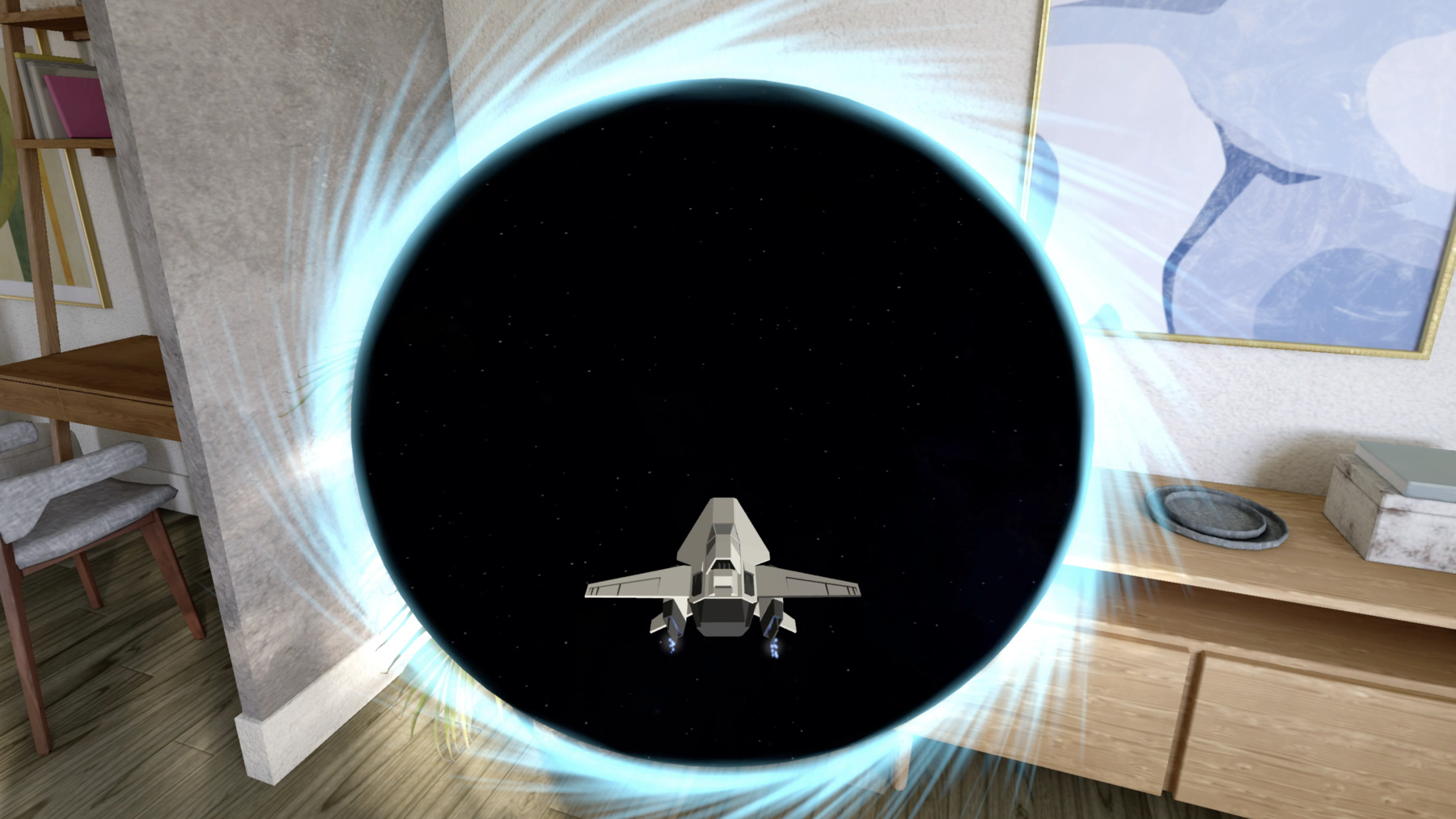
    Learn how new cross-platform APIs in RealityKit can help you build immersive apps for iOS, macOS, and visionOS. Check out the new hover effects, lights and shadows, and portal crossing features, and view them in action through real examples.

    Chapitres

    • 0:00 - Introduction
    • 2:44 - Hover effects and input
    • 9:05 - Force effects and joints
    • 17:42 - Dynamic lights
    • 20:17 - Portal enhancements
    • 25:29 - Cross-platform capabilities

    Ressources

    • Creating a Spaceship game
    • Forum: Spatial Computing
      • Vidéo HD
      • Vidéo SD

    Vidéos connexes

    WWDC24

    • Build a spatial drawing app with RealityKit
    • Compose interactive 3D content in Reality Composer Pro
    • Enhance your spatial computing app with RealityKit audio

    WWDC23

    • Enhance your spatial computing app with RealityKit

    WWDC21

    • What's new in Foundation
  • Rechercher dans cette vidéo…
    • 4:24 - Add a highlight HoverEffectComponent

      // Add a highlight HoverEffectComponent 
      
      let highlightStyle = HoverEffectComponent.HighlightHoverEffectStyle(color: .lightYellow, 
                                                                          strength: 0.8)
      let hoverEffect = HoverEffectComponent(.highlight(highlightStyle))
      spaceship.components.set(hoverEffect)
    • 5:55 - Add a shader effect

      // Add a shader effect
      
      let hoverEffect = HoverEffectComponent(.shader(.default))
      spaceship.components.set(hoverEffect)
    • 8:04 - Control acceleration with left hand

      // Control acceleration with left hand
      
      class HandTrackingSystem: System {
      
          func update(context: SceneUpdateContext) {
              let indexTipPosition = indexTipEntity.position(relativeTo: nil)
              let thumbTipPosition = thumbTipEntity.position(relativeTo: nil)
      
              let distance = distance(indexTipPosition, thumbTipPosition)
      
              let throttle = computeThrottle(with: distance)
      
              let force = spaceship.transform.forward * throttle
              spaceship.addForce(force, relativeTo: nil)
          }
      }
    • 10:50 - Adding a gravity force effect

      // Adding a gravity force effect
      
      struct Gravity: ForceEffectProtocol {
      
          var parameterTypes: PhysicsBodyParameterTypes { [.position, .distance] }
          var forceMode: ForceMode = .force
      
          func update(parameters: inout ForceEffectParameters) {
              guard let distances = parameters.distances,
                    let positions = parameters.positions else { return }
      
              for i in 0..<parameters.physicsBodyCount {
                  let force = computeForce(distances[i], positions[i])
                  parameters.setForce(force, index: i)
              }
          }
      }
    • 12:14 - Activating the gravity force effect

      // Activating the gravity force effect
      
      let gravity = ForceEffect(effect: Gravity(),
                                spatialFalloff: SpatialForceFalloff(bounds: .sphere(radius: 8.0)),
                                mask: .asteroids)
      
      planet.components.set(ForceEffectComponent(effects: [gravity]))
    • 13:11 - Using PhysicsMotionComponent

      // Calculate initial velocity of the asteroid using radius and angle
      
      let velocity = calculateVelocity(radius, angle)
      
      let physicsMotion = PhysicsMotionComponent(linearVelocity: velocity)
      asteroid.components.set(physicsMotion)
    • 16:19 - // Add a custom joint

      // Add a custom joint
      
      guard let hookEntity = spaceship.findEntity(named: "Hook") else { return }
      let hookOffset: SIMD3<Float> = hookEntity.position(relativeTo: spaceship)
      
      let hookPin = spaceship.pins.set(named: "Hook", position: hookOffset)
      let trailerPin = trailer.pins.set(named: "Trailer", position: .zero)
      
      var joint = PhysicsCustomJoint(pin0: hookPin, pin1: trailerPin)
      
      joint.angularMotionAroundX = .range(-.pi * 0.05 ... .pi * 0.05)
      joint.angularMotionAroundY = .range(-.pi * 0.2 ... .pi * 0.2)
      joint.angularMotionAroundZ = .range(-.pi * 0.2 ... .pi * 0.2)
      
      joint.linearMotionAlongX = .fixed
      joint.linearMotionAlongY = .fixed
      joint.linearMotionAlongZ = .fixed
      
      try joint.addToSimulation()
    • 19:12 - // Add a spotlight with shadow

      // Add a spotlight with shadow
      
      guard let lightEntity = spaceship.findEntity(named: "HeadLight") else { return }
      
      lightEntity.components.set(SpotLightComponent(color: .yellow, 
                                                    intensity: 10000.0, 
                                                    attenuationRadius: 6.0))
      
      lightEntity.components.set(SpotLightComponent.Shadow())
    • 20:01 - Disable shadow

      // Disable shadow
      
      let component = DynamicLightShadowComponent(
                          castsShadow: false)
      
      entity.components.set(component)
    • 21:36 - Enable portal crossing

      // Enable portal crossing
      
      portal.components.set(PortalComponent(target: portalWorld,
                                            clippingMode: .plane(.positiveZ),
                                            crossingMode: .plane(.positiveZ)))
      
      spaceship.components.set(PortalCrossingComponent())
    • 24:33 - Configure environmental lighting on the spaceship

      // Configure environmental lighting on the spaceship
      
      var lightingConfig = EnvironmentLightingConfigurationComponent()
      
      let distance: Float = computeShipDistanceFromPortal()
      lightingConfig.environmentLightingWeight = mapDistanceToWeight(distance)
      
      spaceship.components.set(lightingConfig)
    • 27:21 - World tracking camera

      // World tracking camera
      
      RealityView { content in
      
      #if os(iOS)
      
          content.camera = .worldTracking
      
      #endif
      
      }
    • 27:59 - Multi-touch control views

      // Multi-touch control views
      
      #if os(iOS)
      
      struct MultiTouchControlView : View {
      
          var body: some View {
      
              HStack {
      
                  ThrottleControlView()
      
                  Spacer()
      
                  PitchRollControlView()
      
              }
          }
      
      #endif

Developer Footer

  • Vidéos
  • WWDC24
  • Discover RealityKit APIs for iOS, macOS, and visionOS
  • Open Menu Close Menu
    • iOS
    • iPadOS
    • macOS
    • tvOS
    • visionOS
    • watchOS
    • App Store
    Open Menu Close Menu
    • Swift
    • SwiftUI
    • Swift Playground
    • TestFlight
    • Xcode
    • Xcode Cloud
    • Icon Composer
    • SF Symbols
    Open Menu Close Menu
    • Accessibility
    • Accessories
    • Apple Intelligence
    • Audio & Video
    • Augmented Reality
    • Business
    • Design
    • Distribution
    • Education
    • Games
    • Health & Fitness
    • In-App Purchase
    • Localization
    • Maps & Location
    • Machine Learning & AI
    • Security
    • Safari & Web
    Open Menu Close Menu
    • Documentation
    • Downloads
    • Sample Code
    • Videos
    Open Menu Close Menu
    • Help Guides & Articles
    • Contact Us
    • Forums
    • Feedback & Bug Reporting
    • System Status
    Open Menu Close Menu
    • Apple Developer
    • App Store Connect
    • Certificates, IDs, & Profiles
    • Feedback Assistant
    Open Menu Close Menu
    • Apple Developer Program
    • Apple Developer Enterprise Program
    • App Store Small Business Program
    • MFi Program
    • Mini Apps Partner Program
    • News Partner Program
    • Video Partner Program
    • Security Bounty Program
    • Security Research Device Program
    Open Menu Close Menu
    • Meet with Apple
    • Apple Developer Centers
    • App Store Awards
    • Apple Design Awards
    • Apple Developer Academies
    • WWDC
    Read the latest news.
    Get the Apple Developer app.
    Copyright © 2026 Apple Inc. All rights reserved.
    Terms of Use Privacy Policy Agreements and Guidelines