

-
Xcode essentials
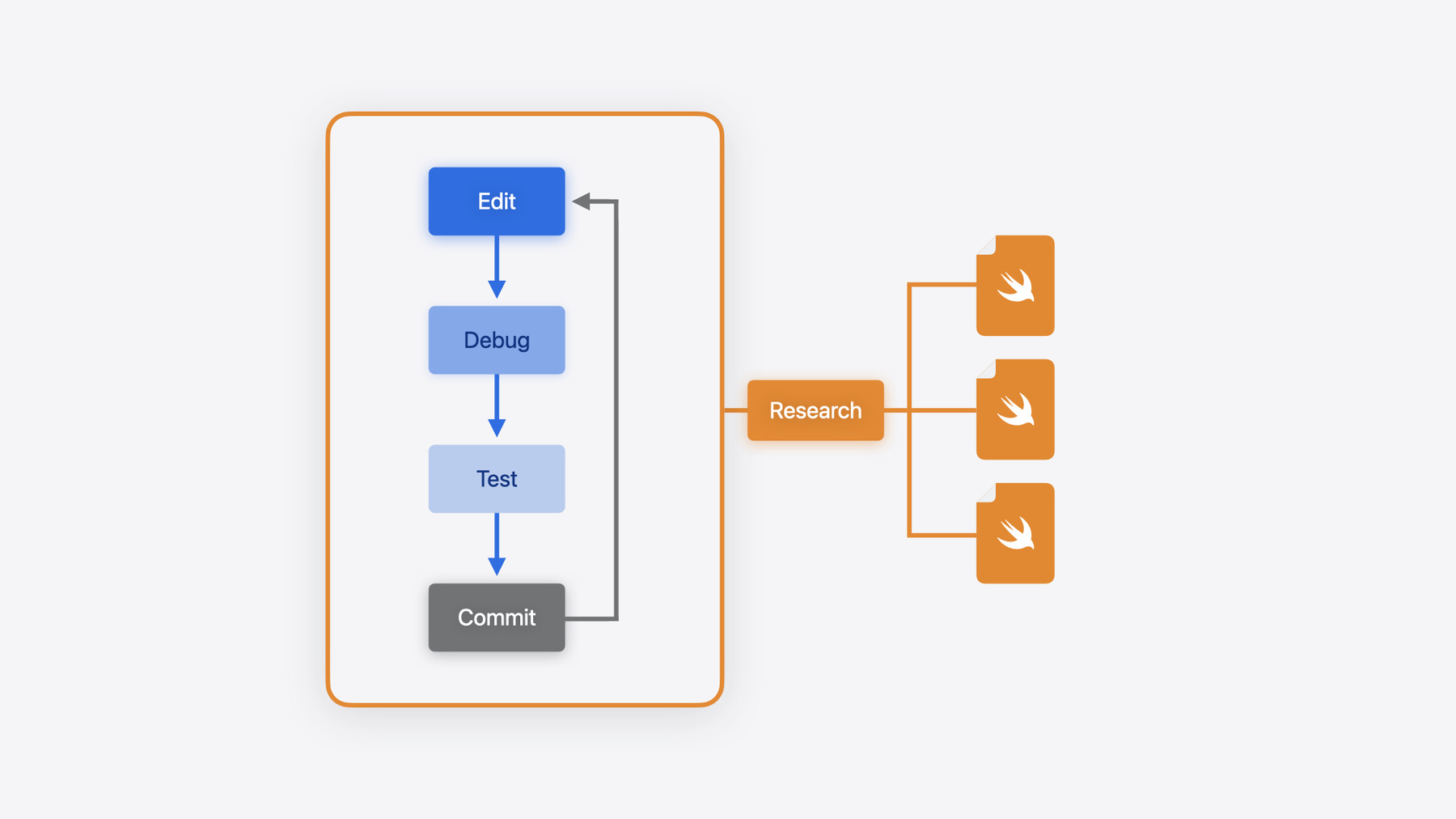
Edit, debug, commit, repeat. Explore the suite of tools in Xcode that help you iterate quickly when developing apps. Discover tips and tricks to help optimize and boost your development workflow.
Chapitres
- 0:00 - Introduction
- 1:31 - Find the right content
- 1:45 - Filter navigators
- 3:05 - The Find navigator
- 5:43 - Move between files
- 5:47 - The tab bar
- 7:41 - The jump bar
- 8:38 - Tricks for creating new files
- 9:34 - Warnings and error annotations
- 10:42 - Using bookmarks
- 10:56 - Using Mark comments
- 11:15 - Leverage shortcuts
- 11:22 - Open Quickly
- 12:12 - Useful commands and shortcuts
- 14:19 - Code completion
- 15:10 - VIM mode
- 15:25 - Common emacs commands
- 15:43 - Get the most out of git
- 15:47 - Show the last change for a line
- 16:07 - Changes navigator
- 16:55 - Debugging
- 17:21 - Setting breakpoints
- 21:40 - Using the console
- 23:01 - Testing
- 23:51 - Test Navigator
- 26:09 - Running tests
- 27:42 - Using Test plans
- 28:38 - Code coverage
- 29:36 - Explore the Test report
- 30:23 - Distributing your app
- 30:48 - TestFlight
- 31:26 - Archiving
- 33:26 - Explore the Organizer
- 35:41 - Wrap up
Ressources
- Testing
- Forum: Developer Tools & Services
- Including notes for testers with a beta release of your app
- Xcode updates
Vidéos connexes
WWDC24
WWDC23
- Create practical workflows in Xcode Cloud
- Debug with structured logging
- Simplify distribution in Xcode and Xcode Cloud
WWDC22
- Author fast and reliable tests for Xcode Cloud
- Debug Swift debugging with LLDB
- Get the most out of Xcode Cloud
Tech Talks
-
Rechercher dans cette vidéo…
-
-
10:26 - Warning and error annotations
#warning("This is a warning annotation") #error("This is an error annotation") -
10:58 - Mark comments
// MARK: This is a section title -
14:09 - Placeholder
<#placeholder#> -
17:30 - showStarView()
showStarView() -
17:51 - Breakpoint #1
let task = URLSession.shared.dataTask(with: cloudURL, completionHandler: handleUpdatesFromCloud) -
17:53 - Breakpoint #2
videos = loadVideosFromCloud() -
18:17 - Swift error breakpoint
let url = try! getVideoResourceFilePath() -
18:34 - Swift error throw
throw URLLoadError.fileNotFound -
18:59 - Conditional breakpoint
cloudURL.scheme == "https" -
19:18 - Print statement in conditional breakpoint
p "Username is \(cloudURL.user())" -
19:44 - guard clause
guard cloudURLs.allSatisfy({ $0. scheme == "https" }), session.configuration.networkServiceType == .video else { return } -
19:56 - p session
p session -
19:58 - p first part of guard clause
cloudURLs.allSatisfy({ $0. scheme == "https" }) -
20:02 - p second part of guard clause
p session.configuration.networkServiceType == .video -
20:11 - Random star rating
var starRating: Int { let randomStarRating = Int.random(n: 1..<5) return randomStarRating } -
21:16 - Converting starRatingPercentage to Int
var starRating: Int { return Int((starRatingPercentage * 5).rounded()) } -
21:46 - print statements for debugging
var releaseDate: Date { print("🎬 Entering func \(#function) in \(#fileID)...") let currentDate = Date() let gregorianCal = Calendar(identifier: .gregorian) var components = DateComponents() components.year = releaseYear print("\(#fileID)@\(#line) \(#function): 📅 releaseYear is \(releaseYear)") if releaseYear == gregorianCal.component(.year, from: currentDate) { components.month = Int(releaseMonth) isNewRelease = true print("\(#fileID)@\(#line) \(#function): 🆕 this is a new release!") } if releaseYear < 2000 { isClassicMovie = true print("\(#fileID)@\(#line) \(#function): 🎻 this one is a classic!") } let calendar = Calendar(identifier: .gregorian) return calendar.date(from: components)! } -
22:09 - os_log statements for debugging
var releaseDate: Date { os_log(.debug, "🎬 Entering func \(#function) in \(#file)...") let currentDate = Date() let gregorianCal = Calendar(identifier: .gregorian) var components = DateComponents() components.year = releaseYear os_log(.info, "📅 releaseYear is \(releaseYear)") if releaseYear == gregorianCal.component(.year, from: currentDate) { components.month = Int(releaseMonth) isNewRelease = true os_log(.info, "🆕 this is a new release!") } if releaseYear < 2000 { isClassicMovie = true os_log(.info, "🎻 this one is a classic!") } let calendar = Calendar(identifier: .gregorian) return calendar.date(from: components)! } -
23:19 - Sample unit tests
import Testing @testable import Destination_Video struct DestinationVideo_UnitTests { private var library = VideoLibrary() // Make sure starRating is returning a percentage @Test func testStarRating() async throws { for video in library.videos { #expect(video.info.starRating > 0) #expect(video.info.starRating <= 5) } } // Make sure the library loads data from the json file @Test func testLibraryLoaded() async throws { #expect(library.videos.count > 1) } } -
24:15 - Sample UI tests
import XCTest final class Destination_VideoUITests: XCTestCase { private var app: XCUIApplication! @MainActor override func setUpWithError() throws { // UI tests must launch the application that they test. app = XCUIApplication() app.launch() // In UI tests it is usually best to stop immediately when a failure occurs. continueAfterFailure = false } @MainActor func testABeach() throws { // Tap the button to load the detail view for the "A Beach" video let aBeachButton = app.buttons["A Beach"].firstMatch aBeachButton.tap() // Make sure it has a Play Video button after going to that view let playButton = app.buttons["Play Video"] XCTAssert(playButton.exists) // Make sure the star rating for this video contains 4 stars to avoid issue we saw previously where it was only a single star because starRating was incorrectly a percentage instead of an Int let theRatingView = app.staticTexts["TheRating"] XCTAssert(theRatingView.label.contains("⭐️⭐️⭐️⭐️⭐️")) } @MainActor func testMainView() throws { // We should have at least 10 buttons for the various videos let buttons = app.buttons XCTAssert(buttons.count >= 10) // Check that the most popular videos have buttons for them for expectedVideo in ["By the Lake", "Camping in the Woods", "Ocean Breeze"] { XCTAssert(app.buttons[expectedVideo].exists) } } @MainActor func testLaunchPerformance() throws { if #available(macOS 10.15, iOS 13.0, tvOS 13.0, watchOS 7.0, *) { // This measures how long it takes to launch your application. measure(metrics: [XCTApplicationLaunchMetric()]) { XCUIApplication().launch() } } } } -
24:19 - Swift Testing tags
@Test(.tags(.stars)) func testStarRating() async throws { for video in library.videos { #expect(video.info.starRating > 0) #expect(video.info.starRating <= 5) } } @Test(.tags(.library)) func testLibraryLoaded() async throws { #expect(library.videos.count > 1) } extension Tag { @Tag static var stars: Tag @Tag static var library: Tag } -
26:35 - Running xcodebuild test from the command line
xcodebuild test -scheme DestinationVideo xcodebuild test -scheme DestinationVideo -testPlan TestAllTheThings xcodebuild test -scheme DestinationVideo -testPlan TestAllTheThings -only-testing "Destination VideoUITests/testABeach" -
29:03 - Missing Code Coverage
func toggleUpNextState(for video: Video) { if !upNext.contains(video) { // Insert the video at the beginning of the list. upNext.insert(video, at: 0) } else { // Remove the entry with the matching identifier. upNext.removeAll(where: { $0.id == video.id }) } // Persist the Up Next state to disk. saveUpNext() } -
29:19 - Code Coverage executed 5 times
init() {
    // Load all videos available in the library.
    videos = loadVideos()
    // The first time the app launches, set the last three videos as the default Up Next items.
    upNext = loadUpNextVideos(default: Array(videos.suffix(3)))
}
-