

-
Nouveautés dans watchOS 26
Découvrez les nouvelles fonctionnalités de watchOS 26 et apprenez à les intégrer dans vos apps watchOS et iOS. Explorez l'architecture ARM64 et plongez dans le nouveau système de conception. Nous partagerons également des mises à jour pour les widgets, ainsi que des conseils pour intégrer des contrôles à l'Apple Watch.
Chapitres
- 0:00 - Introduction
- 0:56 - Mise à jour pour watchOS 26
- 3:48 - Déployer des apps vers de nouveaux environnements
- 9:44 - Rester pertinent et à jour
Ressources
- Workouts and activity rings
- Creating controls to perform actions across the system
- Migrating ClockKit complications to WidgetKit
- Increasing the visibility of widgets in Smart Stacks
- Making a configurable widget
- MapKit
Vidéos connexes
WWDC25
WWDC24
WWDC23
WWDC22
-
Rechercher dans cette vidéo…
-
-
6:53 - Make a widget configurable
// In the AppIntentTimelineProvider func recommendations() -> [AppIntentRecommendation<BeachConfigurationIntent>] { return [] } -
7:06 - Support earlier versions of watchOS with a configurable widget
// In the AppIntentTimelineProvider func recommendations() -> [AppIntentRecommendation<BeachConfigurationIntent>] { if #available(watchOS 26, *) { // Return an empty array to allow configuration of the widget in watchOS 12+ return [] } else { // Return array of recommendations for preconfigured widgets before watchOS 12 return recommendedBeaches } } -
7:46 - Use AppIntentControlConfiguration to make a control configurable
struct ConfigurableMeditationControl: ControlWidget { var body: some ControlWidgetConfiguration { AppIntentControlConfiguration( kind: WidgetKinds.configurableMeditationControl, provider: Provider() ) { value in // Provide the control's content } .displayName("Ocean Meditation") .description("Meditation with optional ocean sounds.") .promptsForUserConfiguration() } } -
7:56 - Use AppIntentControlValueProvider for a configurable control
extension ConfigurableMeditationControl { struct Provider: AppIntentControlValueProvider { func previewValue(configuration: TimerConfiguration) -> Value { // Return the value to show in the add sheet } func currentValue(configuration: TimerConfiguration) async throws -> Value { // Return the control's value } } } -
10:53 - Relevance for a point-of-interest category
func relevance() async -> WidgetRelevance<Void> { guard let context = RelevantContext.location(category: .beach) else { return WidgetRelevance<Void>([]) } return WidgetRelevance([WidgetRelevanceAttribute(context: context)]) } -
14:37 - Implement the relevance method in the RelevanceEntriesProvider
struct BeachEventRelevanceProvider: RelevanceEntriesProvider { let store: BeachEventStore func relevance() async -> WidgetRelevance<BeachEventConfigurationIntent> { // Associate configuration intents with RelevantContexts let attributes = events.map { event in WidgetRelevanceAttribute( configuration: BeachEventConfigurationIntent(event: event), context: .date(interval: event.date, kind: .default) ) } return WidgetRelevance(attributes) } } -
15:09 - Create a RelevanceEntry when the widget is relevant
struct BeachEventRelevanceProvider: RelevanceEntriesProvider { func relevance() async -> WidgetRelevance<BeachEventConfigurationIntent> { // Return relevance information for the widget } func entry( configuration: BeachEventConfigurationIntent, context: Context ) async throws -> BeachEventRelevanceEntry { if context.isPreview { return .previewEntry } return BeachEventRelevanceEntry( event: configuration.event ) } } -
15:55 - Create a placeholder entry to display when the widget is loading
struct BeachEventRelevanceProvider: RelevanceEntriesProvider { func relevance() async -> WidgetRelevance<BeachEventConfigurationIntent> { // Return relevance information for the widget } func entry( configuration: BeachEventConfigurationIntent, context: Context ) async throws -> BeachEventRelevanceEntry { // Return the entry for the configuration } func placeholder(context: Context) -> BeachEventRelevanceEntry { BeachEventRelevanceEntry.placeholderEntry } } -
16:27 - Use a RelevanceConfiguration to create a relevant widget
struct BeachEventWidget: Widget { private let model = BeachEventStore.shared var body: some WidgetConfiguration { RelevanceConfiguration kind: "BeachWidget provider: BeachEventRelevanceProvider(store: model) ) { entry in BeachWidgetView(entry: entry) } .configurationDisplayName("Beach Events") .description("Events at the beach") } } -
17:31 - Use associatedKind to relate the relevant widget to the timeline widget
struct BeachEventWidget: Widget { private let model = BeachEventStore.shared var body: some WidgetConfiguration { RelevanceConfiguration kind: "BeachWidget provider: BeachEventRelevanceProvider(store: model) ) { entry in BeachWidgetView(entry: entry) } .configurationDisplayName("Beach Events") .description("Events at the beach") .associatedKind(WidgetKinds.beachEventsTimeline) } } -
18:06 - Create a Preview with relevanceEntries
#Preview("Entries") { BeachEventWidget() } relevanceEntries: { BeachEventRelevanceEntry.previewShorebirds BeachEventRelevanceEntry.previewMeditation } -
18:26 - Create a Preview with relevance
#Preview("Provider and Relevance") { BeachEventWidget() } relevanceProvider: { BeachEventRelevanceProvider(store: .preview) } relevance: { let configurations: [BeachEventConfigurationIntent] = [ .previewSurfing, .previewMeditation, .previewWalk ] let attributes = configurations.map { WidgetRelevanceAttribute( configuration: $0, context: .date($0.event.startDate, kind: .default) ) } return WidgetRelevance(attributes) } -
18:47 - Create a Preview with a relevanceProvider
#Preview("Provider") {
  BeachEventWidget()
} relevanceProvider: {
  BeachEventRelevanceProvider(store: .preview)
}
-
-
- 0:00 - Introduction
watchOS 26 offre de nouvelles fonctionnalités et introduit de nouveaux éléments à prendre en compte au sujet des plateformes.
- 0:56 - Mise à jour pour watchOS 26
Explorez le nouveau système de conception sous watchOS et les mises à jour apportées aux commandes, aux icônes d’app et aux espaces système. Découvrez des astuces pour prendre en charge l’architecture arm64 sur watchOS 26.
- 3:48 - Déployer des apps vers de nouveaux environnements
Étendez la présence de votre app à tout watchOS. Les commandes aident à effectuer des actions rapides et peuvent être ajoutées au Centre de contrôle, au Défilement intelligent et au bouton Action de l’Apple Watch Ultra. Les commandes sont automatiquement disponibles dans les apps iOS ou peuvent être créées directement sur watchOS. Les apps qui enregistrent les entraînements avec HealthKit peuvent être automatiquement suggérées dans le Défilement intelligent en fonction de la routine des personnes. Les API MapKit d’iOS sont également disponibles sur watchOS 26, comme la recherche d’itinéraires entre deux lieux ou l’affichage d’itinéraires sous forme de superpositions.
- 9:44 - Rester pertinent et à jour
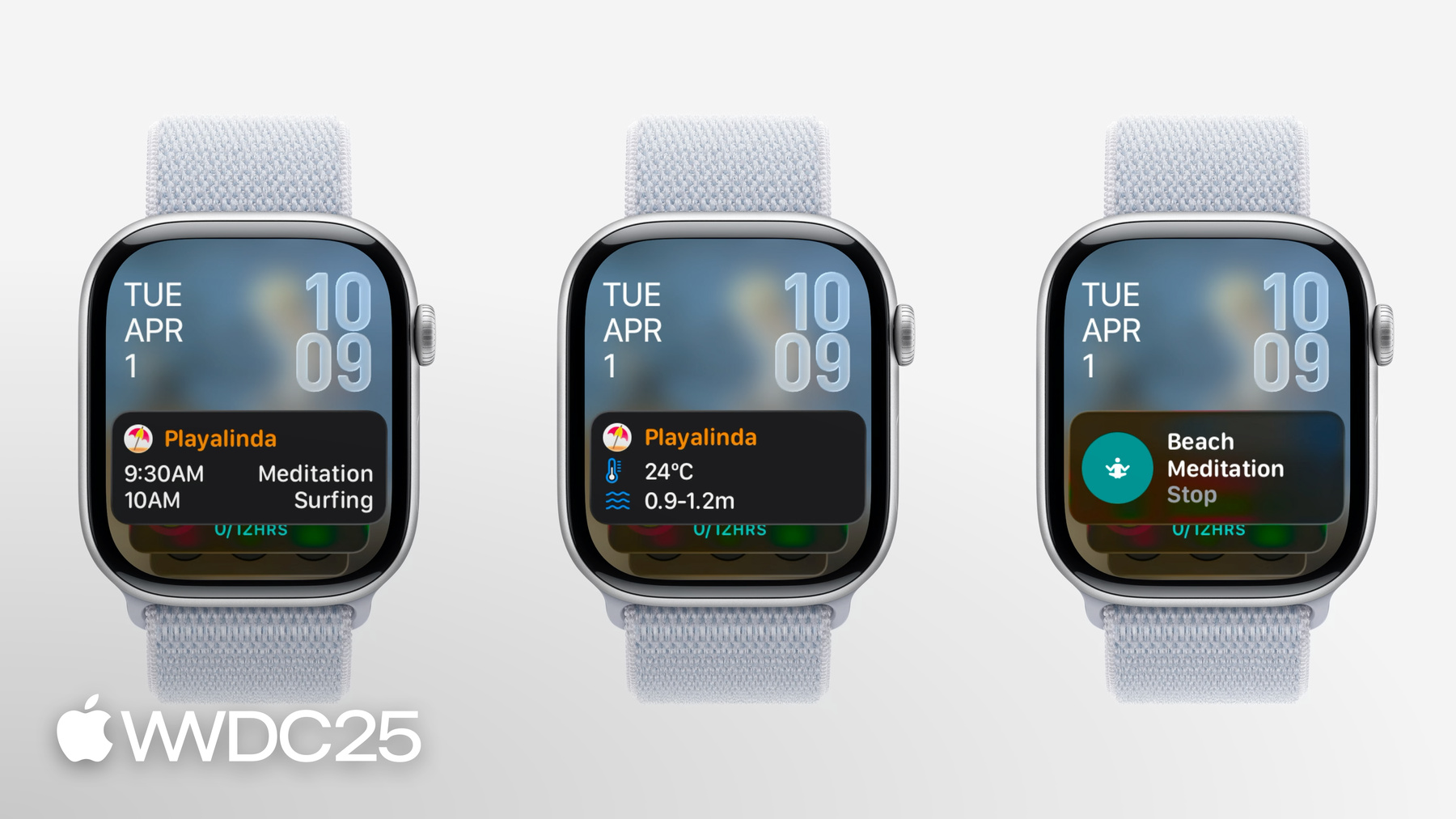
RelevanceKit propose une nouvelle façon d’afficher les widgets dans le Défilement intelligent au moment le plus pertinent, en fonction de critères comme la date, le programme de sommeil ou le lieu. La création d’un widget pertinent comporte des étapes similaires à la création d’un widget basé sur la chronologie. Découvrez des astuces pour créer et tester votre widget pertinent, mais en utilisant des aperçus.