

-
Bring multiple windows to your SwiftUI app
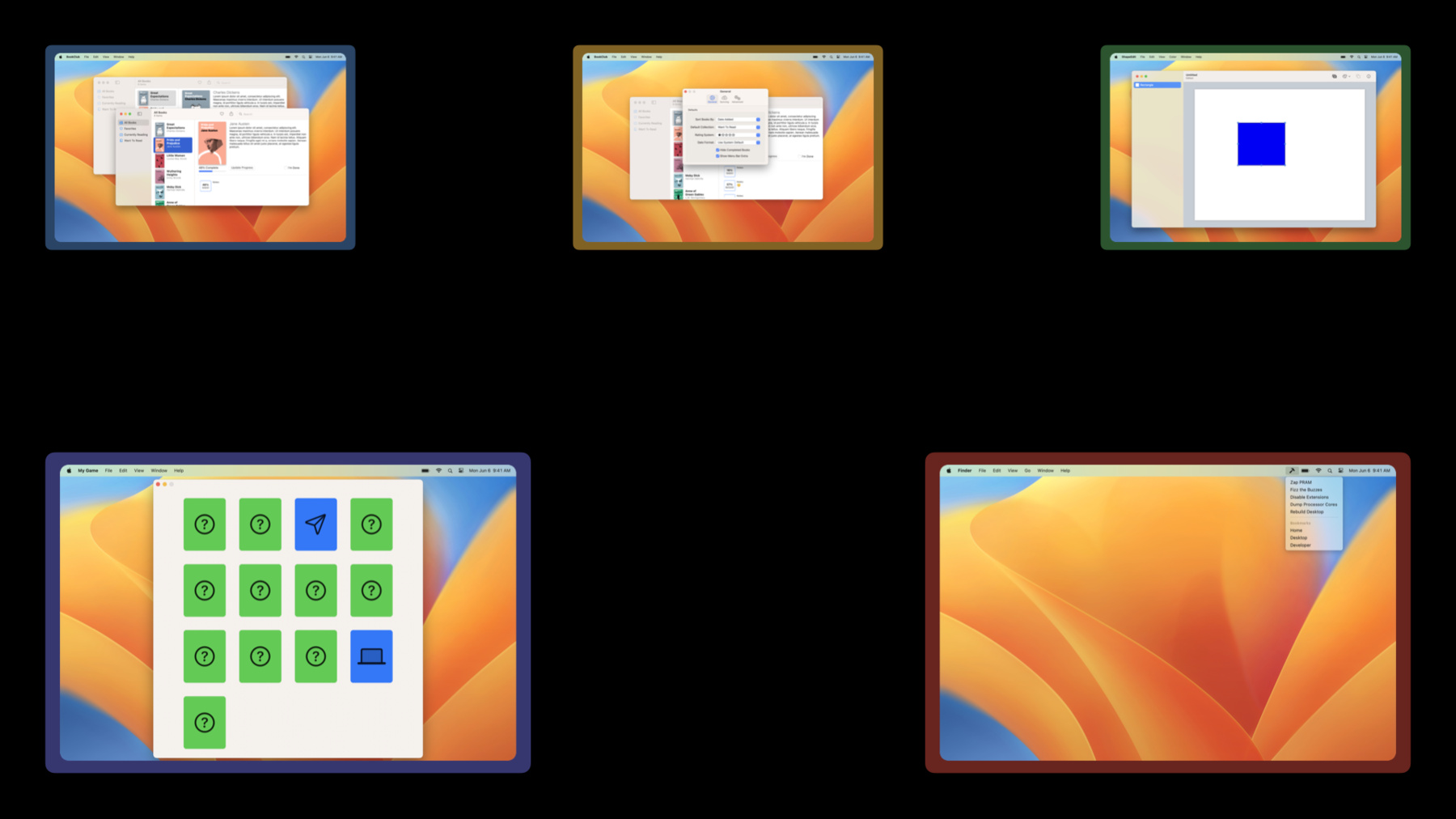
Discover the latest SwiftUI APIs to help you present windows within your app's scenes. We'll explore how scene types like MenuBarExtra can help you easily build more kinds of apps using SwiftUI. We'll also show you how to use modifiers that customize the presentation and behavior of your app windows to make even better macOS apps.
Recursos
- Bringing multiple windows to your SwiftUI app
- OpenDocumentAction
- NewDocumentAction
- OpenWindowAction
- Window
- MenuBarExtra
- Value and Reference Types
- DocumentGroup
- WindowGroup
Videos relacionados
WWDC22
-
Buscar este video…
-
-
2:01 - Scene composition
import SwiftUI import UniformTypeIdentifiers @main struct MultiSceneApp: App { var body: some Scene { WindowGroup { ContentView() } #if os(iOS) || os(macOS) DocumentGroup(viewing: CustomImageDocument.self) { file in ImageViewer(file.document) } #endif #if os(macOS) Settings { SettingsView() } #endif } } struct ContentView: View { var body: some View { Text("Content") } } struct ImageViewer: View { var document: CustomImageDocument init(_ document: CustomImageDocument) { self.document = document } var body: some View { Text("Image") } } struct SettingsView: View { var body: some View { Text("Settings") } } struct CustomImageDocument: FileDocument { var data: Data static var readableContentTypes: [UTType] { [UTType.image] } init(configuration: ReadConfiguration) throws { guard let data = configuration.file.regularFileContents else { throw CocoaError(.fileReadCorruptFile) } self.data = data } func fileWrapper(configuration: WriteConfiguration) throws -> FileWrapper { FileWrapper(regularFileWithContents: data) } } -
2:34 - Adding a window scene
import SwiftUI @main struct BookClub: App { @StateObject private var store = ReadingListStore() var body: some Scene { WindowGroup { ReadingListViewer(store: store) } Window("Activity", id: "activity") { ReadingActivity(store: store) } } } struct ReadingListViewer: View { @ObservedObject var store: ReadingListStore var body: some View { Text("Reading List") } } struct ReadingActivity: View { @ObservedObject var store: ReadingListStore var body: some View { Text("Reading Activity") } } class ReadingListStore: ObservableObject { } -
3:01 - Standalone menu bar extra app
import SwiftUI @main struct UtilityApp: App { var body: some Scene { MenuBarExtra("Utility App", systemImage: "hammer") { AppMenu() } } } struct AppMenu: View { var body: some View { Text("App Menu Item") } } -
3:35 - Windowed app with menu bar extra
import SwiftUI @main struct BookClub: App { @StateObject private var store = ReadingListStore() var body: some Scene { WindowGroup { ReadingListViewer(store: store) } #if os(macOS) MenuBarExtra("Book Club", systemImage: "book") { AppMenu() } #endif } } struct ReadingListViewer: View { @ObservedObject var store: ReadingListStore var body: some View { Text("Reading List") } } struct AppMenu: View { var body: some View { Text("App Menu Item") } } class ReadingListStore: ObservableObject { } -
3:42 - Menu bar extra with default style
import SwiftUI @main struct UtilityApp: App { var body: some Scene { MenuBarExtra("Utility App", systemImage: "hammer") { AppMenu() } } } struct AppMenu: View { var body: some View { Text("App Menu Item") } } -
3:49 - Menu bar extra with window style
import SwiftUI @main struct UtilityApp: App { var body: some Scene { MenuBarExtra("Time Tracker", systemImage: "rectangle.stack.fill") { TimeTrackerChart() } .menuBarExtraStyle(.window) } } struct TimeTrackerChart: View { var body: some View { Text("Time Tracker Chart") } } -
4:14 - Book Club app definition
import SwiftUI @main struct BookClubApp: App { @StateObject private var store = ReadingListStore() var body: some Scene { WindowGroup { ReadingListViewer(store: store) } } } struct ReadingListViewer: View { @ObservedObject var store: ReadingListStore var body: some View { Text("Reading List") } } class ReadingListStore: ObservableObject { } -
4:38 - Adding an auxiliary Window Scene
import SwiftUI @main struct BookClub: App { @StateObject private var store = ReadingListStore() var body: some Scene { WindowGroup { ReadingListViewer(store: store) } Window("Activity", id: "activity") { ReadingActivity(store: store) } } } struct ReadingListViewer: View { @ObservedObject var store: ReadingListStore var body: some View { Text("Reading List") } } struct ReadingActivity: View { @ObservedObject var store: ReadingListStore var body: some View { Text("Reading Activity") } } class ReadingListStore: ObservableObject { } -
5:28 - Open book context menu button
import SwiftUI struct OpenBookButton: View { var book: Book var body: some View { Button("Open In New Window") { } } } struct Book: Identifiable { var id: UUID } -
5:34 - Opening a window using an identifier
import SwiftUI @main struct BookClub: App { @StateObject private var store = ReadingListStore() var body: some Scene { WindowGroup { ReadingListViewer(store: store) } Window("Activity", id: "activity") { ReadingActivity(store: store) } } } struct OpenWindowButton: View { @Environment(\.openWindow) private var openWindow var body: some View { Button("Open Activity Window") { openWindow(id: "activity") } } } struct ReadingListViewer: View { @ObservedObject var store: ReadingListStore var body: some View { Text("Reading List") } } struct ReadingActivity: View { @ObservedObject var store: ReadingListStore var body: some View { Text("Reading Activity") } } class ReadingListStore: ObservableObject { } -
5:57 - Opening a window using a presented value
import SwiftUI @main struct BookClub: App { @StateObject private var store = ReadingListStore() var body: some Scene { WindowGroup { ReadingListViewer(store: store) } Window("Activity", id: "activity") { ReadingActivity(store: store) } WindowGroup("Book Details", for: Book.ID.self) { $bookId in BookDetail(id: $bookId, store: store) } } } struct OpenWindowButton: View { var book: Book @Environment(\.openWindow) private var openWindow var body: some View { Button("Open In New Window") { openWindow(value: book.id) } } } struct ReadingListViewer: View { @ObservedObject var store: ReadingListStore var body: some View { Text("Reading List") } } struct ReadingActivity: View { @ObservedObject var store: ReadingListStore var body: some View { Text("Reading Activity") } } struct BookDetail: View { @Binding var id: Book.ID? @ObservedObject var store: ReadingListStore var body: some View { Text("Book Details") } } struct Book: Identifiable { var id: UUID } class ReadingListStore: ObservableObject { } -
6:16 - Opening a window with a new document
import SwiftUI import UniformTypeIdentifiers @main struct TextFileApp: App { var body: some Scene { DocumentGroup(viewing: TextFile.self) { file in TextEditor(text: file.$document.text) } } } struct NewDocumentButton: View { @Environment(\.newDocument) private var newDocument var body: some View { Button("Open New Document") { newDocument(TextFile()) } } } struct TextFile: FileDocument { var text: String static var readableContentTypes: [UTType] { [UTType.plainText] } init() { text = "" } init(configuration: ReadConfiguration) throws { guard let data = configuration.file.regularFileContents, let string = String(data: data, encoding: .utf8) else { throw CocoaError(.fileReadCorruptFile) } text = string } func fileWrapper(configuration: WriteConfiguration) throws -> FileWrapper { let data = text.data(using: .utf8)! return FileWrapper(regularFileWithContents: data) } } -
6:41 - Opening a window with an existing document
import SwiftUI import UniformTypeIdentifiers @main struct TextFileApp: App { var body: some Scene { DocumentGroup(viewing: TextFile.self) { file in TextEditor(text: file.$document.text) } } } struct OpenDocumentButton: View { var documentURL: URL @Environment(\.openDocument) private var openDocument var body: some View { Button("Open Document") { Task { do { try await openDocument(at: documentURL) } catch { // Handle error } } } } } struct TextFile: FileDocument { var text: String static var readableContentTypes: [UTType] { [UTType.plainText] } init() { text = "" } init(configuration: ReadConfiguration) throws { guard let data = configuration.file.regularFileContents, let string = String(data: data, encoding: .utf8) else { throw CocoaError(.fileReadCorruptFile) } text = string } func fileWrapper(configuration: WriteConfiguration) throws -> FileWrapper { let data = text.data(using: .utf8)! return FileWrapper(regularFileWithContents: data) } } -
7:03 - Book details context menu button
struct OpenWindowButton: View { var book: Book @Environment(\.openWindow) private var openWindow var body: some View { Button("Open In New Window") { openWindow(value: book.id) } } } struct Book: Identifiable { var id: UUID } -
7:08 - Book details context menu button
struct OpenWindowButton: View { var book: Book @Environment(\.openWindow) private var openWindow var body: some View { Button("Open In New Window") { openWindow(value: book.id) } } } struct Book: Identifiable { var id: UUID } -
9:06 - Book Club app with book details Scene
import SwiftUI @main struct BookClub: App { @StateObject private var store = ReadingListStore() var body: some Scene { WindowGroup { ReadingListViewer(store: store) } Window("Activity", id: "activity") { ReadingActivity(store: store) } WindowGroup("Book Details", for: Book.ID.self) { $bookId in BookDetail(id: $bookId, store: store) } } } struct ReadingListViewer: View { @ObservedObject var store: ReadingListStore var body: some View { Text("Reading List") } } struct ReadingActivity: View { @ObservedObject var store: ReadingListStore var body: some View { Text("Reading Activity") } } struct BookDetail: View { @Binding var id: Book.ID? @ObservedObject var store: ReadingListStore var body: some View { Text("Book Details") } } struct Book: Identifiable { var id: UUID } class ReadingListStore: ObservableObject { } -
10:32 - Book Club app with book details Scene
import SwiftUI @main struct BookClub: App { @StateObject private var store = ReadingListStore() var body: some Scene { WindowGroup { ReadingListViewer(store: store) } Window("Activity", id: "activity") { ReadingActivity(store: store) } WindowGroup("Book Details", for: Book.ID.self) { $bookId in BookDetail(id: $bookId, store: store) } } } struct ReadingListViewer: View { @ObservedObject var store: ReadingListStore var body: some View { Text("Reading List") } } struct ReadingActivity: View { @ObservedObject var store: ReadingListStore var body: some View { Text("Reading Activity") } } struct BookDetail: View { @Binding var id: Book.ID? @ObservedObject var store: ReadingListStore var body: some View { Text("Book Details") } } struct Book: Identifiable { var id: UUID } class ReadingListStore: ObservableObject { } -
11:16 - Removing default commands for the book details scene
import SwiftUI @main struct BookClub: App { @StateObject private var store = ReadingListStore() var body: some Scene { WindowGroup { ReadingListViewer(store: store) } Window("Activity", id: "activity") { ReadingActivity(store: store) } WindowGroup("Book Details", for: Book.ID.self) { $bookId in BookDetail(id: $bookId, store: store) } .commandsRemoved() } } struct ReadingListViewer: View { @ObservedObject var store: ReadingListStore var body: some View { Text("Reading List") } } struct ReadingActivity: View { @ObservedObject var store: ReadingListStore var body: some View { Text("Reading Activity") } } struct BookDetail: View { @Binding var id: Book.ID? @ObservedObject var store: ReadingListStore var body: some View { Text("Book Details") } } struct Book: Identifiable { var id: UUID } class ReadingListStore: ObservableObject { } -
11:46 - Extracting reading activity into custom scene
import SwiftUI @main struct BookClub: App { @StateObject private var store = ReadingListStore() var body: some Scene { WindowGroup { ReadingListViewer(store: store) } ReadingActivityScene(store: store) WindowGroup("Book Details", for: Book.ID.self) { $bookId in BookDetail(id: $bookId, store: store) } .commandsRemoved() } } struct ReadingActivityScene: Scene { @ObservedObject var store: ReadingListStore var body: some Scene { Window("Activity", id: "activity") { ReadingActivity(store: store) } } } struct ReadingListViewer: View { @ObservedObject var store: ReadingListStore var body: some View { Text("Reading List") } } struct ReadingActivity: View { @ObservedObject var store: ReadingListStore var body: some View { Text("Reading Activity") } } struct BookDetail: View { @Binding var id: Book.ID? @ObservedObject var store: ReadingListStore var body: some View { Text("Book Details") } } struct Book: Identifiable { var id: UUID } class ReadingListStore: ObservableObject { } -
12:04 - Applying the defaultPosition modifier
struct ReadingActivityScene: Scene { @ObservedObject var store: ReadingListStore var body: some Scene { Window("Activity", id: "activity") { ReadingActivity(store: store) } .defaultPosition(.topTrailing) } } class ReadingListStore: ObservableObject { } -
12:32 - Applying the defaultSize modifier
struct ReadingActivityScene: Scene { @ObservedObject var store: ReadingListStore var body: some Scene { Window("Activity", id: "activity") { ReadingActivity(store: store) } #if os(macOS) .defaultPosition(.topTrailing) .defaultSize(width: 400, height: 800) #endif } } class ReadingListStore: ObservableObject { } -
12:50 - Applying the keyboardShortcut modifier
struct ReadingActivityScene: Scene {
    @ObservedObject var store: ReadingListStore

    var body: some Scene {
        Window("Activity", id: "activity") {
            ReadingActivity(store: store)
        }
        #if os(macOS)
        .defaultPosition(.topTrailing)
      	.defaultSize(width: 400, height: 800)
        #endif
        #if os(macOS) || os(iOS)
        .keyboardShortcut("0", modifiers: [.option, .command])
        #endif
    }
}

class ReadingListStore: ObservableObject {
}
-