

View in English

  • Apple Developer
    • Get Started

    Explore Get Started

    • Overview
    • Learn
    • Apple Developer Program

    Stay Updated

    • Latest News
    • Hello Developer
    • Platforms

    Explore Platforms

    • Apple Platforms
    • iOS
    • iPadOS
    • macOS
    • tvOS
    • visionOS
    • watchOS
    • App Store

    Featured

    • Design
    • Distribution
    • Games
    • Accessories
    • Web
    • Home
    • CarPlay
    • Technologies

    Explore Technologies

    • Overview
    • Xcode
    • Swift
    • SwiftUI

    Featured

    • Accessibility
    • App Intents
    • Apple Intelligence
    • Games
    • Machine Learning & AI
    • Security
    • Xcode Cloud
    • Community

    Explore Community

    • Overview
    • Meet with Apple events
    • Community-driven events
    • Developer Forums
    • Open Source

    Featured

    • WWDC
    • Swift Student Challenge
    • Developer Stories
    • App Store Awards
    • Apple Design Awards
    • Apple Developer Centers
    • Documentation

    Explore Documentation

    • Documentation Library
    • Technology Overviews
    • Sample Code
    • Human Interface Guidelines
    • Videos

    Release Notes

    • Featured Updates
    • iOS
    • iPadOS
    • macOS
    • watchOS
    • visionOS
    • tvOS
    • Xcode
    • Downloads

    Explore Downloads

    • All Downloads
    • Operating Systems
    • Applications
    • Design Resources

    Featured

    • Xcode
    • TestFlight
    • Fonts
    • SF Symbols
    • Icon Composer
    • Support

    Explore Support

    • Overview
    • Help Guides
    • Developer Forums
    • Feedback Assistant
    • Contact Us

    Featured

    • Account Help
    • App Review Guidelines
    • App Store Connect Help
    • Upcoming Requirements
    • Agreements and Guidelines
    • System Status
  • Quick Links

    • Events
    • News
    • Forums
    • Sample Code
    • Videos
 

Videos

Abrir menú Cerrar menú
  • Colecciones
  • Todos los videos
  • Información

Más videos

  • Información
  • Código
  • Render Metal with passthrough in visionOS

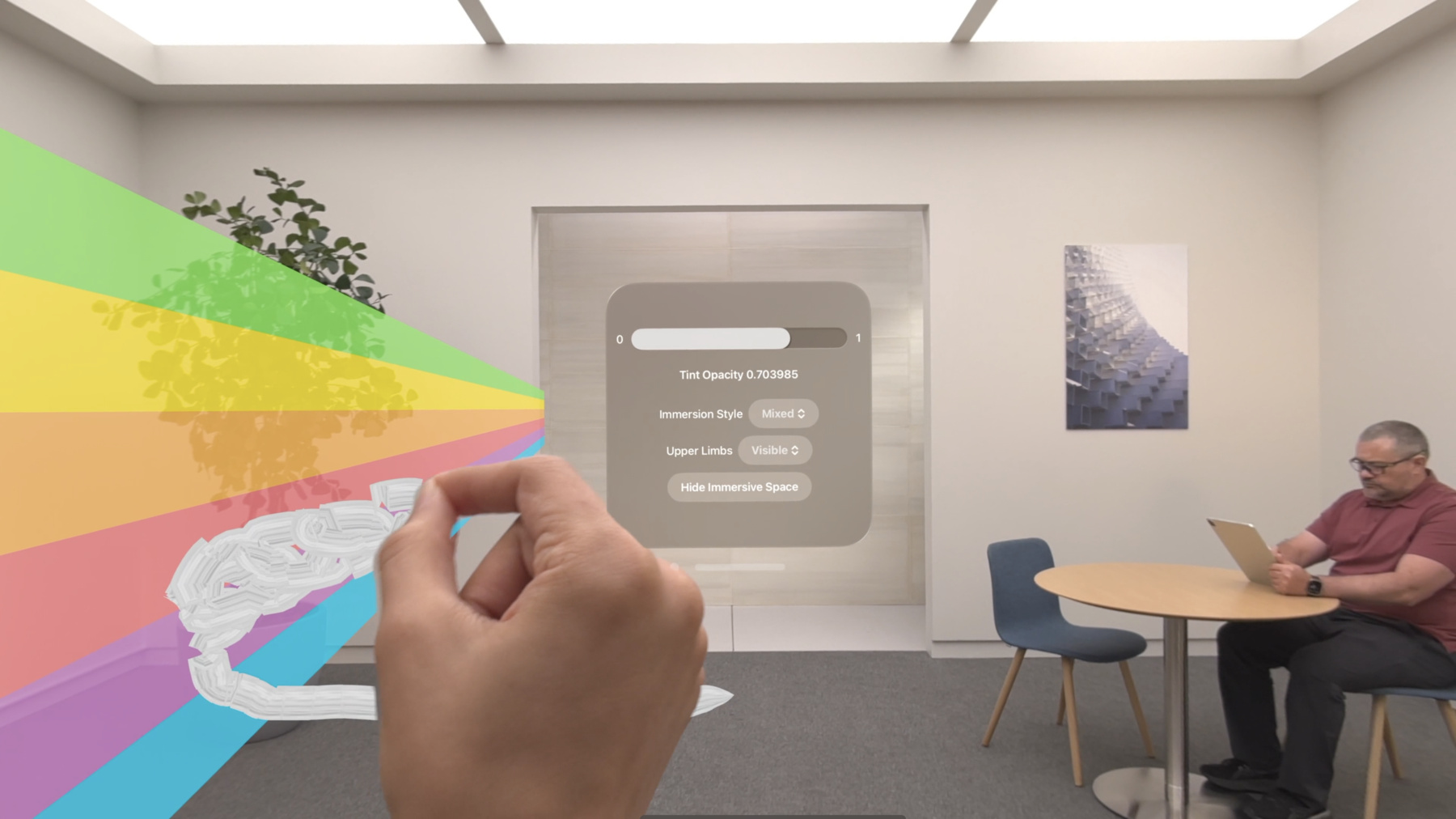
    Get ready to extend your Metal experiences for visionOS. Learn best practices for integrating your rendered content with people's physical environments with passthrough. Find out how to position rendered content to match the physical world, reduce latency with trackable anchor prediction, and more.

    Capítulos

    • 0:00 - Introduction
    • 1:49 - Mix rendered content with surroundings
    • 9:20 - Position render content
    • 14:49 - Trackable anchor prediction
    • 19:22 - Wrap-up

    Recursos

    • Interacting with virtual content blended with passthrough
    • Improving rendering performance with vertex amplification
    • Rendering a scene with deferred lighting in Swift
    • How to start designing assets in Display P3
    • Forum: Graphics & Games
    • Metal Developer Resources
    • Rendering at different rasterization rates
      • Video HD
      • Video SD

    Videos relacionados

    WWDC24

    • Create enhanced spatial computing experiences with ARKit

    WWDC23

    • Discover Metal for immersive apps
    • Go beyond the window with SwiftUI
    • Meet ARKit for spatial computing
    • Optimize app power and performance for spatial computing
  • Buscar este video…
    • 3:07 - Add mixed immersion

      @main
      struct MyApp: App {
          var body: some Scene {
              ImmersiveSpace {
                  CompositorLayer(configuration: MyConfiguration()) { layerRenderer in
                       let engine = my_engine_create(layerRenderer)
                       let renderThread = Thread {
                           my_engine_render_loop(engine)
                       }
                       renderThread.name = "Render Thread"
                       renderThread.start()
                  }
                  .immersionStyle(selection: $style, in: .mixed, .full)
              }
          }
      }
    • 4:43 - Create a renderPassDescriptor

      let renderPassDescriptor = MTLRenderPassDescriptor()
              
      renderPassDescriptor.colorAttachments[0].texture = drawable.colorTextures[0]
      renderPassDescriptor.colorAttachments[0].loadAction = .clear
      renderPassDescriptor.colorAttachments[0].storeAction = .store
      renderPassDescriptor.colorAttachments[0].clearColor = .init(red: 0.0, green: 0.0, blue: 0.0, alpha: 0.0)            
      
      renderPassDescriptor.depthAttachment.texture = drawable.depthTextures[0]
      renderPassDescriptor.depthAttachment.loadAction = .clear
      renderPassDescriptor.depthAttachment.storeAction = .store
      renderPassDescriptor.depthAttachment.clearDepth = 0.0
    • 9:08 - Set Upper Limb Visibility

      @main
      struct MyApp: App {
          var body: some Scene {
              ImmersiveSpace {
                  CompositorLayer(configuration: MyConfiguration()) { layerRenderer in
                       let engine = my_engine_create(layerRenderer)
                       let renderThread = Thread {
                           my_engine_render_loop(engine)
                       }
                       renderThread.name = "Render Thread"
                       renderThread.start()
                  }
                  .immersionStyle(selection: $style, in: .mixed, .full)
      						.upperLimbVisiblity(.automatic)
              }
          }
      }
    • 13:37 - Compose a projection view matrix

      func renderLoop {
          //...
         
          let deviceAnchor = worldTracking.queryDeviceAnchor(atTimestamp: presentationTime)
          drawable.deviceAnchor = deviceAnchor
          
          for viewIndex in 0...drawable.views.count {
              let view = drawable.views[viewIndex]
              let originFromDevice = deviceAnchor?.originFromAnchorTransform
              let deviceFromView = view.transform
              let viewMatrix = (originFromDevice * deviceFromView).inverse
              let projection = drawable.computeProjection(normalizedDeviceCoordinatesConvention:
                                                          .rightUpBack,
                                                          viewIndex: viewIndex)
        
              let projectionViewMatrix = projection * viewMatrix;
              
              //...
          }
      }
    • 18:27 - Trackable anchor prediction

      func renderFrame() {
          //...
      
          // Get the trackable anchor and presentation time.
          let presentationTime = drawable.frameTiming.presentationTime
          let trackableAnchorTime = drawable.frameTiming.trackableAnchorTime
      
          // Convert the timestamps into units of seconds
          let devicePredictionTime = LayerRenderer.Clock.Instant.epoch.duration(to:
    presentationTime).timeInterval
          let anchorPredictionTime = LayerRenderer.Clock.Instant.epoch.duration(to:
    trackableAnchorTime).timeInterval
      
          let deviceAnchor = worldTracking.queryDeviceAnchor(atTimestamp: devicePredictionTime)
          let leftAnchor = handTracking.handAnchors(at: anchorPredictionTime)
      
          if (leftAnchor.isTracked) {
              //...
          }

Developer Footer

  • Videos
  • WWDC24
  • Render Metal with passthrough in visionOS
  • Open Menu Close Menu
    • iOS
    • iPadOS
    • macOS
    • tvOS
    • visionOS
    • watchOS
    • App Store
    Open Menu Close Menu
    • Swift
    • SwiftUI
    • Swift Playground
    • TestFlight
    • Xcode
    • Xcode Cloud
    • Icon Composer
    • SF Symbols
    Open Menu Close Menu
    • Accessibility
    • Accessories
    • Apple Intelligence
    • Audio & Video
    • Augmented Reality
    • Business
    • Design
    • Distribution
    • Education
    • Games
    • Health & Fitness
    • In-App Purchase
    • Localization
    • Maps & Location
    • Machine Learning & AI
    • Security
    • Safari & Web
    Open Menu Close Menu
    • Documentation
    • Downloads
    • Sample Code
    • Videos
    Open Menu Close Menu
    • Help Guides & Articles
    • Contact Us
    • Forums
    • Feedback & Bug Reporting
    • System Status
    Open Menu Close Menu
    • Apple Developer
    • App Store Connect
    • Certificates, IDs, & Profiles
    • Feedback Assistant
    Open Menu Close Menu
    • Apple Developer Program
    • Apple Developer Enterprise Program
    • App Store Small Business Program
    • MFi Program
    • Mini Apps Partner Program
    • News Partner Program
    • Video Partner Program
    • Security Bounty Program
    • Security Research Device Program
    Open Menu Close Menu
    • Meet with Apple
    • Apple Developer Centers
    • App Store Awards
    • Apple Design Awards
    • Apple Developer Academies
    • WWDC
    Read the latest news.
    Get the Apple Developer app.
    Copyright © 2026 Apple Inc. All rights reserved.
    Terms of Use Privacy Policy Agreements and Guidelines