

View in English

  • Apple Developer
    • Get Started

    Explore Get Started

    • Overview
    • Learn
    • Apple Developer Program

    Stay Updated

    • Latest News
    • Hello Developer
    • Platforms

    Explore Platforms

    • Apple Platforms
    • iOS
    • iPadOS
    • macOS
    • tvOS
    • visionOS
    • watchOS
    • App Store

    Featured

    • Design
    • Distribution
    • Games
    • Accessories
    • Web
    • Home
    • CarPlay
    • Technologies

    Explore Technologies

    • Overview
    • Xcode
    • Swift
    • SwiftUI

    Featured

    • Accessibility
    • App Intents
    • Apple Intelligence
    • Games
    • Machine Learning & AI
    • Security
    • Xcode Cloud
    • Community

    Explore Community

    • Overview
    • Meet with Apple events
    • Community-driven events
    • Developer Forums
    • Open Source

    Featured

    • WWDC
    • Swift Student Challenge
    • Developer Stories
    • App Store Awards
    • Apple Design Awards
    • Apple Developer Centers
    • Documentation

    Explore Documentation

    • Documentation Library
    • Technology Overviews
    • Sample Code
    • Human Interface Guidelines
    • Videos

    Release Notes

    • Featured Updates
    • iOS
    • iPadOS
    • macOS
    • watchOS
    • visionOS
    • tvOS
    • Xcode
    • Downloads

    Explore Downloads

    • All Downloads
    • Operating Systems
    • Applications
    • Design Resources

    Featured

    • Xcode
    • TestFlight
    • Fonts
    • SF Symbols
    • Icon Composer
    • Support

    Explore Support

    • Overview
    • Help Guides
    • Developer Forums
    • Feedback Assistant
    • Contact Us

    Featured

    • Account Help
    • App Review Guidelines
    • App Store Connect Help
    • Upcoming Requirements
    • Agreements and Guidelines
    • System Status
  • Quick Links

    • Events
    • News
    • Forums
    • Sample Code
    • Videos
 

Videos

Abrir menú Cerrar menú
  • Colecciones
  • Todos los videos
  • Información

Más videos

  • Información
  • Código
  • What’s new in UIKit

    Explore everything new in UIKit, including tab and document launch experiences, transitions, and text and input changes. We'll also discuss better-than-ever interoperability between UIKit and SwiftUI animations and gestures, as well as general improvements throughout UIKit.

    Capítulos

    • 0:00 - Introduction
    • 0:55 - Document launch experience
    • 1:24 - Updated tab and sidebar
    • 2:43 - Fluid transitions
    • 3:35 - SwiftUI animations in UIKit
    • 4:24 - Coordinated gesture recognizers
    • 6:02 - Automatic trait tracking
    • 7:44 - List improvements
    • 11:18 - UIUpdateLink
    • 12:55 - SF Symbol animations
    • 14:36 - Sensory feedback
    • 16:14 - Text improvements
    • 18:14 - Menu actions
    • 18:58 - Apple Pencil Pro and PencilKit

    Recursos

    • Automatic trait tracking
    • UIUpdateLink
    • Forum: UI Frameworks
    • UIKit updates
      • Video HD
      • Video SD

    Videos relacionados

    WWDC24

    • Elevate your tab and sidebar experience in iPadOS
    • Enhance your UI animations and transitions
    • Squeeze the most out of Apple Pencil
    • What’s new in SF Symbols 6
    • What’s new in SwiftUI

    WWDC23

    • Animate symbols in your app

    WWDC21

    • Take your iPad apps to the next level
  • Buscar este video…
    • 0:01 - Using SwiftUI to animate UIViews with gestures

      switch gesture.state {
      case .changed:
          UIView.animate(.interactiveSpring) {
              bead.center = gesture.translation
          }
      
      case .ended:
          UIView.animate(.spring) {
              bead.center = endOfBracelet
          }
      }
    • 0:02 - Setting failure requirements between gestures

      // Inner SwiftUI double tap gesture
      
      Circle()
          .gesture(doubleTap, name: "SwiftUIDoubleTap")
      
      
      // Outer UIKit single tap gesture
      
      func gestureRecognizer(
          _ gestureRecognizer: UIGestureRecognizer, 
          shouldRequireFailureOf other: UIGestureRecognizer
      ) -> Bool {
          other.name == "SwiftUIDoubleTap"
      }
    • 0:03 - Responding to horizontalSizeClass trait

      class MyView: UIView {
          override func layoutSubviews() {
              super.layoutSubviews()
              
              if traitCollection.horizontalSizeClass == .compact {
                  // apply compact layout
              } else {
                  // apply regular layout
              }
          }
      }
    • 0:04 - Using the new automatic content and background configurations

      func configurations(for location: FileLocation) ->
          (UIListContentConfiguration, UIBackgroundConfiguration) {
      
          var contentConfiguration = UIListContentConfiguration.cell()
          let backgroundConfiguration = UIBackgroundConfiguration.listCell()
      
          contentConfiguration.text = location.title
          contentConfiguration.image = location.thumbnailImage
      
          return (contentConfiguration, backgroundConfiguration)
      }
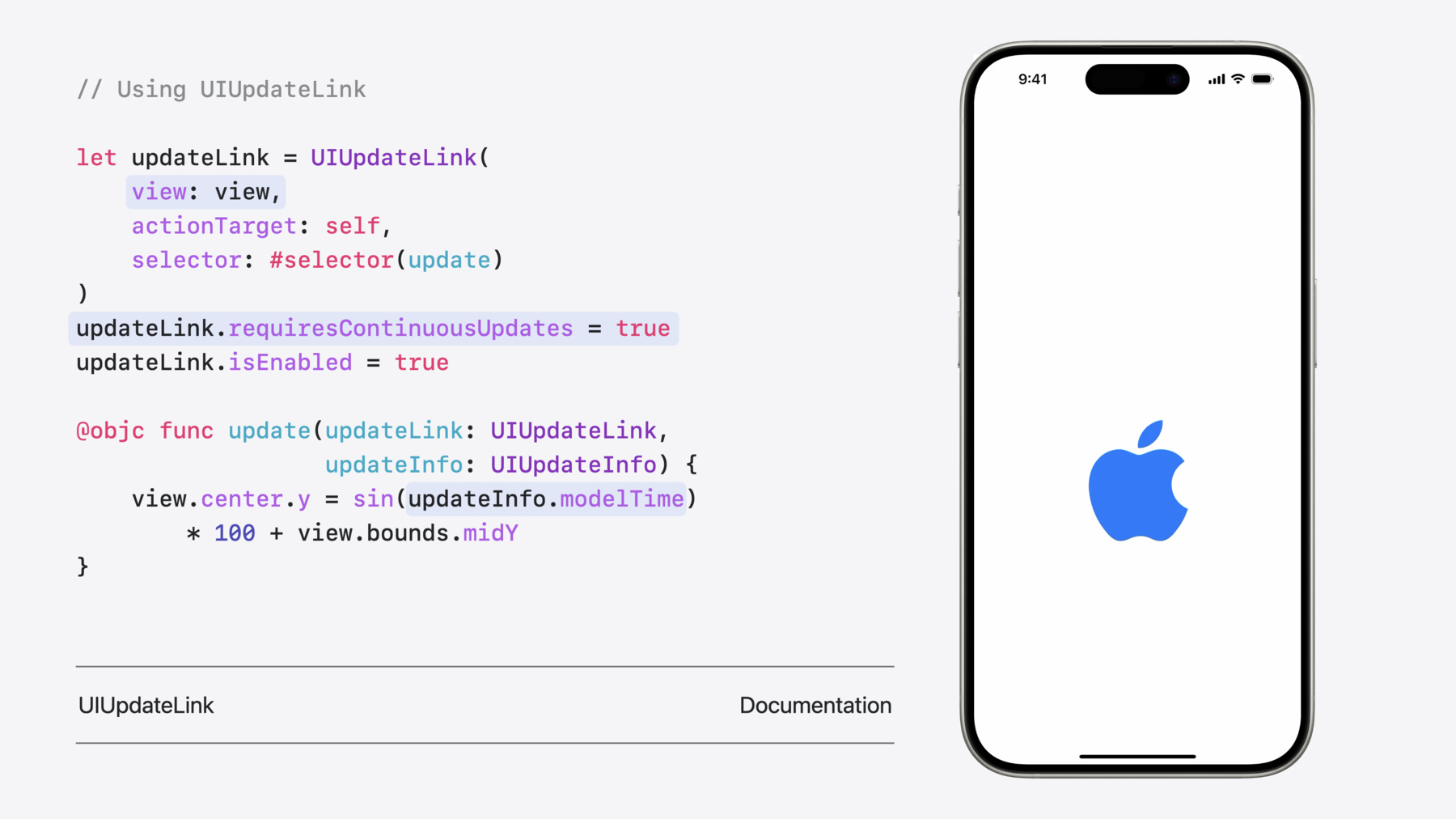
    • 0:05 - Using UIUpdateLink

      let updateLink = UIUpdateLink(
          view: view,
          actionTarget: self,
          selector: #selector(update)
      )
      updateLink.requiresContinuousUpdates = true
      updateLink.isEnabled = true
      
      @objc func update(updateLink: UIUpdateLink,
                        updateInfo: UIUpdateInfo) {
          view.center.y = sin(updateInfo.modelTime)
              * 100 + view.bounds.midY
      }
    • 0:06 - An example of providing UICanvasFeedbackGenerator with additional context

      @ViewLoading var feedbackGenerator: UICanvasFeedbackGenerator
      
      override func viewDidLoad() {
          super.viewDidLoad()
          feedbackGenerator = UICanvasFeedbackGenerator(view: view)
      }
      
      func dragAligned(_ sender: UIPanGestureRecognizer) {
          feedbackGenerator.alignmentOccurred(at: sender.location(in: view))
      }
    • 0:07 - Using new attributes for highlight

      var attributes = [NSAttributedString.Key: Any]()
      
      // Highlight style
      attributes[.textHighlightStyle] = 
      NSAttributedString.TextHighlightStyle.default
      
      // Highlight color scheme
      attributes[.textHighlightColorScheme] =
      NSAttributedString.TextHighlightColorScheme.default
    • 0:08 - Customizing formatting panel

      textView.textFormattingConfiguration = .init(groups: [
          .group([
              .component(.fontAttributes, .mini),
              .component(.fontPicker, .regular),
              .component(.textColor, .mini)
          ]),
          .group([
              .component(.fontPointSize, .mini),
              .component(.listStyles, .regular),
              .component(.highlight, .mini)
          ])
      ])

Developer Footer

  • Videos
  • WWDC24
  • What’s new in UIKit
  • Open Menu Close Menu
    • iOS
    • iPadOS
    • macOS
    • tvOS
    • visionOS
    • watchOS
    • App Store
    Open Menu Close Menu
    • Swift
    • SwiftUI
    • Swift Playground
    • TestFlight
    • Xcode
    • Xcode Cloud
    • Icon Composer
    • SF Symbols
    Open Menu Close Menu
    • Accessibility
    • Accessories
    • Apple Intelligence
    • Audio & Video
    • Augmented Reality
    • Business
    • Design
    • Distribution
    • Education
    • Games
    • Health & Fitness
    • In-App Purchase
    • Localization
    • Maps & Location
    • Machine Learning & AI
    • Security
    • Safari & Web
    Open Menu Close Menu
    • Documentation
    • Downloads
    • Sample Code
    • Videos
    Open Menu Close Menu
    • Help Guides & Articles
    • Contact Us
    • Forums
    • Feedback & Bug Reporting
    • System Status
    Open Menu Close Menu
    • Apple Developer
    • App Store Connect
    • Certificates, IDs, & Profiles
    • Feedback Assistant
    Open Menu Close Menu
    • Apple Developer Program
    • Apple Developer Enterprise Program
    • App Store Small Business Program
    • MFi Program
    • Mini Apps Partner Program
    • News Partner Program
    • Video Partner Program
    • Security Bounty Program
    • Security Research Device Program
    Open Menu Close Menu
    • Meet with Apple
    • Apple Developer Centers
    • App Store Awards
    • Apple Design Awards
    • Apple Developer Academies
    • WWDC
    Read the latest news.
    Get the Apple Developer app.
    Copyright © 2026 Apple Inc. All rights reserved.
    Terms of Use Privacy Policy Agreements and Guidelines