

-
Design immersive and interactive experiences
Discover design fundamentals and best practices for making immersive and interactive media apps, games, and experiences in visionOS. Find out how to use immersion and interaction within your experiences, build spatial interfaces that support your storytelling, and enrich your content with immersive soundscapes.
This session was originally presented as part of the Meet with Apple activity “Create immersive media experiences for visionOS - Day 1.” Watch the full video for more insights and related sessions.Resources
Related Videos
Meet with Apple
-
Search this video…
And we're back to talk about one of my personal favorite topics, which is designing immersive and interactive experiences. The excitement about the story. It's a new medium, right? And that means you've got new opportunities to impact your audience. Now, speaking of new mediums and impacts, one of my favorite and kind of apocryphal stories comes from the early days of filmmaking. You might have heard of these folks, the Lumiere brothers, right? There were some of the first to experiment with making movies. And one of their first films was this one, arrival of a Train at La Ciotat.
It's about 50s long. And so the story goes. When it premiered, audiences were so frightened by the train coming towards them that they ran out of the theater in droves.
If you're in the media, you probably know this story, and you also probably know it's not quite accurate.
Well, it's a fun idea that a piece so moved people that they fled their seats for fear of a runaway train. I actually like the real reports from those early viewers even more. Listen to this.
The locomotive appears small at first, then immense, as if it were going to crush the audience. One has the impression of depth and relief, even though it is a single image that unfolds before our eyes.
You'd think you were there.
Now, this is a quote from Phyllis Reynolds, one of the first viewers of this piece, and it's clear he wasn't scared. Some wordplay about crushing the audience aside, he was captivated.
And I think that's what we're all chasing as storytellers, that moment where the audience dives in.
Now, earlier, Elliott spoke about how you can create immersive video that captivates your audience, but keeping them connected if your story goes beyond this frame. Well, that's what we're here to talk about today. So I'm going to share some best practices and some design fundamentals for when you're making media apps, games and experiences for visionOS. We'll start with talking about immersion, then explore how you can add interaction to your stories. And I'm excited to share that we'll have a special guest speaking about their studio and how they're using immersion and interaction, so stay tuned for that. Then we'll take a look at how to craft great spatial interfaces that enhance your content, rather than distracting from it, and find out how to make our environments and experiences come alive with sound.
For all of these, I'm going to have some examples of some of the great apps already available and on this platform to help get you started.
All right, let's dive in.
So immersion, as I mentioned this morning, creators can make experiences for this platform that start at any level of immersion. And they can also change that immersion for their experiences throughout. And this means that immersion is not just a setting.
Immersion is a tool.
Now, we're no stranger to storytelling tools if we're filmmakers or artists or designers. If I'm shooting content on iPhone with an app like Keynote, for example, I can frame my subjects, zoom in for emphasis, and I can even change focus if I want to help tell a story.
But these tools aren't designed for making apps, especially on a spatial platform, because when you're designing for visionOS, your content's frame is potentially your viewers entire field of view. They see the world in front of them by default, and also they get to control what they look at. That's fundamentally different because it would feel wrong to a viewer if a visionOS suddenly zoomed in on something, right? Or worse, change the viewer's pass through to emphasize something in your app. We take away our audience's agency if we did this and alienate them. And that's the opposite of what we want to do on a platform like this. Instead, we want to keep people in control of their experience because we want to bring them into the story. And for that, we can turn to new tools like immersion. How we choose to immerse people in our content is a core part of any visionOS experience, and we can change immersion at any time. Like I said, to help tell our stories. So I want to share three of the most common patterns I've seen for using and changing immersion. Let's start with a media app like Vimeo and visionOS. This opens in a large window, and it's pretty familiar and comfortable to most of us who've used computers for the last 20 or 30 odd years. And in this window, people can browse content like filmmaker Jake Olafsson's currents while staying connected to their surroundings. It's pretty standard stuff, but let's watch what happens once someone selects a piece of content. Immersion changes, the room goes dim, and our eyes immediately go to the video. This is a small change. All the app's really done is dim the pass through feed, but it immediately draws the audience's eye and helps them focus.
Focus is a great reason to change immersion in an app.
It brings attention to a specific piece of content. Or if you have content that's more immersive, like a 180 video. You can even hide the outside world completely to bring people into your story. And this pattern can also apply really well to immersive and interactive work. Let's take a look at Tiago's immersive World War Two documentary, D-Day.
During the experience, if you haven't tried it already, we follow a woman learning about her father's time as a camera soldier in World War Two. We'll check out a clip from the experience. The documentary starts with stereoscopic video played back in a window. But when the woman discovers a box of her father's World War Two artifacts, the audience gets to explore these too.
The scene transitions into a fully immersive darkroom with the objects in front of the audience.
And here people can examine the artifacts of the past without the present coming back in. And they get to learn more about the man behind them. And when this moment finishes, the app seamlessly returns the audience to the documentary footage and their surroundings. This is a great example of using immersion to help someone focus on a moment and further bring them into your story at the same time.
Now, you might also want to change immersion to transport somebody. This can bring your world to the audience and really immerse them in your content.
Rewild and interactive documentary from Foria does this really well. Like D-Day, rewild starts simple video playback above a model of Earth to help people learn about our changing ecology. But as the documentary progresses and the viewer dives into this underwater world.
The world starts to come in to us.
What I love about this example is how well it brings the world to the audience.
And it's subtle. The audience never leaves their own room, and Fourier doesn't try and turn the entire room into an ocean, right? Instead, they bring in immersive content only for key elements in the story, providing those wow moments that really pull someone in.
You can use any level of immersion to provide this sort of transportation, but I particularly love that Fauria chose to blend their content with the audience's surroundings. And that's because the message of this documentary, it's about our stewardship of the planet. So it makes sense that the audience is living in the audience's, or the content's living in the audience's room. It's making them part of the bigger picture.
Now, experiences can also use higher levels of immersion to fully transport people where appropriate. For instance, an Apple Inc. explore POV uses 180 video and also Apple Immersive Video to bring people to entirely new places.
And you've also got apps like Disney+, which use full immersion to put audiences in the worlds of their stories while they watch content like the Containment Room from fxx's Alien Earth.
Focus and transportation there. The most common reasons for media apps to change. Immersion levels. But there's one more.
It's the trickiest, but it can be incredibly effective when it's used appropriately. And that's narrative.
Now immersing someone for narrative reasons. It's going to look very different depending on the experience and the app that you're making. But there are a few patterns I've seen in apps that do this well. Let's look at a few examples, starting with encounter dinosaurs.
Here the audience comes face to face with prehistoric creatures.
Once we press start, they encounter their first one, a small butterfly.
This is a creature that doesn't feel terribly out of place in a real room. As it eases people into the interaction and the experience.
And when the butterfly leaves, it creates a portal or a doorway for people to meet some of the other creatures of that period. And the audience, they're now ready for that next prehistoric encounter.
The pacing here is really great and it helps bring people into the story. It starts in someone's surroundings to set the stage, then slowly builds up to bigger moments.
And while you can change emotion more abruptly if you want to provide shock value, an app that starts with you meeting a giant carnivore is going to provide a very different and visceral opening experience. You might lose people right off the bat if you're Rajasaurus is not an idea of a warm welcome.
So the more you can build trust with your audience early on in the experience and build up to big moments, the more you can do with immersion in your story.
To show you what I mean, let's return to D-Day, the World War Two documentary I mentioned earlier. I love that this experience increases immersion for the audience whenever the protagonist immerses herself in her father's history. We already saw this at work earlier when exploring those artifacts, but it happens at other moments in the story, too. When she travels to Normandy, the film frame changes to an immersive 180 degree video.
And when the audience sees her father's footage from Normandy for the first time, they're placed behind the lens.
But it's this next moment that really gets me. The audience sees photographs from the battle site. The frame briefly blinks, and then the scene is suddenly real in 3D around them.
Now, on paper, this is a huge jump in immersion, right? But because the documentary has been building to this, it earns that crucial moment.
We have the context. The audience understands where we are, where where we're going to be, what's what's we're going, what we're doing, all of these things we understand. And it's a perfect example of what you can do with the power of immersion and narrative.
Now, as you start to think about how you can use immersion in your experiences, whether it's to help audiences focus on content, transport them, or bring people into your narrative, there are a few best practices that you should keep in mind.
No matter where you plan to go in your media experience, it's really helpful to start with the familiar. In media apps, people like to navigate content libraries and windows, and they also like to stay connected to their surroundings whenever possible. It's worth starting there, even if you plan to move to a more immersive viewing area later.
In interactive experiences. This is even more important because this is still a newer medium for storytelling. Familiar UI helps ground people. Before you take them into the unknown, now with someone's entire field of view at your disposal, it is tempting to try and design the entire frame, but try and keep your experiences focused. Too many bells and whistles can distract people from the core of your content. The story.
Here are a few examples of how to do that well. Media apps, when switching between browsing and playback, will hide the browser window when playback starts to help people focus. Experiences with more immersive content like rewild here. Place. Audience. Place all these things in front of the audience so they're not searching for the story and environments that sit alongside. Content like FX's Containment Room from Alien Earth have different animations, sounds, and lighting depending on whether you're browsing media or watching it.
When you decide to change immersion, smooth transitions make all the difference in keeping people connected to your content.
In a media experience, you might use a slow fade when you're dimming or tinting, pass through to match content, or combine movement and a portal opening. When you want to take someone into a fully immersive viewing environment, and you can get a little bit more experimental with interactive experiences like the butterfly and encounter dinosaurs flying back to open a portal. You can even add animations like this sample we made from a few years ago. Botanist. This little robot companion literally leaps from the tabletop into someone's surroundings to tend their virtual garden. Now, I do want to close this section with a few words of advice on bigger looking animations like this. If you're going to use them, make sure you ground your virtual content in reality in some way so it feels real.
Let's watch this robot again as he lands on the real floor. See how he reacts from the landing. We see physics at work and he instantly feels more real to us.
It's also helpful to keep the majority of the room or environment visible and unmoving during the animation for Motion comfort. To show you what I mean, let's isolate the animation in this scene.
So here's our little robot, despite how big this looked in the previous clip. If we as we play it, you can actually see that it takes up a very small part of someone's field of view while they can move, and they can have big actions to follow the scene. The animation itself is small and compact, and everything else in the virtual scene remains stationary so people can stay comfortable and connected to their surroundings. You can do bigger immersion changes like we saw with D-Day. And this is where prototyping, testing and testing again becomes crucial.
Let's look at an example from the spatial puzzle game Black Box. There are lots of moments where black box plays with immersion, but my favorite one asks players to physically lift their hands up and rip the existing world apart.
If you haven't tried this game yet, I can confirm this works and it feels wild.
But it works honestly because it's driven by a gesture. Even though this changes someone's entire field of view because they're driving the action, they feel in control.
Let's imagine this same moment without that gesture. You're sitting in your surroundings. You're playing a game when suddenly a rip in space sucks you into a new environment without warning.
This action is technically immersing you in content fully yet, but it actually breaks the feeling of immersion entirely. Just like we talked about at the beginning of this section. If you take away your audience's agency, they get yanked out of your story just when you're trying to draw them in. And as cool as something like this might sound in your head, you have to think about how you can take care of your audience. Immersion is a powerful tool for media experiences, but we have a responsibility as storytellers to consider the audience experience whenever we use it. And remember, this is still a new platform. Your app might be the first thing someone sees on visionOS and the first thing they try. So it's important to make sure that that experience is a great one.
Of course, immersion is not the only tool at our disposal.
Your visionOS experiences can add interaction and give audiences the chance to be part of the story in a way that they just can't with traditional media. And that's because even minor interactions on a spatial platform, they matter.
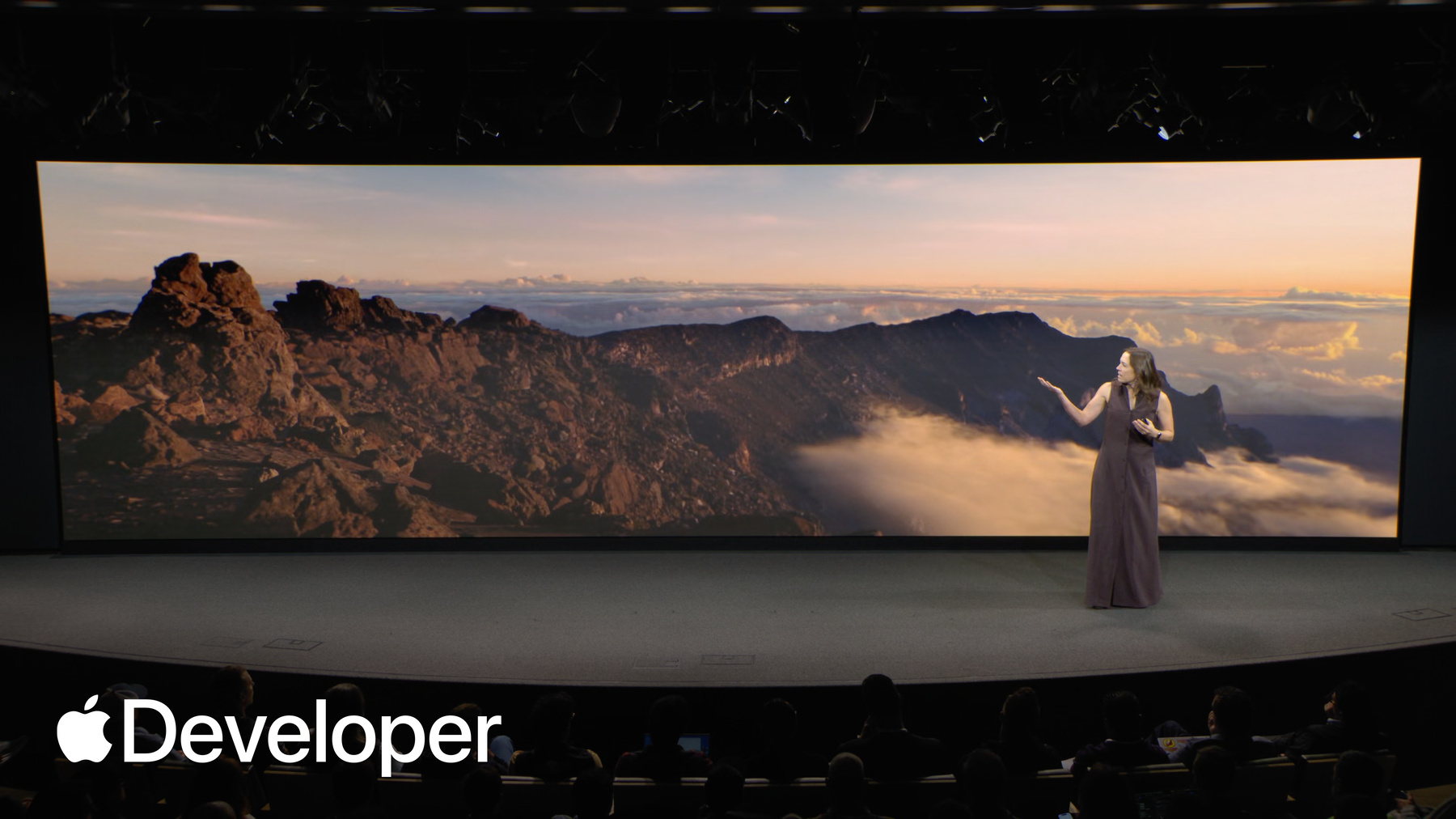
Let's take Haleakala. I want you all to go ahead and look at this. This is an environment built into visionOS that people can view on its own, or pair with background content.
Now it's a beautiful vista.
It's really nice. Good to sound, good to just like, listen to it. But I got a question for folks in the room. Would you call this interactive? No I would. Now, it's not a big interaction. It's passive for sure. And it's more of what I'd call a lean back experience. There's not a lot to do, but because a spatial platform like visionOS can target the audience's field of view, it's always interactive for them in some way. The viewer has agency to look around, listen to the world, and enter or exit the experience. These are all verbs that the audience is doing. We're interacting here. Now, this kind of interaction, it's not going to change the world of the story, right? If I stare at this rock, it's not going to suddenly sprout eyes and run away from me. But this world still might affect me. It might make me calmer or transport me.
and even passive interaction like this can be a compelling experience for people, especially if you already have great content like this virtual environment.
That said, there's so much more you can do with visionOS. We already saw how D-Day offers limited but meaningful pieces of interaction taking place at key moments in the story. And while these interactions only temporarily affect the world in the story, they definitely impact the audience. There are lots of different Vision experience visionOS experiences that take advantage of limited interaction like meditation experiences, guided stories like D-Day. You'll even find limited interaction in another one of our system environments, Jupiter, which offers controls to change the time of day. Essentially, almost any experience where the audience can be momentarily part of your world would fall into this category. Now, there is a special type of limited interaction that I personally love, and that's hidden interactions.
These tend to not be crucial to an audience or an experience, but they add so much delight.
Now to show you what I mean, let's return to the mountains and Haleakala. Now, I lied a little bit. I told you this was a passive experience. And it is. But if you're willing to explore and say, shout to the mountaintop. Echo, echo.
Cool, right? The environment can use sound from my mic and play it back with a custom reverb, making it feel like my voice is really echoing back from those distant cliffs.
This is such a tiny little thing, but it's the kind of interaction that visionOS does so well. It feels natural, and it makes such a big difference to how present I feel in this environment. And I really encourage all of you with visionOS and Vision Pro yourself to go try this. It's very fun. There are a couple of environments where you'll get different reverbs depending on how large, how loud you yell, and when you're trying to make spatial experiences feel like you can live in them. Interactions make all the difference. Like this. Especially if you're doing experiences that offer more active, in-depth moments of interaction of all the apps you can build and the stories you can tell. These kinds are the most game like stories like encounter dinosaurs. Invite the audience to talk and interact at multiple points, and these interactions often affect the world, the story, the characters, as well as how the audience experiences it. I mean, for those of you who haven't played this, how the audience interacts in an encounter dinosaurs literally changes the ending of the story. And while this is really cool, you also have to take a step back and say not every experience for visionOS needs to be this active right? In their interaction. They may not even need limited interaction. So when you're thinking about your stories, the first question you should always ask yourself is when and why you should add interactions.
When I meet with people about their visionOS projects and we talk design, sign. I have a few questions about their interactions I'd like to ask to help dig into this. First, is this interactive moment meaningful or is it more of a distraction to your audience? Is it helping make them part of the experience? Does interacting reveal a hidden element of the story? Something I wouldn't be able to learn just from looking around, watching a video, or reading a page.
And lastly, does this moment progress your story or does it distract from it? I want to look back one more time at that artifacts from D-Day because I want I think it has some really, really great answers to all of these questions.
First, is this moment meaningful? 3D objects on their own aren't incredibly meaningful, but here it's all about context.
In that moment, the narrator has just described the feeling of opening these boxes, and when the audience transitions from that video to interaction, they take the narrator's place. They're now physically handling the objects she's just described, and they become more connected to the content as a result.
When they get to examine these objects, they can turn them around or read an inscription, and that gives them information they wouldn't otherwise get from the video. And this adds to the story by giving the audience space to process the emotional weight of what it feels like to go through a parent's belongings and perhaps see them in a new light.
All in all, it's a really impactful moment of interaction.
Now, while D-Day has great answers for all of these, your interactive moments don't have to check off every box here. But if you're thinking about something and you can't answer a single one of these questions, it might be a good gut check to go back to the drawing board.
Now, if you are planning for more interaction in your experience, how can you do it really well on this platform? The first thing you need to do is identify the actions that you want to help your audience do in your story.
These will help you define the inputs and interactions you'll need to design. For example, if you're making a media experience, you'll likely want your audience to select or watch content, and these verbs tie really well to indirect actions like looking and tapping. If you're building an experience where people should examine objects up close, you might want to use direct manipulation.
Should people be able to speak in your experience, like the Haleakala environment, or use their bodies in some way? In that case, you may want to use voice or take custom head and hand movements into consideration.
And if you're building a game where your audience needs to do a lot of things in quick succession like run, jump, bounce, fall, you might want to design custom gestures for that, or even think about building in controller support because you're asking more from your audience when they interact. It's important to make these moments comfortable for people. Most people are going to use Vision Pro while seated, and they expect content to be positioned at the right height in front of them, centered in their field of view. You also have to think about the proximity of this content. If you place content beyond your viewers reach, their initial instinct will be to interact indirectly by looking and tapping their fingers with their arms at their side or in their lap. This is great, and it's a super comfortable way to interact for most window based experiences. But if you're building a moment where you want people to physically interact, you should consider placing that content within arm's reach so they can pick it up without strain. And they're not trying to, like, reach over to grab your thing. This is also really important if you're doing repetitive actions, right. If you're asking someone to press a button over and over again, you don't want to push this button all the way out in front of them 50 times, because I can guarantee you, after about the fifth time, you're like, nope. Goodbye. Let's try something else.
So you can see some direct manipulation right here.
And sometimes experiences like this, they aren't so straightforward. Maybe you need somebody to stand so that they can comfortably interact or you're switching between immersive lean back moments or interactive lean forward moments. This is where inviting interaction with cues for your audience is incredibly important. They need to know when something's interactive and when it's not. And if they're not sure what to do, this can break their connection to your story. You can do this in a few ways, like with clear signposting at the beginning of your experience here, encounter dinosaurs tells people that they can interact naturally with any creature, so they're not constantly looking for UI. And you can also bring up hints during interactive moments like D-Day does here.
But you can also do this in-world, directing the audience's attention with patterns like sound, light, and motion. One great example I want to show is from the interactive experience Auto's Planet. When the audience needs to interact, the experience cues those moments with subtle glows, similar to system hover effects to indicate that the audience should look or tap on items to help its tiny protagonist.
And when the interaction is complete, the glow will disappear.
Lastly, if you offer the audience interactions in your experience, it's important to remember that you're giving your audience agency, and that means you kind of have to respect the choices they make. Taking counter dinosaurs. If you tell the audience that they can interact naturally, I'm really sorry to say that some people are going to try and fight a dinosaur.
I mean, I wouldn't, but as designers, we have to step outside our own desires, our own desires, and our own intentions and expect the unexpected.
Because if someone tries to smack Raja over here and he doesn't react, that immediately breaks immersion for that person and their belief that their choices matter in your story. So instead, you can find creative ways to incorporate their choices. For instance, the first time that the audience does something that Raja doesn't like encounter dinosaurs. He shakes his head like a horse. And if the viewer decides to keep tormenting him. Well, sometimes you have to design characters who have firm personal boundaries.
One last thing on audience agency.
No choice. Still a choice if the audience decides to lean back and not interact. Your experience should acknowledge that.
Let's go back to encounter dinosaurs one last time and I'll show you what they did.
This is a high interaction experience, right? Creatures want to meet you. But what happens if people aren't so thrilled to meet them? If the audience stays wary and doesn't interact with the butterfly or the small first dinosaur, the app actually recognizes this lack of interaction, and the story falls back to a more traditional cinematic experience. The app still delivers an end to end story, just one that doesn't involve the audience. Now, you don't have to make it a 0% interaction or 100% interaction thing. You can always split the difference. Kung Fu Panda School of Qi does this really, really well in the experience. Po the Panda helps the audience learn a series of tai chi moves for inner peace, of course.
And when people follow along and the experience senses their hand motions, Po will make encouraging facial expressions. His eyes light up. He smiles. He nods. He's really excited.
But if they do the wrong thing, or if they stand back and do nothing at all, he starts to become more and more exasperated.
And if people repeatedly dismiss or skip the move, then the experience offers on screen UI with hints to emphasize how to get people back to the story.
And this progression is great. People can choose not to interact, but they also get space to see how that impacts the story. And it doesn't stop them from being able to interact in the future. The experience doesn't just shut down because you stop interacting.
Now, I could probably spend the rest of this hour and maybe even the day talking about interaction design for this platform, but instead I'm going to take a break for a second, because I actually want to invite a very special guest speaker up on stage to share their experience designing stories for visionOS now. Spoiler you have seen some of this person's work on stage already. He's the co-founder of the immersive studio Targo, and most recently produced one of my personal favorite pieces for visionOS D-Day The Camera Soldier. So I'm very excited. And please, all of you, give a warm welcome to Victor on the stage.
Hello everyone. First of all, thank you serenity. Thank you Elliot, and thank you everyone at Apple for holding this event. It's truly incredible to see the entire community, the immersive community here, and I'm thrilled to be presenting. So my name is Victor and I'm the co-founder of Targo.
Today I'm here to talk about crafting interactive and immersive stories for Vision Pro. But before, I'd like to start with a quick word of introduction on what we do at Tago.
At Tago, we believe in the power of immersive technologies to connect with the real world. From the very beginning, we fell in love with the sensation of presence. We love the feeling of being there, of meeting real people, of exploring real places, of being inside real stories.
Tago. With an immersive documentary studio, we create original, immersive experiences for mainstream audiences. I co-founded this company eight years ago with the immersive director of our films.
Our team handles everything in-house from concept to post-production, and we're constantly pushing the boundaries of immersive storytelling, both narratively and technically.
Over the last eight years, we have published dozens of documentaries, a series on women chefs in gastronomy, true crime investigations, historical experiences that take you back in time. And we leverage all technologies. Immersive video 3D video, 3D modeling, 3D real time environments. We always start with the story. And then we choose the right technology. But today I'm here to share learnings about an experience that we created and designed specifically for Vision Pro called D-Day The Camera Soldier. It is a 20 minute documentary that we produced in collaboration with Time Studios. We released it last May and is now available on the App Store.
The documentary tells the story of Jennifer Taylor. She is the daughter of the World War II soldier Richard Taylor. For most of her life, she knew very little about whether her father had done in the war. She knew that he'd been a soldier. She knew that he'd been a photographer, but he never spoke about what he'd seen. Until one day she received a message from a historian, and he shares photos and films that her father took on D-Day when she discovered the footage. Everything completely changes for her. For the first time, she understands what he went through. He was in the very first waves. He filmed everything, but he never spoke about it.
His footage turns out to be the only existing film of the D-Day landings, and for Jennifer, it became the great way to connect with her father. And this documentary follows her on this journey to reconnect with him.
Over the past years, we've really been shaping our own philosophy for immersive storytelling, and today I want to share three of its core ideas applied to Vision Pro, starting with the most important one for us being intentional about immersion.
For every project, we always ask ourselves this very simple question that you've heard before why does this story need to be immersive? What can we achieve here that we couldn't possibly achieve with any other medium? With this documentary, we use the immersion to transform time into a place that you can explore. More than showing you the past, you can literally move through it.
In the documentary, the audience will find themselves in the exact same location 80 years apart, and it creates a sense of wonder that I've only ever experienced in immersive.
The second concept was the idea that immersion should mirror the story. The whole documentary is built around this idea. The more Jennifer dives into her father's story, the more she's immersed in it, the more the viewer is immersed alongside her. So let's see what it means. The documentary begins with the 16 by nine 3D video.
At this stage of the story, Jennifer doesn't have the full picture yet, so visually she is literally boxed in to capture this moment in 3D and in 8-K, we built our own custom Blackmagic 3D camera system. It creates this beautiful magic window effect, and it gives the feeling that the audience is looking right into her world.
The turning point in the documentary is when she learns about her father's role on D-Day. That's when the experience becomes fully immersive. She returns back to Normandy to immerse herself into his memories. The frame expands and the audience is immersed alongside her. They are now part of the story with this beautiful, crisp, immersive video.
For us, immersive video is the most powerful way to capture the authenticity of a moment. It's the closest you'll ever get to meeting a person in real life, especially with a new black magic assassin. Immersive camera. But crafting meaning through a One 80 lens is a real art.
Finding the right, framing the geometry, the perspective, the distance. It's all very subtle.
For us, the craft of immersive video is about mastering that feeling of belonging to a moment.
The final step of immersion in the documentary is about bringing the audience back in time.
At one point, she returns exactly to the spot where her father landed on Omaha Beach. She closes her eyes to remember the D-Day, and the audience will be transported back to 1944, on the day of the landings. They see the photos and suddenly they're inside the frame.
They're in the exact moment the photo was taken with incredibly immersive sound design.
You really have to picture an immersive and interactive 3D bullet time of iconic moments. And this actually builds on top of our immersive video capture, because the scenes here are fully built in 3D from the ground up.
The audience can literally move inside of them.
This this is a crop that we've developed at TOG over the years that truly brings the past back to life for us. It is the ultimate immersion.
And this is how by being intentional with immersion, we can truly serve the story.
But immersion in the documentary or in any immersive experience doesn't come only from expanding your field of view. It also comes from bringing people closer to the story physically by letting them interact with it. For these experiments, there are two rules that guided our interactive design. First of all, it's the belief that someone's action is more important than someone's attention is more important than their actions.
Interactions should only enhance your experience. They should never take anything away from it. Even if you don't interact, you won't miss a crucial element of the story. There is no sense of winning. There is no sense of losing when interactions are simple. They also let your story be the focus. Interactions in the experience make you connect with Jennifer. They're your little touchpoint in the story. And this is why in the documentary, we give you the sensation of being alongside her here. As serenity showed, you can see she's looking at her father's letters and a few seconds later you're going to be in front of the exact same thing in 3D.
It's your turn to grab them, to hold them, to look at them. You look at what she's doing, and naturally you want to do the same. You truly feel like you're her guest.
Later, she opens a box of historical objects to look at them.
When it's your turn to hold them, you can literally touch history.
And during all these interactions, the narration always continue as sets after and ends after a set duration of time.
It ensures that the story keeps on moving forward, but interactions don't always require the viewer's input.
In the documentary, we wanted to convey the idea that we all live in a world that's been shaped by D-Day, that the legacy of the event still lives around all of us. We wanted to create a very personal experience with the events. So we decided to use a viewer's room as our canvas.
We use Vision Pro to scan automatically the surroundings of the users, which gives us a 3D map of the room on which we could apply our effects.
At the start of the experiment, the viewer's surroundings slowly become covered with photos and films of the dead ending, bringing that legacy to life all around you.
For us, it's a great example of how you can create a very personal experience for each viewer without their inputs.
So now let's take a step back and recall how we use the field of view to increase immersion with interactivity. We can now engage viewers even more and you can see why. Featuring such a wide diversity of media, video, 3D models, interactions all with such, this high fidelity was absolutely essential. This truly is the core reason of why we built this experience for Vision Pro, because it allowed us to unleash our creativity across all technologies without any trade off.
To bring together so many technologies into one single experience. We also created our custom system behind the scenes. We created the experience in the game engine UDC using Unity Poly Spatial to build for visionOS, we customized the timeline to create a next generation editing tool for interactive experiences.
This is truly what enabled us to bring this life to life, this concept of growing immersion.
So now that we've seen how we can create highly differentiated experiences with interactions, I want to talk about how we can bridge the gap with what people already know and watch at a high level. It doesn't matter how complex your technology is, it should always feel natural to viewers.
And this is why, for this documentary, we decided to lean heavily into the film and TV language. It creates a sense of familiarity.
The app design was inspired by the TV experience in visionOS. The main screen that you see when you open the app looks like a streaming service, and we give you information that you would find in One. The duration of description. We use words that people are familiar with. Watch play starts. People have to know what they're signing up for.
The UI is also inspired from streaming services. It shows a timeline, a countdown that lets you know where you are in the film. It allows people to skip, to go to chapters, to play, pause all the things you will do when you're watching a film.
And in case people wanted to show it to their friends, we also included a quick tutorial at the beginning to bring users up to speed on how to pinch and recenter their view.
Finally, this logic is also baked into the content itself. In this presentation, I've shown you a lot of frame content. It follows the exact same logic. It's about creating an environment that users are familiar with.
It's how we guide people gently toward immersive. It also creates moments of contrast that means the immersion truly shines for us. This is how we make immersive content more accessible and more mainstream.
Before I wrap up, I want to share one final note with you. Since the release, we've been truly blessed by the reception of the experience. The film has gotten thousands of downloads on the App Store. It's been finalist at the Emmy Awards. It was selected at the Venice Film Festival. It only has five star ratings on the visionOS App Store. But this. This would have never been possible without the support of this immersive community. When we started the project, the immersive community truly is our most precious asset and I really mean it. In June 2024, we launched a prototype on private beta on Testflight.
We had hundreds of Vision Pro users signing up and sharing their feedback with us. We learned a lot in the process.
So today I want to thank everyone who contributed for your time, your ideas, your conversations with us because it truly changed the game. And finally, I want to say a special thanks to the incredible team at Tago. Because you're brilliant, you're talented. It's just a pleasure and I'm so proud of what we are building together. And I want to thank everyone here for your time today and online and serenity back to you.
Amen.
I get a little touch listening to Victor talk about this. This community is really special. I love seeing the support that everybody's been giving to each other over the last year or so that this platform has been active, especially the immersive media creators. And I really, really love seeing the work that some of you have already put out and what's what else has come out so far. And I'm looking forward to hearing what else you folks have a cooking up now immersion and interaction on this platform. They get a lot of glory, and rightfully so. It's really, really cool what you can do, but great interfaces and laying out your content well in 3D space. This can also make all the difference between your audience diving into the details of your story, or being yanked right out to the surface. So we're going to talk a little bit about those two areas now interfaces. They are the backbone of your apps and experiences on this platform. They're used for navigation and hierarchy and to easily read about or find content. And on a spatial platform like visionOS, your interfaces will move off screens and live in the audience's world.
They might be used in a small space, like a train car or a wide open living room. And whether you've designed interfaces for years or you're learning design to support your immersive media content, there are some unique considerations for this platform.
I'm going to highlight two areas today that I think are particularly relevant for media apps and experiences.
Best best practices for spatial placement of your content, as well as how to make your interfaces easy to use.
Let's start with placement now, because visionOS is a spatial platform, you can take advantage of depth and people surroundings in laying out your content. If your experience starts in a window or a volume, it's placed automatically in front of the viewer on launch, centered in their field of view. This applies even if they're laying back at an angle, like on a couch, and this way your audience can immediately start enjoying content no matter where they are. When you're placing virtual objects, however, by default they're placed a little bit differently. They're relative to a coordinate space on the floor in front of the viewer.
Now, this does mean that because content is placed relative to the floor in front of the viewer, if they're angled in some way or standing, they might not quite get the scene that you originally planned.
So there are a few different ways to solve for this in your apps. One way is to start in a window, then have your audience place content themselves. I want to check out How Paradise, an educational experience that you saw a little bit earlier, does this now lets people explore a fantastic vintage car collection. It begins the experience in a browsing window, which appears right in front of the viewer, and when they select a car, you've got this small 3D model appears that appears and it's attached to the window. So when people move the window, the car comes with. But that's not where this experience ends. The viewer can tap and drag on the model to physically place it wherever they'd like. And if they want to make that a little bit bigger, they can pinch or they can double tap and it becomes life size in their room.
This is a great example of a progressive and scaffolded flow for your audience. They still get an awesome experience, even if they just want to browse from a window. And if they have some free space, they can pinch and size the 3D model to where they'd like it. But if they want that full vintage garage experience, they can opt in. This is helpful if you're starting in a window, but you might be asking like, what if your environment has 3D content from the start? What if you have an environment? Well, there are a few things you can keep in mind as a designer to ensure that your content gets laid out well for your audience. Vision Pro and visionOS. They let you request the current head position of your viewer. So instead of just placing content in front of them at your origin, you can also observe their head to make sure they get the right picture. This is also really useful in experiences where you're building a fully immersive environment, and you're not quite sure if someone's sitting or standing.
Now, one last tip in this vein. Did you know that there's a way for people wearing Vision Pro to quickly recenter every piece of content in their space in front of them? No. Some half. Yeah, I can see people making hardware button. It's the Digital Crown. So if you press and hold on the Digital Crown, all of the content will snap in front of the viewer. And remember, the audience always has agency in visionOS experiences, this is really crucial. And that means that yes, they're going to have content or control over where content is placed relative to them. So at any time your viewer can press and hold it on Vision Pro to recenter all content, windows volumes, and even 3D elements in front of them. So if they start sitting or they later decide to lay back, they can press and hold the crown and they move their content without ever having to physically pick it up and reposition it. Now this works for Windows and volumes, right? They automatically reappear in front of the viewer, while 3D content will recenter relative to the floor. Environments will not recenter, right? You're not going to recenter, and all of a sudden the floor shifts up to to meet you. That would feel a little bit disorienting to people.
But if you want your 3D content to be positioned in other ways, you can observe this button press in your experience to let your experience know that a recenter is happening. I want to show you our Mount Hood environment, which does this. So if I'm watching media in Mount Hood and I decide to go from a sitting position to laying down when I press the recenter, as I said, this environment's not going to change. Environment will stay at that position, but the screen itself will recenter to match my relative eyeline.
This is a small thing, but these sorts of actions make all the difference to your audience as they experience your content.
Now, there are a few specific considerations if you're designing for the viewer's real world surroundings. When we're talking about placement. The first is considering someone's physical free space. For example, if you're designing a portal based experience and you're like, oh, I want to put this up against a wall, that docking might look great in a large living room, but what happens if someone has a bunch of paintings on the wall, or they want to use it in a much smaller space? I want to show you how encounter Dinosaurs approaches this because I think it's really smart in the background. As it launches, it makes a scan of the room, both to understand the space available to it and to find an appropriate surface to place that portal. But if there's not enough space to just stick the Cretaceous period on the back of a wall, the experience automatically adapts in tight spaces, the portal turns into more of this wraparound style experience and an even smaller areas like, say, you want to watch encounter dinosaurs on a train. The portal will shrink and float in front of the viewer like that.
Maybe you want to make content that feels like part of your audience's room, not just using a wall. Well, visionOS has a ton of tools to help here. It can recognize floors and walls, but it can also recognize angled planes and certain objects like tables. Victor just showed us how D-Day and the documentary is mapping the walls and the furniture and to to really bring people into that narrative. But you can also use these sorts of tools to make content feel real in a scene, like building a tabletop story that snaps to an actual surface, or an experience where items have physics in your world and bounce off furniture and even get occluded.
Finally, you'll want to consider whether you need movement in your experience and place content accordingly.
For example, here the game blackbox has a puzzle that requires the viewer to stand up and spin.
Now it needs to hint them in the right direction, so it actually provides a visual cue where when the puzzle launches, it's placed high above the viewer's head position if they're sitting. This encourages them to stand to see over the content, and if they shift at all, they might inadvertently begin the puzzle and realize what they have to do.
These are just a couple of different ways that you can start to think about placement in your experiences. And once you're happy with that, it's important to understand how people are going to interact with it to get to the story. That's where your experience is. Interface comes in and the good news is in visionOS you get so much for free if you design with our system components, windows and volume styles, materials, buttons and presentations, perfectly sized elements, hover effects, and even support for platform accessibility features. There's a lot here. And for some of you in the room who are newer to visionOS development or even development in general, if you're a filmmaker or a creative technologist who wants to start building apps, this is a great place to get you started without you having to think about designing everything from scratch. For example, if you're building a media player, you get the player controller UI for free as well as controls not only in mixed immersion, but also in more immersive playback. You also automatically get access to system environment playback for media experiences and the option to invest in your own custom environment. And there are lots of resources on the developer website for building beautiful browsing experiences. So if you're new at this, you don't have to reinvent the wheel or the button when you're making an app.
And yes, this is true even if you're a creative technologist who uses unity. Our user interface framework actually interoperates with unity poly spatial experiences, and it's a great starting point to check out if unity is your preferred system of choice.
But if you're going beyond the window and designing more immersive moments, you'll still need navigation. And fun fact you can use system UI components here too. You don't have to reinvent buttons just because you're going fully immersive. Whether you're making primarily an app with 3D content, if it's in a volume or an immersive environment, you can always think about creating custom window sizes for your content or attach something like an ornament if you want to create great utility controls.
This would be useful if you needed a panel close to the viewer or separate from the content. And I'll give you an experience of something, or an example of something we already have on the platform that's doing that. And that's the Jupyter environment. This offers a control panel to adjust the time of day and watch the planet's rotation. And the audience can reposition it using the window bar if they want it out of the way, and they can even press done when they're finished with it to continue enjoying the environment without closing it.
Now, your 3D content can also support our system presentations. And those are things like menus, tooltips, popovers, alerts, and confirmations.
These can be useful in a narrative experience like this little asteroids speech bubble right here. But it's also a great way to offer controls tied to a specific piece of content.
And of course, you can design custom experiences where needed. But it's important to make any custom components you're building feel familiar. D-Day is a great example of an experience that needed a custom solution, as Victor was saying, for their for their story. But what Targo did is they designed their media player to feel very similar to the system player, like tapping to click or show UI, as well as building in chapter support or easy play pause controls. All of these things can help even custom components feel familiar to your audience.
Lastly, in fully immersive experiences that also have interactive content, you might want to keep the viewer largely focused on the content, but still offer them a way to easily enter or exit. Now, if your experience is highly interactive, you may already be using the tap gesture for something. So a tap to show and hide controls might conflict with something you're already doing. Instead, you can consider reserving the bottom of someone's field of view for persistent UI, like the way that the photos app does when showing a panorama. You've got that exit view button at the very bottom, and you can also consider, again, building components on 3D content.
If I can leave you with one piece of advice on usability for interfaces whenever possible, keep it simple.
Simplicity will help power your storytelling and help people focus on your story, not trying to navigate it.
Now, we've covered a lot about the look and feel of your content and visionOS.
But there's one more feature you can incorporate to elevate your audience's experiences. Sound.
Now, if you're a filmmaker, you know the power of visuals paired with a great soundscape. Whether you're setting the scene of the world, giving life to characters, or even building tension without sound, you lose a part of the story.
And that's true for experiences in visionOS, too, where other Apple platforms are often used, muted sound is on by default in visionOS. And that means it can be just as important as the visuals in helping people explore sound is also spatial on this platform. That means that someone wearing Vision Pro hears audio from an app or experience just the same way that you hear my voice. Audio reflects off of surfaces, objects, and materials. It feels real to someone wearing Vision Pro and externalized. And you can make some pretty cool experiences as a result of that. Today, I want to share three examples of experiences on the platform that are doing sound really, really well. We'll look at them and we'll listen to them too. First, we're going to explore how to build a peaceful soundscape for an immersive environment like Mount Hood.
Then we'll discover how apps like Disney+ are building environments that sound real, although maybe a little bit too real.
It's a little too real too. We also are going to consider. How sound can help define characters in an interactive experience, like encounter dinosaurs.
So let's go away from the scary creatures for a second and start our journey in the forests of Mount Hood. I'm going to ask you all to close your eyes for a moment and just listen to the soundscape.
What do you hear here? Light ripples on the water.
The drip of a stream.
A slight wind in the air.
Even without seeing this environment, this soundscape helps you start to get a sense of the space you're in. The world around you and what you can expect.
Go ahead and open your eyes.
Now this environment, Mount Hood is a fully immersive experience for visionOS users, and it has a light and a dark version, as well as a realistic spatial soundscape to match both of those daytime and nighttime experiences.
Now it doesn't demand the audience's attention. It's here to add subtle emotion to the scene, and that's perfect because this environment is designed to live in the background as people use other apps.
Now, I want to talk a little bit about how this environment was designed from a sound perspective.
Our design team first took a trip to the actual Mount Hood, and they sampled some of the naturally occurring sounds there. As designers, this is a great starting point, but as our team found, you can't just expect to replicate the sounds of a place one on one. There are always surprises.
For example, here's a clip from right next to that picture of the lake that we just saw that Daniel Price, one of our sound designers, got on location. I'm going to go ahead and play this.
Hear that loud gurgling noise? That's a large water drainage system right off screen.
Yeah. The noise is so loud you can't actually hear any of that pretty nature. We were listening to 3 or 4 slides ago. In fact, without context, it kind of sounds a lot like.
Yeah, not really the vibe we're going for.
So when you're designing soundscapes for your experience, reality can be a good place to start. But remember, you can also curate it if you want to make something more pleasant or weird or fun.
You have the power to make your sounds complement their visuals in the best way possible.
There are two main categories of sounds our designers use when they're curating a soundscape, and the first one is spatial audio sources. These are like sound elements that occupy a point in space, like birds, crickets, and frogs. And we also like to think about ambient background audio. This is the overall ambiance of a place.
This audio is usually a surround mix, anchored to play all around the viewer and loop continuously without being noticeable.
In 2023, at our Worldwide Developers Conference, we actually had a few members of our sound design team share how they use these categories to build the realistic soundscape of Mount Hood. And I'd like to play that excerpt for you today, because I think it's a really great example of how you can put all these pieces together. So without further ado, I'm going to introduce Danielle from three from three two years ago. Take it away, Danielle.
Maybe. Let's see. There we go. First, let's try placing the sounds of the crickets and frogs on the left and the right.
Now let's adjust this. It's way too loud and feels too close. So we need to do two things first. Turn down the volume of each a few decibels, and then push the location of the sound into the distance so it can sound further away. Let's listen again.
Starting to feel more natural. Now let's add a couple frogs in the foreground on the shoreline.
That sounds really great, but we don't want to hear the same frog over and over again from the same spot. So if we use randomization, we can create a more natural soundscape.
We could achieve that by alternating between a collection of different frog recordings, as well as the location they are playing from. From there we can randomize the timing of when they are played. Now let's listen to everything together.
There's still one more thing we need to add. The overall ambiance of a place. These sounds are played and surround softly, adding ambiance to the space around you.
Now let's listen to all the sounds together as it's experienced in the mix.
That's pretty cool, right? This all comes back together in a really, really nice way. And if you haven't checked out that session before, I really encourage it. Danielle goes into some really, really great detail about how to build spatial soundscapes for visionOS.
Now, not every environment is designed to be subtle, like Mount Hood. The environments of Disney+ are incredible standalone experiences for fans of shows and films. They're great for watching content in, but they're also rewarding to explore. And FX's Containment Room, which places us inside the world of alien Earth, is one of the absolute best examples of this. Let's watch and listen.
Inside the containment room, we hear the sounds of the room, the crackle of electricity.
Some clanking of chains. Some dripping water.
And then we hear the hiss.
Cool. Anybody have a flamethrower? So the goal for any environment here is to use sound and visuals to place you in the scene. And the containment room nails this on both fronts.
The ambient background, it makes us feel right at home in the sci fi universe. And if you know alien or any of the alien properties, you also know what's lurking the second you hear that hiss.
I want to look at this scene again, though, and I'm going to take the soundscape away.
So here we are. We still have strong visuals and FX's containment room. Flashing lights, creepy containers. Dripping water. But there's less build up here. The tension is just not the same.
And when I finally look around, if I see that Xenomorph, it feels more like a jump scare than a wary search. Listening to my environment without the cues that the sound brings, we lose out on some of the story. FX is trying to tell here.
Sound can help direct people's attention, and that's really important for an experience like this one. And I kind of want to share something even cooler or more terrifying, depending on your feelings about xenomorphs that FX did here to direct attention the aliens not just hiding behind that pillar watching you, it actually stalks you around the environment.
Let's go ahead back and return to where we left it behind this pillar so you can start to hear the xenomorphs clicks and hisses, and in Spatial Audio it feels right above you.
But in addition, as you hear that, you hear it move around the environment. You hear him crawling around. You can tell exactly where it might be lurking, including, yes, it climbs over you. And this sound not only directs attention when you're wearing Vision Pro, but it also helps set expectations as the viewer.
Now, for me personally, I love the alien films and I also am terrified of horror and thrillers. It's a weird dichotomy here, I know, but this environment, I actually feel really good and it hits that exact right balance for me because I can hear the Xenomorph, I can hear the hisses and growls, but in hearing those sounds, because it's Spatial Audio, it's positioned in such a way, and it's far enough from me that I know that it's very unlikely that the Xenomorph is going to jump in my face and try and eat me. I know exactly where it is in the room, and exactly how scared or how wary I should be. And especially if you're building something that's thriller in nature or horror sound can just add that extra beat to really help ground your viewer and make them feel comfortable in their environment, or at least as comfortable as they can be if there's an alien stalking them.
Let's leave our immersive environments for now. I think we've talked enough about Xenomorphs and head back in time to the Cretaceous period specifically, and take a listen to the interactive world of encounter dinosaurs as a narrative experience that lives partially in the real world. Encounter dinosaurs has a really interesting balance to strike, even though it's interactive. It's still a very cinematic experience. It's a narrative story first and foremost, and it's important that sound reflect these cinematic environments.
And the experience also has a job to do, though it needs to make viewers feel transported millions of years into the past, and to make characters from that past world feel real in someone's space. So I want to look at how Encounter Dinosaurs approached each of these three BeatsX.
Now, while the entire experience isn't scored with music that might feel a little bit heavy, there is a brief musical introduction to help set the tone of the narrative. Let's go ahead and listen.
Now, this plays around in sort of that surround ambient background mix that we talked about earlier. While you have this interaction with the butterfly and the score continues while you're interacting with the butterfly. But the second that that butterfly leaves you to return to the Cretaceous period, as that portal's opening, the sound fades away. We transition to the sounds of prehistoric volcanic life, and we get thunder instantly. We have been moved inside this environment, and one of the reasons that we're doing this, this sound is reverberating inside the environment of the portal, but that sound is also bleeding out into the viewer's space. This causes a boundary that's been breached between the inside and the outside. And it sounds really, really cool.
And now that the scene's set encounter, dinosaurs can use specific sound sources with its characters to make them feel real.
So you'll see, as characters enter the scene, there are audiometers on their feet, their mouths, their tails to ensure that every stomp on the ground or guttural growl feels like it's coming from that point in space. When something sounds real, it can feel that much more real.
These sounds can help give weight and dimension to the characters, and they're also used to direct attention in the scene, just like Alien Earth does. Before the first dinosaur arrives, for example, the audience will hear a small chirp erupt from the fissure.
It's really cute when the larger rajasaurus is first introduced, the experience plays loud, booming steps coming from the left before you ever see the rajasaurus.
By the time the experience ends, the audience knows these dinosaurs by sound almost as well as by the visuals. And I don't have the sounds of this, because I don't want to spoil how cute this moment is for you in real life. If you haven't gotten this ending yet, I encourage you to go back and check it out because they're very sweet.
Now, no matter what experience you're looking to make in visionOS, I hope you're starting to get an idea that sound is a crucial part to help you bring your story to life and make it feel real.
We've covered a lot of ground today, and no matter your experience, I do hope you've learned at least one new thing about designing for this platform. And if you want to learn more, we've got a ton of incredible resources on the developer website to help you get started. For those of you in the room, we'll also be hosting design consultations on Wednesday evening and all day Thursday. So if you want to talk in more detail about how you can apply these design principles and many more to your own experiences, I'd love to chat with you. In part, I just love nerding out with this group. It's really fun. Now, if I can leave you with one final piece of guidance, start with what you know. Well, there's a lot of room to experiment here. Many of you already have great ideas you've produced for other mediums or platforms, and it's worth starting your explorations or continuing your explorations if you're already on Vision Pro right there. And as you're starting to think about making something new or going beyond that, ask yourself what excites you about making work for this platform? What elements have we talked about today that can help your storytelling? How do you want to use the spectrum of immersion to better tell your story? How are audiences going to interact in your story, and how can you use sound and other tools to really enrich your content for Vision Pro? I'm hopefully looking forward to speaking more with everybody about this this evening at the mixer, but for now, we're going to take a quick break and then we'll return as Nathaniel shows us how to build some of the things that I've just been talking about, and to take us behind the scenes of creating an experience for Vision Pro and Reality Composer Pro. Enjoy, folks, and thank you so much.
-