

View in English

  • Apple Developer
    • Get Started

    Explore Get Started

    • Overview
    • Learn
    • Apple Developer Program

    Stay Updated

    • Latest News
    • Hello Developer
    • Platforms

    Explore Platforms

    • Apple Platforms
    • iOS
    • iPadOS
    • macOS
    • tvOS
    • visionOS
    • watchOS
    • App Store

    Featured

    • Design
    • Distribution
    • Games
    • Accessories
    • Web
    • Home
    • CarPlay
    • Technologies

    Explore Technologies

    • Overview
    • Xcode
    • Swift
    • SwiftUI

    Featured

    • Accessibility
    • App Intents
    • Apple Intelligence
    • Games
    • Machine Learning & AI
    • Security
    • Xcode Cloud
    • Community

    Explore Community

    • Overview
    • Meet with Apple events
    • Community-driven events
    • Developer Forums
    • Open Source

    Featured

    • WWDC
    • Swift Student Challenge
    • Developer Stories
    • App Store Awards
    • Apple Design Awards
    • Apple Developer Centers
    • Documentation

    Explore Documentation

    • Documentation Library
    • Technology Overviews
    • Sample Code
    • Human Interface Guidelines
    • Videos

    Release Notes

    • Featured Updates
    • iOS
    • iPadOS
    • macOS
    • watchOS
    • visionOS
    • tvOS
    • Xcode
    • Downloads

    Explore Downloads

    • All Downloads
    • Operating Systems
    • Applications
    • Design Resources

    Featured

    • Xcode
    • TestFlight
    • Fonts
    • SF Symbols
    • Icon Composer
    • Support

    Explore Support

    • Overview
    • Help Guides
    • Developer Forums
    • Feedback Assistant
    • Contact Us

    Featured

    • Account Help
    • App Review Guidelines
    • App Store Connect Help
    • Upcoming Requirements
    • Agreements and Guidelines
    • System Status
  • Quick Links

    • Events
    • News
    • Forums
    • Sample Code
    • Videos
 

Vidéos

Ouvrir le menu Fermer le menu
  • Collections
  • Toutes les vidéos
  • À propos

Plus de vidéos

  • À propos
  • Code
  • SF Symbols 2

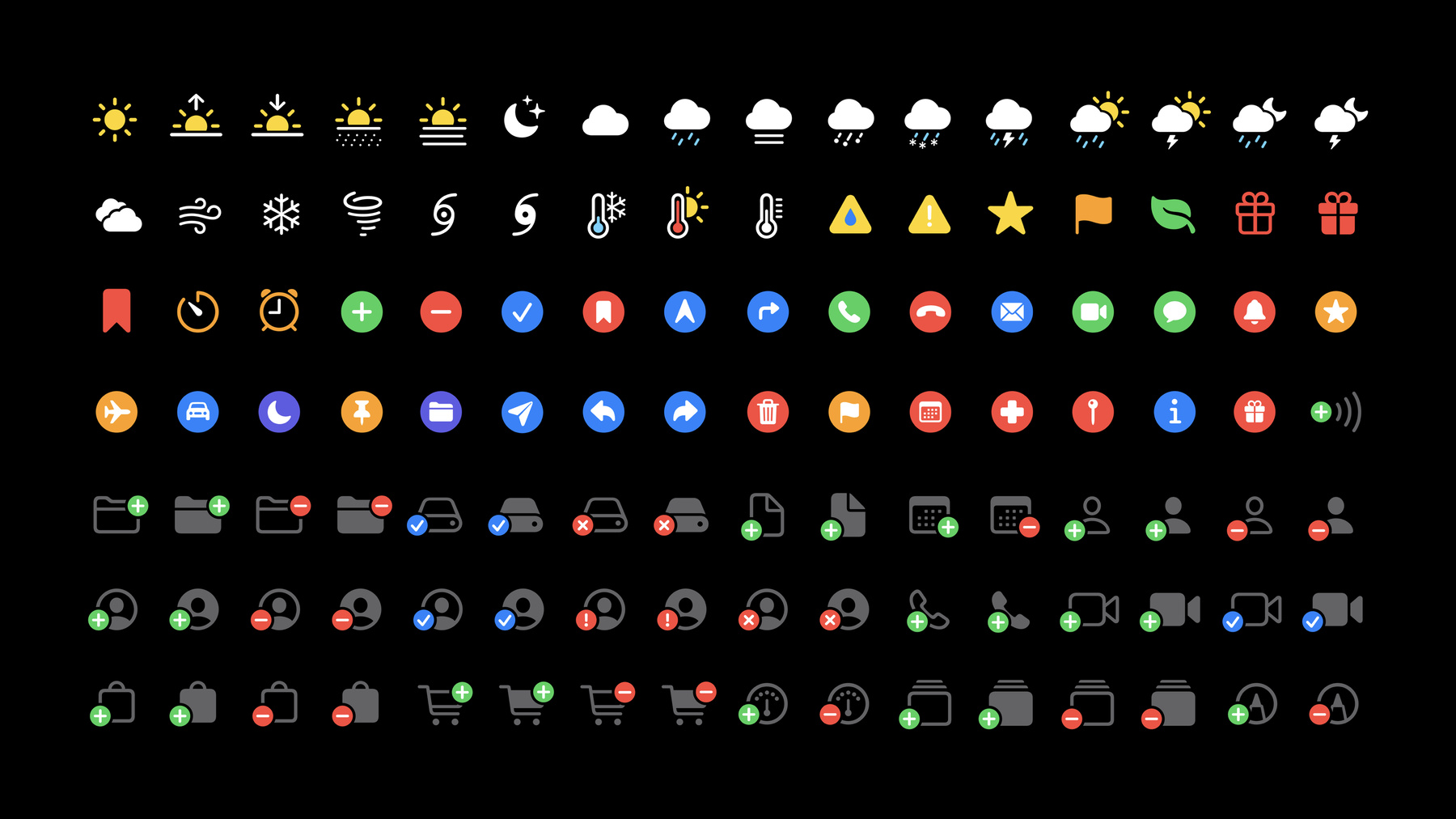
    SF Symbols make it easy to adopt high-quality, Apple-designed symbols created to look great with San Francisco, the system font for all Apple platforms. Discover how you can use SF Symbols in AppKit, UIKit, and SwiftUI. Learn how to work with SF Symbols in common design tools and how to use them in code. And we'll walk you through the latest updates, including additions to the repertoire, alignment improvements, changes with right-to-left localization, and multicolor symbols.

    This session focuses on the latest features in SF Symbols 2. While not required, we recommend watching "Introducing SF Symbols" from WWDC19. If you're planning to incorporate symbol assets into SwiftUI, you may also benefit from watching “Building Custom Views with SwiftUI."

    Ressources

      • Vidéo HD
      • Vidéo SD

    Vidéos connexes

    WWDC21

    • Explore the SF Symbols 3 app
    • What’s new in SF Symbols

    WWDC20

    • Adopt the new look of macOS
    • The details of UI typography
    • What's new in SwiftUI

    WWDC19

    • Building Custom Views with SwiftUI
    • Font Management and Text Scaling
    • Introducing SF Symbols
  • Rechercher dans cette vidéo…
    • 5:29 - Symbol usage demo, part 1

      // SF Symbols: simple usage and symbol configuration
      
      import UIKit
      
      class MainPlayerViewController: UIViewController {
      
          @IBOutlet weak var playButton: UIButton!
          @IBOutlet weak var shuffleButton: UIButton!
          @IBOutlet weak var playImageView: UIImageView!
          @IBOutlet weak var shuffleImageView: UIImageView!
      
          override func viewDidLoad() {
              super.viewDidLoad()
              setupButtons()
          }
      
          func setupButtons() {
              playImageView.image = UIImage(systemName: "")
              shuffleImageView.image = UIImage(systemName: "")
          }
      
          @IBAction func playAction(_ sender: Any) {
          }
          
          @IBAction func shuffleAction(_ sender: Any) {
          }
          
      }
    • 6:07 - Symbol usage demo, wrong string to initializer

      // do NOT use symbol characters in code
      
      let shuffleImage = UIImage(systemName: "􀊝")


      // always use symbol names in code
      
      let shuffleImage = UIImage(systemName: "shuffle")
    • 7:01 - Symbol usage demo, scales

      // SF Symbols: simple usage and symbol configuration
      
      import UIKit
      
      class MainPlayerViewController: UIViewController {
      
          @IBOutlet weak var playButton: UIButton!
          @IBOutlet weak var shuffleButton: UIButton!
          @IBOutlet weak var playImageView: UIImageView!
          @IBOutlet weak var shuffleImageView: UIImageView!
      
          override func viewDidLoad() {
              super.viewDidLoad()
              setupButtons()
          }
      
          func setupButtons() {
              let buttonConfig = UIImage.SymbolConfiguration(scale: .small)
              playImageView.preferredSymbolConfiguration = buttonConfig
              playImageView.image = UIImage(systemName: "play.fill")
              shuffleImageView.preferredSymbolConfiguration = buttonConfig
              shuffleImageView.image = UIImage(systemName: "shuffle")
          }
      
          @IBAction func playAction(_ sender: Any) {
          }
          
          @IBAction func shuffleAction(_ sender: Any) {
          }
          
      }
    • 7:13 - Symbol usage demo, textStyles

      // SF Symbols: simple usage and symbol configuration
      
      import UIKit
      
      class MainPlayerViewController: UIViewController {
      
          @IBOutlet weak var playButton: UIButton!
          @IBOutlet weak var shuffleButton: UIButton!
          @IBOutlet weak var playImageView: UIImageView!
          @IBOutlet weak var shuffleImageView: UIImageView!
      
          override func viewDidLoad() {
              super.viewDidLoad()
              setupButtons()
          }
      
          func setupButtons() {
              let buttonConfig = UIImage.SymbolConfiguration(textStyle: .headline, scale: .small)
              playImageView.preferredSymbolConfiguration = buttonConfig
              playImageView.image = UIImage(systemName: "play.fill")
              shuffleImageView.preferredSymbolConfiguration = buttonConfig
              shuffleImageView.image = UIImage(systemName: "shuffle")
          }
      
          @IBAction func playAction(_ sender: Any) {
          }
          
          @IBAction func shuffleAction(_ sender: Any) {
          }
          
      }
    • 7:44 - SwiftUI symbol usage

      // SF Symbols in SwiftUI
      import SwiftUI
      
      struct ContentView: View {
          var body: some View {
              Image(systemName: "shuffle")
                  .font(.headline)
                  .imageScale(.small)
          }
      }
    • 8:10 - SF Symbols in SwiftUI (Label)

      // SF Symbols in SwiftUI
      import SwiftUI
      
      struct ContentView: View {
          var body: some View {
              Label("Sharing location", 
                    systemImage: "location.fill")
          }
      }
    • 8:12 - SF Symbols in SwiftUI (Text + Image)

      // SF Symbols in SwiftUI
      import SwiftUI
      
      struct ContentView: View {
          var body: some View {
              let glyph = Image(systemName: "location.fill")
              return Text("\(glyph) Sharing location")
          }
      }
    • 8:52 - Using SF Symbols in AppKit

      // Using SF Symbols in AppKit
      
      if let shuffleImage = NSImage(
          systemSymbolName: "shuffle", accessibilityDescription: "shuffle") {
          shuffleImageView.image = shuffleImage
        
          // Configure symbols
          let config = NSImage.SymbolConfiguration(textStyle: .body, scale: .small)
          let shuffleButtonImage = shuffleImage.withSymbolConfiguration(config)
      }
    • 11:45 - Symbol initializer for old and new templates

      // loading symbols from Template V1 and V2
      
      let shuffleImage = UIImage(systemName: "shuffle")
    • 15:44 - Tinting symbols in AppKit

      // Tinting symbols
      
      if let folder = NSImage(
          systemSymbolName: "folder.badge.plus", accessibilityDescription: "add folder") {
          folder.isTemplate = true
      }
      
      if let folder = NSImage(
          systemSymbolName: "folder.badge.plus", accessibilityDescription: "add folder") {
          folder.isTemplate = false
      }
    • 18:10 - Using symbols in AppKit, recap

      // Using SF Symbols in AppKit
      
      if let shuffleImage = NSImage(
          systemSymbolName: "shuffle", accessibilityDescription: "shuffle") {
          shuffleImageView.image = shuffleImage
        
          // Configure symbols
          let config = NSImage.SymbolConfiguration(textStyle: .body, scale: .small)
          let shuffleButtonImage = shuffleImage.withSymbolConfiguration(config)
      }
    • 18:24 - Using color symbols recap

      // Tinting symbols
      
      folder.isTemplate = true
      
      folder.isTemplate = false

Developer Footer

  • Vidéos
  • WWDC20
  • SF Symbols 2
  • Open Menu Close Menu
    • iOS
    • iPadOS
    • macOS
    • tvOS
    • visionOS
    • watchOS
    • App Store
    Open Menu Close Menu
    • Swift
    • SwiftUI
    • Swift Playground
    • TestFlight
    • Xcode
    • Xcode Cloud
    • Icon Composer
    • SF Symbols
    Open Menu Close Menu
    • Accessibility
    • Accessories
    • Apple Intelligence
    • Audio & Video
    • Augmented Reality
    • Business
    • Design
    • Distribution
    • Education
    • Games
    • Health & Fitness
    • In-App Purchase
    • Localization
    • Maps & Location
    • Machine Learning & AI
    • Security
    • Safari & Web
    Open Menu Close Menu
    • Documentation
    • Downloads
    • Sample Code
    • Videos
    Open Menu Close Menu
    • Help Guides & Articles
    • Contact Us
    • Forums
    • Feedback & Bug Reporting
    • System Status
    Open Menu Close Menu
    • Apple Developer
    • App Store Connect
    • Certificates, IDs, & Profiles
    • Feedback Assistant
    Open Menu Close Menu
    • Apple Developer Program
    • Apple Developer Enterprise Program
    • App Store Small Business Program
    • MFi Program
    • Mini Apps Partner Program
    • News Partner Program
    • Video Partner Program
    • Security Bounty Program
    • Security Research Device Program
    Open Menu Close Menu
    • Meet with Apple
    • Apple Developer Centers
    • App Store Awards
    • Apple Design Awards
    • Apple Developer Academies
    • WWDC
    Read the latest news.
    Get the Apple Developer app.
    Copyright © 2026 Apple Inc. All rights reserved.
    Terms of Use Privacy Policy Agreements and Guidelines