

View in English

  • Apple Developer
    • Get Started

    Explore Get Started

    • Overview
    • Learn
    • Apple Developer Program

    Stay Updated

    • Latest News
    • Hello Developer
    • Platforms

    Explore Platforms

    • Apple Platforms
    • iOS
    • iPadOS
    • macOS
    • tvOS
    • visionOS
    • watchOS
    • App Store

    Featured

    • Design
    • Distribution
    • Games
    • Accessories
    • Web
    • Home
    • CarPlay
    • Technologies

    Explore Technologies

    • Overview
    • Xcode
    • Swift
    • SwiftUI

    Featured

    • Accessibility
    • App Intents
    • Apple Intelligence
    • Games
    • Machine Learning & AI
    • Security
    • Xcode Cloud
    • Community

    Explore Community

    • Overview
    • Meet with Apple events
    • Community-driven events
    • Developer Forums
    • Open Source

    Featured

    • WWDC
    • Swift Student Challenge
    • Developer Stories
    • App Store Awards
    • Apple Design Awards
    • Apple Developer Centers
    • Documentation

    Explore Documentation

    • Documentation Library
    • Technology Overviews
    • Sample Code
    • Human Interface Guidelines
    • Videos

    Release Notes

    • Featured Updates
    • iOS
    • iPadOS
    • macOS
    • watchOS
    • visionOS
    • tvOS
    • Xcode
    • Downloads

    Explore Downloads

    • All Downloads
    • Operating Systems
    • Applications
    • Design Resources

    Featured

    • Xcode
    • TestFlight
    • Fonts
    • SF Symbols
    • Icon Composer
    • Support

    Explore Support

    • Overview
    • Help Guides
    • Developer Forums
    • Feedback Assistant
    • Contact Us

    Featured

    • Account Help
    • App Review Guidelines
    • App Store Connect Help
    • Upcoming Requirements
    • Agreements and Guidelines
    • System Status
  • Quick Links

    • Events
    • News
    • Forums
    • Sample Code
    • Videos
 

Vidéos

Ouvrir le menu Fermer le menu
  • Collections
  • Toutes les vidéos
  • À propos

Plus de vidéos

  • À propos
  • Code
  • What’s new in ScreenCaptureKit

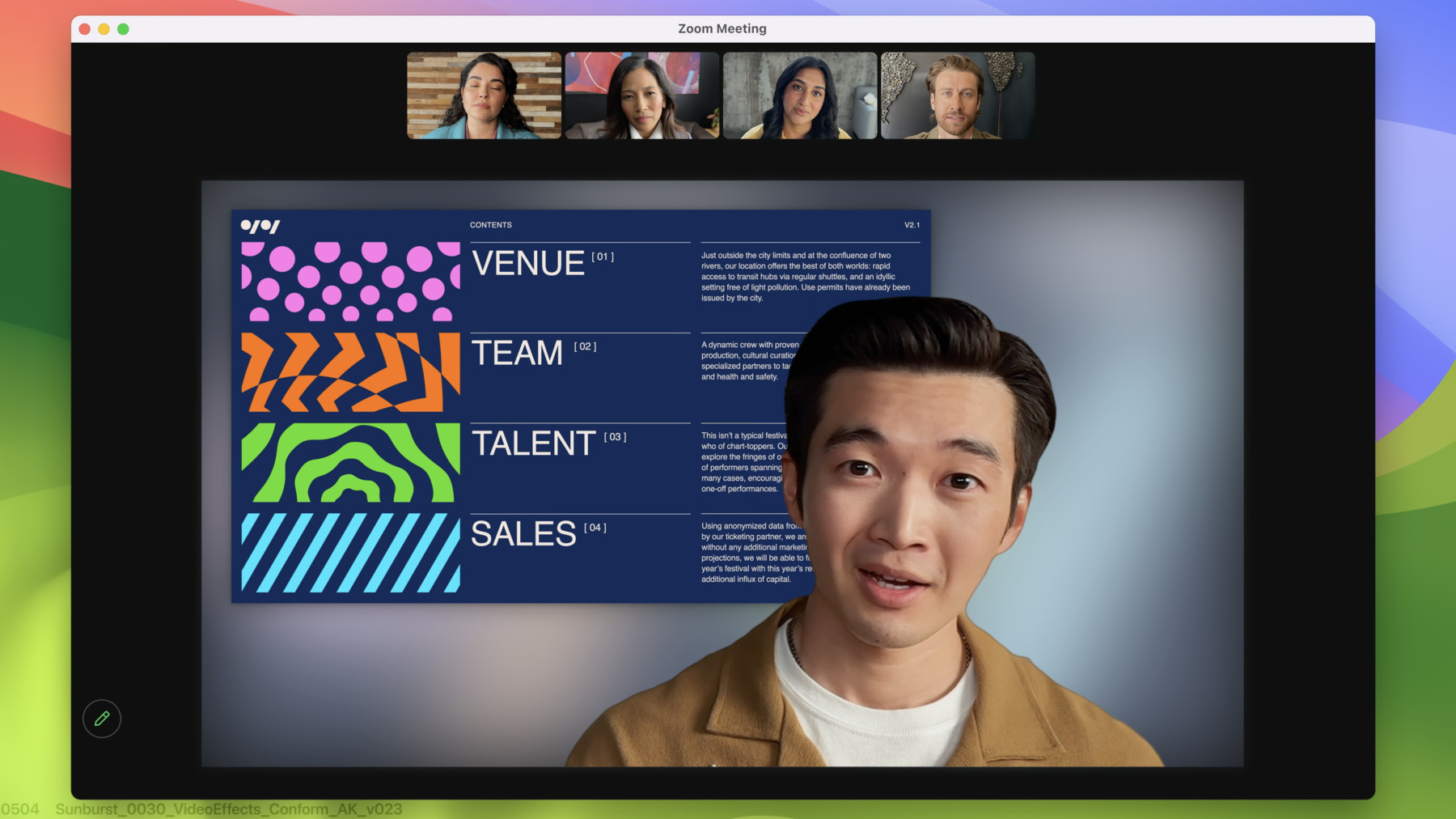
    Level up your screen sharing experience with the latest features in ScreenCaptureKit. Explore the built-in system picker, Presenter Overlay, and screenshot capabilities, and learn how to incorporate these features into your existing ScreenCaptureKit app or game.

    Chapitres

    • 0:08 - Intro
    • 1:36 - Presenter Overlay
    • 4:36 - Screen sharing picker
    • 9:46 - Screenshot API
    • 13:01 - Wrap-Up

    Ressources

    • ScreenCaptureKit
      • Vidéo HD
      • Vidéo SD

    Vidéos connexes

    WWDC23

    • What’s new in privacy

    WWDC22

    • Meet ScreenCaptureKit
    • Take ScreenCaptureKit to the next level
  • Rechercher dans cette vidéo…
    • 3:32 - Set up delegate for stream

      // Set up delegate for stream
      let stream = SCStream(filter: filter, configuration: config, delegate: self)
      
      // delegate method for Presenter Overlay applied
      func stream(_ stream: SCStream, outputEffectDidStart didStart: bool) {
          // if Presenter Overlay is on, present banner in app to notify
          if didStart == true {
              presentBanner()
              turnOffCamera()
          } else {
              turnOnCamera()
          }
      }
    • 6:48 - Set up content sharing picker instance

      // Set up content sharing picker instance
          let picker = SCContentSharingPicker.shared()
          picker.addObserver(self)
          picker.active = true
          
          // show system level picker button
          func showSystemPicker(sender: UIButton!) {
              picker.present(for stream: nil, using contentStyle:.window)
          }
          
          // observer call back for picker
          func contentSharingPicker(_ picker: SCContentSharingPicker, didUpdateWith filter:                                          
          SCContentFilter, for stream: SCStream?) {
             if let stream = stream {
                  stream.updateContentFilter(filter)
              } else {
                  let stream = SCStream(filter: filter, configuration: config, delegate: self)
              }
          }
    • 7:41 - Observer call back for picker did fail and did cancel

      // Set up content sharing picker instance
          let picker = SCContentSharingPicker.shared()
          picker.addObserver(self)
          picker.active = true
      
          // show system level picker button
          func showSystemPicker(sender: UIButton!) {
              picker.present(for stream: nil, using contentStyle:.window)
          }
      
          // observer call back for picker did fail
          func contentSharingPicker(contentSharingPickerStartDidFailWith error:NSError) {
              if error {
                  presentNotifications(error: error)
              }
          }
      
          // observer call back for picker did cancel
          func contentSharingPicker(_ picker: SCContentSharingPicker, didCancel for stream: SCStream?) {
             if stream {
                 resetStateForStream(stream: stream)
             }
          }
    • 8:41 - Per-stream configuration

      // Set up content sharing picker instance
          let picker = SCContentSharingPicker.shared()
          picker.addObserver(self)
          picker.active = true
          
          // Create configurations
          let pickerConfig = SCContentSharingPickerConfiguration()
          
          // Set Picker configuration
          pickerConfig.excludedBundleIDs = [“com.foo.myApp”,”com.foo.myApp2”]
          pickerConfig.allowsRepicking = true
          
          // Create configurations
          picker.setConfiguration(pickerConfig, for: stream)
      
          func showSystemPicker(sender: UIButton!) {
              picker.present(for stream: nil, using contentStyle:.window)
          }
    • 12:26 - Call the screenshot API

      // Call the screenshot API
      
      class SCScreenshotManager : NSObject {
      
      class func captureSampleBuffer(contentFilter: SCContentFilter, 
                                     configuration: SCStreamConfiguration)
        															async throws -> CMSampleBuffer
      
      class func captureImage(contentFilter: SCContentFilter,
                              configuration: SCStreamConfiguration)
        											async throws -> GImage
      }
    • 12:44 - Take a screenshot with ScreenCaptureKit

      // Don't forget to customize the content you want in your screenshot
      // Use SCShareableContent or SCContentSharingPicker to pick your content
      let display = nil;
      
      // Create your SCContentFilter and SCStreamConfiguration
      // Customize these lines to use the content you want and desired config options
      let myContentFilter = SCContentFilter(display: display,
                                   excludingApplications: [],
                                   exceptingWindows: []);
      let myConfiguration = SCStreamConfiguration();
      
      // Call the screenshot API and get your screenshot image
      if let screenshot = try? await SCScreenshotManager.captureSampleBuffer(contentFilter: myContentFilter, configuration:
                                                             myConfiguration) {
          print("Fetched screenshot.")
      } else {
          print("Failed to fetch screenshot.")
      }

Developer Footer

  • Vidéos
  • WWDC23
  • What’s new in ScreenCaptureKit
  • Open Menu Close Menu
    • iOS
    • iPadOS
    • macOS
    • tvOS
    • visionOS
    • watchOS
    • App Store
    Open Menu Close Menu
    • Swift
    • SwiftUI
    • Swift Playground
    • TestFlight
    • Xcode
    • Xcode Cloud
    • Icon Composer
    • SF Symbols
    Open Menu Close Menu
    • Accessibility
    • Accessories
    • Apple Intelligence
    • Audio & Video
    • Augmented Reality
    • Business
    • Design
    • Distribution
    • Education
    • Games
    • Health & Fitness
    • In-App Purchase
    • Localization
    • Maps & Location
    • Machine Learning & AI
    • Security
    • Safari & Web
    Open Menu Close Menu
    • Documentation
    • Downloads
    • Sample Code
    • Videos
    Open Menu Close Menu
    • Help Guides & Articles
    • Contact Us
    • Forums
    • Feedback & Bug Reporting
    • System Status
    Open Menu Close Menu
    • Apple Developer
    • App Store Connect
    • Certificates, IDs, & Profiles
    • Feedback Assistant
    Open Menu Close Menu
    • Apple Developer Program
    • Apple Developer Enterprise Program
    • App Store Small Business Program
    • MFi Program
    • Mini Apps Partner Program
    • News Partner Program
    • Video Partner Program
    • Security Bounty Program
    • Security Research Device Program
    Open Menu Close Menu
    • Meet with Apple
    • Apple Developer Centers
    • App Store Awards
    • Apple Design Awards
    • Apple Developer Academies
    • WWDC
    Read the latest news.
    Get the Apple Developer app.
    Copyright © 2026 Apple Inc. All rights reserved.
    Terms of Use Privacy Policy Agreements and Guidelines