

View in English

  • Apple Developer
    • Get Started

    Explore Get Started

    • Overview
    • Learn
    • Apple Developer Program

    Stay Updated

    • Latest News
    • Hello Developer
    • Platforms

    Explore Platforms

    • Apple Platforms
    • iOS
    • iPadOS
    • macOS
    • tvOS
    • visionOS
    • watchOS
    • App Store

    Featured

    • Design
    • Distribution
    • Games
    • Accessories
    • Web
    • Home
    • CarPlay
    • Technologies

    Explore Technologies

    • Overview
    • Xcode
    • Swift
    • SwiftUI

    Featured

    • Accessibility
    • App Intents
    • Apple Intelligence
    • Games
    • Machine Learning & AI
    • Security
    • Xcode Cloud
    • Community

    Explore Community

    • Overview
    • Meet with Apple events
    • Community-driven events
    • Developer Forums
    • Open Source

    Featured

    • WWDC
    • Swift Student Challenge
    • Developer Stories
    • App Store Awards
    • Apple Design Awards
    • Apple Developer Centers
    • Documentation

    Explore Documentation

    • Documentation Library
    • Technology Overviews
    • Sample Code
    • Human Interface Guidelines
    • Videos

    Release Notes

    • Featured Updates
    • iOS
    • iPadOS
    • macOS
    • watchOS
    • visionOS
    • tvOS
    • Xcode
    • Downloads

    Explore Downloads

    • All Downloads
    • Operating Systems
    • Applications
    • Design Resources

    Featured

    • Xcode
    • TestFlight
    • Fonts
    • SF Symbols
    • Icon Composer
    • Support

    Explore Support

    • Overview
    • Help Guides
    • Developer Forums
    • Feedback Assistant
    • Contact Us

    Featured

    • Account Help
    • App Review Guidelines
    • App Store Connect Help
    • Upcoming Requirements
    • Agreements and Guidelines
    • System Status
  • Quick Links

    • Events
    • News
    • Forums
    • Sample Code
    • Videos
 

Videos

Open Menu Close Menu
  • Collections
  • Topics
  • All Videos
  • About

Back to Tech Talks

  • About
  • Transcript
  • Updating Your App for Apple TV 4K

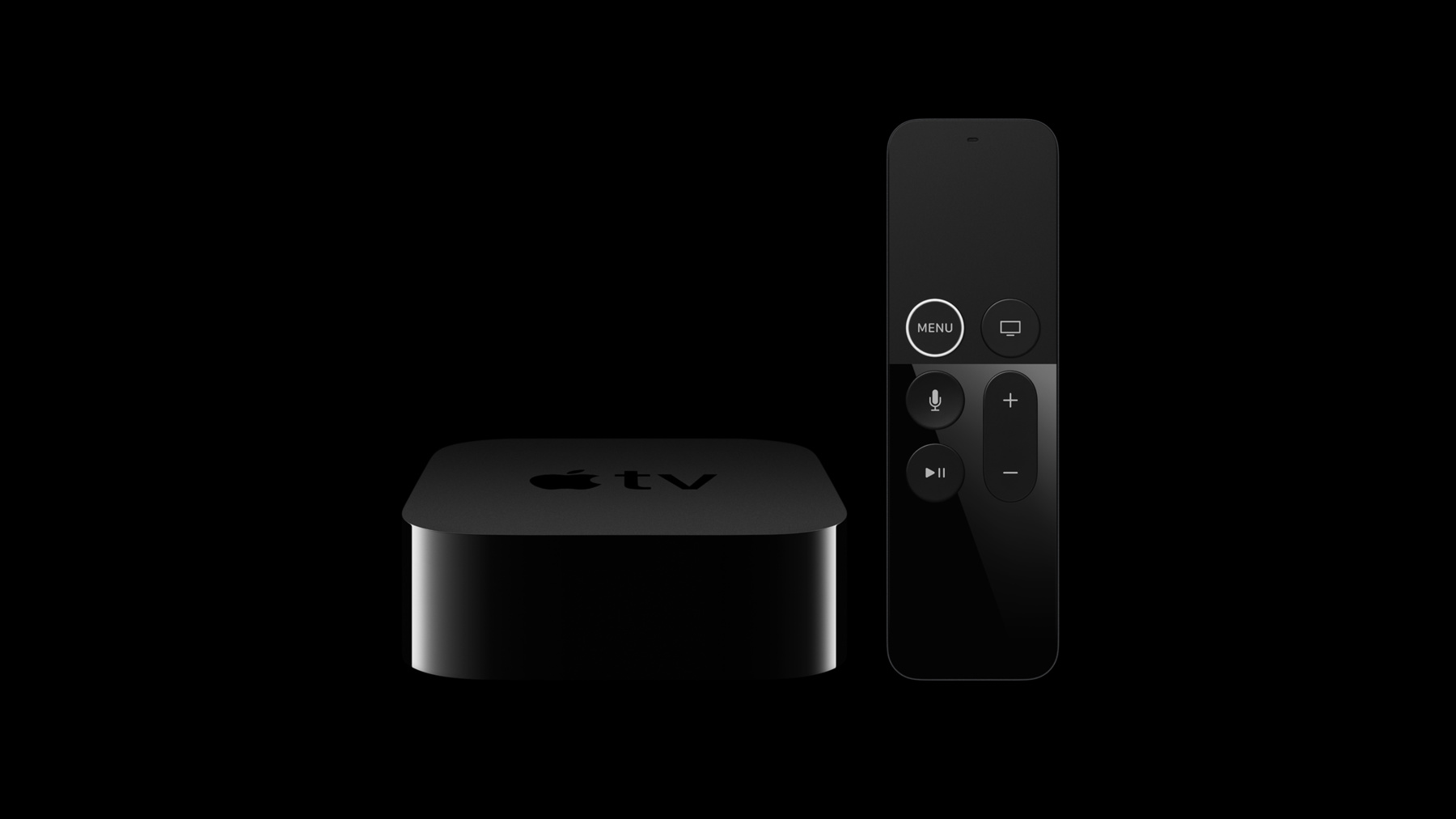
    Learn how to update your app for Apple TV 4K, including how to take advantage of new capabilities such as retina image support, HDR video, and the new motion capabilities of the Siri Remote.

    Resources

    • App Programming Guide for tvOS
    • Human Interface Guidelines: Designing for tvOS
      • HD Video
      • SD Video

    Related Videos

    WWDC21

    • Explore HDR rendering with EDR

    Tech Talks

    • An Introduction to HDR Video
    • Authoring 4K and HDR HLS Streams
  • Search this video…

    Apple TV 4K takes the living room experience to a whole new level, with support for 4K resolution, P3 color, HDR video playback, the incredible A10X Fusion processor, and the updated and improved Siri Remote. Updating your app to support these new features is very straightforward. The first step is to add a 2x launch image. Until you do so, tvOS is going to run your app in compatibility mode. While you're at it, you'll also want to add 2x app icons and top shelf images.

    When attached to a 4K television, UIKit will now automatically select retina assets from your asset catalogue.

    You can inspect what screen scale the device is running in by inspecting the scale property of the main UIScreen. You can also determine the pixel resolution of the attached display by using the nativeBounds property.

    Just like the latest iOS and macOS devices, we're really excited that Apple TV 4K now supports P3 color. When providing retina assets, you may also want to update your assets to take advantage of this wider color space, allowing your graphics and images to contain even richer and more saturated colors than before. This isn't just for flat images but is supported for layered images as well.

    Media apps will also want to look at updating their streams to include 4K and HDR variants for any content that was produced in these formats. Apple TV 4K supports both Dolby Vision and HDR10 for HDR content, and the addition of support for HEVC enables these higher fidelity and resolution streams while consuming up to 40 percent less bandwidth than comparable streams encoded using H.264.

    The updated and improved Siri Remote now provides motion data for attitude and rotation rate, in addition to the values for acceleration and gravity that the prior version offered.

    To determine if the paired remote supports these new features, you can inspect the new GCMotion "hasAttitudeAndRotationRate" property. The values for attitude and rotation rate are then provided by the respective GCMotion properties.

    And with those few changes, you're going to be able to take advantage of all of the new capabilities and performance of Apple TV 4K.

    For more information on updating your app for Apple TV 4K, please visit developer.apple.com.

Developer Footer

  • Videos
  • Tech Talks
  • Updating Your App for Apple TV 4K
  • Open Menu Close Menu
    • iOS
    • iPadOS
    • macOS
    • tvOS
    • visionOS
    • watchOS
    • App Store
    Open Menu Close Menu
    • Swift
    • SwiftUI
    • Swift Playground
    • TestFlight
    • Xcode
    • Xcode Cloud
    • Icon Composer
    • SF Symbols
    Open Menu Close Menu
    • Accessibility
    • Accessories
    • Apple Intelligence
    • Audio & Video
    • Augmented Reality
    • Business
    • Design
    • Distribution
    • Education
    • Games
    • Health & Fitness
    • In-App Purchase
    • Localization
    • Maps & Location
    • Machine Learning & AI
    • Security
    • Safari & Web
    Open Menu Close Menu
    • Documentation
    • Downloads
    • Sample Code
    • Videos
    Open Menu Close Menu
    • Help Guides & Articles
    • Contact Us
    • Forums
    • Feedback & Bug Reporting
    • System Status
    Open Menu Close Menu
    • Apple Developer
    • App Store Connect
    • Certificates, IDs, & Profiles
    • Feedback Assistant
    Open Menu Close Menu
    • Apple Developer Program
    • Apple Developer Enterprise Program
    • App Store Small Business Program
    • MFi Program
    • Mini Apps Partner Program
    • News Partner Program
    • Video Partner Program
    • Security Bounty Program
    • Security Research Device Program
    Open Menu Close Menu
    • Meet with Apple
    • Apple Developer Centers
    • App Store Awards
    • Apple Design Awards
    • Apple Developer Academies
    • WWDC
    Read the latest news Get the Apple Developer app.
    Copyright © 2026 Apple Inc. All rights reserved.
    Terms of Use Privacy Policy Agreements and Guidelines