Create Bundles and Suites for auto-renewable subscriptions
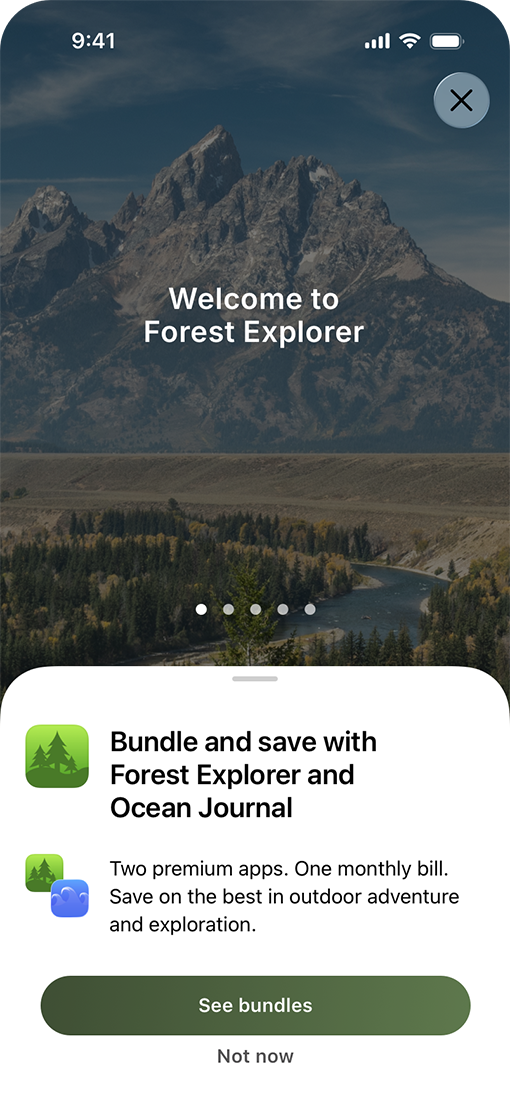
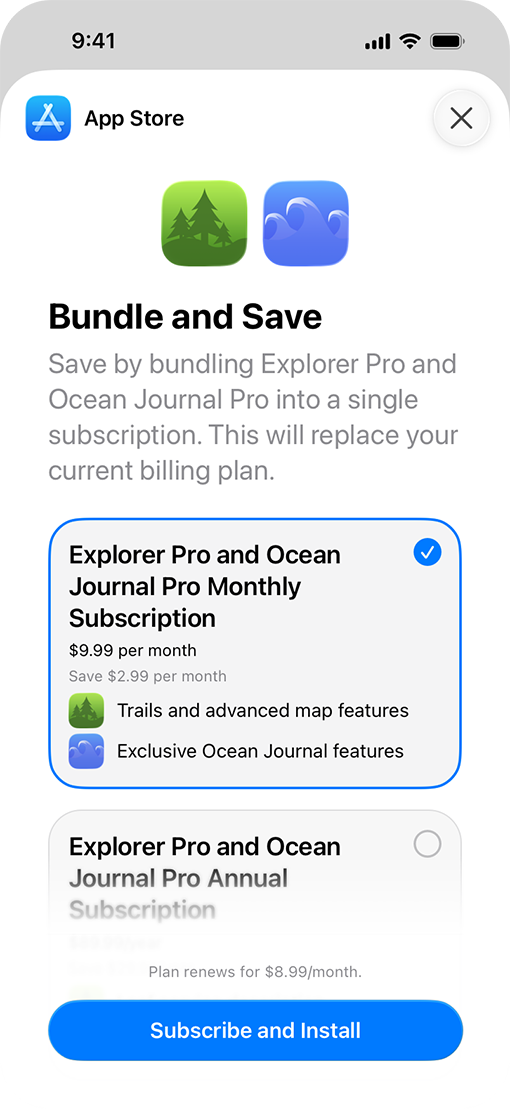
Offer multiple subscriptions as a single Apple In-App Purchase with new Bundles and Suites capabilities. In iOS 27, iPadOS 27, macOS 27, tvOS 27, or later, people can discover and purchase your subscription Bundles in your app. During the purchase experience, the App Store displays all the apps included in their Bundle or Suite, so it’s easy for people to download and access their subscription content right away. Learn how Bundles and Suites work, along with requirements and recommendations to help you provide a seamless customer experience.
Determine eligibility
To be eligible for Bundles or Suites, you’ll need to use Apple In-App Purchases and support one of the following use cases in your app:
Bundles
Designed for flexibility, Bundles support single-app, multi-app, and multi-developer configurations. When people subscribe, they unlock access to all the subscription services included in the Bundle. Bundles support the following use cases:
- Single developer Bundle: People can purchase multiple auto-renewable subscriptions from the same Apple Developer account as a Bundle, at a lower price than subscribing to each individually. For example, a developer who offers both a music streaming subscription and a podcast subscription can create a Bundle to let people get both for a lower cost. A Bundle can include subscription content within a single app or across multiple apps.
- Multi-developer Bundle: People can purchase access to subscriptions across multiple developers’ apps. For example, a fitness tracking app and a nutrition planning app from two different developers might partner to offer a health and wellness Bundle, giving people access to both apps’ subscriptions in a single purchase. Up to five developers can participate in a multi-developer Bundle.
If someone needs to modify their Bundle purchase, they can do so at any time through their Apple Account, where they can choose to stay subscribed to individual services or cancel the entire Bundle.
Suites
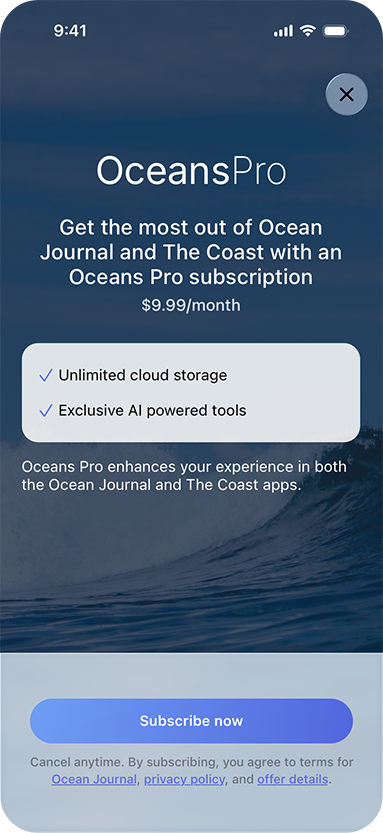
Suites provide a single purchase experience that gives subscribers access to content across multiple apps. When people subscribe to your Suite, they gain access to all the services it includes. For example, a developer with multiple productivity apps could offer their writing, spreadsheet, and presentation tools as one subscription rather than selling each separately.
Understand app requirements
- Use the StoreKit 2 framework to merchandise and process your Apple In-App Purchases within your apps.
- Support iOS 27, iPadOS 27, macOS 27, and tvOS 27, or later to let people purchase Bundles and Suites.
- Offer the same subscription duration for each auto-renewable subscription included in a Bundle.
To further enhance your offering, consider the following:
- Provide introductory and promotional offers. Attract and retain subscribers with these offer types, which can be used to provide discounted prices for your Bundles and Suites.
- Use retention messaging. Reach subscribers right at the moment they choose to cancel and encourage them to stay. Retention messaging lets you provide additional messaging to subscribers to remind them about your subscription value, without adding friction to the cancellation flow. You can use the Retention Messaging API to do this today and later this year, you’ll be able to configure retention messages in App Store Connect.
Request access and submit for review
If you’d like to offer subscription Bundles and Suites, submit a request form to tell us about your app and services. If approved, you’ll receive an email confirmation, and our team will work with you to complete the configuration process. This includes gathering details about your subscription, as well as confirming your pricing and go-live date.
For multi-developer Bundles, each developer needs to submit an interest form. Each participating developer will need to sign the Multi-Developer Bundle Program Legal Addendum and provide Apple with their subscription details through an intake form before configuration can begin.
Bundles and Suites are configured and published in batches. Once your Bundle or Suite configuration is complete, our team will notify you.
Q&A
Is there a maximum number of subscriptions I can include in a Bundle or Suite?
You can include up to 5 subscriptions in a Bundle. A Suite can provide a subscription across up to 15 apps.
What happens if someone has already purchased a standalone subscription?
If someone purchases a Bundle that includes a subscription they’ve already purchased, they’ll be upgraded and immediately get access to all subscriptions it includes. They’ll also receive a prorated refund for the remainder of their standalone subscription period.
What happens if someone needs to change or cancel their Bundle or Suite?
Subscribers can cancel their Bundle or Suite at any time through their Apple Account. Rather than cancelling an entire Bundle, subscribers also have the option to keep one or more individual subscriptions included in the Bundle. Any cancellations or partial changes will take effect at the next renewal date. Upgrades take effect immediately, giving subscribers instant access to their additional content at the time of purchase.

