

-
Squeeze the most out of Apple Pencil
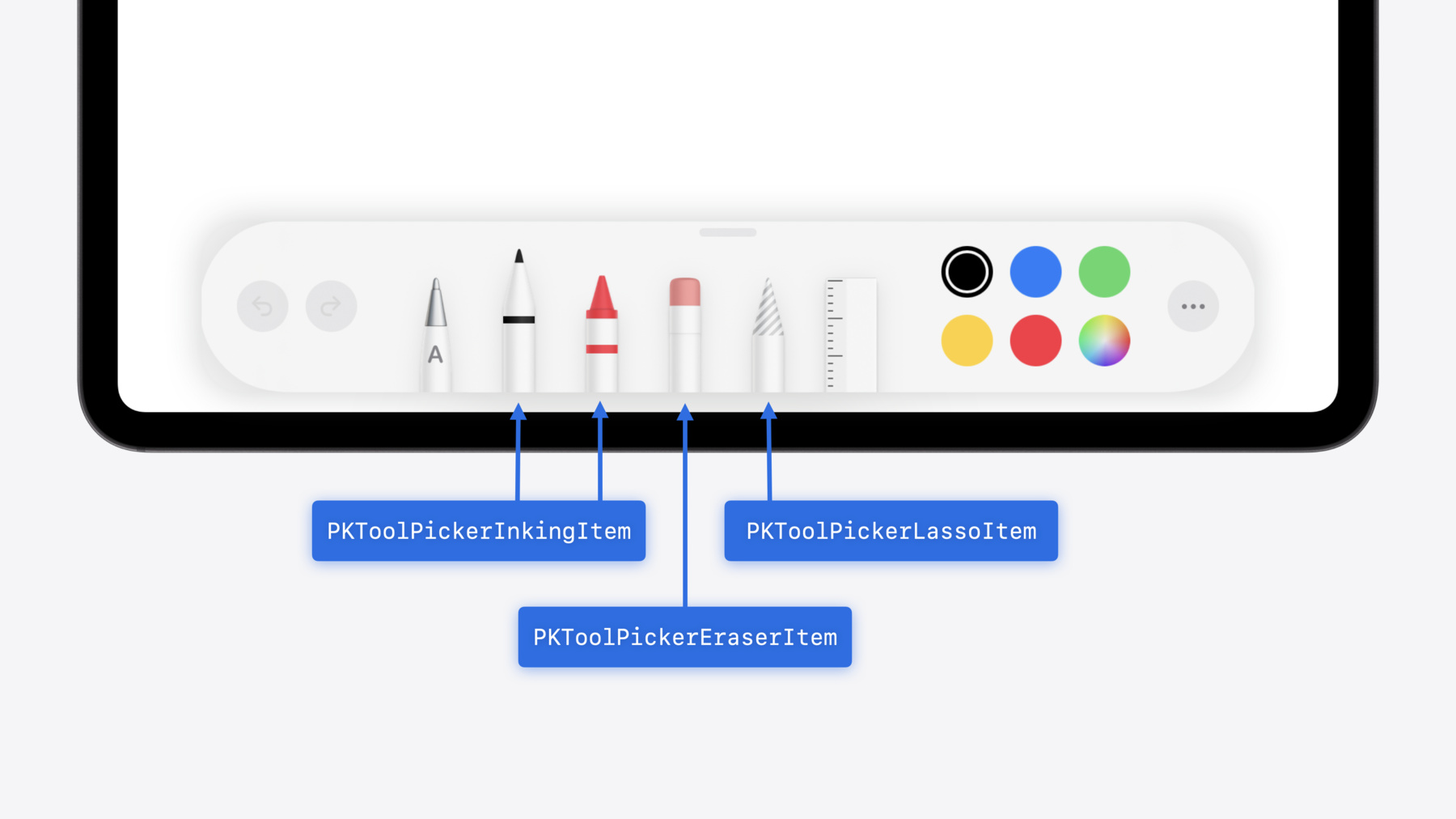
New in iOS 18, iPadOS 18, and visionOS 2, the PencilKit tool picker gains the ability to have completely custom tools, with custom attributes. Learn how to express your custom drawing experience in the tool picker using the same great tool picking experience available across the system. Discover how to access the new features of the Apple Pencil Pro, including roll angle, the squeeze gesture, and haptic feedback.
Capítulos
- 0:00 - Introduction
- 1:16 - Configuring the tool picker
- 5:20 - Custom tools in the tool picker
- 8:47 - Apple Pencil Pro features and APIs
Recursos
- Playing haptic feedback in your app
- Apple Pencil
- Configuring the PencilKit tool picker
- Apple Pencil updates
- Forum: UI Frameworks
- Human Interface Guidelines: Apple Pencil and Scribble
Videos relacionados
WWDC20
WWDC19
-
Buscar este video…
-
-
10:24 - Respond to squeeze in UIKit
class MyViewController: UIViewController, UIPencilInteractionDelegate { func pencilInteraction(_ interaction: UIPencilInteraction, didReceiveSqueeze squeeze: UIPencilInteraction.Squeeze) { if UIPencilInteraction.preferredSqueezeAction == .showContextualPalette && squeeze.phase == .ended { let anchorPoint = squeeze.hoverPose?.location ?? myDefaultLocation presentMyContextualPaletteAtPosition(anchorPoint) } } } -
10:46 - Respond to squeeze in SwiftUI
@Environment(\.preferredPencilSqueezeAction) var preferredAction @State var contextualPalettePresented = false @State var contextualPaletteAnchor = MyPaletteAnchor.default var body: some View { MyView() .onPencilSqueeze { phase in if preferredAction == .showContextualPalette, case let .ended(value) = phase { if let anchorPoint = value.hoverPose?.anchor { contextualPaletteAnchor = .point(anchorPoint) } contextualPalettePresented = true } } } -
11:50 - Provide canvas feedback in UIKit
class MyViewController: UIViewController { @ViewLoading var feedbackGenerator: UICanvasFeedbackGenerator override func viewDidLoad() { super.viewDidLoad() feedbackGenerator = UICanvasFeedbackGenerator(view: view) } func dragAlignedToGuide(_ sender: MyDragGesture) { feedbackGenerator.alignmentOccurred(at: sender.location(in: view)) } func snappedToShape(_ sender: MyDrawGesture) { feedbackGenerator.pathCompleted(at: sender.location(in: view)) } } -
12:29 - Provide canvas feedback in SwiftUI
@State var dragAlignedToGuide = 0
@State var snappedToShape = 0
 var body: some View {
    MyView()
        .sensoryFeedback(.alignment, trigger: dragAlignedToGuide)
        .sensoryFeedback(.pathComplete, trigger: snappedToShape)
}
-