

-
ライブコミュニケーション体験の構築
LiveCommunicationKitは、リアルタイムコミュニケーションのアプリを変革して統合された体験を実現します。ロック画面でのフルスクリーン表示やDynamic Islandを使ったシームレスなマルチタスク画面など、ユーザーのニーズに応じた場所に、会話のための機能豊富なネイティブUIを配置する方法を紹介します。着信、発信、グループ会話のためのフレームワークの導入方法を、ステップごとに確認していきましょう。
関連する章
リソース
- Initiating VoIP conversations with LiveCommunicationKit
- Responding to VoIP Notifications from PushKit
- LiveCommunicationKit
関連ビデオ
WWDC25
WWDC22
-
このビデオを検索
こんにちは YaseenですAppleのソフトウェアエンジニアです。
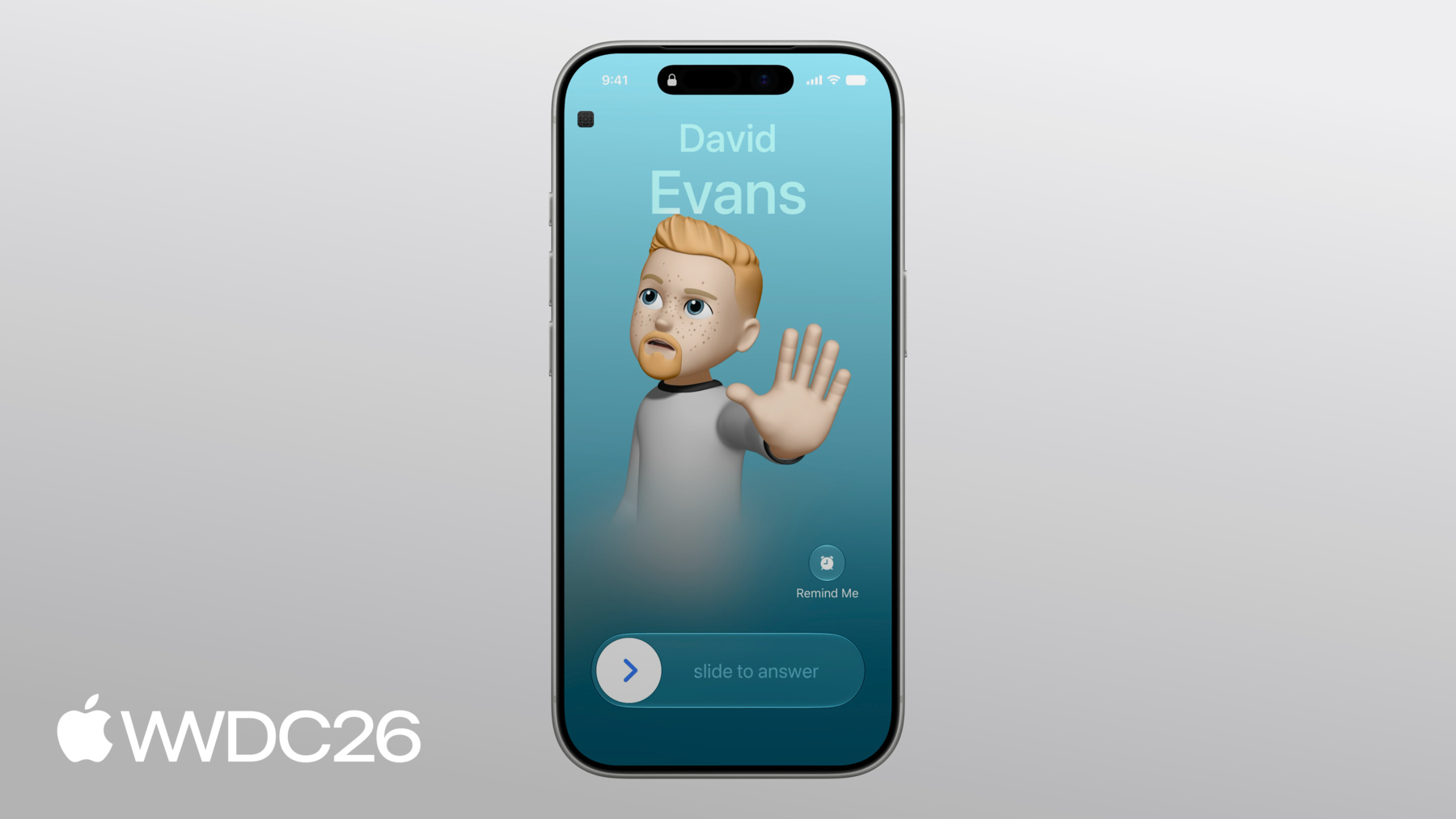
リッチでネイティブな会話UIの提供方法を紹介します。 アプリを必要な場所に シームレスに配置します。 ロック画面への フルスクリーン表示から Dynamic Islandでの シームレスなマルチタスクまで。 会話が着信した瞬間から始まります。 アプリがこのAPIを採用すると ロック画面にフルスクリーンで 会話が表示されます。 連絡先の名前や写真と 標準コントロールが表示されます。 これは電話の着信時に 表示されるものと同じです。
このAPIを採用したアプリは 同じ表示を利用できます。 会話は電話アプリの履歴にも 表示でき 連絡先の詳細にも 表示されます。 履歴では誰といつ通話したかが 表示され タップして新しい会話を 開始できます。 LiveCommunicationKitは 通信アプリを作成する現代的な方法で これらのシステム体験と 統合できます。 従来の方法を使用するアプリがある場合 CXProvider APIなどの場合は 今がLiveCommunicationKitへ 移行する良い機会です。 より柔軟で機能豊富なAPIを 提供します。 アプリのさまざまな リアルタイム会話を統合できます。 多様な種類に対応します。 まずコアコンセプトを説明します。 会話とは何か ライフサイクルの流れ アプリとシステムの 通信方法についてです。 次に会話の受信方法として プッシュ通知によるアプリの 起動から ロック画面への会話表示まで 紹介します。 続いてアプリ内から 発信会話を開始し Siriと履歴から利用できる 方法を紹介します。 そして最後に グループ会話について 参加者の管理と会話の マージ方法を説明します。 これらの仕組みを理解するために 大学時代の友人グループを 例に見ていきます。 David Ryan Andre そしてAdam 私の音声会話アプリを使って 毎年恒例の同窓旅行を 計画する様子を追います。 まずLiveCommunicationKitの 仕組みを簡単に紹介します。 今紹介したすべての体験は 1つのオブジェクトで実現されます。 それが会話です。 会話とは人々の間で行われる 1つのリアルタイムのやり取りです。 参加者がいる間だけ存在します。 全員が退出すると消えます。 会話は2つの要素で成り立ちます。 ハンドルは会話の参加者を 表します。 ケイパビリティは会話ができることを 表します。 まずハンドルから説明します。 ハンドルは人を識別します。 3つのプロパティがあります。 kind、value、display nameです。 それぞれ説明します。 kindはハンドルの識別子の種類を システムに伝えます。 電話番号、メールアドレス または汎用文字列です。 アプリが電話番号や メールアドレスで人を識別する場合 適切なkindを設定すると システムが ハンドルを保存済み連絡先と 照合できます。 システムの会話UIに 名前と写真が表示されます。 valueは識別子そのもので 電話番号、メールアドレス または汎用文字列です。 システムが連絡先の検索に 使用するものです。 履歴からリダイヤルされたとき アプリに返される値でもあります。 display nameはシステムが 表示する名前で ハンドルを連絡先と照合できない 場合に使用されます。 アプリがすでに知っている 名前を設定してください。 会話UIに常に表示する内容を 確保します。 ケイパビリティは会話ができることを システムに伝えます。 システムはこれを使って 表示するコントロールを決定し 有効にするジェスチャも 決定します。 会話UIはアプリが実際に サポートする機能のみを提供します。
システムは会話中の標準 コントロールセットを表示します。 、、 、です。 一部はアプリがオプトインした 場合のみ表示されます。 ここでは一時停止ケイパビリティが 宣言されており ボタンを長押しすると 会話が保留になります。 そのケイパビリティがない場合 長押しは何もしません。 ビデオケイパビリティは ビデオ会話であることを伝えます。 ビデオボタン自体はアプリの プロバイダ設定で有効になります。 これは後ほど説明します。 ケイパビリティは会話の ライフタイム中に変化できます。 音声からビデオへアップグレードすると アプリがケイパビリティを更新し システムが変更を即座に反映します。 会話の構成要素を理解したところで ライフサイクルを通じたシステムとの やり取りを説明します。 アプリが最初に会話を システムに報告すると 会話はアイドル状態から始まり デバイスが着信を開始します。 着信中はアプリがローカルの セットアップを開始できます。 ユーザーが応答すると アプリは状態をjoiningに設定します。 システムはUIを更新して 会話を接続中と表示します。 アプリが設定を完了して 参加の準備をする間です。 まだ音声や映像のキャプチャは 行われません。 アプリの準備が完了すると 状態をjoinedに設定し 音声と映像のキャプチャと 送信を開始します。 これで会話がライブになります。 AirPodsに切り替えたり 車のBluetoothに接続すると アプリはルート変更通知を受け取り キャプチャパイプラインを更新します。 アプリが一時停止ケイパビリティを 宣言すると システムは保留コントロールを 有効にします。 誰かが会話を保留にすると システムはアプリに 一時停止を要求します。 アプリはメディアストリームを 一時停止して新しい状態を報告します。 ユーザーが会話を再開すると システムはアプリに会話の メディアストリームの再開を要求し 変更を報告します。 会話が終了すると アプリは状態をleavingに設定します。 ここでアプリが会話を終了処理し 接続をクリーンアップします。 終了処理後にアプリは 状態をleftに設定し 会話が完全に終了します。 アプリはこれらをどのように 制御するのでしょうか。 アーキテクチャから説明します。 アプリはConversationManagerと そのデリゲートを通じて 会話ライフサイクルを制御します。 アプリはマネージャーを通じて 会話とイベントを報告します。 新しい会話をシステムに 通知するたびに 既存の会話の変更を 通知するたびに マネージャーを通じて行います。 これにより会話が ロック画面に表示されます。 Dynamic Islandにも表示され その他の場所にも表示されます。 デリゲートでアプリが システムに応答します。 会話で何かが必要になると アクションがデリゲートメソッドに届き アプリがそれを実行します。
アクションを通じて通信します。 ユーザーがシステムUIを操作すると 例えばロック画面で 会話を受け入れたり Dynamic Islandで 会話を終了したりすると システムがアクションを作成して デリゲートに送信します。 アプリ独自のUIで ボタンがタップされた場合は アプリ側でアクションを作成します。 すべてのインタラクションが システムUIからでも アプリ内からでも 同じデリゲートコールバックを 経由します。 各アクションのロジックを 置く場所は1つです。 単一のコードパスにより 状態管理の重複がなく アプリとシステムの 同期ずれも防げます。 アプリが会話を報告する前に ConversationManagerが必要です。 作成方法を説明します。 ConversationManagerの設定は システムに必要な情報をすべて伝え アプリの会話を表示・管理します。 この設定はアプリのライフタイム中 いつでも更新できます。 ここではアプリのバンドルから 着信音を提供し アイコンのPNGも提供します。 システムは両方を表示します。 システムUI全体でアプリの 会話と一緒に表示されます。 次は会話グループの制限です。 会話がまとめてマージされると グループが形成されます。 これらの値は同時に存在できる グループ数を制限し 各グループに含める 会話数も制限します。 次にアプリの会話が 電話アプリの履歴リストに 表示されるかどうかです。 (リダイヤル非対応の ワンタイムルームなど falseを渡すと除外できます) アプリがビデオをサポートするかどうか これによりシステムUIの ビデオボタンが有効になります。 アプリがサポートするハンドルタイプも 指定します。 これでアプリは ConversationManagerを作成します。 マネージャーはアプリのライフタイム 全体で必要なため 起動時すぐに作成します。 最後にアプリはマネージャーの デリゲートを設定します。 アプリのバックグラウンド移行時や デバイスのロック中も会話を継続するため AudioとVoice over IPの バックグラウンドモードに登録します。 Xcodeのapp targetの ケイパビリティで設定します。
ConversationManagerの 設定が完了したら 着信会話の流れを 最初から最後まで説明します。 Davidは今年の同窓旅行の 計画を始めたいと思い Adamと会話を開始して 行き先を相談することにしました。 Adamのデバイスはロックされていますが Davidからの会話が着信すると ロック画面に表示されます。 アプリがこれを実現する 方法を説明します。
DavidがAdamとの 会話を開始すると 彼のデバイスのアプリが 2つのフィールドを持つペイロードを作成します。 Davidの電話番号を 表すハンドルと 会話の一意の識別子です。 Davidのアプリはそのペイロードを 私のアプリのサーバーに送信し サーバーはAdamのデバイスに 転送します。 Adamのデバイスがプッシュを 受信すると アプリが起動してペイロードを デコードします。 デコードしたハンドルを使って Conversation.Updateを構築します。 このアップデートには会話の ケイパビリティも含まれます。 この場合はビデオ、 一時停止、マージです。 アプリはアップデートを使って 会話をConversationManagerに 報告し システムがUIを更新します。 PushKitは会話が着信したとき アプリを起動します。 アプリがまだ起動していない 場合です。 アプリのサーバーが Voice over IPプッシュを送信すると PushKitがアプリを起動し ペイロードをデリゲートメソッドに 即座に配信します。 メソッドが返る前に 会話を報告する必要があります。 そうしないとシステムが アプリを終了します。 Voice over IPプッシュ処理の詳細は PushKitドキュメントを確認してください。 アプリのPushKitデリゲートメソッドは こちらです。 すべての着信会話は ここを経由します。 アプリはまずペイロードから ハンドルと会話UUIDを取り出します。 デコードしたハンドルで Conversation.Updateを構築します。 会話のケイパビリティも含めて 報告します。
Adamは着信会話を確認して スワイプして応答します。 システムはUIを更新して 会話が接続中であることを表示し デリゲートを通じて JoinConversationActionを送信します。 会話に応答、保留、 マージするたびに システムはアクションとして アプリに配信します。 アプリはすべてを1か所で処理します。 perform actionデリゲート コールバックです。 ConversationManagerはアクションが 来るたびにこれを呼び出します。 内部ではswitchステートメントを使って 各アクションタイプを振り分けます。 適切なハンドラに振り分けます。 joinアクションを追ってみましょう。
joinアクションを処理するには アプリはまずConversationManagerが アクションの一意の識別子に一致する 会話を追跡しているか確認します。 一致する会話が見つからない場合は アプリはアクションを失敗させます。 次に会話が接続を開始したことを 報告し 状態がjoiningに設定されます。 アプリが接続イベントを報告すると システムがAdamのデバイスの 会話UIを更新します。
次にアプリが独自のセットアップを行い サーバーへの接続とメディアストリームの 設定を行います。 この処理は非同期のため デリゲートの応答性を維持するため Taskでラップします。 セットアップ完了後にアプリは接続を 報告してアクションを完了します。 何らかの理由でセットアップが 失敗した場合は アプリはそれに応じて アクションをマークし システムが会話をクリーンアップ できるようにします。 会話はjoinedの状態になり UIが更新されます。 いくつかの選択肢を検討した結果 今年の目的地は アイスランドに決まりました。 Adamはボタンをタップします。 タップすると同時に会話は leaving状態に移行し UIが更新されます。 システムはアプリに デリゲートを通じて EndConversationActionを送信し アプリはメディアストリームを終了して アクションを完了します。 Adamのデバイスでは 会話がシステムUIから消えます。
次に発信会話の方法を説明します。 DavidとAdamが アイスランドに決めたので Adamは宿泊場所を決めるため Ryanと会話を始めます。 今回はAdamがアプリ内から 会話を開始します。 アプリ内から会話を 開始する場合は システムに報告して 他のアプリ使用中も 会話を継続できるようにします。 startアクションを作成して 相手のデバイスを呼び出します。 次にConversationManagerの performを呼び出し デリゲートでアクションを処理します。 先ほどのjoinアクションと 同じ方法です。 アクションが処理されると 相手が応答するか アプリが未応答または 失敗を報告します。
AdamとRyanの会話を表現する 方法を説明します。 StartConversationActionを 構築します。 新しい一意の識別子と Ryanのハンドルを使って アクションをConversationManagerに 送信します。 マネージャーはまず システムUIを更新し 次にアクションを デリゲートに転送します。 ここからは先ほどのjoinアクションと 同じ方法で処理します。 会話が接続されると AdamとRyanはいくつかの 選択肢を検討し 最終的にレイキャビク近郊の キャビンに決めます。 宿泊地が決まり しばらく近況を話した後 挨拶を交わして通話を終了します。 会話が終了した後 Spotlightまたは履歴から 再ダイヤルできます。 アプリはstart callインテントを サポートすることで対応します。 このインテントはアプリのシーンに 継続して NSUserActivityとして 配信されます。 アプリの会話が履歴に保存されると Apple Intelligenceはすでに それを認識していますが アプリ独自の会話表現を 提示するには 各会話の終了時に独自のインテントを 提供してください。 アプリへのインテント統合の詳細は 「Get to know App Intents」 セッションを確認してください。
ここまではすべて1対1の 会話でした。 グループ会話では 複数の参加者が加わります。 目的地と宿泊地が決まったので Adamは旅程を計画するため DavidとRyanとグループ会話を始めます。 グループ会話は2種類の メンバーを追跡します。 membersには会話に招待された すべての人が含まれ activeRemoteMembersにはメディアが 実際に流れているメンバーのみが含まれます。 システムには両方が必要です。 membersは会話の参加者数を示し activeRemoteMembersはメディアを 実際に送信しているメンバーを示します。
グループ会話を報告する際 アプリは各参加者の ハンドルを作成し startActionを作成します。 招待されたメンバー全員を含めて 報告します。 会話が開始すると DavidとRyanが参加します。 この変更を報告するには アプリが会話のアップデートを 構築します。 AdamをlocalMemberとして指定し 新しいactiveRemoteMembershipを 宣言し 会話がサポートするケイパビリティを 列挙します。 マージとアンマージを含め 後ほど詳しく説明します。 アプリはマネージャーを通じて 会話のアップデートを報告し システムが会話を更新して 新しいメンバーシップを反映します。 Adam、David、Ryanが 旅程を計画していると Ryanは旅行日程がAndreに合うか 確認が必要だと気づきます。 そこでRyanはAndreを巻き込むため 別の会話を始めます。 2つの会話が 並行して進行します。 Adam、David、Ryanの 元のグループと RyanとAndreのサイドの会話です。 Ryanは両方の会話に参加していますが Andreとの会話のみアクティブです。 AndreとRyanが 旅行日程で合意すると 全員で集まって全体の計画を 確認したいと思います。 グループが一度切断して 新しい会話を始める代わりに アプリが2つの会話を マージできます。 アプリはマージケイパビリティを宣言し システムがマージコントロールUIを 有効にします。 Ryanがタップするとアプリが 2つの会話をマージし グループ全体がAndreを加えて 旅程の計画を完成させます。 次に会話マージのコードを 説明します。 アンマージも同じデリゲーション パターンに従うため マージハンドラを理解すれば アンマージも自然に分かります。 2つの会話がマージされると ConversationManagerがアプリの デリゲートに MergeConversationActionを 配信します。 マージアクションは2つの 一意の識別子を保持し マージされる各会話に 1つずつです。 ハンドラはこれらを使って 両方の会話のローカル表現を検索します。 どちらかが見つからない場合 (終了済みの可能性もあります) ハンドラはアクションを 即座に失敗させます。
アプリが両方の会話を 取得すると サーバー上でcombineStreamsを使って メディアストリームを結合し 更新されたメンバーシップを報告して アクションを完了します。 例外がスローされた場合は catchブロックがアクションを失敗させます。 アプリが2つの会話を マージすると システムが会話UIを更新して マージされた新しい会話を反映します。 全員が同じ会話に参加したので グループは旅程を最終確認します。 ブルーラグーンでの入浴 ゴールデンサークルへの日帰り旅行 そしていくつかの氷河ハイクです。 旅程が決まり AndreとRyanは分かれて 一緒にフライトを予約したいと考えます。 機内で隣同士に 座れるようにです。 会話がアンマージケイパビリティを サポートしているため 2人は自分たちの会話に戻り AdamとDavidが残りの 細部を詰めます。 これがLiveCommunicationKitです。 ロック画面への1件の 着信会話から グループ会話のマージまで このフレームワークはアプリに システムレベルの会話UIを提供します。 必要なあらゆる場所で: ロック画面 履歴 そしてSiriです。 次にやるべきことを紹介します。 ConversationManagerを採用し ロック画面への最初の 着信会話を報告してください。 Siriが会話を開始できるよう インテントを提供します。 一時的なトークンを安定した ハンドルに置き換えて履歴からのリダイヤルをサポートし 会話のメンバーシップを 常に更新し続けてください。 ご視聴ありがとうございます。
-
-
6:41 - Set up a conversation manager
// Set up a conversation manager import LiveCommunicationKit let configuration = ConversationManager.Configuration( ringtoneName: "SampleRingtone.caf", iconTemplateImageData: UIImage(named: "SampleIcon")?.pngData(), maximumConversationGroups: 1, maximumConversationsPerConversationGroup: 2, includesConversationInRecents: true, supportsVideo: true, supportedHandleTypes: [.phoneNumber, .emailAddress] ) let manager = ConversationManager(configuration: configuration) manager.delegate = self -
9:22 - Report the incoming conversation to the system
// Report the incoming conversation to the system import LiveCommunicationKit import PushKit final class SamplePushHandler: NSObject, PKPushRegistryDelegate { func pushRegistry( _ registry: PKPushRegistry, didReceiveIncomingVoIPPushWith payload: PKPushPayload, metadata: PKVoIPPushMetadata) async { guard let (handle, uuid) = parseConversationPayload(from: payload) else { return } let capabilities = [.video, .pausing, .merging] let update = Conversation.Update(members: [handle], capabilities: capabilities) try? await manager.reportNewIncomingConversation(uuid: uuid, update: update) } } -
9:57 - Implement the delegate
// Implement the delegate import LiveCommunicationKit final class SampleDelegate: ConversationManagerDelegate { func conversationManager( _ manager: ConversationManager, perform action: ConversationAction ) { switch action { case let action as JoinConversationAction: handleJoinAction(action) default: action.fail() } } } -
10:13 - Fulfill the join action
// Handle a failed connection extension SampleDelegate { func handleJoinAction(_ action: JoinConversationAction) { guard let conversation = manager.conversations.first(where: {$0.uuid == uuid })else { return action.fail() } manager.reportConversationEvent(.conversationStartedConnecting(.now), for: conversation) Task { do { try await setupMediaStream(with: action.conversationUUID) manager.reportConversationEvent(.conversationConnected(.now), for: conversation) action.fulfill(dateConnected: .now) } catch { action.fail() } } } } -
11:17 - Route end actions
// Route end actions final class SampleDelegate: ConversationManagerDelegate { // … func conversationManager( _ manager: ConversationManager, perform action: ConversationAction ) { switch action { case let action as JoinConversationAction: handleJoinAction(action) case let action as EndConversationAction: handleEndAction(action) default: action.fail() } } } -
12:14 - Create a start action
let startAction = StartConversationAction( conversationUUID: UUID(), handles: [Handle(type: .phoneNumber, value: "+1-650-555-0199", displayName: "Ryan Notch")], isVideo: false ) -
12:23 - Perform the action
try await manager.perform([startAction]) -
12:29 - Route start actions
// Route start actions final class SampleDelegate: ConversationManagerDelegate { // … func conversationManager( _ manager: ConversationManager, perform action: ConversationAction ) { switch action { case let action as JoinConversationAction: handleJoinAction(action) case let action as EndConversationAction: handleEndAction(action) case let action as StartConversationAction: handleStartAction(action) default: action.fail() } } } -
13:51 - Start group conversations
// Start group conversations let adam = Handle(type: .emailAddress, value: "adam.halwani@icloud.com", displayName: "Adam Halwani") let david = Handle(type: .emailAddress, value: "david@example.com", displayName: "David Evans") let ryan = Handle(type: .phoneNumber, value: "+16505550199", displayName: "Ryan Notch") let startAction = StartConversationAction( conversationUUID: UUID(), handles: [david, ryan], isVideo: false ) try await manager.perform([startAction]) -
14:01 - Report group membership updates
// Report group membership updates let update = Conversation.Update( localMember: adam, members: [david, ryan], activeRemoteMembers: [david, ryan], capabilities: [.merging, .pausing, .unmerging] ) manager.reportConversationEvent( .conversationUpdated(update), for: conversation ) -
15:26 - Route merge actions
// Route merge actions final class SampleDelegate: ConversationManagerDelegate { func conversationManager( _ manager: ConversationManager, perform action: ConversationAction ) { switch action { case let action as JoinConversationAction: handleJoinAction(action) case let action as EndConversationAction: handleEndAction(action) case let action as StartConversationAction: handleStartAction(action) case let action as MergeConversationAction: handleMergeAction(action) default: action.fail() } } } -
15:33 - Handle the merge action
// Handle the merge action

extension SampleDelegate {
  func handleMergeAction(_ action: MergeConversationAction) {
    let sourceUUID = action.conversationUUID
    let targetUUID = action.conversationUUIDToMergeWith
    guard manager.conversations.contains(where: { $0.uuid == sourceUUID }),
          manager.conversations.contains(where: { $0.uuid == targetUUID }) else {
      return action.fail()
    }

    Task {
      do {
        let update = try await combineStreams(from: sourceUUID, into: targetUUID)
        manager.reportConversationEvent(.conversationUpdated(update), for: target)
        action.fulfill()
      } catch {
        action.fail()
      }
    }
  }
}
-