

-
visionOSアプリと空間Web向けのイマーシブ環境のデザイン
アプリ、Webサイト、SharePlayで利用できる、写真のようにリアルなvisionOS環境を構築する方法を紹介します。真にイマーシブな環境を作るためのデザイン原則、参照用素材の作成/キャプチャ、高精細のCGアセットの作成、モーションや照明などのリアルタイムエフェクトの適用について学ぶことができます。
関連する章
- 0:00 - はじめに
- 1:17 - プリプロダクション
- 5:07 - プロダクション
- 8:41 - ポストプロダクション
- 15:07 - 次のステップ
リソース
-
このビデオを検索
こんにちは Michael Breymannです Appleの ヒューマンインターフェイスデザイナーです visionOSのシステム環境を 担当しています。
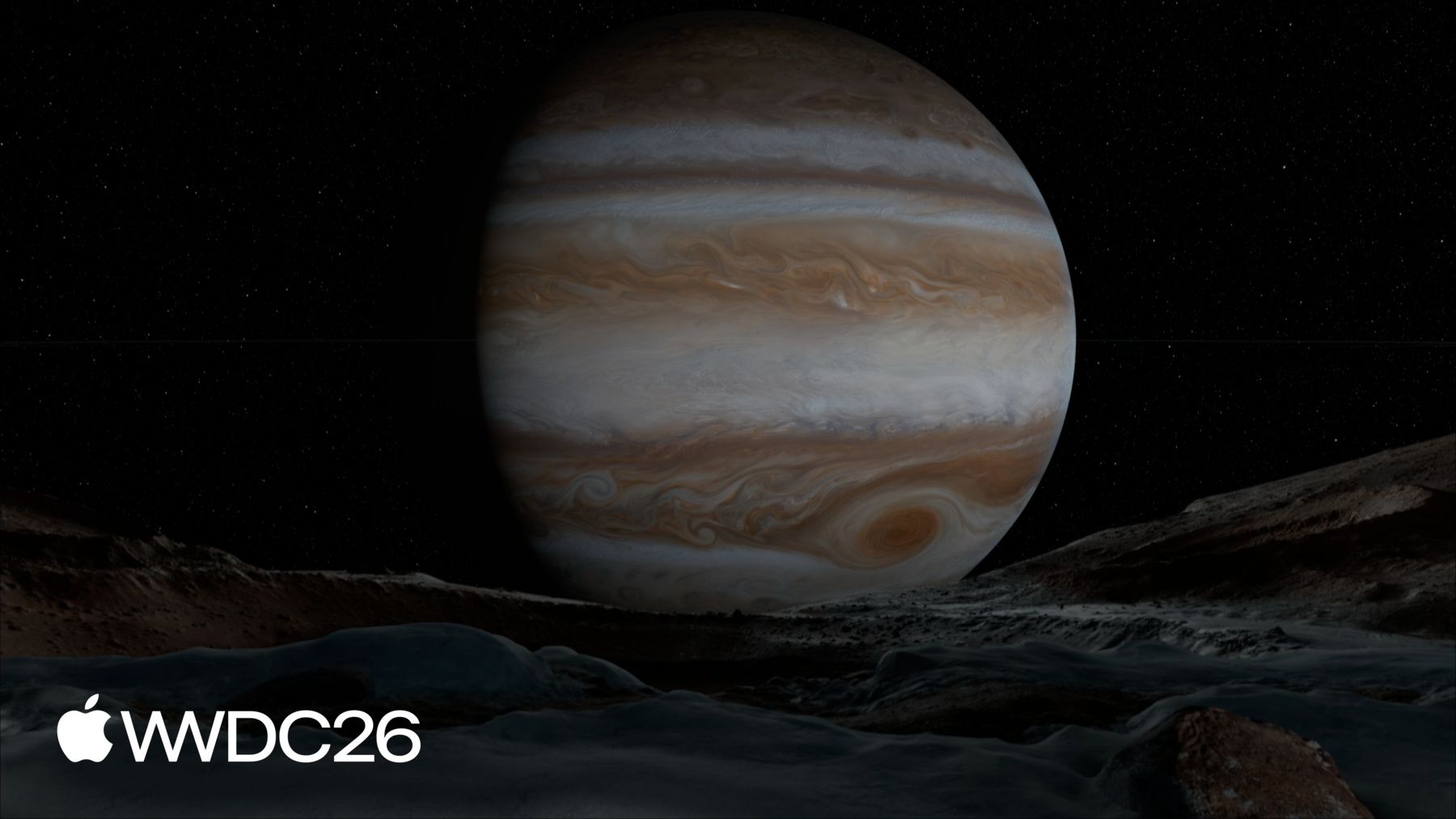
visionOSのシステム環境は 単なる背景以上のものです。 空間コンピューティング向けに 設計されたリアルな自然の風景で 異なる時代と場所へと 連れていってくれます。 Haleakalaでは雲の上から 息を呑むパノラマビューが広がります。 フラットなメディアや パノラマ画像とは異なり 視点の変化に 反応しないものとは違い この環境では真の奥行きと パララックスが得られ 現実世界と同じ体験を 提供します。 モーションとオーディオを組み合わせると シーンに生命が宿り 視聴者はその空間に没入します。 このセッションでは デザインプロセスの各段階を 紹介します 独自のイマーシブ環境を 作るための プリプロダクション プロダクション ポストプロダクションです。 各段階の原則と概念を お伝えします 魅力的なイマーシブ体験を 作るために必要なものです visionOSのシステム環境から 6つの事例を交えて紹介します Mount Hood Moon Jupiter Yosemite Thorsmork Bora Boraです。
プリプロダクションを 始めましょう。 チームが新しい環境に 着手するとき まず意図に関する いくつかの問いを明確にします。 なぜこの環境を 構築するのか? どのような特性を 表現したいのか? 視聴者はこの空間を どのように使うのか? これらはすべてプロジェクトにおいて 自問すべき重要な問いです。 例えば チームがシステム環境の ユースケースを検討し始めたとき 大画面でのメディア視聴が 特に魅力的でした。 メディア体験を 映画のように感じさせたく 大画面に合わせて 地形を形作り 最適な視聴センターラインを 研究しました。 Keynoteの環境は 別の目的で構築されました 人々がパブリックスピーキングを 練習できる空間を提供するためです まるで実際の舞台に 立っているかのように。 ここでは集中を保つために 意図的に音がなく 照明はステージに 集中しています 実際に聴衆の前で 発表しているかのようです。 アプリのコンテンツの背景として 環境を使いたいかもしれません またはWebからの体験を 紹介するためにも。 何を設計していても このアイデア創出フェーズは 環境構築の重要な部分です 早期にこれらの問いに答えることで 後のプロダクションで 時間と費用を節約できます。 Mount Hoodのように実在する 環境を設計する場合 事前にロケーションを 下見することが非常に役立ちます。 シーン内でのメインの視点として 視聴者をどこに配置するかを検討し 振り向いたときに 何が見えるかも考慮します。 visionOSでは 視聴者は視野内で シーンの約81°を視認します フルイマーシブな時にです。 ロケーションの下見は 環境で見せたくない 要素を知るためにも役立ちます。 上部のパノラマ画像は Mount Hoodの撮影場所を示しています。 道路と密な植生に注目してください カメラが背面に回り込んでいます。 チームはプロダクション段階で これらを差し替え対象に指定しました。 下部のパノラマ画像は チームが変更を加えた後の結果です。 もちろん 作りたい環境が 現実世界では 簡単にアクセスできない場合もあります。 例えばMoonの環境を 制作したとき Apolloミッションの写真を参考に シーンをイメージしました。 写真や映像などの 参考資料は このような環境を 構築する際に不可欠です。 既存の仮定を確認したり 相違点を解消できます。 参考資料を活用して 地球上の場所をより深く 理解することもできます。 例えばチームは照明研究を行い Yosemiteの数値標高モデルと 地球の軌道を使って 撮影したい正確な日時を 決定しました。 ゼロから環境を構築する場合でも 実在の場所を使う場合でも 次のステップに向けて いくつかの点を心がけてください プロダクションの次の段階を 計画する際に。 環境をレイヤで イメージしてみてください 背景から前景へと 構築していきます。 モーションが必要な シーン要素を特定し 付加できる空間オーディオを 考え始めてください。 これにより問題を 事前に把握でき アセット作成の妨げになる 可能性を防げます。 最後にひとつ! プリプロダクション中に 計画をより良くするための 発見をすることがよくあります。 例えばJupiterの環境では 太陽系の縮尺モデルを構築し 太陽がJupiterの衛星を どのように照らすかを確認しました。 このプロセスの中で 時間の経過を可能にする システムが必要だと気づきました これが最終的な環境の 重要なデザイン要件となりました。
まとめると 環境の プリプロダクションを始める際は 意図を明確にしてください。 実際の場所を訪れて シーンの下見をし 参考資料を収集します。 環境の構成と レイヤを検討し 削除や変更が必要な 要素を考えます。 プリプロダクションで得た すべてのリソースを活用して イテレーションを通じて アイデアを洗練させます。 しっかりとした計画があると 環境構築へのアプローチが 明確になります これが次のフェーズ プロダクションへの準備となります。
複雑な3Dシーンの 構築には時間がかかります。 自分自身と一緒に作業する人の 負担を軽減できます 撮影現場で高品質な 写真を撮影することで。 Yosemiteの環境は その良い例です。 チームの事前ロケハン中に 希望する正確な視点を 特定しました。 ここではYosemite Valleyの中に 中景へとクリアに見渡せる場所に配置します。 このようなフレーミングは 環境に最適です。 CG要素で前景に ディテールを追加できますが 視界を遮るものを 取り除くのははるかに難しいです。 プロダクションに移る準備ができたとき 機材を持って この谷のスポットに戻りました 非常に詳細な 撮影スケジュールとともに。 季節や天候 時間帯によっても 撮影できる内容が大きく変わります Yosemiteの環境でも それは確かに当てはまりました。 照明は特に日の出と日の入り前後で 急激に変わります。 ロケーションに長く滞在する計画を立て より多くの写真を撮影してください 必要だと思う量より多く。 撮影したすべての画像は 後で環境の3Dアセット作成に 活用できます 直接使用できるソース画像を 撮影することが重要です。 いくつかのヒントを紹介します カメラを地面から1メートルの 水平な三脚で使用し 十分な被写界深度を 確保してください。 可能であれば地面から2メートルの位置に もう1台カメラを設置し同時に撮影します。 このサブカメラはポストプロダクションで 特に役立ちます メインビューからは見えない シーン部分を補完するためです。 360°環境を作ることを 忘れずに 全方向をカバーするリグと レンズが必要です 最終的にスティッチされた パノラマを生成します。 環境のダイナミックレンジは 非常に大きくなります 太陽から影まで すべてのディテールを確実に捉えるために ブラケット撮影してください。 ターゲットの出力ディスプレイを把握し 必要だと思う以上の 解像度で撮影します。 visionOSの環境は1度あたり 40ピクセルでシャープに表示されます 14,400×7,200ピクセルの 360°パノラマが理想的なターゲットです。 メイン撮影に加えて ロケーションで参考や 計測用のサブ撮影も行うと良いでしょう 参考と計測のために。 フォトグラメトリとLiDARで 生成されたポイントクラウドは メッシュ化して3Dアセットの 出発点として使用できます 距離計測にも 役立ちます。 例えば発見することがあります 一見フラットに見える地形が 実は傾斜していることを。 その知識を踏まえて 3Dアセットの構築方法について 異なる選択をするかもしれません。 照明のリファレンスは特に役立ちます CGアセットを環境に シームレスに統合する際に。 Macbethチャート クロームおよび グレーのスフィアを メイン撮影と同時に 撮影してください。
動きのあるシーン要素の映像も 非常に貴重なリファレンスになります 信頼感のあるシェーダー効果を 作成する際に。 動きに関連する音があれば それに注目してください 適切なオーディオを 調達できるよう。 写真撮影でパノラマを 捉えることが難しい場合 レンダリングパノラマを 作成する必要があります お好みのデジタルコンテンツ 制作ツールを使って。 レンダリングパノラマを 作成する利点は 任意の時点でシーン全体を 完全にコントロールできることです。 プロダクションは自分自身と 環境を成功へと導きます。 慎重な準備によって 最高の写真を撮影できます 次のプロセスの段階に向けて。 高品質な画像は自分または テクニカルアーティストに 貴重なデータを 提供します。 サブ撮影と 参考資料は シーンに関する追加情報を提供し 3D作業を容易にします。 最後に これは 一律のプロセスではありません。 リソースが限られた 小規模なチームでも このベストプラクティスを念頭に置いて プロダクションを適応させられます。
プロダクションフェーズの後 高解像度のソースパノラマを 作成するための素材が揃います。 これと参考コンテンツがあれば 3Dアセットの デザインを開始できます。 最初のステップは? クリーンアップです。 Thorsmork環境のメイン撮影を 見てみましょう チームがこのパノラマの クリーンアップをどう進めたかを。 ここでは明らかな問題が いくつかあります 最終的な環境には 含めたくないもの。 カメラリグなど。
また足跡や人物も 風景の邪魔になります。
しかしクリーンアッププロセスは プリプロダクションでのメモが役立つ場面でもあります。 いくつかのシーン要素を 見てみましょう 理想的な構図を 妨げているものです。 例えばここ 中景の植生が 煩雑すぎます。
これらの茂みは フレーム内で目立ちすぎます。 削除したい重要な要素を特定したら チームが作業を進めて 画像を洗練させます デジタルマットペインティングと CGアセットレンダリングの繰り返しで。 このプロセス全体を通じて カラーバランスと照明の一貫性に 注意を払うことが重要です。 ポストプロダクションでは 環境の見た目について 多くのクリエイティブな決断をします しかしこの段階には もう1つ重要な側面があります。 最終アセットを準備する際の ビジュアルの忠実度の維持です。 パララックスと奥行き感を出すために 3Dメッシュが必要なので 洗練されたパノラマを UV空間のテクスチャに転写します。 パノラマで見えないシーン部分は 補完する必要があります。 ここでサブ撮影とCGレンダリングが メインビューを補完します。 このプロセス中 3DアセットとパノラマのA/B比較を 常に行うことが役立ちます テクスチャ転写が最高品質を 維持しているか確認するために。 シーンのすべての要素が 一貫したシャープさを持つことを確認し 隣接するものと比較して 適切なスケール感を伝えます。 シーンを左右反転させて 新鮮な目で見てみてください。 ポストプロダクションのこの時点では 同じものを見続けて 目が慣れすぎている可能性があります このトリックで構図が まだ機能しているか確認できます。 極端なガンマとゲイン値で 環境を検証することもできます。 このテクニックでカラーと 値の不整合を見つけられます テクスチャ転写中のデータ損失も 明らかになります 異なるディスプレイで表示した際に より顕著になる可能性があります。 ポストプロダクションの多くの側面は クリエイティブな選択を伴いますが このフェーズを支える 技術的なアーティストリーも多くあります。 環境をリアルタイムでレンダリングするために 必要なことを詳しく学ぶには 「Optimize your custom environments for visionOS」をご覧ください。 テクスチャ付きメッシュが完成したら 環境のビジュアルベースが 完成します ただしイマーシブ感を完成させるには さらに2つの要素が必要です。 サウンドとモーションです。 サウンドはイマーシブ感を生み出すために 非常に効果的です 空間オーディオソースを配置して その効果をさらに高められます。 例えばこの環境では さざ波の水音が付いた エミッタが 大きな岩の周りを水が流れる 川の部分に配置されています。 空間オーディオの 設計と実装は それ自体が大きなトピックです。 ぜひこの2つの優れたセッションを チェックしてください サウンドがイマーシブ感を どのように高めるかを学ぶために 環境における。 川といえば 動きも必要です! 環境内でモーションが必要な あらゆる部分に カスタムシェーダーで 最良のビジュアルを実現でき 電力効率も 維持できます。 Thorsmorkは亜寒帯の 風景ですが ここで設計すべき モーション要素はあまりありません。 南に移動してフランス領ポリネシアの Bora Boraへ行きましょう 動きに富んだ環境です。 Bora Boraのような風景には 複雑なモーションと光の相互作用が多くあります。 時間の経過を早めて より明確に見てみましょう。 最初は静止しているように見える 雲が 実際には進化しており 環境全体に影を落としています。 ヤシの木は風に揺れ 波は海岸に打ち寄せるたびに 少しずつ異なる形で砕けます。 これらのディテールが 環境にリアリズムを加えます。 しかしモーションと光は レンダリングコストが最も高いものの一つです。 Bora Boraのようなシーンでは チームはビジュアルの意図を どう実現するかを創造的に考える必要がありました リアルタイムレンダリングの 予算を超えずに。 使用したいくつかの テクニックを紹介します 環境でどう活用できるかを 説明します。 まず空から始めましょう シーンの大きな部分です。 雲が 方向感を持って継続的に 進化しているように感じさせたいと思いました。 UVフローマップで 少ないコストでこれを実現しました。 空の異なる部分でフロー速度を 重み付けすることで 奥行きとスケール感のある 広大さを感じさせます。 雲の影は想定されるような レンダリングライトではなく 地形テクスチャを暗くする スクロールマスクで実現します。 上の雲の方向と速度が 合わせられているので 実際はつながっていなくても つながっているように感じます。 リアルタイム速度に 戻りましょう 環境の別の部分を 見てみましょう。 ここヤシの木の下では より密度が高く明確に定義された影が フリップブックテクスチャに事前レンダリングされ 地形テクスチャを 暗くします。 このようにして ソフトシャドウを レンダリングするコストを 信頼性の高い近似と 交換できます。 直感に反しますが 多くの場合 少ない方が豊かです。 複雑なシェーディング作業を 事前計算されたデータテクスチャにオフロードすることで モーションを生み出せます そうでなければリアルタイムでは コストが高すぎるものを。 例えばこれらのヤシの葉は メッシュの複雑さが大幅に削減されています。 風のモーションはUVフローマップから 最終的な効果を生み出します。 幹と葉が小葉よりも より穏やかに揺れていることにも注目してください。 これは階層的な頂点アニメーションと レイヤ化されたサイン波で実現しています。 低周波と高周波の モーションを重ねることで 繰り返しのない バリエーションを生み出せます。 実際 多くの高コストな レンダリングを削減できます テクスチャの巧みなレイヤリングと コンポジット操作で。 例えば水は 時間とともに色相 彩度 明度を変化させることができ 太陽光のサブサーフェス スキャタリングをシミュレートします。 波はノーマルマップと スクロールテクスチャのレイヤで動かせます。 これらの効果の総和は 部分の和より大きくなります。 これらの効果すべてを連動させて 同じ世界に存在するように感じさせるには アーティストリーと クリエイティブなディレクションが必要です。 シェーダーに適切な機能と コントロールを開発するためには ビジュアルリファレンスが 優れたリソースとなります 構築すべきものを 明確にするために。 まとめましょう。 ポストプロダクションでは すべての計画 参考資料 写真を活用して 環境に命を吹き込みます。 パノラマをクリーンアップし 3Dでシーンを洗練させて 要素が正しく感じられるようにし サウンドやモーションなどの 補助的なディテールを加えて没入感を完成させます。 イマーシブ環境のデザインは 説得力のある結果を生み出すことです 本物のように感じられる 幻想を提示することです。 それはあなたがコントロールしています プロダクションの各段階で クリエイティブな決断の メリットを確認したいでしょう。
最後に 環境のデザインを始める際に これらのことを心がけてください。 すべての行動に 意図を持ってください。 追加または削除するすべてのものの 理由を説明できるべきです。 機能する構図を 作ってください。 すべてのシーン要素が その場所に属しているように感じられるべきです。 シーンのすべての側面は サウンドとモーションで結びつけるべきです。 良いデザインは 技術と実行を強化し 個人 小規模チーム 大きなスタジオを問わず適用されます。 最後の考えを お伝えします。 デザインが機能しているかを知る 最善の方法は 壊してみることです。 一つのアイデアに こだわりすぎないでください。 予期しないことをして 結果を受け入れてください。 最高の作品は 予期しない驚きから生まれます その道中で受け入れたものから。
-