

-
HealthKitのワークアウトゾーンによるワークアウトのインサイトの提供
HealthKitを利用すると、心拍数やサイクリングのパワーゾーンなど、ワークアウトに関するインサイトをアプリ内で簡単に提供できます。組み込みのパーソナライズされたゾーンを活用したり、カスタムのゾーンを作成したりする方法を学びましょう。現在のゾーンと各ゾーンで費やした時間のデータを活用し、ワークアウト中および終了後に有意義なガイダンスを提供する方法も解説します。
関連する章
- 0:01 - はじめに
- 2:17 - ワークアウトゾーンへのアクセス
- 6:19 - ゾーンのライブアップデート
- 8:11 - 推奨ゾーン
- 9:00 - カスタムゾーン
リソース
-
このビデオを検索
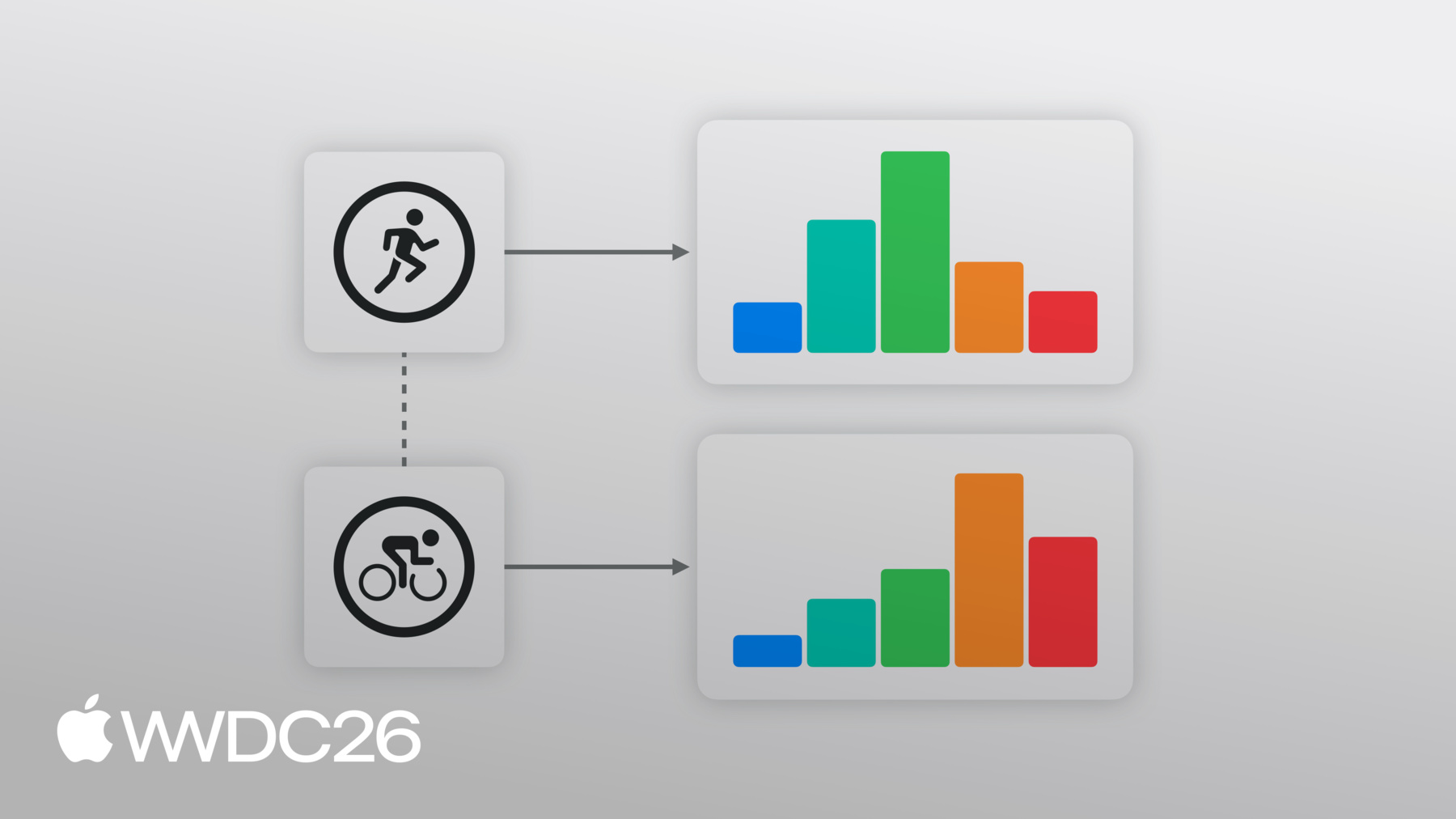
こんにちは! 私はSethといい、HealthKitチームの エンジニアです。 App Storeには、計画を立て、 目標を追跡・可視化するための 健康・フィットネスアプリが多数あります。 ユーザーがアプリにアクセス許可を与えると、 あなたのアプリは HealthKitの一元化された 安全なデータベースと 強力なAPIを活用して ワークアウトを作成し、 健康データにアクセスできます。 ワークアウトゾーンは健康データを活用し、 特定の強度レベルで費やした時間を 追跡することでスマートなトレーニングを支援します。 心拍数ゾーンは、個人に合わせた トレーニングリソースです。 年齢と安静時心拍数を 考慮して計算されます。 一般的に、ワークアウト中の努力レベルを 追跡するために5つの心拍数ゾーンが使用されます。 1分間に135拍のような 各心拍数サンプルは、 ゾーン3のような特定のゾーンの 境界に収まります。 これが強度レベルを示しています。
これらの範囲は、ランニング、サイクリング、 高強度インターバルトレーニング、 ローイングなどの活動における 運動レベルの計画・追跡のガイドになります。
同様に、サイクリングパワーゾーンは、 サイクリング愛好家がワット単位の パワー出力を測定するのに役立ちます。 個人化された機能的閾値パワーに 基づいています。
iOS 27とwatchOS 27では、 心拍数とサイクリングパワーゾーンのサポートが HealthKitに統合されました。
私はワークアウトセッションを作成し、 追跡・サマリーを提供できる サンプルアプリを持っています。 このセッションを通じて、 このサンプルアプリをガイドに使って ワークアウトゾーンをアプリに 組み込む方法をご紹介します。 このセッションでは、サンプルアプリへの 心拍数ゾーンサポートの追加をデモします。 アプリにサイクリングパワーゾーンを 採用する場合、 同様の構造であることが わかるでしょう。 このセッションでは次の内容を説明します: 完了したワークアウトから ゾーンデータにアクセスする方法、 ワークアウトセッション中のライブな ゾーン変更更新を登録する方法、 ユーザーの優先ゾーン設定に アクセスする方法、 そして、アプリ内のワークアウトに カスタムゾーン設定を提供する方法。 ワークアウトゾーンは、心拍数サンプルのような 生データを、 実践的なトレーニングガイダンスに 変換します。 多くのワークアウトプランには、 各ワークアウトの強度目標があります。 持久力トレーニングでは、特定の閾値以下に 留まりたいと思うかもしれません。 一方、インターバルトレーニングでは 特定のレベルに達するか、 それを一定時間維持することが 求められます。
ゾーンは回復と負荷バランスにも 役立ちます。 例えば、ゾーン4やゾーン5のような 高いゾーンで 大部分を過ごしたワークアウトは 激しい運動を示します。 この情報を使って、 ガイダンスを提供したり ワークアウトの強度を分類したりできます。
ワークアウトゾーンがHealthKitに 統合されたことで、 ユーザーは心拍数と サイクリングパワーゾーン情報を あなたのアプリと直接共有できます。 各ゾーンでの時間は、 HealthKitによって自動的に計算されます。 ワークアウト中に入ってくる サンプルに基づいています。
ワークアウトゾーンは、 他のHealthKitデータタイプと 同様の認証フローに従います。 ワークアウトゾーンデータにアクセスする前に、 関連する数量タイプの HealthKit認証をリクエストしてください。 この場合、ワークアウト、 心拍数、サイクリングパワーです。
HealthKitの完了したワークアウトから 心拍数ゾーンを 取得する方法を見てみましょう。
私のアプリは現在ライブワークアウトを追跡し、 ワークアウト終了後に サマリーを表示します。 ユーザーが強度と努力を 可視化できるように、 完了したワークアウトの 各心拍数ゾーンで費やした 合計時間を表示したいと思います。 HealthKit APIを使って、 アプリのサマリービューで各心拍数ゾーンの 時間をグラフ化できます。 ワークアウト後にゾーンデータを取得するには、 zoneGroupsByType辞書に アクセスします。 HKWorkoutまたは 個別のHKWorkoutActivityで、 適切なHKQuantityTypeを渡します。 ここでは心拍数ゾーンが必要なので、 心拍数の数量タイプを 指定します。 iOS 27とwatchOS 27では、 HealthKitは心拍数と サイクリングパワーのワークアウトゾーンをサポートし、 同様の構造を持っています。 サイクリングパワーゾーンを受け取るには、 関連する数量タイプを更新するだけです。
心拍数ゾーンが利用可能な場合、 HKWorkoutZoneGroup構造体が 返されます。 これに何が含まれているか 見てみましょう。 HKWorkoutZoneGroupには 2つのプロパティがあります。 Configurationと ゾーン継続時間の配列です。 HKWorkoutZoneConfigurationは、 ゾーンのセットとその作成方法を 記述します。 ゾーンのHKQuantityTypeが 含まれています。 この場合は心拍数です。 sourceは ワークアウトゾーンの閾値が どのように設定されたかを示す列挙型です。 システムによって 自動的に作成されたか、 ユーザーが設定で 手動で設定したか、 またはワークアウト時にアプリが カスタムで提供したかを示します。 sourceについては、 セッションの後半で詳しく説明します。
Configurationには、ゾーンの境界順に 並べられたゾーンの配列も含まれています。 各ゾーンには、インデックスと 最小・最大のHKQuantityがあります。 最初のゾーンには下限がなく、 最後のゾーンには上限がありません。 これにより値の全範囲が 常にカバーされます。 ゾーンは連続して重複しないことが 保証されています。
HKWorkoutZoneGroupには ゾーン継続時間の配列も含まれています。
これは配列で、 各要素にはゾーンと 各ゾーンで費やした時間が含まれ、 ゾーンの閾値順に並んでいます。
これらのゾーン継続時間を使って アプリのグラフを作成できます。
ユーザーがアプリで ワークアウトを終了すると、 各心拍数ゾーンで費やした時間を グラフ化できます。
ワークアウトゾーンはHKWorkoutと HKWorkoutActivityで利用できます。 つまり、あなたのアプリは ワークアウト全体のゾーンを 一度に表示できます。 または、マルチスポーツワークアウトの場合は 個別のアクティビティごとに分けられます。
一部のワークアウトプランでは、特定のゾーン内に 留まるか、それ以下を維持することが求められます。 このような場合、アプリが現在の心拍数ゾーンを 表示できれば理想的です。 そして、変化があった場合に通知し、 ユーザーが強度レベルを 調整できるようにして、 目標ゾーン内に留まれるようにします。 ライブワークアウトゾーンの更新を使って アプリでゾーン変更を処理できます。
ライブワークアウト中、HealthKitは 入ってくる心拍数サンプルを受け取ります。 HealthKitは各心拍数サンプルを処理して 心拍数ゾーンを特定します。 ゾーン2からゾーン3への変化のような 変更があると、 HealthKitはサンプルが処理される際に あなたのアプリに通知を送ります。
HKLiveWorkoutBuilderDelegate は ライブワークアウトに関する更新を 受け取るためにアプリが使用するプロトコルです。 ワークアウトはHealthKitで追跡されます。 重要なことが起きると、 新しいアクティビティの開始や 追跡中のデータタイプの更新などが、 HealthKitから デリゲートに渡されます。 そして、アプリ内で変更を行えます。 例えばUIの更新など。 心拍数ゾーンの変化を処理するために、 didUpdateWorkoutZoneメソッドを 使います。 各更新には、現在のゾーンと 前のゾーンが含まれます。 更新は、ゾーン2からゾーン3への変化のように、 現在のゾーンが変わった時だけ送信されます。 また、ゾーングループも含まれます。 ゾーングループには、全体のゾーン設定と 各ゾーンの現在の合計時間が含まれます。 最後に、処理された最後のサンプルの タイムスタンプが含まれます。 これは現在のゾーンでの経過時間を 表示するタイマーに役立ちます。 デリゲートがゾーン更新を処理したら、 アプリ内で変更を行い、 新しい現在のゾーンをハイライトします。
これをアプリに採用して、 ワークアウト内でゾーン変更を処理します。
私のアプリでは、 ユーザーの現在のゾーンを ハイライトして、 現在のゾーンが変わった場合に 通知できるようになりました。
デフォルトでは、HealthKitは 優先ワークアウトゾーン閾値を使用します。 これはHealth設定で設定されます。 優先ゾーンでは、 ユーザーはアプリやデバイス間で 一貫したエクスペリエンスを得られます。 これらのゾーンはHealthKitを通じて デバイス間で同期されます。
優先ゾーンには システムが計算したものが含まれます。 これらのゾーンは、利用可能な場合、 ユーザー指標に基づいて定期的に計算されます。 例えば、心拍数ゾーンは 自動的に計算されます。 ユーザーの年齢や安静時心拍数などの 要素に基づいています。
優先ゾーンはHealth設定で 手動でも設定できます。 ゾーンワークアウトを開始する前に、 ユーザーに優先ゾーン設定が 設定されていることを確認してください。 優先ゾーン設定を照会するには、 HKHealthStoreまたは HKWorkoutBuilderで行います。 カスタムゾーンが適切な選択です。 アプリが特定のゾーン定義を持つ場合、 Health設定のゾーン設定とは 異なる場合です。 例えば、独自のゾーンモデルを持つ トレーニングプラットフォームなど。 これらの2つの概念をアプリで活用して、 カスタムの心拍数ゾーンセットを 提供できます。 直接設定されていない場合に。
まず、優先heartRate zoneConfigurationが 設定されているか確認します。 設定されていない場合は、 ゾーン閾値の配列と 関連するHKUnitを使って HKQuantityゾーン境界の配列を作成できます。
境界とheartRate quantityTypeを使って、 デフォルトのHKWorkoutZoneConfigurationを 作成できます。 ゾーン境界の単位は一致していなければなりません。 そして、ゾーン設定の数量タイプと 互換性がある必要があります。 HealthKitは指定された境界に基づいて ゾーンを作成します。 最初のゾーンは0から始まり、 最後は無制限です。 3〜9個のゾーンが必要です。
次に、カスタム設定を HKWorkoutBuilderに提供します。 カスタムゾーンはビルダーに 追加する必要があります。 アプリでbeginCollectionを 呼び出す前に。 カスタムゾーン設定を使用する際に 注意すべき点がいくつかあります。 カスタムゾーン設定を使用する際に。 カスタムゾーン設定は ワークアウトのコンテキスト内のみに保存されます。 アプリはカスタムゾーン設定の 保存と 同期の責任を持ちます。 必要な場合は。
ワークアウトゾーン設定には さまざまな閾値と ゾーン数が含まれます。 これはサイクリングパワーゾーンでよく見られます。 例えば、システムのデフォルトは 6ゾーンですが、 トレーニングアプリによっては5ゾーンや 7〜8ゾーンを使用します。 アプリが異なるゾーン数で 努力を比較する場合には これを念頭に置くことが重要です。
アプリが複数のワークアウト間で ゾーン内時間を比較する場合、 ゾーン数が異なると、 このゾーン情報を 直接比較することはできません。 例えば、5ゾーンワークアウトのゾーン3と 7ゾーンワークアウトのゾーン3では 異なる値を反映する場合があります。 各ゾーンは異なる値の範囲を 表しています。
代わりに、ゾーンを正規化してください。 各ワークアウトのゾーン数と 境界に基づいて。 これを行うには、ワークアウトの 元のサンプルを取得し、 アプリに適したバケット数に 並べ替えます。 この場合は7つです!
ワークアウトゾーンにより、より豊かで 実践的なフィットネスアプリが実現します。 ワークアウト後のサマリー画面を作成する場合も、 ライブコーチングエクスペリエンスや 長期トレーニングダッシュボードでも、 HealthKitはアプリがこのデータに アクセスするための簡単なインターフェースを提供します。
始めるには。 アプリにワークアウトゾーンAPIを採用してください。 提供されているサンプルアプリを ガイドとして使用できます。 アプリでゾーンデータをチャートや グラフで表示して、 ユーザーがワークアウトの努力を 可視化できるようにしましょう。 ライブゾーン変更を処理して ユーザーに情報を提供し、 ワークアウト全体を通じて 強度レベルが調整される際に。
あなたのアプリを使って フィットネス目標を追求するのが大好きです。 デベロッパーコミュニティの一員として ありがとうございます。 人々が自分の健康を 管理できるよう力を与えてください。 ご視聴ありがとうございました。
-
-
3:54 - Reading Heart Rate Zones from a completed workout
// Read heart rate zones from the completed workout if let heartRateZoneGroup = workout.zoneGroupsByType?[HKQuantityType(.heartRate)] { let zones = ZoneDisplayData( zoneCount: heartRateZoneGroup.configuration.zones.count, currentZoneIndex: nil, durations: heartRateZoneGroup.zoneDurations.map(\.duration) ) -
7:57 - Handling Live Zone Updates
func workoutBuilder(_ workoutBuilder: HKLiveWorkoutBuilder, didUpdateWorkoutZone zoneUpdate: HKLiveWorkoutZoneUpdate) { guard let zoneGroup = zoneUpdate.zoneGroup else { return } if let currentIndex = zoneUpdate.currentZoneDuration?.zone.index { let data = ZoneDisplayData( zoneCount: zoneGroup.configuration.zones.count, currentZoneIndex: currentIndex, durations: zoneGroup.zoneDurations.map(\.duration) ) Task { @MainActor in self.heartRateZones = data } } } -
9:19 - Check if Preferred Zone has been set
if try await builder.zoneConfiguration(for: HKQuantityType(.heartRate)) == nil { -
9:24 - Create Zone Boundaries
let defaultHeartRateZoneThresholds = [91.0, 114.0, 136.0, 158.0] let bpmUnit = HKUnit.count().unitDivided(by: HKUnit.minute()) let boundaries = defaultHeartRateZoneThresholds.map( {HKQuantity(unit: bpmUnit, doubleValue:$0)} ) -
9:33 - Create Default Workout Zone Configuration
let heartRate = HKQuantityType(.heartRate) let defaultConfiguration = try HKWorkoutZoneConfiguration(quantityType: heartRate, zoneBoundaries: boundaries) -
9:58 - Set Custom Zone Configuration
try await builder.setCustomZoneConfiguration(defaultConfiguration, for: heartRate) } -
10:03 - Begin Data Collection
// Begin data collection let startDate = Date() try await builder.beginCollection(at: startDate)
-