

-
ライブアクティビティの基本
ライブアクティビティを活用してアプリの利用体験を向上させましょう。ライブアクティビティを表示できる場所は多数ありますが、Dynamic Islandの新しいスタイルとして、iPhoneを横向きで使用する際にさらに多くの情報を表示するスタイルが追加されました。ActivityKitとプッシュ通知を使用して、スペースごとのライブアクティビティの調整、コンテンツとデータの構造化、プロセス全体を通じたリアルタイムのアップデートを行う方法を紹介します。
関連する章
リソース
- Human Interface Guidelines: Live Activities
- Starting and updating Live Activities with ActivityKit push notifications
- ActivityKit
関連ビデオ
WWDC24
WWDC23
-
このビデオを検索
こんにちは Adiです System Experienceエンジニアです。
本日はライブアクティビティを構築するための 基本事項を説明します。 あらゆる画面で より魅力的にする方法もご紹介します。 まずライブアクティビティが提供する エクスペリエンスの概要から始め アプリでライブアクティビティを 作成する方法と 最新状態を保つ方法を説明します。 その後、アプリに合わせて さらに最適化する方法についても触れます。
ライブアクティビティは、アプリが タイムリーな情報を提供する 優れた方法です 今起きていることを一目で把握できます。 MLBアプリのこれがその例です。 お気に入りのチームを追跡して 試合中はライブアクティビティを 表示します。 スコア、現在のイニング、 主なゲーム情報を ロック画面から直接確認できます。 ホーム画面やアプリ使用中は Dynamic Islandに直接表示されるため 見逃すことはありません。
ライブアクティビティは展開することもできます。 Dynamic Islandから さらに詳しい情報を表示できます。 アラートの更新が発生した場合や ロングプレスした場合に表示されます。 展開されたビューは さらに多くのスペースを提供し 重要な更新情報を 知らせることができます。
iOS 27では、ライブアクティビティが Dynamic Islandに表示されます。 縦向きと横向きの 両方で利用できます。
他の場所にも表示されます。 iPhoneを横向きで充電中の スタンバイなどです。
アプリがiPhoneでライブアクティビティを 実行すると 他のAppleデバイスに 自動的に表示されます。 スマートスタック内の Apple Watchにも表示されます。 macOSのメニューバーや CarPlayダッシュボードにも表示されます。 アプリの重要な情報を どこにいても 一目で確認できる 非常に便利な方法です。
ライブアクティビティを アプリに追加するために作成方法と 最新状態を保つ方法を説明します。 まずデータモデルの設計から始めます。 ライブアクティビティの更新を 高速かつ効率的にするためです。 次に、各主要プレゼンテーションの 基本ビューを作成します。 最後に、アプリ実行中はアプリから または バックグラウンドでプッシュ通知を通じて 更新を提供します。 まずデータモデルから説明します。 その方法を探るために 現在開発中のアプリに ライブアクティビティを追加します。 地元のコーヒーショップで コーヒーを注文できるアプリです。 お気に入りのドリンクを選んで 好みにカスタマイズできます。 完了したら、ピックアップのために 注文を店舗に送ります。 ライブアクティビティを構築する最初のステップは 優れたデザインを考えることです。
即座に一目でわかる情報を 提供するためのものです。 デザインを考える際には 時間の経過とともに人々が知る必要がある 重要な情報を優先させましょう。 インスピレーションとして ヒューマンインターフェイスガイドラインで ライブアクティビティのデザインのヒントを確認し 「Design dynamic Live Activities」 セッションもご覧ください。 このアプリでは、ロック画面の 初期デザインを使って データモデルの計画を始めます。 注文が確定した時、 準備中の時、受け取り準備完了の時、 そして完了後にフィードバックを 残す機会など異なる表示があります。 データの静的な部分と 動的な部分を考慮する必要があります。 ライブアクティビティは静的データと動的データを 異なる方法で扱うためです。 効率的な更新を提供するためです。 動的データのみがライブアクティビティの 存続中に更新できます。 変化しないデータはstructに格納され ActivityAttributesプロトコルに 準拠します。 時間の経過とともに変化する値は 別のContentState structに含まれます。 コーヒーの注文には 静的な情報がいくつかあります。 注文は同じコーヒーショップに 紐づいているため ショップ名は静的です。 注文したドリンクも変わりません。 ただし注文のステータスと 残り時間は動的です。 アプリはこれらの値を 時間の経過とともに更新します。
このライブアクティビティの データモデルを作成するために ActivityKitをimportして DrinkOrderAttributes structを作成します。 ActivityAttributesに準拠します。 次に、すべての静的データの プロパティを追加します。 ショップ名、注文のドリンク、 サーバーが各注文を追跡するための 一意の識別子です。
次に、動的データを含む ContentState structを追加します。
これには注文のフェーズが含まれます。 準備中や受け取り準備完了などです。 また、準備完了予定時刻と 注文に対するレーティングも含まれます。
これで完了です。 データモデルが整ったので ライブアクティビティのビューを構築します。
ライブアクティビティのインターフェースは WidgetKitで構築します。 始めるには widget extensionをアプリに追加します まだない場合です。 そこにActivityConfigurationを 提供してビューを説明します。 ライブアクティビティの各プレゼンテーションは SwiftUIビューです。 提供されたattributesと content stateを読み取ります。 SwiftUIが初めての方は 「SwiftUI essentials」動画をご覧ください。 ドリンクの注文では まずActivityConfigurationの 作成から始めます。 widget extensionの中にです。 DrinkOrderAttributes型を指定することで これらのビューは正しいライブアクティビティに 関連付けられます。
content closureは表示される SwiftUIビューを提供します。 この場合、ActivityViewというビューがあります。 コーヒーが準備中か 受け取り準備完了かなど 正しい値を表示するために contextパラメーターを使用します。 contextにはattributesと レンダリングすべき最新の content stateが含まれています。 次に、Dynamic Island用の ビューを提供します。
最初の3つはcompactLeading、 compactTrailing、minimalビューです。 これらは小さなビューで アクティブに操作されていない時に表示されます。 どの情報が必須かを 慎重に検討してください。 大きなプレゼンテーションから これらのビューに表示する情報を検討してください。 コーヒーの注文では leadingビューは注文したドリンクの 種類を示すシンボルを表示し trailingビューには 注文のフェーズのラベルがあります。 minimalビューも提供します。 このビューは複数のライブアクティビティが 実行中の場合に表示されることがあります。
minimalビューは一目で確認できる 最も重要な情報を提供するべきです。 人々がちらりと見る情報です。 この注文では、残り時間を示す 円形のゲージを表示します。
最後に、Dynamic Islandの expandedビューを構築します。 このビューはかなり大きく より多くの情報を表示できます。 ロック画面のビューに似ています。 iPhoneのセンサーを囲む 複数の領域で構成されます。 各クロージャの中に DynamicIslandExpandedRegionブロックで 必要な各領域のビューを提供します。
データモデルとビューが 構築できたので ライブアクティビティを開始して 最新状態を保つ時です。
ライブアクティビティはいくつかの方法で 開始できます。 ActivityKitフレームワークを使うと アプリがフォアグラウンドで実行中は いつでも直接開始できます。 または特定の時間に前もって開始するよう ライブアクティビティをスケジュールできます。 あるいは、プッシュ通知から 開始することもできます。
最もシンプルな方法はActivityKitを 使うことです。 アプリでは、まずライブアクティビティが 許可されているか確認します。 次に、注文のためのDrinkOrderAttributes structのインスタンスを作成します。 静的データを入力します。 コーヒーショップ名と 注文したドリンクなどです。 次にcontentStateを構築します。 このライブアクティビティの動的データの 初期値が含まれます。
注文の最初のフェーズである orderedフェーズを設定します。 ほとんどのドリンクは15分で 準備できますので 今から15分後の初期準備完了時間を 設定します。 ライブアクティビティのcontentStateには staleDateもあります。 staleDateはこのコンテンツを いつ古いと見なすかを指定します。 コンテンツが古い場合 ライブアクティビティのビューでそれを示せます。 今回はコーヒーの注文に staleDateを設定しません。
次に、システムにライブアクティビティの 開始をリクエストします。 定義したattributesと contentを使ってです。
ライブアクティビティの実行中は 更新も簡単です。 新しいContentStateで .updateメソッドを呼び出します。 新しいstaleDateも合わせてです。 ライブアクティビティはプッシュ通知でも 更新できます。 2つの戦略から選べます。 1つ目はブロードキャスト更新です。 数百人、数千人以上が 同じライブアクティビティを同時に実行している 場合に最適な選択です。 この戦略では サーバーがブロードキャストチャンネルを使って 全員に更新を送信します。 次に、そのチャンネルを購読するよう ライブアクティビティを設定します。 更新を受け取るためです。 もう1つの戦略は プッシュ通知を使う方法です。 他のすべてのユースケースに最適です。 サーバーはプッシュ通知を送信して 特定のデバイスに更新を届けます。 この戦略では ライブアクティビティのプッシュトークンを 取得して 各更新の送信に使用します。 詳細については、ドキュメントに わかりやすいガイドがあります。 ActivityKitプッシュ通知の 使い方についてです。
ここまでライブアクティビティの 最初のステップを説明しました。 次に、さらに最適化する方法を 説明します。 カスタマイズされたプレゼンテーションの 追加について説明し ビューにインタラクティブ機能を 追加する方法もご紹介します。 まず、プレゼンテーションの さらなる改善から始めます。
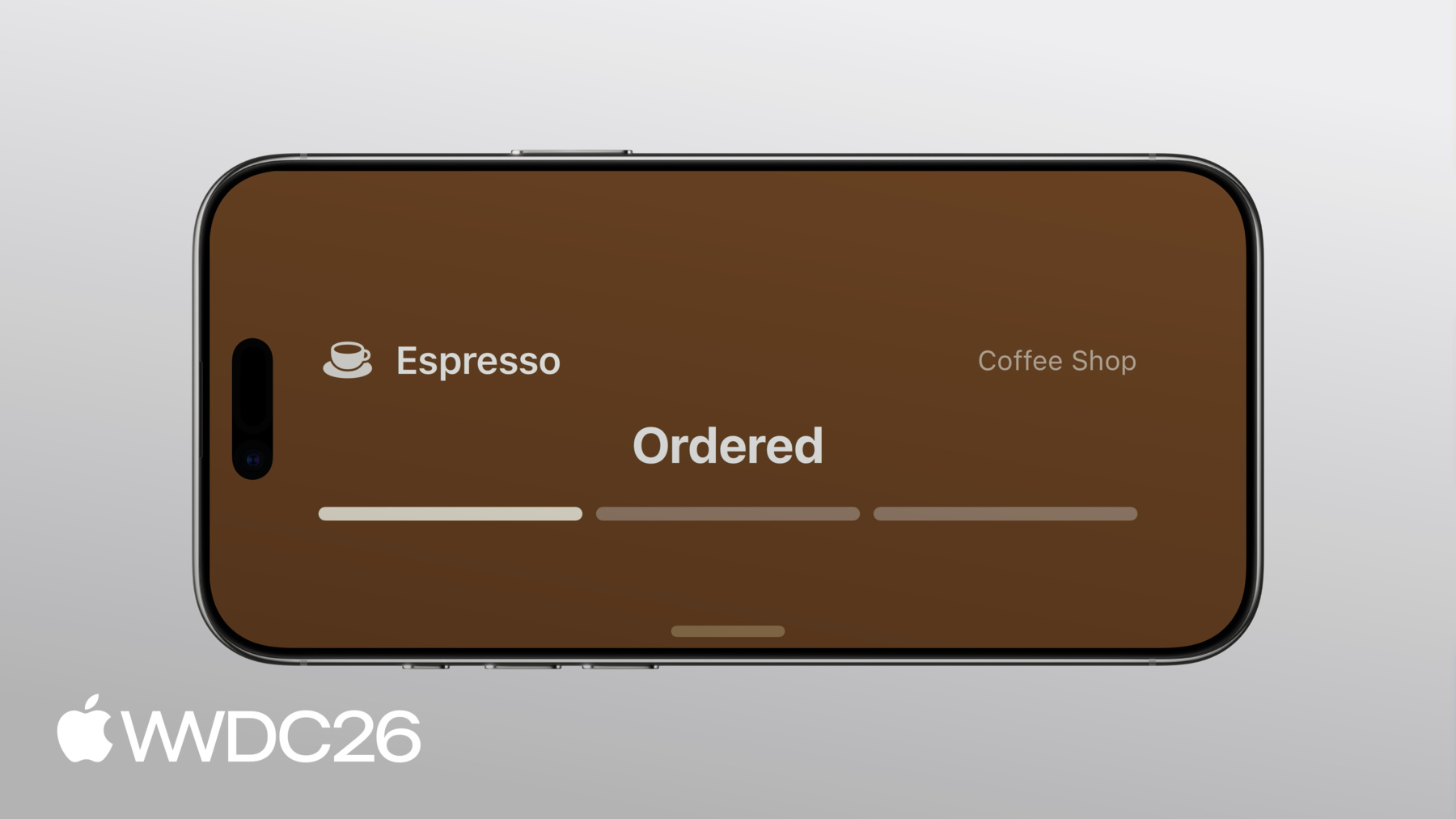
iOS 27では Dynamic Islandのcompactビューと minimalビューが 縦向きと横向きの両方で表示されます。 縦向きではcompactビューは 幅が柔軟ですが 横向きでは幅を広げるスペースが ありません。 ライブアクティビティは Dynamic Islandの幅が 制限されている場合に 対応する必要があります。 コーヒーの注文の CompactTrailingViewの実装です。 ドリンク注文の推定時間が ある場合はそれを表示する SwiftUIビューです。 または注文のフェーズの ラベルを表示します。 「Ready」という文字列などです。
まずisDynamicIslandLimitedInWidth environment valueを追加し Viewのbodyを調整します。 Dynamic Islandの幅が 制限されている場合 代替trailingビューを表示します。 注文の進捗を示す アイコンを表示します。 新しいtrailingビューは 制限された幅にうまく収まります。
考慮すべき別のプレゼンテーションとして スタンバイがあります。 iPhoneを横向きで充電中に 表示されることがあります。
このプレゼンテーションでは ロック画面のビューが使用され 200%に拡大されます。 ロック画面では見栄えのよい グラデーション背景が アクティビティを小さく見せて 画面を埋めません。 多くの空白スペースが残ります。 これを改善するために ライブアクティビティのビューが 背景を表示する方法を調整します。 showsWidgetContainerBackground @Environment valueをビューに追加します。 この値はロック画面でtrueなので そこでは gradient .backgroundを適用します。 次に、ViewにactivityBackgroundTintを 使います。 それ以外の場所で認識しやすい 背景色を設定します。
これでライブアクティビティが スタンバイでエッジツーエッジの 背景tintカラーを表示します。 ライブアクティビティはApple Watchの スマートスタックにも表示されます。 CarPlayにも表示されます。 これらの場所に合わせてカスタマイズするには smallデバイスファミリーの サポートを追加します。 ライブアクティビティはiPhoneから CarPlayに自動的に転送され デフォルトでActivityViewを使用します。 このビューはロック画面では 見栄えがよいですが このスペースにはうまく収まりません。
このレイアウトに対応するために まずsmall activity familyの サポートを宣言します。 これはビューがこの小さなフォーマットに 適応されていることをシステムに示します。
次に、activityFamily @Environment valueをViewに追加します。 このプレゼンテーション用の カスタマイズされたビューを提供します。 activityFamilyの値が .smallの場合です。 これでライブアクティビティは どこでも見栄えよく表示されます。
アプリの一目でわかる情報に 外出中でもアクセスできることを 人々は喜んでいます。
small activity familyへの ビューの適応について詳しくは 「Bring your Live Activity to Apple Watch」 セッションをご覧ください。 ライブアクティビティは素晴らしい機会です。 すばやく即座に アクションを取るためにです。 インタラクティブ機能を追加することで これを実現できます。 コーヒーアプリで注文が 完了した時 注文を評価しやすくしたいと思います。 そのために ライブアクティビティの各ボタンは App Intentに関連付けます。 ボタンをタップすると システムが関連するintentを実行します。
実装では、RateDrinkIntentが LiveActivityIntentに準拠し 注文のIDという 2つのパラメーターを取ります。 レーティングがポジティブかどうかを 表すbooleanもあります。
performメソッドは アプリのロジックを実装する場所です。 どちらのボタンをタップしても この関数が実行されます。 アプリはこのメソッドを実装して 必要な処理をすべて行えます。 このレーティングを サーバーに送信したり データベースを更新したりです。
最後に、レーティングボタンの Viewを更新します。 ActivityViewと DynamicIslandExpandedRegionの両方で使用します。 各intentに2つのボタンを追加し 各アクションのRateDrinkIntentを 作成できます。
ライブアクティビティはリアルタイムで 起きていることについて 人々が関心を持つことを 最新状態に保つ優れた方法です。 アプリでの実装を 始める準備が整いました。
次のステップとして ActivityKitとWidgetKitフレームワークで ライブアクティビティを構築する。 attributesとcontent stateを使って 静的データと動的データをモデル化して 効率的な更新を実現する。 ロック画面や Dynamic Islandなどで 優れたプレゼンテーションを作成する。 ActivityKitとプッシュ通知を使って データをタイムリーに更新する。 横向き、 スタンバイ、Apple Watchなど 各エクスペリエンスをキュレートする。 ご視聴ありがとうございました。
-
-
4:16 - Define initial Live Activity
// Define initial Live Activity. import ActivityKit import Foundation public struct DrinkOrderAttributes: ActivityAttributes { let shopName: String let drink: Drink let orderID: UUID public struct ContentState: Codable, Hashable { var phase: DrinkOrder.Phase = .waiting var estimatedReadyDate: Date var rating: DrinkOrder.Rating? } } -
5:35 - Create each Live Activity view
// Create each Live Activity view import ActivityKit import SwiftUI import WidgetKit struct DrinkOrderLiveActivity: Widget { var body: some WidgetConfiguration { ActivityConfiguration(for: DrinkOrderAttributes.self) { context in ActivityView(context: context) } dynamicIsland: { context in DynamicIsland { DynamicIslandExpandedRegion(.leading) { ExpandedLeadingView(context: context) } DynamicIslandExpandedRegion(.center) { ExpandedCenterView(context: context) } DynamicIslandExpandedRegion(.trailing) { ExpandedTrailingView(context: context) } DynamicIslandExpandedRegion(.bottom) { ExpandedBottomView(context: context) } } compactLeading: { CompactLeadingView(context: context) } compactTrailing: { CompactTrailingView(context: context) } minimal: { MinimalView(context: context) } } } } -
7:43 - Start and update a Live Activity
// Start a Live Activity func launchLiveActivity(order: DrinkOrder) throws { guard ActivityAuthorizationInfo().areActivitiesEnabled else { return } let attributes = DrinkOrderAttributes(shopName: "Coffee Shop", drink: order.drink, orderID: order.id) let estimatedReadyDate = Date.now + (15 * 60) let contentState = DrinkOrderAttributes.ContentState(phase: .waiting, estimatedReadyDate: estimatedReadyDate) let activityContent = ActivityContent(state: contentState, staleDate: nil) let activity = try Activity.request(attributes: attributes, content: activityContent) } // Update a Live Activity await activity.update( ActivityContent( state: DrinkOrderAttributes.ContentState( phase: .preparing, estimatedReadyDate: estimatedReadyDate ), staleDate: nil ) ) -
10:33 - Optimize for limited width in the Dynamic Island
// Optimize for limited width in the Dynamic Island struct CompactTrailingView: View { @Environment(\.isDynamicIslandLimitedInWidth) var isDynamicIslandLimitedInWidth var context: ActivityViewContext<DrinkOrderAttributes> var body: some View { if isDynamicIslandLimitedInWidth { StepProgressIconView(context: context) } else if context.state.phase.showsTimer { EstimatedReadyView(context: context, font: .system(.body).monospacedDigit()) .multilineTextAlignment(.trailing) .frame(maxWidth: maximumTimerLabelWidth) } else { OrderPhaseLabelView(context: context, font: .caption2.bold(), color: .brown) .multilineTextAlignment(.trailing) } } } -
11:34 - Extend background color in StandBy
// Extend background color in StandBy struct ActivityView: View { @Environment(\.showsWidgetContainerBackground) var showsWidgetContainerBackground var context: ActivityViewContext<DrinkOrderAttributes> var body: some View { DetailView(context: context) .background { if showsWidgetContainerBackground { LinearGradient.barista } } .activityBackgroundTint(.espresso) } } -
12:30 - Add support for activityFamily small
// Add support for activityFamily small import ActivityKit import SwiftUI import WidgetKit struct DrinkOrderLiveActivity: Widget { var body: some WidgetConfiguration { ActivityConfiguration(for: DrinkOrderAttributes.self) { context in ActivityView(context: context) } dynamicIsland: { context in DynamicIsland { DynamicIslandExpandedRegion(.leading) { ExpandedLeadingView(context: context) } DynamicIslandExpandedRegion(.center) { ExpandedCenterView(context: context) } DynamicIslandExpandedRegion(.trailing) { ExpandedTrailingView(context: context) } DynamicIslandExpandedRegion(.bottom) { ExpandedBottomView(context: context) } } compactLeading: { CompactLeadingView(context: context) } compactTrailing: { CompactTrailingView(context: context) } minimal: { MinimalView(context: context) } } .supplementalActivityFamilies([.small]) } } -
12:43 - Optimize for small family
// Optimize for small family struct ActivityView: View { @Environment(\.showsWidgetContainerBackground) var showsWidgetContainerBackground @Environment(\.activityFamily) var activityFamily var context: ActivityViewContext<DrinkOrderAttributes> var body: some View { contentView .background { if showsWidgetContainerBackground { LinearGradient.barista } } .activityBackgroundTint(.espresso) } @ViewBuilder var contentView: some View { if activityFamily == .small { SmallView(context: context) } else { DetailView(context: context) } } } -
13:36 - Add interactivity with App Intents
// Add interactivity with App Intents struct RateDrinkIntent: LiveActivityIntent { static var title: LocalizedStringResource = "Rate Drink" @Parameter(title: "Order ID") var orderID: String @Parameter(title: "Positive") var isPositive: Bool func perform() async throws -> some IntentResult { await updateLocalDatastore(rating: isPositive ? .great : .poor, dismissPolicy: .after(.now + 15)) return .result() } } -
14:06 - Associate an intent with a button
// Associate an intent with a button

struct RatingButtons: View {
    var context: ActivityViewContext<DrinkOrderAttributes>
    var body: some View {
        HStack(spacing: 12) {
            Button(intent: RateDrinkIntent(
                orderID: context.attributes.orderID.uuidString, isPositive: false)) {
                Label("Not Good", systemImage: "hand.thumbsdown.fill")
            }
            .buttonStyle(RatingButtonStyle(color: .red))

            Button(intent: RateDrinkIntent(
                orderID: context.attributes.orderID.uuidString, isPositive: true)) {
                Label("Great", systemImage: "hand.thumbsup.fill")
            }
            .buttonStyle(RatingButtonStyle(color: .green))
        }
    }
}
-