

-
SwiftUIとUIKitおよびAppKitの併用
既存のAppKitアプリやUIKitアプリにSwiftUIを段階的に導入する方法を学びましょう。Observationフレームワークを使用してビューを自動更新する方法、SwiftUIコンポーネントを既存のビュー階層に統合する方法、ジェスチャリコグナイザをSwiftUIに組み込む方法を紹介します。また、全体的なアーキテクチャを変更せずにSwiftUIシーン全体をアプリに追加する方法についても触れます。
関連する章
- 0:00 - はじめに
- 2:33 - AppKitでの監視
- 5:41 - AppKitでのSwiftUIのホスティング
- 7:48 - SwiftUIでのAppKitジェスチャー
- 9:16 - メインメニューでのSwiftUI
- 11:30 - AppKitでのSwiftUIシーン
- 13:04 - 次のステップ
リソース
- Updating views automatically with observation tracking in AppKit
- Updating views automatically with observation tracking in UIKit
関連ビデオ
WWDC26
WWDC25
WWDC22
WWDC21
-
このビデオを検索
こんにちは UI Frameworksチームの エンジニア David Nadobaです。 今日はSwiftUIの活用方法について お話しします 既存のAppKitやUIKitアプリとの 連携方法です。 SwiftUIは最初からAppKitやUIKitとの 連携を想定して設計されました。 SwiftがObjective-Cと連携するよう 設計されたのと同様です。 すべてを書き直したり 一から始めたりすることなく 段階的な移行が可能です。
Appleはこの方針を 長年にわたって採用してきました。 Logic ProはQuantec Room Simulatorなど プラグインでSwiftUIを使用しています
Beat Breakerプラグインは macOSとiPadOS両方にも対応しています。 XcodeのCoding Assistantは 最初からSwiftUIを採用しており Xcode 27ではサイドバーから エディタへと拡張されました。
明示的に導入しなくても 今や多くのアプリがSwiftUIを使っています。 UI Frameworksチームは 新しいデザインを機会として活用し SwiftUIでControlsを実装しました。 AppKitの型を使っていても NSSliderや
NSSwitchや NSSegmentedControlなど SwiftUIがこれらのビューを レンダリングするために使われています。 これらのコントロールやOSの他の部分で 使われているLiquid Glassも 実装の大部分を共有するために SwiftUIを使用しており フレームワークとプラットフォームをまたいで 実装されています。 このビデオではさらに多くの場所に SwiftUIを導入する方法を紹介します。 macOSを中心に説明しますが 他のすべてのAppleプラットフォームにも 適用できる概念です。
まず @Observableを使って SwiftUIなしでもNSViewを 自動更新する方法を紹介します。 次にSwiftUIを利用すべき タイミングについて説明します NSViewヒエラルキーへの統合方法も ご紹介します。
またNSGestureRecognizerを SwiftUI Viewに 直接追加する方法もご紹介します。 次にSwiftUIでメニュー項目を作成し 既存のメインメニューに 追加する方法を解説します。
最後にSwiftUI Scenesを 既存のNSApplicationDelegateから 使う方法を説明します。 このプレゼンテーションでは 私が制作した既存AppKitアプリの 簡略版を使います。
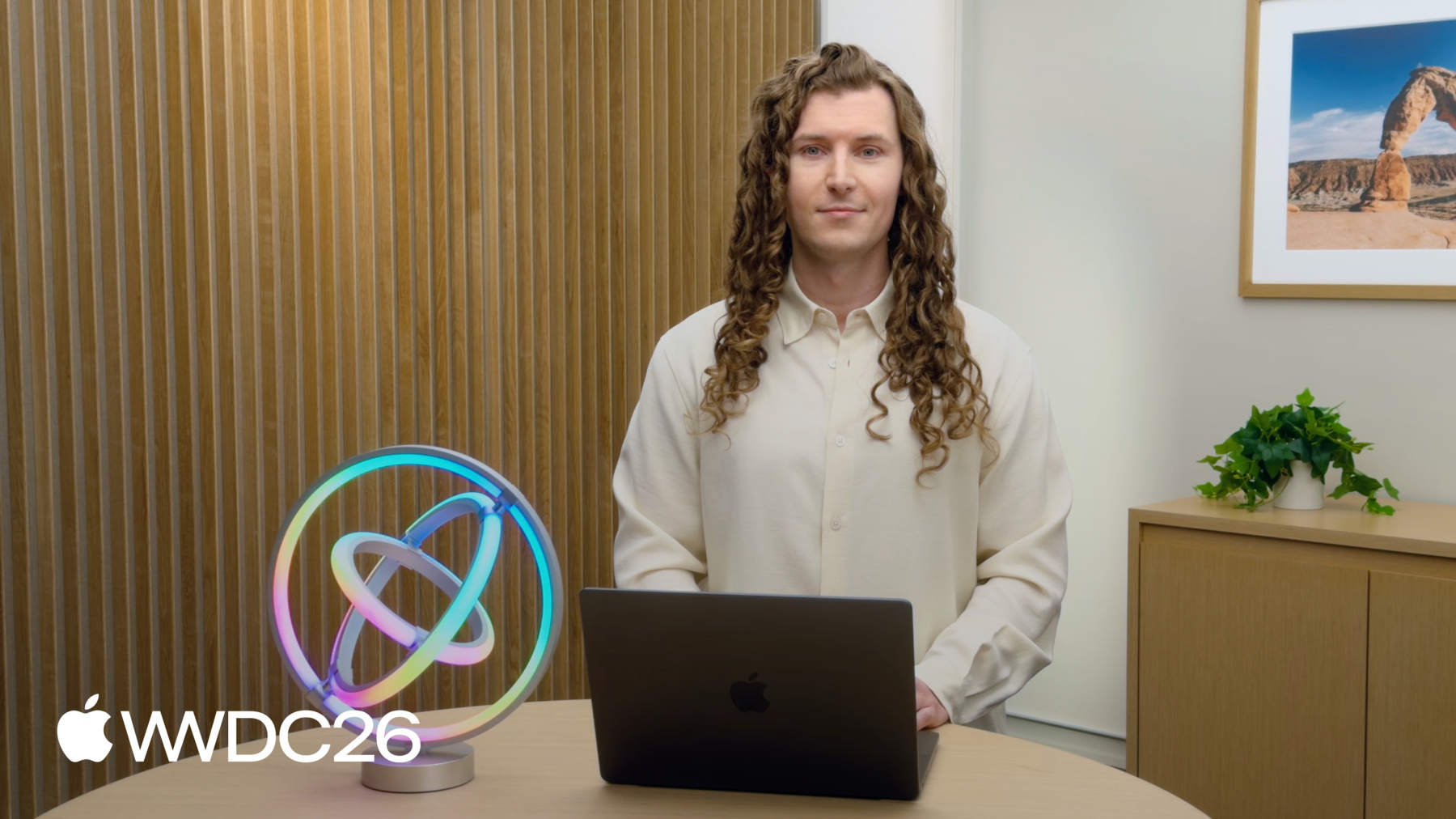
デスクに置いたアドレサブルリングランプなど ライトを制御するアプリです
色の変更ができます
アニメーションも実行できます。
スライダの仕組みを説明してから @Observableマクロが どう役立つかを実演します。 アプリはシステムのカラーパネルや カラーウェルに似たカラーピッカーを使用しており コントロールを常に手元に置くために インラインで表示されます。 色はカスタムトラックグラデーションと ノブを持つ3つのスライダで制御します。 スライダのノブを動かすと 新しく選択した色で 自動的に再描画されます。 同時に他のすべてのスライダも それに応じて更新されます。
スライダは自身の値が変わると 自動的に再描画されます。 この場合変更された値は 他のスライダの外観にも影響しますが AppKitはそれらを自動的に再描画しません。
現在は手動でAppKitに指示して 色相値が変わるたびに彩度と 明度スライダを再描画させています この手動処理が必要な状況です。 needsDisplayをtrueに設定することで 実現します。
他のスライダの値が変わる場合にも 同様の実装が必要で 残りのスライダや外部からの 変更にも対応が必要です。 AppKitも @Observableからの プロパティの自動Observationをサポートします。 Swiftクラスに @Observableマクロを 追加することで活用できます。 すべてのミュータブル変数が Observationシステムに参加します。
スライダはNSSliderCellのサブクラスとして実装されており 外観をカスタマイズするために drawKnobなど特定の描画メソッドを オーバーライドします。
新しいColorModelのプロパティへの アクセスは drawKnobメソッド内だけで十分です。
AppKitはアクセスを追跡し プロパティが変わると自動で再描画します。 手動でneedsDisplayをtrueに 設定する必要はもうありません。
これはNSView drawの一部として 呼ばれる任意の描画メソッドで機能します NSSliderCellのdrawKnobやこの drawBarメソッドなどです。
NSView.draw(_:)はObservationを サポートするメソッドの1つです。 updateConstraints()、layout()、updateLayer()と NSViewControllerの同等のメソッドも Observationをサポートしています。
UIKitはUIViewを超えた さらに多くのメソッドに対応しており UIViewControllerからUIButton、 UICollectionViewCellまで幅広くあります。
この統合はmacOS 15に バックデプロイできます Info.plistにNSObservationTrackingEnabledを 追加することで可能です。 iOS 18ではUIObservationTrackingEnabledを 追加してください。 2026年以降のリリースでは デフォルトで有効になっています。 UIKitでのObservation Trackingの 詳細については WWDC25の「What's new in UIKit」を ご覧ください。
では実際の動作を見てみましょう。 明度を上げてみます。
色相を赤に変更します。
すべてのスライダが更新され 新しい色がネットワーク経由で ライトに送信されます。
@Observableの採用は素晴らしい第一歩です NSViewとNSViewControllerで 自動更新を実現できます。 新しい機能を実装する際に SwiftUIへの移行も容易になります。 新しいものといえば 別のカラーピッカーデザインの アイデアがあります。 色相は赤から始まりすべての色を経て 再び赤に戻ります。 これを円形スライダとして 表現したいと思います。
彩度と明度を 外側の色相リング内に 2つの半円として表現できます。
中央には 結果の色を円形プレビューとして 表示します。 描画コードとインタラクションが 大きく変わるため SwiftUIに移行する絶好のタイミングです。
同じ @Observable ColorModelを再利用できます 以前のNSSliderベースの カラーピッカーから引き続きです。
ビューのbodyにCanvas viewを使います 即時モード描画APIに アクセスできます。
CanvasはAppKitやUIKitの drawRectとよく似ています。 再描画のたびに新しいGraphicsContextで クロージャが呼ばれ ストローク、フィル、変換、フィルターなど 描画コマンドを発行できます それに直接実行します。 既存のCoreGraphics描画コードも SwiftUIで再利用できます withCGContext APIを 呼び出すことで可能です。 Canvasの入門として WWDC21の「Add rich graphics to your SwiftUI app」をご覧ください。
SwiftUIと独自のMetal Shaderを 組み合わせる方法については WWDC26の「Compose advanced graphics effects with SwiftUI」をご覧ください。 まだ多くの箇所があります カラーピッカーがNSViewヒエラルキーに 埋め込まれている場所です。
SwiftUI viewをNSHostingViewで ラップできます これはNSViewのサブクラスです。
モデルはすでに@Observableに 移行しているため これだけで十分です。 NSHostingViewと関連型の詳細については WWDC 2022の「Use SwiftUI with AppKit」と 「Use SwiftUI with UIKit」をご覧ください。
新しいカラーピッカーの動作を見せる前に もう1つ機能を追加したいと思います。
1回のフォースクリックで 明度と彩度を100%にリセットします フォースクリックはトラックパッドへの 強い押下のことです。 そのためのNSGestureRecognizerが すでにあります アプリの他の部分で 使用しているものです。 NSGestureRecognizerRepresentableを使って 新しいSwiftUI Viewに導入できます。
まず新しいstructを作成して NSGestureRecognizerRepresentableプロトコルに 準拠させます。
makeNSGestureRecognizerで NSGestureRecognizerサブクラスを 初期化して返します。
ForceClickGestureRecognizerは アプリの他の部分で使用している型です。 pressure stage 2に達したことを 認識します フォースクリックに十分な圧力が 加わったことを示します。
handleNSGestureRecognizerActionは ジェスチャが認識されたときに呼ばれます。
彩度と明度を100%にリセットするのに 最適な場所です。 HSBColorPicker SwiftUIビューに戻ると .gestureモディファイアで このジェスチャを追加できます SwiftUI Gestureと同様です。
ForceClickReset gestureは 既存のドラッグジェスチャと 変更なしに連携して動作します。 SwiftUIにはさらに多くの Representableプロトコルがあります NSViewRepresentableなど NSViewsをSwiftUI viewに 埋め込むことができます。
フォースクリックはすべての 入力デバイスで使えるわけではありません Magic MouseやMacBook Neoの トラックパッドなどです。 誰もがこのショートカットを 利用できるように この機能に別の方法でアクセスできるようにする必要があります。 この場合キーボードショートカット付きの メニュー項目を追加します。
アプリはメインメニューに AppKitのNSMenuを使用しています。 SwiftUIを使って新しいメニュー項目を 追加する方法を解説します。 まずViewプロトコルに準拠した 新しいstructを作成します。 共有のColorModelにアクセスできます。
ビューのbodyにラベル付きのButtonを作成します アクションクロージャで明度と 彩度を100%にリセットします。
withAnimationで変更をラップすると SwiftUIがアニメーションで変化を表示します。
素早くアクセスするために keyboardShortcutを追加します。 paletteStyleを指定したPickerも追加しました 一般的な色を正確に 選択できます。
このSwiftUI Viewをメインメニューに 追加する必要があります。
ColorMenu viewを使って NSHostingMenuを初期化します。
NSHostingMenuはNSMenuのサブクラスで タイトルなどのプロパティで メニューを設定できます。
あとはNSMenuItemを作成して colorMenuをsubmenuとして設定し mainMenuに追加するだけです。
試してみましょう。 電源を入れます。
色相を回して緑にします。
キーボードショートカットで 明度を何度か下げます。
次にメニュー項目を使って 完全にオフにします。
フォースクリックすると NSGestureRecognizerが明度をリセットします。
このカスタムSwiftUIコントロールを アプリに段階的に追加しました。
残りのAppKitアプリは 以前と同様に動作し続けます。
最後のステップとして完全なSwiftUI Scenesを アプリに導入します 既存のapp delegateを 使う方法です。
ライトの色や明度を すぐに変更できる方法を ユーザーに提供したいと ずっと思っていました。 そのためにメニューバーエクストラ項目を 追加できます。 SwiftUIのMenuBarExtra sceneを使えば わずか数行で実現できます。 NSHostingSceneRepresentationは SwiftUI sceneをラップして 既存のAppKitアプリから動的に 追加できるようにします。 sceneを追加する良い場所は applicationWillFinishLaunchingです NSApplicationDelegateの中です。
addSceneRepresentationを sceneと共に呼び出すと SwiftUIが残りを処理します。
MenuBarExtra sceneがある場合 ユーザーが削除して再度追加できるように するのも良い案です。 Settings sceneはMenuBarExtra sceneの 表示を制御するToggleを 追加するのに最適な場所です。
NSHostingSceneRepresentationには environment プロパティがあり openSettings()アクションを 公開しています。
@IBActionから設定ウィンドウを プログラムで開くために使えます。
アプリのメインメニューから 設定を開きます。
メニューバーエクストラ項目を 有効にします。
カラーピッカーをすぐに開きます。
最後にもう一度ライトを点灯します。
SwiftUI scenesの詳細については WWDC22の「Bring multiple windows to your SwiftUI app」をご覧ください。
SwiftUIとAppKitを様々な方法で 組み合わせる方法をご紹介しました。 最適な組み合わせ方はアプリによって異なり 解決する問題によっても変わります。
今日ご紹介したすべてのAPIは 2026年以降のリリースで すでに利用可能です。
まずは @Observableを試してみることを お勧めします モデルとNSViewsを自動的に同期させて SwiftUIへの移行を スムーズにします。 新しいコンポーネントを実装したり 既存のものを書き直す際は SwiftUIを検討してください。
既存のジェスチャレコグナイザー サブクラスをSwiftUI viewsに追加しましょう。 既存のアプリでも新しいsceneには SwiftUIから始めてください。 そして覚えておいてください SwiftUIを活用するためにアプリ全体が SwiftUIである必要はありません。
ご視聴ありがとうございました 素晴らしいアプリを作り続けてください!
-
-
3:39 - Observation in AppKit
// Observation in AppKit import Observation @Observable @MainActor final class ColorModel { var hue: Double = 0.6 var saturation: Double = 1.0 var brightness: Double = 1.0 } -
6:28 - Circular color picker
// Circular color picker import SwiftUI import Observation @Observable @MainActor final class ColorModel { var hue: Double = 0.6 var saturation: Double = 1.0 var brightness: Double = 1.0 } // MARK: - Picker View @Animatable struct HSBColorPicker: View { var hue: Double var saturation: Double var brightness: Double @AnimatableIgnored var model: ColorModel init(model: ColorModel) { self.model = model self.hue = model.hue self.saturation = model.saturation self.brightness = model.brightness } var body: some View { Canvas { context, size in let metrics = PickerMetrics(size: size) drawPicker(in: &context, metrics: metrics, hue: hue, saturation: saturation, brightness: brightness) } .contentShape(Circle()) .modifier(ColorPickerDragGesture(model: model)) .aspectRatio(1, contentMode: .fit) } } // MARK: - Drag Gesture private struct ColorPickerDragGesture: ViewModifier { var model: ColorModel private enum Ring { case hue, saturation, brightness } @State private var draggedRing: Ring? func body(content: Content) -> some View { GeometryReader { proxy in content.gesture( DragGesture(minimumDistance: 0, coordinateSpace: .local) .onChanged { onDrag(to: $0.location, size: proxy.size) } .onEnded { _ in draggedRing = nil } ) } } private func onDrag(to location: CGPoint, size: CGSize) { let metrics = PickerMetrics(size: size) let point = CGPoint(x: location.x - metrics.mid.x, y: location.y - metrics.mid.y) if draggedRing == nil { let distance = hypot(point.x, point.y) if distance >= metrics.radius - metrics.ringWidth - metrics.gap / 2 { draggedRing = .hue } else if distance >= metrics.radius - metrics.ringWidth * 2 - metrics.gap { draggedRing = point.x > 0 ? .brightness : .saturation } } switch draggedRing { case .hue: model.hue = (angle0To2Pi(point) / (2 * .pi) + 0.25).truncatingRemainder(dividingBy: 1) case .saturation: model.saturation = leftSemicircleValue(point) case .brightness: model.brightness = 1 - rightSemicircleValue(point) case nil: break } } } // MARK: - Metrics struct PickerMetrics { let mid: CGPoint let radius: CGFloat let ringWidth: CGFloat let gap: CGFloat = 8 init(size: CGSize) { let border: CGFloat = 1 // reserve room so the outer ring's stroke isn't clipped mid = CGPoint(x: size.width / 2, y: size.height / 2) radius = (min(size.width, size.height) - 2 * border) / 2 ringWidth = radius / 3 } var diameter: CGFloat { radius * 2 } var innerRadius: CGFloat { (diameter - 2 * ringWidth - gap) / 2 } var centerRadius: CGFloat { radius - 2 * ringWidth - gap } } // MARK: - Geometry Helpers func angle0To2Pi(_ point: CGPoint) -> CGFloat { let a = atan2(point.y, point.x) return a >= 0 ? a : a + 2 * .pi } func rightSemicircleValue(_ point: CGPoint) -> CGFloat { let angle = atan2(point.y, point.x) return point.x >= 0 ? (angle + .pi / 2) / .pi : (point.y >= 0 ? 1 : 0) } func leftSemicircleValue(_ point: CGPoint) -> CGFloat { guard point.x <= 0 else { return point.y >= 0 ? 1 : 0 } return (atan2(point.y, -point.x) + .pi / 2) / .pi } private extension Path { /// A circle whose stroke of `lineWidth` lands inside `radius`. init(ring radius: CGFloat, center: CGPoint, lineWidth: CGFloat) { let inset = radius - lineWidth / 2 self.init(ellipseIn: CGRect(x: center.x - inset, y: center.y - inset, width: inset * 2, height: inset * 2)) } } // MARK: - Drawing private func drawPicker(in context: inout GraphicsContext, metrics: PickerMetrics, hue: Double, saturation: Double, brightness: Double) { drawHueRing(in: &context, metrics: metrics, hue: hue, saturation: saturation, brightness: brightness) drawValueRings(in: &context, metrics: metrics, hue: hue, saturation: saturation, brightness: brightness) drawCenter(in: &context, metrics: metrics, hue: hue, saturation: saturation, brightness: brightness) } private func drawHueRing(in context: inout GraphicsContext, metrics: PickerMetrics, hue: Double, saturation: Double, brightness: Double) { let ring = Path(ring: metrics.radius, center: metrics.mid, lineWidth: metrics.ringWidth) // A custom metal shader would be work great here as well let colors = stride(from: 0.0, through: 1, by: 1.0 / 64).map { Color(hue: $0, saturation: saturation, brightness: brightness) } context.stroke(ring, with: .conicGradient(Gradient(colors: colors), center: metrics.mid, angle: .degrees(-90)), lineWidth: metrics.ringWidth) context.stroke(ring.strokedPath(StrokeStyle(lineWidth: metrics.ringWidth)), with: .color(.black), lineWidth: 1) // Tick marks are left as a fun exercise for the reader. drawKnob(in: &context, metrics: metrics, radius: metrics.radius, rotation: 2 * .pi * hue + .pi) } private func drawValueRings(in context: inout GraphicsContext, metrics: PickerMetrics, hue: Double, saturation: Double, brightness: Double) { drawSemicircle(in: &context, metrics: metrics, start: .degrees(90), conicAngle: .degrees(0), stops: (0...1).map { Gradient.Stop(color: Color(hue: hue, saturation: 1 - Double($0), brightness: brightness), location: 0.25 + Double($0) * 0.5) }) drawSemicircle(in: &context, metrics: metrics, start: .degrees(270), conicAngle: .degrees(180), stops: (0...1).map { Gradient.Stop(color: Color(hue: hue, saturation: saturation, brightness: 1 - Double($0)), location: 0.25 + Double($0) * 0.5) }) drawKnob(in: &context, metrics: metrics, radius: metrics.innerRadius, rotation: .pi * (1 - saturation)) drawKnob(in: &context, metrics: metrics, radius: metrics.innerRadius, rotation: .pi * (1 - brightness) + .pi) } private func drawSemicircle(in context: inout GraphicsContext, metrics: PickerMetrics, start: Angle, conicAngle: Angle, stops: [Gradient.Stop]) { var path = Path() path.addArc(center: metrics.mid, radius: metrics.innerRadius - metrics.ringWidth / 2, startAngle: start, endAngle: start + .degrees(180), clockwise: false) let band = path.strokedPath(StrokeStyle(lineWidth: metrics.ringWidth)) context.fill(band, with: .conicGradient(Gradient(stops: stops), center: metrics.mid, angle: conicAngle)) context.stroke(band, with: .color(.black), lineWidth: 1) // Tick marks are left as a fun exercise for the reader. } private func drawCenter(in context: inout GraphicsContext, metrics: PickerMetrics, hue: Double, saturation: Double, brightness: Double) { let r = metrics.centerRadius let disc = Path(ellipseIn: CGRect(x: metrics.mid.x - r, y: metrics.mid.y - r, width: r * 2, height: r * 2)) context.fill(disc, with: .color(Color(hue: hue, saturation: saturation, brightness: brightness))) context.stroke(disc, with: .color(.black)) } private func drawKnob(in context: inout GraphicsContext, metrics: PickerMetrics, radius: CGFloat, rotation: CGFloat) { let lineWidth: CGFloat = 5 let inset: CGFloat = 3 + lineWidth / 2 var path = Path() path.move(to: CGPoint(x: 0, y: radius - metrics.ringWidth + inset)) path.addLine(to: CGPoint(x: 0, y: radius - inset)) path = path.applying(CGAffineTransform(rotationAngle: rotation)) path = path.applying(CGAffineTransform(translationX: metrics.mid.x, y: metrics.mid.y)) context.stroke(path, with: .color(.black.opacity(0.8)), style: StrokeStyle(lineWidth: lineWidth + 1, lineCap: .round)) context.stroke(path, with: .color(.white), style: StrokeStyle(lineWidth: lineWidth, lineCap: .round)) } #Preview { @Previewable @State var model = ColorModel() HSBColorPicker(model: model) .frame(width: 320, height: 320) .padding() } -
7:21 - Hosting SwiftUI in AppKit
// Hosting SwiftUI in AppKit NSHostingView( rootView: HSBColorPicker(model: model) ) -
8:14 - Mix NSGestureRecognizer with SwiftUI
// Mix NSGestureRecognizer with SwiftUI import SwiftUI import AppKit @Observable @MainActor final class ColorModel { var hue: Double = 0.6 var saturation: Double = 1.0 var brightness: Double = 1.0 } struct ForceClickReset: NSGestureRecognizerRepresentable { var model: ColorModel func makeNSGestureRecognizer(context: Context) -> ForceClickGestureRecognizer { ForceClickGestureRecognizer() } func handleNSGestureRecognizerAction(_ recognizer: ForceClickGestureRecognizer, context: Context) { withAnimation { model.saturation = 1 model.brightness = 1 } } } final class ForceClickGestureRecognizer: NSGestureRecognizer { private var didActivate = false override func pressureChange(with event: NSEvent) { if event.stage >= 2 && !didActivate { didActivate = true state = .ended } } override func mouseDown(with event: NSEvent) { didActivate = false state = .possible } override func mouseUp(with event: NSEvent) { didActivate = false state = .possible } } -
9:42 - Adding ColorMenu to the Main Menu
// Adding ColorMenu to the Main Menu import AppKit import SwiftUI import Observation @Observable @MainActor final class ColorModel { var hue: Double = 0.6 var saturation: Double = 1.0 var brightness: Double = 1.0 } // Menu definition in SwiftUI. struct ColorMenu: View { var model: ColorModel private static let hues: [(name: String, hue: Double)] = [ ("Red", 0), ("Yellow", 0.17), ("Green", 0.33), ("Cyan", 0.5), ("Blue", 0.67), ("Purple", 0.83), ] var body: some View { Button("Full Intensity") { withAnimation { model.saturation = 1 model.brightness = 1 } } .keyboardShortcut(.upArrow, modifiers: [.command, .shift]) Button("Blackout") { withAnimation { model.brightness = 0 } } .keyboardShortcut(.downArrow, modifiers: [.command, .shift]) Divider() Button("Brighten") { withAnimation { model.brightness = min(1, model.brightness + 0.1) } } .keyboardShortcut(.upArrow, modifiers: .command) Button("Dim") { withAnimation { model.brightness = max(0, model.brightness - 0.1) } } .keyboardShortcut(.downArrow, modifiers: .command) Divider() Picker("Color", selection: Bindable(model).hue) { ForEach(Self.hues, id: \.hue) { entry in Label(entry.name, systemImage: "circle.fill") .tint(Color(hue: entry.hue, saturation: 1, brightness: 1)) .tag(entry.hue) } } .pickerStyle(.palette) } } @MainActor class AppDelegate: NSObject, NSApplicationDelegate { let colorModel = ColorModel() func setupMainMenu() { let mainMenu = NSMenu() let colorMenu = NSHostingMenu(rootView: ColorMenu(model: colorModel)) colorMenu.title = "Color" let colorMenuItem = NSMenuItem() colorMenuItem.submenu = colorMenu mainMenu.addItem(colorMenuItem) } } #Preview { Menu("Color") { ColorMenu(model: ColorModel()) }.padding() } -
11:36 - Adding SwiftUI scenes dynamically
// Adding SwiftUI scenes dynamically

import AppKit
import SwiftUI
import Observation

@MainActor
class AppDelegate: NSObject, NSApplicationDelegate {
    let model = AppModel()
    var openSettingsAction: (() -> Void)?

    func applicationWillFinishLaunching(_ notification: Notification) {
        let scenes = NSHostingSceneRepresentation {
            LightMenuBarExtra(appModel: model)
            LightSettings(appModel: model)
        }
        NSApplication.shared.addSceneRepresentation(scenes)
        openSettingsAction = {
            scenes.environment.openSettings()
        }
    }

    @IBAction func openSettings(_ sender: Any?) {
        openSettingsAction?()
    }
}

@Observable @MainActor
final class ColorModel {
    var hue: Double = 0.6
    var saturation: Double = 1.0
    var brightness: Double = 1.0

    var color: Color {
        Color(hue: hue, saturation: saturation, brightness: brightness)
    }
}

@Observable @MainActor
final class AppModel {
    var showMenuBarExtra: Bool = true

    var colorModel = ColorModel()

    var startUniverse: Int = 1
    var numberOfPixels: Int = 50

    var maxBrightness: Double = 1.0
    var isConnected: Bool = false
}

struct LightMenuBarExtra: Scene {
    var appModel: AppModel

    var body: some Scene {
        MenuBarExtra("Light Mix", systemImage: "lightbulb.fill", isInserted: Bindable(appModel).showMenuBarExtra) {
            MenuBarContent(appModel: appModel)
        }
        .menuBarExtraStyle(.window)
    }
}


struct MenuBarContent: View {
    @Bindable var appModel: AppModel

    var body: some View {
        // TODO: Use HSBColorPicker
        VStack {
            RoundedRectangle(cornerRadius: 10)
                .fill(appModel.colorModel.color)
                .frame(height: 80)
                .overlay(RoundedRectangle(cornerRadius: 10).stroke(.black.opacity(0.1)))

            LabeledContent("Brightness") {
                Slider(value: $appModel.colorModel.brightness)
                    .frame(width: 140)
            }
        }
        .padding()
        .frame(width: 280)
    }
}

struct LightSettings: Scene {
    var appModel: AppModel

    var body: some Scene {
        Settings {
            SettingsView(appModel: appModel)
        }
    }
}

struct SettingsView: View {
    var appModel: AppModel

    var body: some View {
        TabView {
            Tab("General", systemImage: "gearshape") {
                GeneralTab(appModel: appModel)
            }
            Tab("Output", systemImage: "antenna.radiowaves.left.and.right") {
                OutputTab(appModel: appModel)
            }
            Tab("About", systemImage: "info.circle") {
                AboutTab()
            }
        }
        .formStyle(.grouped)
        .scrollDisabled(true)
        .frame(width: 460)
        .fixedSize(horizontal: false, vertical: true)
    }
}

struct GeneralTab: View {
    @Bindable var appModel: AppModel

    var body: some View {
        Form {
            Section("Appearance") {
                Toggle("Show in Menu Bar", isOn: $appModel.showMenuBarExtra)
            }
            Section("DMX Configuration") {
                LabeledContent("Start Universe") {
                    TextField("", value: $appModel.startUniverse, format: .number)
                        .textFieldStyle(.roundedBorder)
                        .frame(width: 80)
                }
                LabeledContent("Number of Pixels") {
                    TextField("", value: $appModel.numberOfPixels, format: .number)
                        .textFieldStyle(.roundedBorder)
                        .frame(width: 80)
                }
            }
        }
    }
}

struct OutputTab: View {
    @Bindable var appModel: AppModel

    var body: some View {
        Form {
            Section("Output") {
                LabeledContent("Max Brightness") {
                    HStack {
                        Slider(value: $appModel.maxBrightness, in: 0...1)
                        Text("\(Int((appModel.maxBrightness * 100).rounded()))%")
                            .monospacedDigit()
                            .foregroundStyle(.secondary)
                            .frame(width: 40, alignment: .trailing)
                    }
                }
            }
        }
    }
}

struct AboutTab: View {
    var body: some View {
        VStack(spacing: 16) {
            Image(systemName: "lightbulb.fill")
                .font(.system(size: 48))
                .foregroundStyle(.yellow.gradient)

            Text("Light Mix")
                .font(.title2.bold())

            Text("WWDC26 — Bring SwiftUI to your AppKit and UIKit App")
                .multilineTextAlignment(.center)
                .foregroundStyle(.secondary)
        }
    }
}

#Preview("Menu Bar") {
    MenuBarContent(appModel: AppModel())
}

#Preview("Settings") {
    SettingsView(appModel: AppModel())
}
-