

-
Foveated Streamingを活用したvisionOSでのイマーシブコンテンツの提供
リモートでレンダリングされたシーンを、Apple Vision Proで高い忠実度で利用できるようにする、Foveated Streamingの仕組みを解説します。このフレームワークによって、ネイティブのvisionOS機能とサードパーティのストリーミング技術を完全ワイヤレスで統合する方法を、OpenXRシーンとNVIDIA CloudXRを用いたデモで紹介します。Foveated Streamingフレームワークの概要、NVIDIA CloudXR SDKとの統合について確認し、プライバシーを保護しつつメリットをもたらすFoveated Streamingの動的な機能について学びましょう。
関連する章
- 0:00 - はじめに
- 4:08 - Foveated Streamingの仕組み
- 4:46 - ストリーミングエンドポイントの設定
- 5:18 - visionOSレシーバーアプリの作成
- 8:02 - ストリーミングエンドポイントとの連携
- 11:28 - パフォーマンスの測定
- 11:56 - visionOSの機能の活用
- 13:56 - 次のステップ
リソース
- Analyzing the performance of a foveated streaming session
- Establishing foveated streaming sessions with Apple Vision Pro
- Streaming a CloudXR application to Apple Vision Pro with foveation
- Creating a foveated streaming client on visionOS
- Foveated Streaming
- StreamingSession: Streaming immersive content from a CloudXR™ application to visionOS and iOS
関連ビデオ
WWDC26
-
このビデオを検索
こんにちは、私はAdrianです。 Appleのエンジニアです。
visionOSは、人々を新しい世界へと連れていき、 豊かな空間アプリケーションを作成できます。 既存の空間アプリの中には、 PCなどの外部デバイスを必要とするものがあります。 またはOpenXRのような 代替技術で構築されているものもあります。 今、Apple Vision Proに向けて これらのアプリを強化する新たな方法が登場しました。 それが「Foveated Streaming」です!
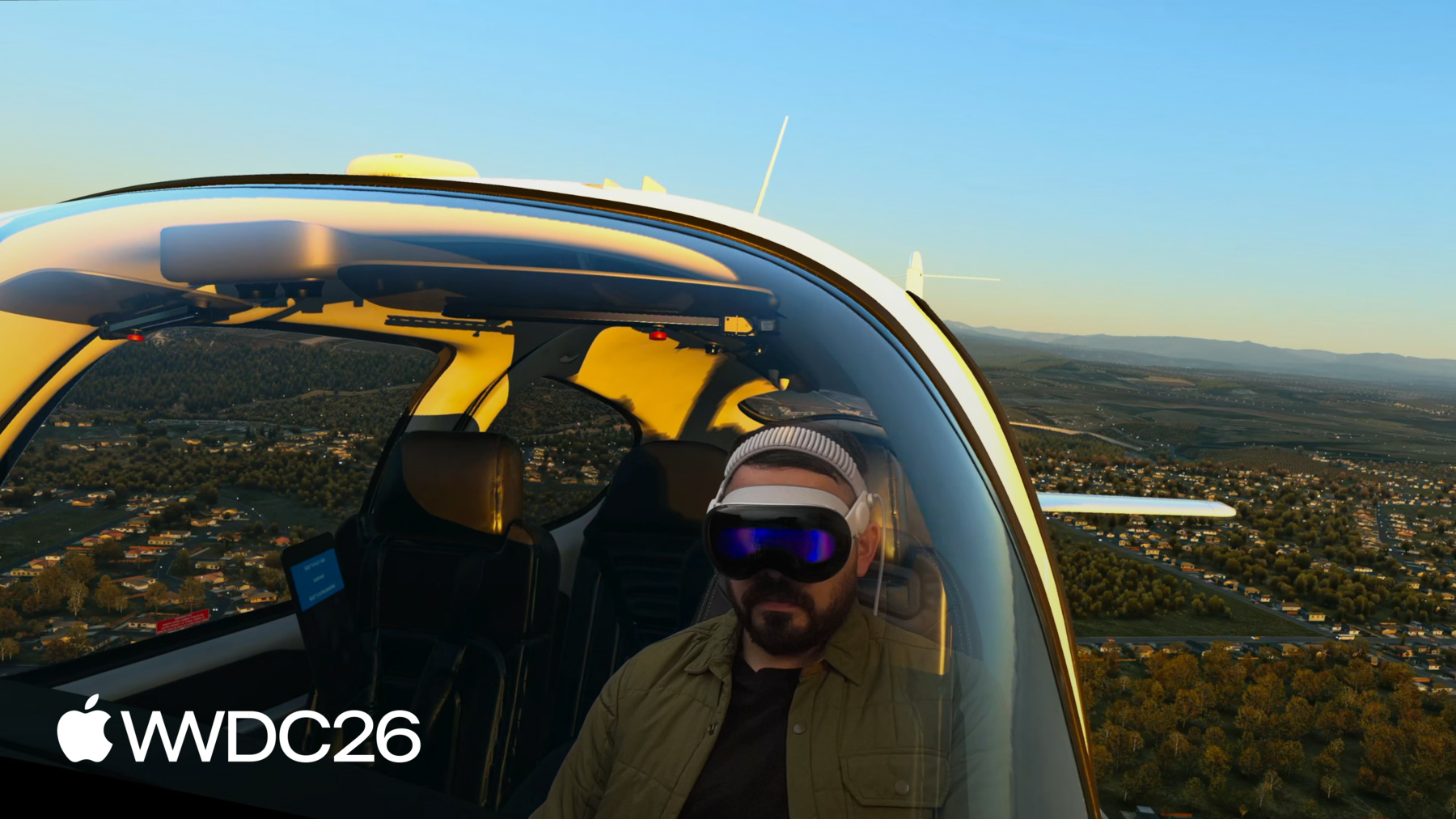
Foveated Streamingは、Apple Vision Proが 外部デバイスに接続するのを助けます。 例えばPCなどに接続して、 OpenXRコンテンツをストリーミングします。 visionOSは入力データを自動的に送信します。 手の動き、コントローラーの位置、 マイクなどのデータです。 そしてデバイスはOpenXRコンテンツを 映像と音声としてストリーミングします。 私たちはFoveated Streamingフレームワークを visionOS 26.4で導入しました。 開発者たちはすでに 素晴らしいエクスペリエンスを生み出しています。 例えば、Laminar ResearchのX-Plane 12は プレミアムなフライトシミュレーション体験を Apple Vision Proにもたらします。 visionOS上のX-PlaneアプリはARKitを使って 空間や機材を認識し、 シミュレートされた体験をPCから ストリーミングします。 仮想世界に完全に没入しながら 物理的なフライトシミュレーターを操作するのは 信じられないほどの感覚です。 コックピットを見回したり、 サイドウィンドウから外を眺めたりできます。 visionOSは現実と仮想をシームレスに融合させ、 イマーシブで効果的な シミュレーションを提供します。 PC向けモータースポーツレーシングゲームのiRacingは、 Apple Vision Proで素晴らしい シムレーシング体験を提供します。 iRacing ConnectアプリはARKitのハンドトラッキングを使って 物理的なレーシングホイールの位置を 仮想コックピットに合わせます。 そのため、仮想ホイールを握る 自分の手が見えます! そしてInnoactiveは、Autodesk VREDを Apple Vision Proに提供します。 これにより、デザイナーやエンジニアが 巨大な3Dアセットと シミュレーションを可視化できます。 この映像では、Kiaのデザイナーたちが この技術を使って 自社の車を実物大で確認し、 精密な詳細を検討しています。 このように、Foveated Streamingはすでに 素晴らしいエクスペリエンスを実現しています。 Apple Vision Proで。 映像品質は驚くほど高く、 私たちのシステムがビデオストリームを インテリジェントに最適化しているからです。
Foveated Streamingは、 人が見ている場所に基づいて映像を圧縮します。 Apple Vision Proのアイトラッキング技術を使って 注目している箇所をより高精細に ストリーミングします。 この高度なストリーム処理は visionOSに組み込まれており、 複雑な処理は私たちが代わりに行っています。 すべてが非常に速く処理されるため、 気づくことすらありません! 内部では、visionOSにNVIDIA CloudXR™ストリーミングが 組み込まれています。 これにより、イマーシブコンテンツが 高性能なストリーミングプロトコルで 最小限のレイテンシーで配信されます。 CloudXR™の性能は非常に高く、 イマーシブコンテンツを ケーブルなしでWi-Fi経由でストリーミングできます。 ホームネットワーク経由でローカルPCから コンテンツをストリーミングできます。 またはクラウドからも利用できます。 アプリはネイティブのvisionOSフレームワークと 統合することもできます。 SwiftUIでユーザーインターフェースを構築したり、 ARKitでコンテンツと現実世界を 組み合わせたりできます。 デバイス上のRealityKitレンダリングと ストリーミングコンテンツを組み合わせることもできます。 非常に使いやすいです。 OpenXRアプリのストリーミングを わずか1日で開始できることがわかっています。 そして1週間で、アプリを強化して visionOSでしか実現できない 機能を追加できます。 では、詳しく説明しましょう! まず、Foveated Streamingの仕組みを説明し、 数時間で始める方法をお見せします。 次に、ストリーミングコンテンツを表示する visionOSアプリを設定します。 そして、OpenXRクライアントをApple Vision Proに ストリーミングできるように設定します。 最後に、visionOSでのみ可能な機能を使って アプリを強化する方法についてお話しします。 visionOSでしか実現できない機能です。
では始めましょう! これは構築するフレームワークの概要を示す ブロック図です。 visionOSとストリーミングエンドポイント 両方のです。 OpenXRアプリはAppleの Foveated Streaming Protocolを実装する必要があります。 これがデバイスとのペアリングを管理します。
また、アプリはOpenXR runtimeを使用する 必要があります。 NVIDIA CloudXR™ SDKが提供するものです。 visionOS上では、アプリが FoveatedStreamingフレームワークを使用して ストリーミングエンドポイントに接続します。 他のvisionOSフレームワークとも統合できます。 ARKit、SwiftUI、RealityKitなどです。
ストリーミングエンドポイントの 設定から始めましょう。 オープンソースの エンドツーエンドのサンプルを AppleのGithubページで公開しています。 Windowsサンプルコードには リファレンス実装が含まれています。 AppleのFoveated Streaming Protocolの。 また、OpenXRアプリケーションの サンプルも提供しています。 NVIDIA CloudXR™ runtimeのセットアップに 役立つガイドもあります。
まずはGithubページをご確認ください。 リファレンス実装は自由にコピーしてください! これにより、午後の間に すべての設定が完了します。
次に、visionOSレシーバーアプリの 構築方法について説明します。
作成するvisionOSアプリは ユーザーをあなたの体験へと招き入れます。 FoveatedStreaming.frameworkを使用して ストリーミングエンドポイントに接続します。 そして最も重要なのは、 固有の機能をあなたの体験に追加することです。 visionOSの優れたフレームワークを 活用することで実現します。 始めるには、developer.apple.comから visionOSサンプルをダウンロードしてください。 サンプルコードを使用できます。 visionOSとWindows、両方に対応しています。 午後の間にアプリのストリーミングを 開始できます。 トークの残りの時間では、 これらのサンプルの仕組みを深掘りします。 まず、レシーバーアプリについて さらに詳しく説明しましょう。 Foveated Streamingフレームワークは セッションベースのAPIを使用します。 そのため、アプリは FoveatedStreamingSessionを作成する必要があります。 connectを呼び出すと、 フレームワークは自動的に エンドポイントのリストを表示します。 アプリが接続できるものです。 Apple Vision Proはエンドポイントと ペアリングする必要があります。 ストリームを開始する前に。 これを行うために、エンドポイントは ペアリング情報を含むQRコードを表示します。 これを適切に表示する方法については 後ほど詳しく説明します。 コードが画面に表示されたら、 フレームワークは自動的にスキャン用の ユーザーインターフェースを表示します。 コードを見ることでスキャンします。 接続が完了したら、 ストリーミングコンテンツを表示します。 SwiftUIで行うことができます。 visionOSでは、ImmersiveSpaceで 空間コンテンツを表示します。 FoveatedStreamingSessionを ImmersiveSpaceに渡すと、 ストリーミングコンテンツが含まれます。 追加のウィンドウを加えることができます。 他のSwiftUIアプリケーションと同様に。 例えば、サンプルアプリはシーンに ウィンドウを追加します。 セッションの一時停止と再開のためです。 また、ImmersiveSpace自体にも ビューを追加します。 このウィジェットのように メインウィンドウを再度開くためのものです。
そして最後に、immersive spaceを設定して プログレッシブイマーションスタイルを 持つようにします。 プログレッシブイマーションは Foveated Streamingに最適です。 ポータルを通じて体験を見ることができ、 物理的な環境に根ざしています。 実際、Foveated Streamingを使用する際も SwiftUIの全機能にアクセスできます。 Foveated Streamingを使用する際も。 そのため、ストリーミングクライアントは ネイティブの空間ジェスチャーを使用でき、 visionOSのルック&フィールも利用できます。 ボリュメトリックウィンドウを含む SwiftUIウィンドウをアプリに追加できます。 プログレッシブイマーションなどの イマーションスタイルも使用できます。 SwiftUIが初めての方も、 始めるのに役立つ リソースがたくさんあります。 WWDC23の「Get started with building apps for spatial computing」がお勧めです。
次に、ストリーミングエンドポイントが 何をする必要があるかを見てみましょう。 Foveated Streamingと統合するためです。 先ほど述べたように、OpenXRアプリは 2つのことを行う必要があります。 まず、Foveated Streaming Protocolを 実装する必要があります。 認証とペアリングを処理します。 次に、NVIDIA CloudXR™ SDKが提供する OpenXR runtimeを使用する必要があります。
Foveated Streaming Protocolについて 説明しましょう。 これは軽量な TCPベースの接続です。 ストリーミング接続とは 別に確立されます。 セキュアなfoveated streamの 認証を支援します。 また、visionOSとエンドポイント間で セッション状態を通信します。 プロトコル形式の詳細については、 developer.apple.comの記事をご覧ください。 プロトコルのリファレンス実装も 提供しています。 Githubページで、 始めるのに活用できます。 例えば、アプリがconnect()を 呼び出したときの動作を説明します。 エンドポイントはBonjourで ローカルネットワークに表示されます。 誰かが選択すると、 visionOSが接続を確立します。
次に、ペアリングが行われます。 それが完了すると、ストリームが始まり、 connect()が返ります。 バーコードペアリング中に送受信される 具体的なメッセージについて 詳しく説明しましょう。 Foveated Streaming Protocolの メッセージはJSONエンコードされています。 プロトコルはリクエスト・アクノレッジ パターンを使用します。 まず、visionOSが接続をリクエストします。 未ペアリングの場合は、 ペアリングバーコードをリクエストします。 バーコードもJSONエンコードされています。
2つの情報が含まれています: クライアントトークンと、 セキュア接続の証明書の ハッシュです。 どちらもNVIDIA CloudXR™ SDKによって 提供されます。
visionOSはセッション状態について エンドポイントに更新情報を送ります。
エンドポイントがコンテンツの準備完了を 報告すると、ストリーミングが始まります。 セッション状態を監視することが 重要です。 安定したユーザー体験のために。 例えば、デバイスを外すと、 スリープ状態になります。 その直前に、ストリーミングセッションが 一時停止されたことをエンドポイントに通知します。 スリープ中は、すべての接続が切断されます。
エンドポイントを利用可能な状態に保ち、 再接続できるようにしてください。 デバイスを再度装着したときに。 次に、NVIDIA CloudXR™が OpenXRクライアントとどのように統合されるかを説明します。 NVIDIA CloudXR™はWindows向けの OpenXR runtimeを提供します。 OpenXRアプリケーションは このruntimeに自動的に接続し、 CloudXR™がストリーミングの詳細を 処理します。
CloudXRはvisionOSの入力データを OpenXRに自動的に提供します。 例えば、ハンドトラッキング用の OpenXR拡張機能を使用できます。 PlayStation VR2 Sense Controllerも パススルーされます。 最良の体験のために 深度バッファの使用を推奨します。 また、コンテンツをユーザーの周囲と ミックスするためにアルファチャンネルを提供してください。 詳細については、 developer.apple.comの記事をご覧ください。 GithubのサンプルコードもNVIDIAのruntimeの 設定方法を理解するのに役立ちます。 NVIDIAのruntimeのセットアップ方法を 理解するためです。
すべての設定が完了したので、 パフォーマンスを評価する方法について 説明しましょう。 ストリーミング体験の パフォーマンスについてです。 Xcodeにストリームの統計情報を 測定するInstrumentを提供しています。 Foveated Streaming Instrumentは ストリームの帯域幅について 情報を提供します。 ポーズレイテンシー、フレームレートなども。 ストリーミングコンテンツの問題を 診断するのに使用できます。 詳細については、 developer.apple.comの記事をご覧ください。
ストリーミングクライアントの 準備が整ったので、 体験を強化するいくつかの方法について 説明します。 visionOSでしか見つけられない 機能を使ってです。
見てきたように、ストリーミング体験は 2つのアプリで構成されています: visionOS上のレシーバーアプリと、 ストリーミングエンドポイント上の ホストアプリです。
Foveated Streamingフレームワークは これらを連携させます。 メッセージチャンネルAPIで 通信できるようにします。
visionOSでは、メッセージチャンネルは FoveatedStreamingSessionのAPIです。 CloudXRはメッセージチャンネル用の OpenXR拡張機能を提供します。
これらのメッセージは完全に 不透明なデータブロブです。 何でも送ることができます! 例えば、SwiftUIインターフェースを表示して ゲームのレベルを選択し、 OpenXRアプリケーションにコマンドを送って ロードを開始させることができます。 ロード中は、 OpenXRアプリが進捗を報告できます。 または、visionOSアプリがARKitデータを送信して、 ユーザーの実際の空間に シーンを合わせることもできます。 X-Plane 12はその好例です。 visionOSアプリはARKitを使って 物理的なフライトシミュレーターの 位置を特定します。 メッセージチャンネルを使ってPCに同期し、 現実と仮想が 完璧に整合されます。 ARKitとメッセージチャンネルを使って OpenXR体験を強化するのは簡単です。 FoveatedStreamingSessionはOpenXRと ARKit座標系の間で変換する APIを提供します。 念のためお伝えすると、 コントローラーとハンドトラッキングは すでに組み込まれています! アルファチャンネルを使用して、 コンテンツを ユーザーの環境とブレンドしてください。 ストリーミングコンテンツをネイティブの RealityKitレンダリングと組み合わせることもできます! これを行うには、RealityViewを ImmersiveSpaceに追加するだけです。 RealityKitコンテンツはストリーミングコンテンツと シームレスに合成されます。 OpenXRシーンに深度を提供すれば、 コンテンツが互いにオクルードし合います!
以上でセッションを終わります。 サンプルコードをダウンロードして 確認することをお勧めします。 始めるのがとても簡単になります。 ご自身のレシーバーアプリを設定してみて、 OpenXRクライアントを私たちの プロトコルと統合してください。
楽しんで、残りのWWDCもお楽しみください!
-
-
6:03 - Connect to a streaming endpoint
// Connect to a streaming endpoint import SwiftUI import FoveatedStreaming struct ConnectView: View { let session: FoveatedStreamingSession var body: some View { Button("Connect") { Task { try await session.connect() } } } } -
6:44 - Display a Foveated Streaming session in your immersive space
// Display a Foveated Streaming session in your immersive space import SwiftUI import FoveatedStreaming @main struct FoveatedStreamingSampleApp: App { private let session = FoveatedStreamingSession() var body: some SwiftUI.Scene { ImmersiveSpace(foveatedStreaming: session) } } -
6:55 - Compose SwiftUI content with Foveated Streaming
// Compose SwiftUI content with Foveated Streaming import SwiftUI import FoveatedStreaming @main struct FoveatedStreamingSampleApp: App { private let session = FoveatedStreamingSession() private let appModel = AppModel() var body: some SwiftUI.Scene { Window("Main", id: appModel.mainWindowId) { ContentView(session: session) .environment(appModel) .environment(session) // ... } ImmersiveSpace(foveatedStreaming: session) { SpatialContainer { ReopenMainWindowView().environment(appModel) TransformStreamWidgetView().environment(session) } } } } -
13:42 - Compose RealityKit content with Foveated Streaming
// Compose RealityKit content with Foveated Streaming

import SwiftUI
import RealityKit
import FoveatedStreaming

@main struct FoveatedStreamingSampleApp: App {
    private let session = FoveatedStreamingSession()
    private let appModel = AppModel()

    var body: some SwiftUI.Scene {
        ImmersiveSpace(foveatedStreaming: session) {
            RealityView { content in
                // ...
            }
        }

    }
}
-