

-
Reality Composer Pro 3による空間ワークフローの強化
Reality Composer Proのグラフベースの優れたツールセットを活用して、豊富なインタラクションと魅力的なビジュアルエフェクトをすべてReality Composer Pro内で構築する方法を学びましょう。Shader Graphによるダイナミックな素材の作成、Animation Graphによるスケルトンアニメーションのブレンディング、Compute Graphによるパーティクルエフェクトのシミュレーションについて解説します。Script Graphによるアプリへのインタラクションの実装、Sequencerによるシーンイベントの制御、Behavior TreesによるインテリジェントなNPCの動作の設計などを、すべてエディタ内で実行する方法も紹介します。
関連する章
- 0:00 - はじめに
- 2:10 - Animation Graph
- 6:21 - Behavior Tree
- 11:22 - Script Graph
- 14:46 - Navigation Mesh
- 17:08 - Compute Graph
- 19:43 - Shader Graphの機能強化
- 21:12 - 次のステップ
リソース
関連ビデオ
WWDC26
- 進化したRealityKitの機能
- Reality Composer Pro 3によるノーコードでのゲーム設計
- Reality Composer Pro 3による空間シーンのイテレーションの高速化
- visionOS 27による次世代の体験の構築
- XcodeによるReality Composer Pro 3の機能の拡張
WWDC23
-
このビデオを検索
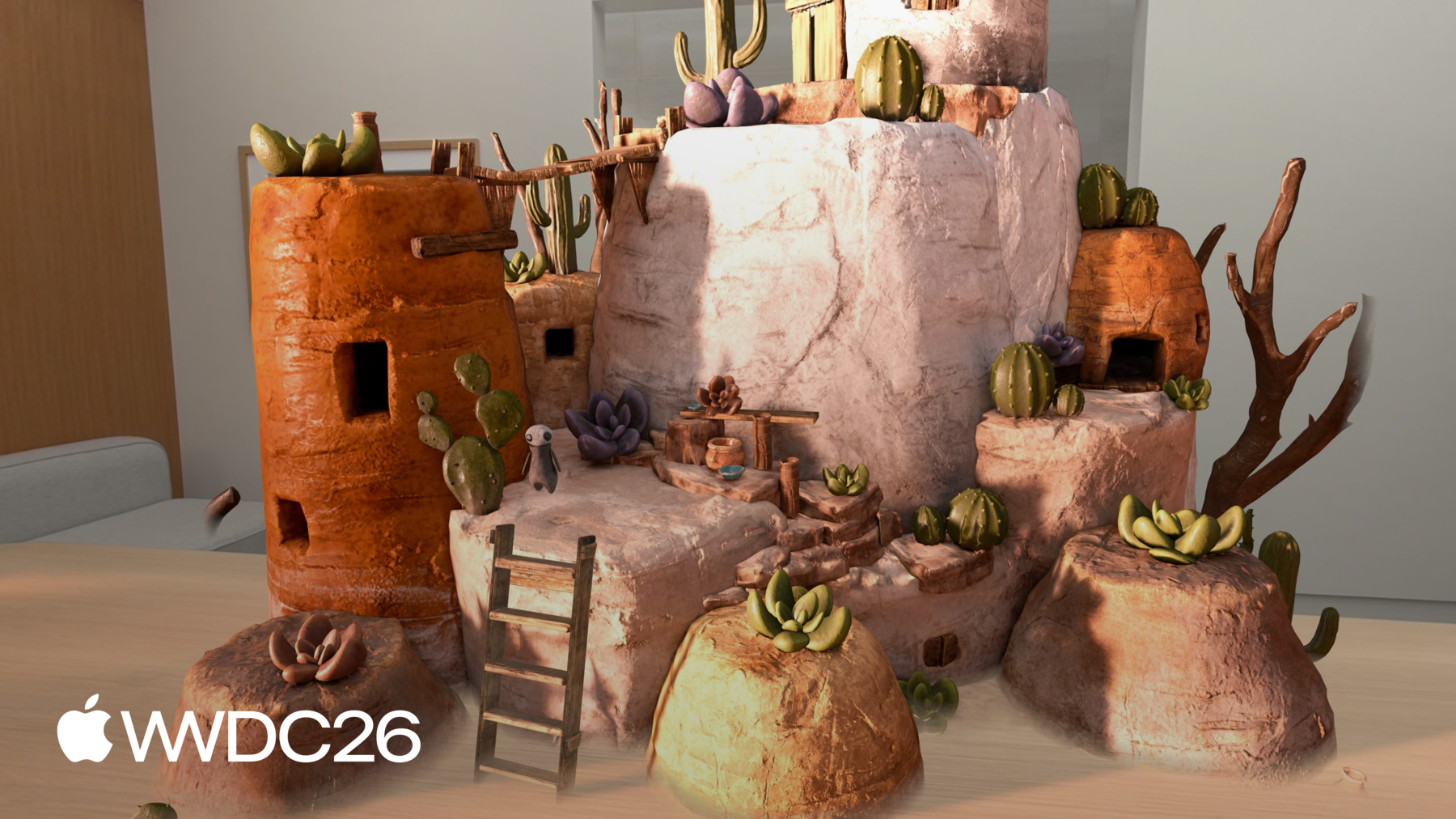
こんにちは Vincentです。 Reality Composer Proの エンジニアです。 今日は Reality Composer Proの ビジュアルなノードベースツールを使って スペイシャルワークフローを 強化する方法をご紹介します。 これらのツールで機能、アニメーション パーティクルエフェクトを作成し シーンの外観をエディタ内で カスタマイズできます。 プロトタイプの作成や アイデアの反復を素早く行えます。 Reality Composer Proは3Dシーンを 構成するためのビジュアルエディタです。 マテリアルの作成、ビジュアルエフェクトの 追加 ライティングの設定など インタラクティビティの構築など さまざまな機能があります。 Reality Composer Proでできることは 多岐にわたります。 今年はさらに多くの機能が加わります。 これらの機能の詳細については セッション「Iterate Your Spatial Scenes Faster with Reality Composer Pro 3」をご覧ください。 こちらは Chaparral Villageゲームで 全体を Reality Composer Pro 3とSwiftで 構築しています。 最新機能の多くを 活用しています。 今日はこのゲームの錬金術エリアの シーンを取り上げ インタラクティブなキャラクターと 大釜のパーティクルエフェクトで 命を吹き込みます。
錬金術師のキャラクターに ルーティンを実行させたいと思います。 テーブルに歩き、材料を準備して 待機するというものです。 錬金術師をタップすると 大釜の方へ振り向いて歩き ポーションの醸造を開始します。 これを実現するために Animation Graphから始めます。 キャラクターが移動する際に idleと 歩行アニメーションをブレンドします。 Behavior Treeを設定して キャラクターの移動方法を定義します。 錬金術エリアを自律的に 移動させるためです。 Script Graphを接続して インタラクティビティを追加します。 タップした時に シーンが反応するようにします。 次に Navigation Meshコンポーネントで キャラクターが障害物を避けながら 複雑な環境を移動できる仕組みをご紹介します。 Compute Graphを使って 大釜のパーティクルエフェクトを 構築した方法もご紹介します。 最後に Reality Composer Pro 3の Shader Graphの機能強化をご紹介します。 Animation Graphから始めましょう。
Reality Composer Pro 3のAnimation Graphはビジュアルなノードベースエディタで 実行時のキャラクターの アニメーション方法を制御します。 モーションワーピングからブレンドスペース インバースキネマティクスまで 幅広い機能をサポートしています。
錬金術師を自然に動かすために State Machineを使用します。 Animation Clipと トランジション条件 そして実行時パラメータを使って idleと 歩行アニメーションをブレンドします。 見てみましょう。
こちらがAnimation Graphワークスペースで アニメーションを定義する場所です。 Animation Graphはデフォルトで Final Poseノードから始まります。 このノードに流れ込んだポーズが キャラクターに表示されます。 Final Poseノードの入力からドラッグして State Machineノードを接続します。
State Machineはどのアニメーションが いつアクティブかを決定します。 次にState Machineノードを ダブルクリックして内部に入ります。 State Machineエディタが開き ステートとトランジションを定義できます。 キャンバスは空の状態から始まり キャラクターには2つのステートが必要です。 Animation Stateノードを2つ追加して IdleとWalkと名付けます。
ステートが用意できたら トランジションを追加します。 現在2つのステートは独立していて 切り替える手段がありません。 IdleからWalkにドラッグして トランジションを作成します。
次にWalkからIdleへも 同じ操作を行います。 歩行が終わったらキャラクターが Idleに戻れるようにするためです。 トランジションは用意できましたが まだ条件がありません。 条件がないと State Machineはいつステートを 切り替えるかを判断できません。 条件を追加する前に 参照する入力を定義する必要があります。 Inputs InspectorでisWalkingという ブール値を追加します。
これは実行時に設定するパラメータで キャラクターにいつ歩くかを伝えます。
これで条件を追加できます。 IdleからWalkへのトランジションを 選択します。 Inspectorで条件セクションの をクリックし Bool Conditionを選択して isWalkingがtrueかどうかを チェックするよう設定します。
WalkからIdleへのトランジションは 同じ条件を反転させます。 そのトランジションを選択して Bool Conditionを追加し isWalkingがfalseかどうかを チェックするよう設定します。
戻る矢印をクリックして Main Graphに戻ります。
State Machineノードに 2つのステート入力が表示されます。 IdleとWalkの それぞれです。 各入力にアニメーションソースが必要です。 Idle入力からドラッグして Animation Clipノードを追加します。
InspectorでタイムラインをIdle アニメーションに設定し ノード名を「Idle」に設定します。
Walk入力でも同じ操作を行い 別のAnimation Clipノードを ドラッグして作成し 歩行アニメーションに設定して 「Walk」に名称変更します。
テストしてみましょう。 ワークスペース上部の 再生ボタンを押します。
ビューポートのキャラクターが idleアニメーションを再生し始めます。 InspectorでisWalkingブール値を 手動で切り替えられます。 trueに設定すると キャラクターが 歩行アニメーションに切り替わります。
falseに戻すと キャラクターが現在の歩行サイクルを 終え Idleにブレンドで戻ります。 isWalkingブール値を切り替えながら グラフエディタをご覧ください。 キャラクターがステート間を遷移する際に アクティブなステートノードがハイライトされます。
これによりState Machineが リアルタイムで何をしているかを 多数のステートを持つ複雑な State Machineをデバッグする際に 特に役立ちます。 キャラクターはidleと歩行アニメーションを スムーズにブレンドできるようになりました。 しかしどこへ向かうか いつ動き始めるかはまだわかりません。
錬金術師に錬金術エリアを 巡るルーティンを与えるために Behavior Treeを使って 各ステップの移動を定義します。
Reality Composer ProのBehavior Treeを 使うと自律的で 複数ステップの動作を エディタ内で直接作成できます。 たとえばエリアをパトロールし イベントに反応するキャラクターや ルーティンをこなすキャラクターなどです。
こちらに示すように Behavior Treeは通常 ノードの階層構造で構成されています。 これらはステップであり 任意の順序に並べ替えられます。 コードを書かずに すべてをテストできます。 Behavior Treeはエンティティの動作を ノードの階層として記述します。 ツリーは上から下へ評価されます。 同じレベルのノードは 左から右へ評価されます。 上位のノードと左端のノードが 常に最初に評価されます。 ノードには2種類あります。 CompositeノードとActionノードです。 Compositeノードはフローを制御します。 Actionノードが実際の処理を行います。 ActionノードはCompositeノードの 子として紐づけられます。 Compositeノードが実行する順序と 条件を決定します。 Reality Composer ProのBehavior Treeは フロー制御に3種類の Compositeノードを提供します。 Sequenceは子を順番に 1つずつ実行します。 いずれかのアクションが失敗すると シーケンス全体が即座に停止します。
Selectorは子を評価して 1つが成功すると停止します。
Parallelはすべての子を 同時に実行します。
Behavior Treeには さまざまな組み込みActionノードがあります。 錬金術師のルーティンを構成するために Move ToアクションノードでIを使って キャラクターを目的地まで 歩かせます。 Rotate To Faceノードで ターゲットの方向に向けます。 Waitノードでステップ間で一時停止し Parameter Setterノードで 途中のエンティティパラメータを更新します。 このアプリでは いくつかの組み込みノードのみを使用しますが エディタにはほかにも 多くのActionノードがあります。 エディタに戻って Behavior Treeを構築しましょう。 錬金術師キャラクターが錬金術エリアを 巡るルーティンを定義します。 こちらがBehavior Treeワークスペースで 錬金術師のルーティンを定義する場所です。 錬金術師のキャラクターに テーブルの方を向き 歩いて行って少し待ち 材料を準備させたいと思います。 これらのアクションを順番に行う必要があるので Sequence Compositeノードを使います。 Sequenceの中に Rotate To Faceノードを追加し Move ToノードとWaitノードを 追加します。 待機時間を1秒に設定します。
RotateノードとMoveノードには 両方ともターゲット位置と速度が必要です。 tablePosition、rotationRate movementRateの入力を追加し ノードに接続します。
キャラクターが動き始める前に Animation Graphに伝える必要があります。 Animation Graph用の isWalking入力を追加します。 次にRotate To Faceの前に Parameter Setterを追加して isWalkingをtrueに設定します。
Move Toの後にも Parameter Setterを追加して isWalkingをfalseに戻します。
これでキャラクターが動いている間だけ 歩行アニメーションが再生されます。 錬金術師も同じパターンで 大釜まで歩く必要があります。 ステップは同じで 目的地が異なるだけです。 すでに全体のグラフを 構築しました。 両方のサブシーケンスが 接続されています。 構築内容をご覧ください。 大釜サブシーケンスも 同じ構造で 独自のRotate To Face Move Toがあり Parameter Setterノードが cauldronPosition入力を指しています。 Parent Sequenceノードを作成して 両方のサブシーケンスを 親シーケンスに接続します。 錬金術師がまずテーブルに行き 次に大釜に移動するようにします。 Behavior Treeがキャラクターの ルーティンを定義しますが まだ機能していません。 キャラクターにルーティンを 実行させるためには 振り向いて大釜に歩いて行き 醸造を開始するために Script Graphを使う必要があります。 Script Graphを使うとシーン内の エンティティのインタラクティビティと 機能を定義できます。 シーン内のエンティティの動作方法と 相互作用を定義できる ビジュアルスクリプティングシステムです。 イベント駆動型で Script Graphは イベントに応答して動作します。 シーンレベルまたは 特定のエンティティ上でです。 すべてがビジュアルなので プロトタイプ作成と反復が速いです。 チームの誰でもエディタ内で 動作を直接構築してテストでき ビルドサイクルが不要です。 Script Graphでワークフローを 強化する方法はセッション 「Design no-code games with Reality Composer Pro 3」をご覧ください。 エディタに戻り テーブルと大釜の位置を設定して Script Graphを使ってタップジェスチャーで インタラクションを追加しましょう。
こちらがScript Graphです。 ここで錬金術師キャラクターと インタラクションするロジックを定義します。 On Initializeノードから始めます。
これはScriptingコンポーネントが 初めて初期化されるときにイベントを送信します。 セットアップロジックに 適した場所です。 Behavior Treeにはテーブルと 大釜の位置が必要です。 サブグラフを使って提供します。 サブグラフは関数のように機能する 再利用可能なロジックのまとまりです。 チームメンバーがProject Browser内に Setup Behavior Tree Positionサブグラフを すでに構築しています。 シーン内のテーブルと大釜の エンティティを見つけて エンティティパラメータに ワールド位置を設定します。 サブグラフをProject Browserから キャンバスにドラッグし イベント入力を On Initializeノードの イベント出力に接続します。
では試してみましょう。 上部の再生ボタンをクリックします。 錬金術師がテーブルの方を向いて しばらく材料を準備し 大釜へと向かいます。 Behavior Treeで定義した通りに ルーティン全体が 最初から最後まで再生されます。 ただ錬金術師がタップに 反応するともっと 魅力的になると思います。
錬金術師がテーブルで材料を準備しながら 待機するようにしましょう。 タップしてポーションを醸造する合図を 送るまで待機します。 設定するために Behavior Treeに戻りましょう。 まずテーブルサブシーケンスの Waitノードを削除します。 錬金術師は次に進むよう指示があるまで 無期限に待機します。 Inputs InspectorでreadyToBrewという Boolean入力を追加して デフォルト値をfalseに設定します。 次に大釜サブシーケンスを 選択します。 InspectorでPreconditionを追加して Bool Conditionを選択します。
これで錬金術師はテーブルで 待機するよう設定されます。 readyToBrewがtrueになるまでです。 その後大釜へと 移動します。 Script Graphに戻り タップインタラクションを接続して 新しい動作を完全に機能させます。 Mac Virtual Displayと Live Preview機能を使って Reality Composer Pro 3で Apple Vision Proでイマーシブに シーンを作業できます。 どのような見た目かお見せします。 On Tapノードを追加します。 このノードはエンティティ上の タップジェスチャーイベントを待ち受けます。 Set Entity Parameterノードも 必要です。 このノードは事前条件パラメータを 設定するのに使います。 Behavior Treeで 以前定義したものです。 nameフィールドにパラメータ名を 「readyToBrew」として定義します。 これはBehavior Treeで定義した名前と 一致させます。 このパラメータはキャラクターに 大釜へ移動するタイミングを伝えます。 トグルを有効にして trueに設定します。 最後にOn Tapノードの イベント出力を Set Entity Parameterノードに 接続します。 Apple Vision Proで ライブプレビューセッションを開始しました。 Reality Composer Pro コンパニオンAppを使用しています。
錬金術師がテーブルの方を向き 材料を準備しながらそこで待機します。 キャラクターをタップすると大釜の方を向いて 歩いて行き醸造を開始します。 シーンがインタラクティブになりました。
錬金術師がアニメーションし ルーティンをこなし インタラクションに反応します。 すべてエディタでビジュアルに作成しました。 Animation Graphの組み合わせで Behavior TreeとScript Graphを 使っています。
次にキャラクターを 自律的なパスで移動させ シーンの障害物も 回避させたいと思います。 そのために新しい Navigation Mesh機能を使います。 Navigation Meshはシーン内の 歩行可能な面を定義します。 ナビゲーションコントローラーは Navigation Meshを使用して キャラクターを ある地点から別の地点へと ここに示す木や水のような障害物を 自動的に回避しながらルートを決めます。 メッシュが自然につながっていない場合 右側のこの橋のように オフメッシュ接続を作成して つなぐことができます。
Chaparral Villageプロジェクトの 村のシーンで Navigation Meshを使ってキャラクターを 村内で誘導する方法をお見せします。 こちらが村のシーン用に設定した Navigation Meshコンポーネントです。 Shapesセクションから始めます。 メッシュ生成のための バウンディングボックスを定義する場所です。 バウンディングボックスはシーン内の どのメッシュジオメトリを Navigation Meshの計算に 含めるかを決定します。 バウンディングボックス内の シーンのどの部分も Navigation Meshリソースの 生成に使用されます。 次はOff-Mesh Connectionsセクションで メッシュがそのままではつながらないエリア間の リンクを定義するのに使えます。 たとえばここのはしごで キャラクターが建物の屋根に登れます。 各接続には 開始点と終了点があります。 ビューポート内のギズモを使って 位置を直接調整できます。 これにより接続の設定と 位置の変更が素早くできます。 シーンの進化に合わせてです。 次はGeneration Parametersセクションです。 シーンのジオメトリを サンプリングする方法を制御します。 たとえばcell sizeはサンプリング時に 使用するボクセルサイズを設定します。 小さい値はより細かい詳細を 捉えます。 大きい値はより近似的な メッシュを生成します。
Navigation Meshの微調整に使える パラメータはほかにも多数あります。 完全なリファレンスは developer.apple.comの ドキュメントをご覧ください。 Navigation Meshをコードで 使用する方法については Dennisのセッション 「Explore Advances in RealityKit」 をご覧ください。 Navigation Meshを設定したら Behavior Treeと一緒に使えます。 Animation Graphや カスタムのSwiftシステムでも ナビゲーションコンポーネントを通して キャラクターをシーン内で誘導できます。 ここにいる村のキャラクターのように タップした場所へ自律的にナビゲート しながら 途中の障害物を回避します。 はしごにオフメッシュ接続があるので キャラクターは屋上に 登れることも認識しています。
次にCompute Graphを使って 大釜の煙のパーティクルエフェクトを どのように構築したかをご紹介します。 Compute Graphはビジュアルな ノードベースツールで GPUを使ったパーティクルシミュレーション を構築するためのものです。 Reality Composer Pro内で Metalをバックエンドとして使います。 スポーン、シミュレーション、 レンダリングを完全に制御でき カスタムシェーダーにも対応しています。 Compute Graphは 4つのフェーズで構成されます。 それぞれがパーティクルの ライフサイクルの異なるステージを担います。 最初はEmitterフェーズです。 パーティクルがどのように いつ生まれるかを制御します。 継続的に、バースト状に または1回だけです。 2番目はInitializeフェーズで パーティクルの誕生時に1回実行されます。 速度、寿命、サイズなどの 初期値を設定します。 次はSimulateフェーズです。 毎フレーム実行され 重力や乱流などの力を適用して パーティクルを時間経過とともに変化させます。
最後はOutputフェーズです。 画面上でのパーティクルの 見た目を制御します。 エイジングと空間移動に伴う ビジュアル外観を定義します。 大釜の煙エフェクト用に構築した Compute Graphをご紹介します。 すべてのCompute Graphはこれら4つの フェーズをテンプレートとして始まります。 Emitterフェーズには Continuous Emitノードを使っています。 これにより密度の高い 連続したパーティクルの流れが生まれ 各フレームのスポーン数を 抑えられます。 Initializeフェーズでは まずサイズを設定して各パーティクルが 適切なスケールで始まるようにします。 ランダムなばらつきも持たせます。 次に寿命をランダム化して パーティクルが同時に消えないようにし 煙をより自然な感じに仕上げます。 次にSpawn in Sphereノードで パーティクルを球状のボリューム内に分散させます。 このノードはカスタムのCompute Graph バンドルからのものです。 リンクをご確認ください。 バンドルを使ってカスタムのCompute Graph ノードを書く方法が載っています。 最後にSet PositionノードでY位置を ゼロにクランプします。 スポーン領域を 球の表面にフラット化します。 これでパーティクルが円形にスポーンされ 液体の表面から 煙が立ち上るように見えます。 Simulateフェーズでは 負の重力を適用しています。 これにより煙のパーティクルが 上方向に漂い 大釜から上がる蒸気のように 見えます。
最後にOutputフェーズでパーティクルが 寿命に合わせてフェードイン・アウトし 上昇するにつれて縮小し 高さに応じて色が変わります。 レンダリングにはCompute Graphが Shader Graphマテリアルを使います。 ここではビルボードに円を描くものを使い より丸みのある見た目にしています。
以上です。 パーティクルエフェクトが シーンで美しく見えます。 Reality Composer Proの Compute Graph機能のおかげです。
次にShader Graphの 機能強化をご紹介します。 Shader Graphは今年 強力なアップデートがあります。 Subsurface Scatteringエフェクトなど Jupiterの環境で ご覧になったかもしれませんが 月の表面の氷のリアリズムを 高めるものです。 Subsurface Scatteringエフェクトに加えて 今年のShader Graphには ほかにも多くの機能強化があります。 RealityKit PBR Surface 2が Shader Graphで利用可能になりました。 元のRealityKit PBRサーフェスノードを 拡張したもので sheenなどの新しい サーフェスプロパティが追加されています。 Subsurface Scatteringとより精度の高い DiffuseとOcclusion Shadingも含まれます。
Hair surfaceは髪と毛皮のレンダリングに 特化したサーフェスシェーダーです。 細い繊維に沿った光の反射と 散乱をモデル化し リアルな結果を生み出します。 Portal surfaceとPortal Geometry ModifierもShader Graphで利用できます。 Portalサーフェスのピクセルごとの 不透明度を変更したり 頂点アニメーションのポータルジオメトリを 駆動したりできます。 ポータルの外観と動作に より大きな柔軟性をもたらします。 Shader Graphが初めての方には Nielのセッション 「Explore materials in Reality Composer Pro」をお勧めします。 以上が今回のセッションで 紹介したエキサイティングな新機能です。 ビジュアルなノードベースツールを使って シーンに命を吹き込む方法をご紹介しました。 Reality Composer Pro 3で キャラクターアニメーションの構築で ワークフローを強化する方法 複雑な動作の定義 シーンへのインタラクティビティと パーティクルエフェクトの追加までです。 これはReality Composer Pro 3で できることの ほんの一部に過ぎません。
最後に、Reality Composer Pro 3を ぜひダウンロードして developer.apple.comから独自の インタラクティブな体験を構築してください。 さらに深く学びたい方のために いくつか関連セッションもあります。 「Design No-Code Games with Reality Composer Pro 3」では Script Graphを使ったゲーム構築の 詳細を扱っています。
「Explore Advances in RealityKit」 ではRealityKitの機能を紹介しています。 今日ご紹介したツールの多くを 支えるものです。 ご視聴ありがとうございます。 Reality Composer Proで 皆さんが何を作るか楽しみにしています。
-