

View in English

  • Apple Developer
    • 今すぐ始める

    「今すぐ始める」を詳しく見る

    • 概要
    • 学ぶ
    • Apple Developer Program

    最新情報

    • 最新ニュース
    • Hello Developer
    • プラットフォーム

    プラットフォームを詳しく見る

    • Appleプラットフォーム
    • iOS
    • iPadOS
    • macOS
    • tvOS
    • visionOS
    • watchOS
    • App Store

    特集

    • デザイン
    • 配信
    • ゲーム
    • アクセサリ
    • Web
    • Home
    • CarPlay
    • テクノロジー

    テクノロジーを詳しく見る

    • 概要
    • Xcode
    • Swift
    • SwiftUI

    特集

    • アクセシビリティ
    • AIと機械学習
    • App Intent
    • Apple Intelligence
    • ゲーム
    • セキュリティ
    • Xcode Cloud
    • コミュニティ

    コミュニティを詳しく見る

    • 概要
    • 「Appleに相談」イベント
    • コミュニティによるイベント
    • デベロッパフォーラム
    • オープンソース

    特集

    • WWDC
    • Swift Student Challenge
    • デベロッパストーリー
    • App Store Awards
    • Apple Design Awards
    • Apple Developer Center
    • ドキュメント

    ドキュメントを詳しく見る

    • ドキュメントライブラリ
    • テクノロジー概要
    • サンプルコード
    • ヒューマンインターフェイスガイドライン
    • ビデオ

    リリースノート

    • 注目のアップデート
    • iOS
    • iPadOS
    • macOS
    • watchOS
    • visionOS
    • tvOS
    • Xcode
    • ダウンロード

    ダウンロードを詳しく見る

    • すべてのダウンロード
    • オペレーティングシステム
    • アプリ
    • デザインリソース

    特集

    • Xcode
    • TestFlight
    • フォント
    • SF Symbols
    • Icon Composer
    • サポート

    サポートを詳しく見る

    • 概要
    • ヘルプガイド
    • デベロッパフォーラム
    • フィードバックアシスタント
    • お問い合わせ

    特集

    • アカウントヘルプ
    • App Reviewガイドライン
    • App Store Connectヘルプ
    • 近日導入予定の要件
    • 契約およびガイドライン
    • システムステータス
  • クイックリンク

    • イベント
    • ニュース
    • Forum
    • サンプルコード
    • ビデオ
 

ビデオ

メニューを開く メニューを閉じる
  • コレクション
  • すべてのビデオ
  • 利用方法

その他のビデオ

  • 概要
  • トランスクリプト
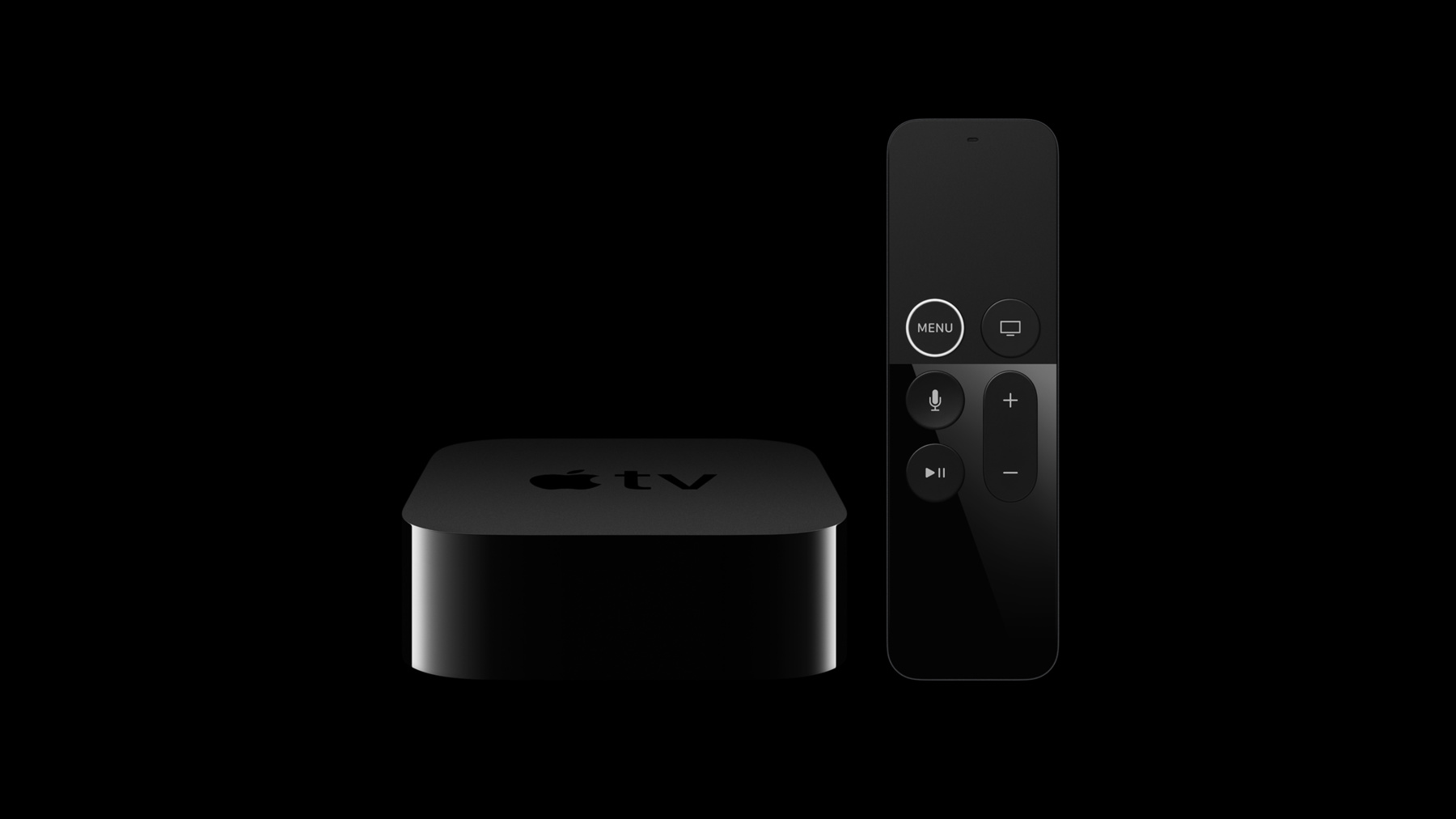
  • Apple TV 4K用にAppをアップデート

    Retina Image、HDRビデオ、およびSiri RemoteのMotion機能など、さまざまな新機能を利用してApple 4K用にAppをアップデートする方法について確認します。

    リソース

    • App Programming Guide for tvOS
    • Human Interface Guidelines: Designing for tvOS
      • HDビデオ
      • SDビデオ

    関連ビデオ

    WWDC21

    • EDRによるHDRレンダリング

    Tech Talks

    • 4K、HDRのHLSストリームのオーサリング
    • HDRビデオの紹介
  • このビデオを検索

    Apple TV 4K takes the living room experience to a whole new level, with support for 4K resolution, P3 color, HDR video playback, the incredible A10X Fusion processor, and the updated and improved Siri Remote. Updating your app to support these new features is very straightforward. The first step is to add a 2x launch image. Until you do so, tvOS is going to run your app in compatibility mode. While you're at it, you'll also want to add 2x app icons and top shelf images.

    When attached to a 4K television, UIKit will now automatically select retina assets from your asset catalogue.

    You can inspect what screen scale the device is running in by inspecting the scale property of the main UIScreen. You can also determine the pixel resolution of the attached display by using the nativeBounds property.

    Just like the latest iOS and macOS devices, we're really excited that Apple TV 4K now supports P3 color. When providing retina assets, you may also want to update your assets to take advantage of this wider color space, allowing your graphics and images to contain even richer and more saturated colors than before. This isn't just for flat images but is supported for layered images as well.

    Media apps will also want to look at updating their streams to include 4K and HDR variants for any content that was produced in these formats. Apple TV 4K supports both Dolby Vision and HDR10 for HDR content, and the addition of support for HEVC enables these higher fidelity and resolution streams while consuming up to 40 percent less bandwidth than comparable streams encoded using H.264.

    The updated and improved Siri Remote now provides motion data for attitude and rotation rate, in addition to the values for acceleration and gravity that the prior version offered.

    To determine if the paired remote supports these new features, you can inspect the new GCMotion "hasAttitudeAndRotationRate" property. The values for attitude and rotation rate are then provided by the respective GCMotion properties.

    And with those few changes, you're going to be able to take advantage of all of the new capabilities and performance of Apple TV 4K.

    For more information on updating your app for Apple TV 4K, please visit developer.apple.com.

デベロッパ向けフッタ

  • ビデオ
  • Tech Talks
  • Apple TV 4K用にAppをアップデート
  • メニューを開く メニューを閉じる
    • iOS
    • iPadOS
    • macOS
    • tvOS
    • visionOS
    • watchOS
    • App Store
    メニューを開く メニューを閉じる
    • Swift
    • SwiftUI
    • Swift Playground
    • TestFlight
    • Xcode
    • Xcode Cloud
    • Icon Composer
    • SF Symbols
    メニューを開く メニューを閉じる
    • アクセシビリティ
    • アクセサリ
    • AIと機械学習
    • Apple Intelligence
    • オーディオとビデオ
    • 拡張現実
    • ビジネス
    • デザイン
    • 配信
    • 教育
    • ゲーム
    • ヘルスケアとフィットネス
    • アプリ内購入
    • ローカリゼーション
    • マップと位置情報
    • セキュリティ
    • Safari/Web
    メニューを開く メニューを閉じる
    • ドキュメント
    • ダウンロード
    • サンプルコード
    • ビデオ
    • ドキュメントのアーカイブ
    メニューを開く メニューを閉じる
    • ヘルプガイドと記事
    • お問い合わせ
    • フォーラム
    • フィードバックとバグの報告
    • システムステータス
    メニューを開く メニューを閉じる
    • Apple Developer
    • App Store Connect
    • Certificates, IDs, & Profiles(証明書、ID、プロファイル)
    • フィードバックアシスタント
    メニューを開く メニューを閉じる
    • Apple Developer Program
    • Apple Developer Enterprise Program
    • App Store Small Business Program
    • MFi Program
    • Mini Apps Partner Program
    • News Partner Program
    • Video Partner Program
    • セキュリティ報奨金プログラム
    • Security Research Device Program
    メニューを開く メニューを閉じる
    • Appleに相談
    • Apple Developer Center
    • App Store Awards
    • Apple Design Awards
    • Apple Developer Academy
    • WWDC
    最新ニュースを読む。
    Apple Developerアプリを入手する。
    Copyright © 2026 Apple Inc. All rights reserved.
    利用規約 プライバシーポリシー 契約とガイドライン