

-
Xcodeのエージェントコーディングについて
Xcode 26.3では、OpenAI CodexやClaude Agentなどのコーディングエージェントをシームレスに統合し、複数の手順からなる複雑なタスクで連携させることができます。Xcodeでは、コーディングエージェントによるプロジェクトのビルド、テストの実行、Appleドキュメントの検索をすべてModel Context Protocol(MCP)を介して処理します。その仕組みを確認しましょう。
リソース
-
このビデオを検索
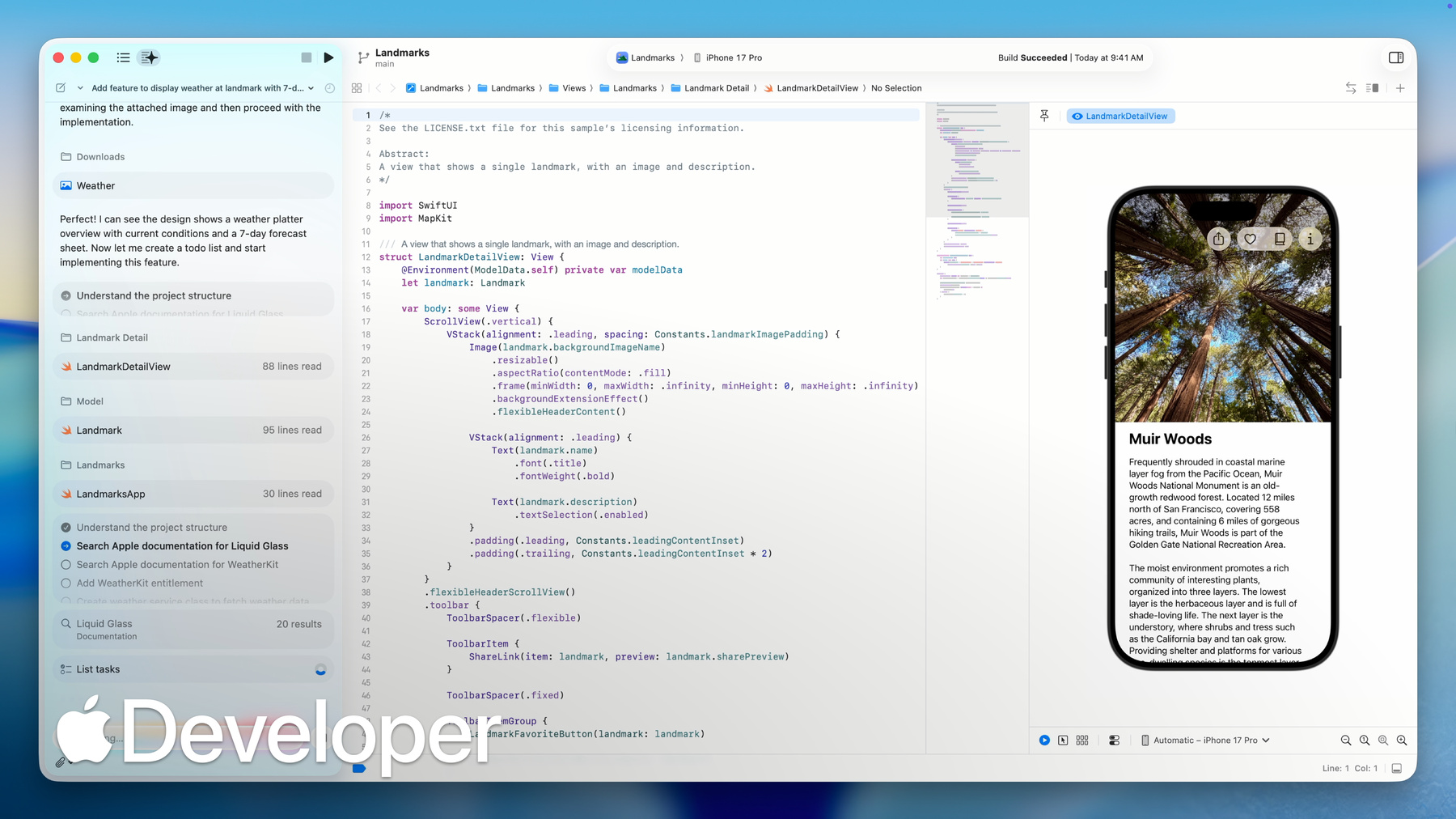
Hi, I’m Ken, I lead the Xcode team. With the release of Xcode 26.3, we’re super excited to introduce agentic coding in Xcode, powered by tools using the Model Context protocol. Xcode and coding agents can now work together to handle complex, multi-step tasks on your behalf. Let me show you. I’m working on the Landmarks sample app, which lets users explore interesting places around the world – like national parks and mountain ranges. Now I'm going to add a feature to show the current weather at a landmark. First, I'll open the intelligence settings. Now for this demo, I’ve already set up my Anthropic account and with just one click, I can download the Claude Agent and start coding.
Then I’ll select Claude Agent to start a new conversation and describe what I want. Now I’d like to get weather data using WeatherKit and create a seven day forecast view with Liquid Glass.
Xcode works with the agent to break down the task into smaller steps, making it easy to follow along and see exactly what's happening.
Next, the agent familiarizes itself with my project, looking at files and structure and figuring out where to make changes. Here, the agent searches Apple’s documentation for Liquid Glass, since I mentioned that in my prompt. Xcode provides a documentation tool that pulls in relevant code snippets and samples so the agent can generate modern code using the latest APIs.
And the agent can do more than just generate code. Here it’s adding an entitlement so I can use the WeatherKit API.
Now it's creating a weather service class to fetch weather data. Creating the view to show the current weather for the landmark.
Adding the seven day forecast overlay using Liquid Glass.
And finally, building my project.
But in this case it doesn't build on the first try. Models sometimes produce code with errors. Since Xcode provides a tool to list all the build errors, the agent can iterate quickly and fix them for me.
And when it's done, I get a clear summary of all the changes. Now here's the new current weather view under the landmark title. And when I tap it, I get this beautiful view showing a seven day forecast with live weather data.
Okay, so here’s what just happened – From a single request Xcode and the agent added the WeatherKit entitlement, integrated live weather data, created three new files with over 400 lines of code, built a beautiful Liquid Glass view, and did it all in just minutes.
What would have taken me hours is now a great first draft, ready to review and refine. With the agentic coding, Xcode works autonomously toward your goal. It breaks down complex tasks into simpler steps, makes decisions based on your project architecture, and it uses the right tools to get things done. Xcode exposes its capabilities through the Model Context Protocol. This open standard gives you the freedom to use any MCP compatible agent or tool to work with Xcode.
These capabilities are available in Xcode 26.3, and we'll be adding more in the future.
And for developers using Anthropic Claude Code or OpenAI Codex, we built seamless integration directly into Xcode. You can download those coding agents with just a click, and they update automatically.
We've also optimized token usage and tool calling so you get the best possible results.
What used to require a back and forth between you, Xcode, and the model, it now happens automatically.
Agents use Xcode tools to build, test, refine, and iterate so you can stay focused on building amazing features.
That’s agentic coding in Xcode. Xcode 26.3 is available now.
With agentic coding, there's never been a better time to bring your ideas to life.
-