

View in English

  • Apple Developer
    • 今すぐ始める

    「今すぐ始める」を詳しく見る

    • 概要
    • 学ぶ
    • Apple Developer Program

    最新情報

    • 最新ニュース
    • Hello Developer
    • プラットフォーム

    プラットフォームを詳しく見る

    • Appleプラットフォーム
    • iOS
    • iPadOS
    • macOS
    • tvOS
    • visionOS
    • watchOS
    • App Store

    特集

    • デザイン
    • 配信
    • ゲーム
    • アクセサリ
    • Web
    • Home
    • CarPlay
    • テクノロジー

    テクノロジーを詳しく見る

    • 概要
    • Xcode
    • Swift
    • SwiftUI

    特集

    • アクセシビリティ
    • AIと機械学習
    • App Intent
    • Apple Intelligence
    • ゲーム
    • セキュリティ
    • Xcode Cloud
    • コミュニティ

    コミュニティを詳しく見る

    • 概要
    • 「Appleに相談」イベント
    • コミュニティイベント
    • デベロッパフォーラム
    • オープンソース

    特集

    • WWDC
    • Swift Student Challenge
    • デベロッパストーリー
    • App Store Awards
    • Apple Design Awards
    • Apple Developer Center
    • ドキュメント

    ドキュメントを詳しく見る

    • ドキュメントライブラリ
    • テクノロジー概要
    • サンプルコード
    • ヒューマンインターフェイスガイドライン
    • ビデオ

    リリースノート

    • 注目のアップデート
    • iOS
    • iPadOS
    • macOS
    • watchOS
    • visionOS
    • tvOS
    • Xcode
    • ダウンロード

    ダウンロードを詳しく見る

    • すべてのダウンロード
    • オペレーティングシステム
    • アプリ
    • デザインリソース

    特集

    • Xcode
    • TestFlight
    • フォント
    • SF Symbols
    • Icon Composer
    • サポート

    サポートを詳しく見る

    • 概要
    • ヘルプガイド
    • デベロッパフォーラム
    • フィードバックアシスタント
    • お問い合わせ

    特集

    • アカウントヘルプ
    • App Reviewガイドライン
    • App Store Connectヘルプ
    • 近日導入予定の要件
    • 契約およびガイドライン
    • システムステータス
  • クイックリンク

    • イベント
    • ニュース
    • Forum
    • サンプルコード
    • ビデオ
 

ビデオ

メニューを開く メニューを閉じる
  • コレクション
  • すべてのビデオ
  • 利用方法

その他のビデオ

  • 概要
  • Summary
  • Design for iPhone Duo

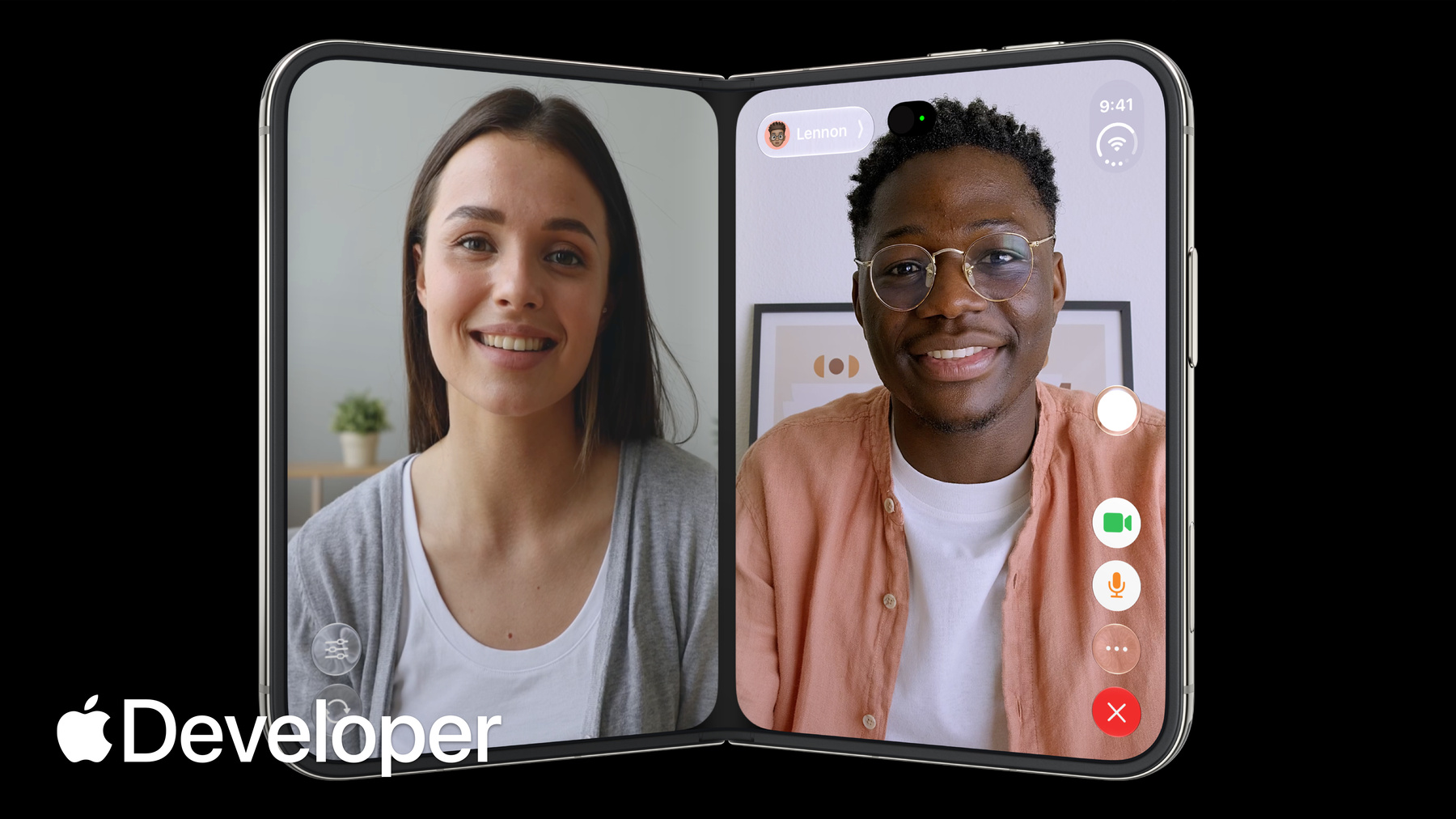
    iPhone Duo is the first folding iPhone and comes with a reimagined iOS. Get to know the design principles behind the updated software, explore how controls move between different poses, and learn where your layout needs to adapt and why.

    関連する章

    • 0:00 - Introduction
    • 0:28 - Design principles
    • 3:42 - Adapting your design
    • 5:07 - Positioning controls
    • 6:33 - Designing for the outer display
    • 7:34 - Designing for the inner display
    • 8:36 - Sheet behavior
    • 9:28 - Fold avoidance
    • 10:01 - Conclusion

    リソース

      • HDビデオ
      • SDビデオ

    関連ビデオ

    Tech Talks

    • Raise the bar with iPhone Duo
    • Strike a pose with adaptive layouts on iPhone Duo
  • このビデオを検索
    • 0:00 - Introduction
    • Marcos and Vince from the Apple Design team introduce the design principles behind the device and how to design apps that look and feel great across all the various configurations of iPhone Duo.

    • 0:28 - Design principles
    • iPhone Duo can be used, held and sat down in many different poses. Buttons and controls have been moved to the outer edge of the display to maximize vertical space. When folded, content automatically moves away from the center. Split View multitasking and video PiP mean that apps and their controls can appear at different aspect ratios and should support resizability.

    • 3:42 - Adapting your design
    • Don't design a custom layout for each pose, instead focus on two sizes classes: compact and regular. Build your interface using layout margins and safe area insets to avoid having your UI obscured. If you're considering a bespoke layout for a specific pose, make sure functionality and general hierarchy is preserved.

    • 5:07 - Positioning controls
    • On iPhone Duo, you should position your toolbars, tab bars and controls along the side of the device so they're easier to reach. Controls share this vertical space with dynamic elements like live activities and the status bar. If there's not enough room, controls will collapse into an overflow menu. Exceptions to this rule are controls that are too wide to fit in this vertical space.

    • 6:33 - Designing for the outer display
    • On iPhone Duo, most content needs an offset so it isn't hidden behind controls. Safe area inserts provide this functionality automatically. However, Immersive, highly visual interfaces that don't scroll may still benefit from centering on the full display. You can also mix approaches, like using a full-width background image with written content that's inset.

    • 7:34 - Designing for the inner display
    • Take advantage of the wide inner display to show more content. Split views are a great option to surface more of your app hierarchy. You can also rearrange your UI into a two column layout.

    • 8:36 - Sheet behavior
    • On iPhone Duo, sheets adapt in different ways depending on the pose. On the outer display, they can be presented with vertical controls. On the inner display, they use horizontal bars. When the device is folded, sheets slide over to avoid resting in the fold.

    • 9:28 - Fold avoidance
    • Built into system components is a behavior that nudges interactive elements away from the center when iPhone Duo is partially folded. Except for scrollable content, keep interactive elements away from the hinge as much as possible.

    • 10:01 - Conclusion
    • Your app should feel like a single experience that adapts different display sizes and poses. By supporting resizability, your app will feel at home on iPhone Duo.

デベロッパ向けフッタ

  • ビデオ
  • Tech Talks
  • Design for iPhone Duo
  • メニューを開く メニューを閉じる
    • iOS
    • iPadOS
    • macOS
    • tvOS
    • visionOS
    • watchOS
    • App Store
    メニューを開く メニューを閉じる
    • Swift
    • SwiftUI
    • Swift Playground
    • TestFlight
    • Xcode
    • Xcode Cloud
    • Icon Composer
    • SF Symbols
    メニューを開く メニューを閉じる
    • アクセシビリティ
    • アクセサリ
    • AIと機械学習
    • Apple Intelligence
    • オーディオとビデオ
    • 拡張現実
    • ビジネス
    • デザイン
    • 配信
    • 教育
    • ゲーム
    • ヘルスケアとフィットネス
    • アプリ内購入
    • ローカリゼーション
    • マップと位置情報
    • セキュリティ
    • Safari/Web
    メニューを開く メニューを閉じる
    • ドキュメント
    • ダウンロード
    • サンプルコード
    • ビデオ
    • ドキュメントのアーカイブ
    メニューを開く メニューを閉じる
    • ヘルプガイドと記事
    • お問い合わせ
    • フォーラム
    • フィードバックとバグの報告
    • システムステータス
    メニューを開く メニューを閉じる
    • Apple Developer
    • App Store Connect
    • Certificates, IDs, & Profiles(証明書、ID、プロファイル)
    • フィードバックアシスタント
    メニューを開く メニューを閉じる
    • Apple Developer Program
    • Apple Developer Enterprise Program
    • App Store Small Business Program
    • MFi Program
    • Mini Apps Partner Program
    • News Partner Program
    • Video Partner Program
    • セキュリティ報奨金プログラム
    • Security Research Device Program
    メニューを開く メニューを閉じる
    • Appleに相談
    • Apple Developer Center
    • App Store Awards
    • Apple Design Awards
    • Apple Developer Academy
    • WWDC
    最新ニュースを読む
    Apple Developerアプリを入手
    bilibili、LinkedIn、WeChat、YouTubeでフォロー
    Copyright © 2026 Apple Inc. All rights reserved.
    利用規約 プライバシーポリシー 契約とガイドライン