App Store Connect Analytics Help
Pre-Orders
Pre-Orders let people sign up to download your app before release, helping you build momentum for launch day. Pre-order volume can drive early visibility and contribute to stronger chart placement.
By making your app available for pre-order on the App Store, you can build an engaged audience, understand demand across regions and devices, and ensure users are ready to experience your app on day one. Understanding pre-order performance helps you validate your launch strategy, optimize regional rollouts, and identify which marketing channels drive the most committed users.
Analytics in App Store Connect enables you to measure your net pre-orders (calculated as pre-orders placed minus pre-orders canceled), pre-order conversion rate, and downloads resulting from pre-orders.
Pre-order metrics appear once your app has received pre-orders from at least five individual users. After launch, fulfilled pre-orders automatically flow into download reporting.
To export pre-order data in bulk, use the Analytics reports in the App Store Analytics API.
Learn about configuring Pre-Orders in App Store Connect.
View Pre-Order data
-
In Apps, select the app you want to view.
-
Click the Analytics tab.
-
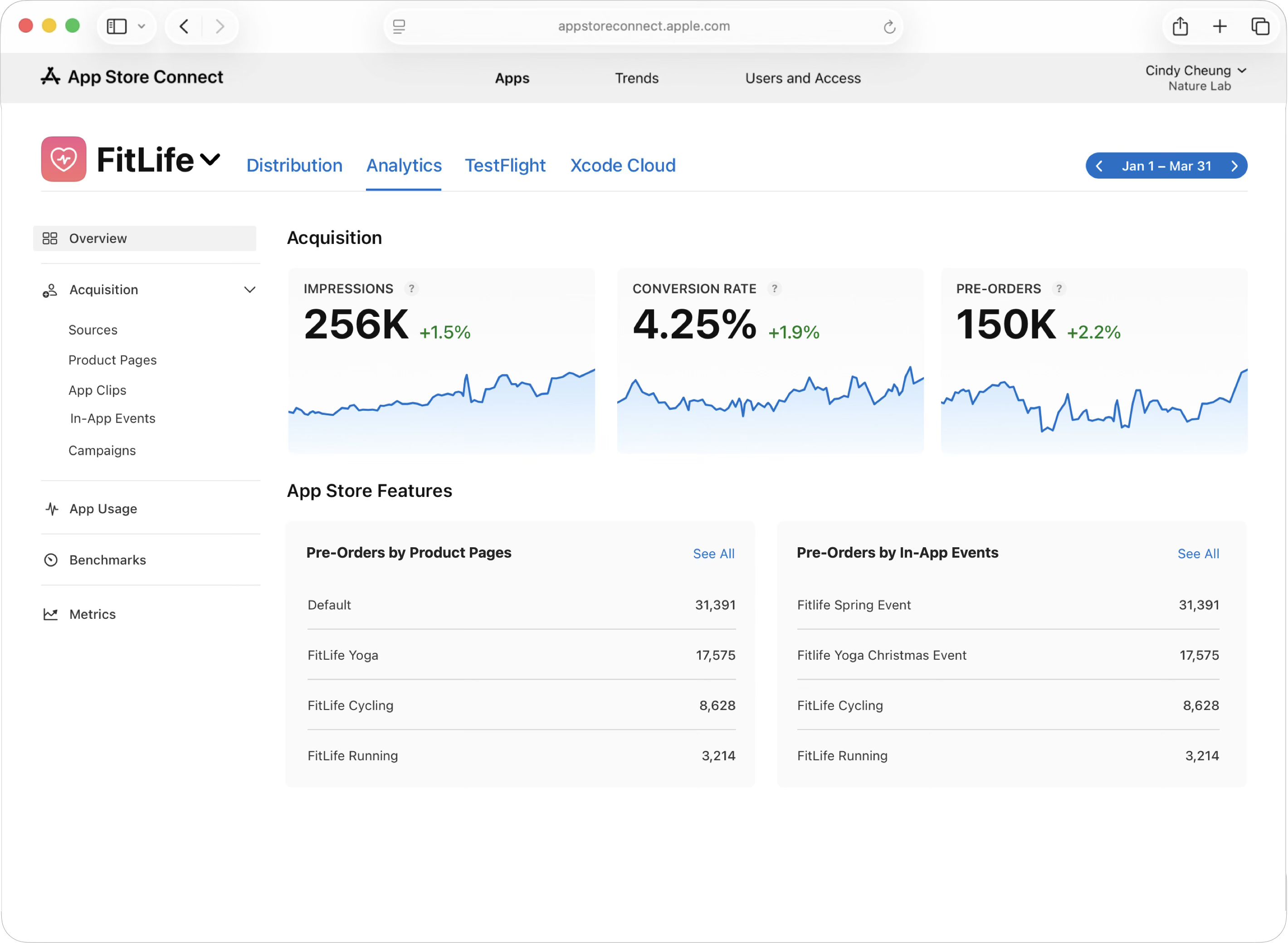
The Overview dashboard displays your total number of pre-orders by source and by territory.
-
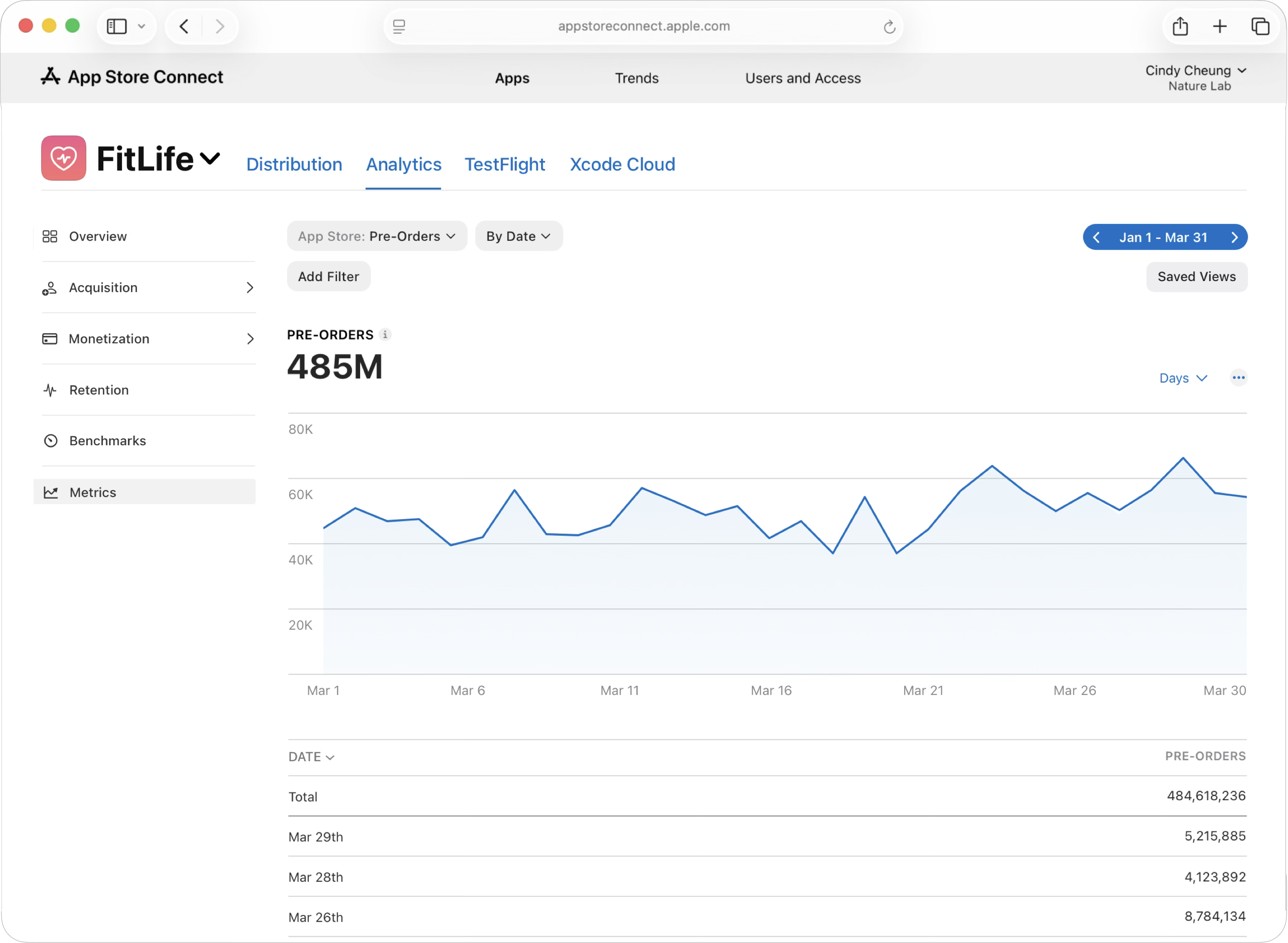
In the side-bar, click Metrics to view granular pre-order data.
-
In the drop-down menu under App Store, select Pre-Orders. Use the filters to show the data by dimensions such as device type, territory, and source type. Measuring pre-order volume by territory helps you gauge demand across markets and identify which regions show the strongest interest in your launch.
To further refine your analysis, you can segment by acquisition source to see which channels drive the highest-value pre-orders.
You can also use the date picker in the top right corner to change the time period.